Jan AI
Discover Jan, an open-source AI tool that combines powerful models and user-friendly design, enabling local deployment and diverse integrations.
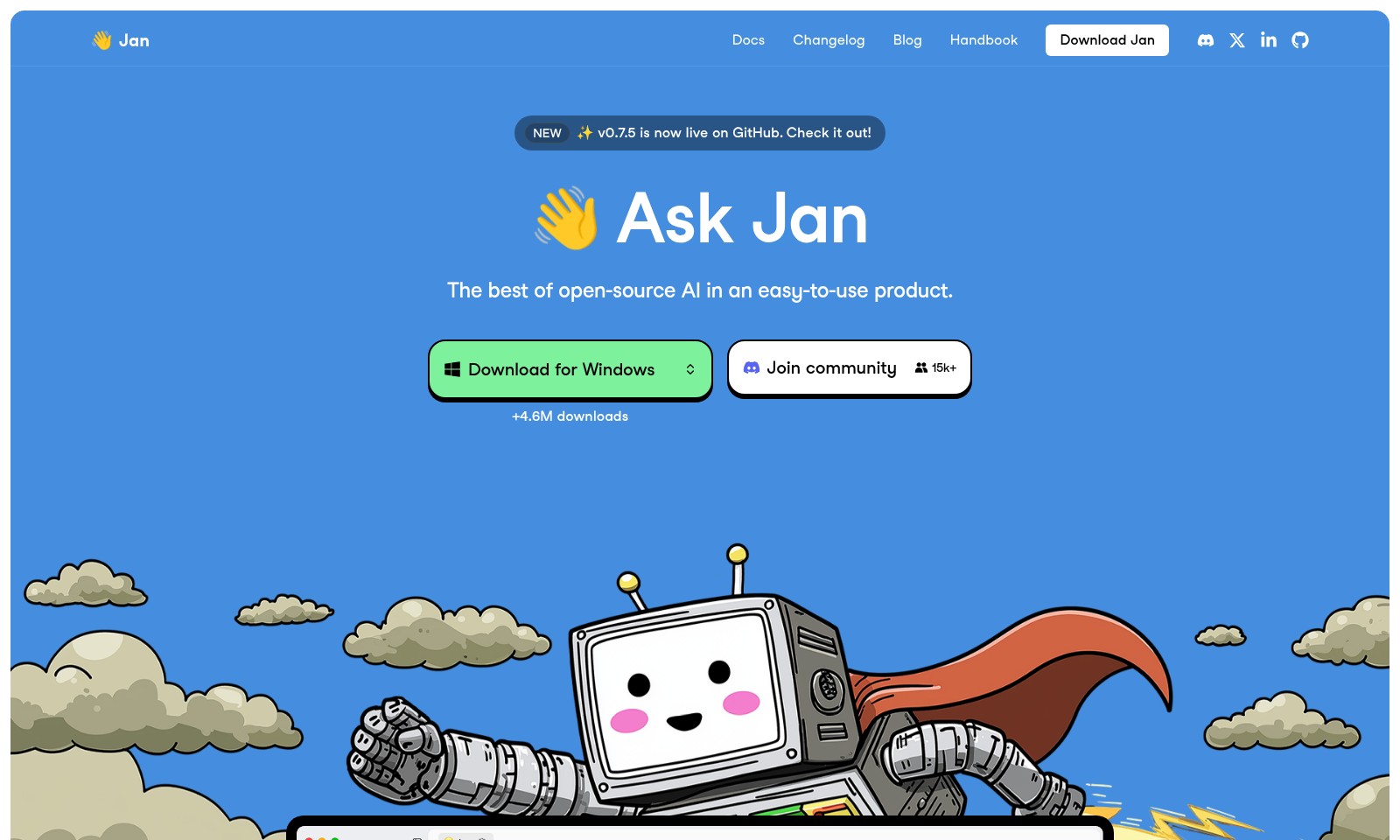
Jan AI Introduction
Discover the Power of Open-Source AI
Welcome to Jan, where we harness the best of open-source artificial intelligence and package it in an easy-to-use product that empowers both developers and enthusiasts alike. With Jan, you can experience a robust AI solution that is not only accessible but also immensely beneficial, thanks to our unwavering commitment to community engagement and continuous improvement.
Jan AI Features
Feature 1 - User-Friendly Interface
Experience seamless navigation with an intuitive layout. Our interface empowers users of all skill levels to harness the capabilities of advanced AI without extensive training.
Feature 2 - Powerful Local Deployment
Run Jan directly on your machine with no need for internet connectivity. This feature allows users to access advanced AI tools in secure environments, essential for sensitive data handling.
Feature 3 - Open Source Flexibility
Benefit from a completely open-source framework that encourages community collaboration. By contributing to Jan's ongoing development, users can tailor their experience and benefit from collective advancements.
Feature 4 - Multi-Platform Compatibility
Easily access Jan from various platforms, including Windows. This flexibility ensures that users can utilize powerful AI tools on their preferred operating systems, enhancing accessibility and user adoption.
Feature 5 - Performance Optimization
Take advantage of the latest version, v0.7.5, which features significant performance enhancements. Users can expect improved processing speeds and reduced latency, making complex tasks more efficient and productive.
Frequently Asked Questions About Jan AI
Frequently Asked Questions
What is Jan?
Jan is an open-source AI product designed to simplify AI application in various tasks. It combines powerful features with ease of use, making it accessible for both beginners and advanced users alike.
How can I download Jan?
You can download Jan for Windows directly from our website. Just visit the download section and follow the instructions to get started with over 4.6 million downloads and growing!
What are the key features of Jan?
Jan offers a host of features, including local model deployment, which allows you to perform tasks without needing an internet connection. It’s designed to provide user-friendly interactions while maintaining high performance, suitable for both casual users and developers.
Is Jan really free to use?
Absolutely! Jan is an open-source tool, which means it’s free to use, modify, and distribute. This makes it an ideal choice for anyone looking to explore AI technologies without the constraints of costly software licenses.
How do I get involved with the Jan community?
Joining the Jan community is easy! You can participate in discussions, share your experiences, and ask questions on our forums. Plus, stay updated with the latest news and releases by following us on social media and subscribing to our blog.
Where can I find documentation for Jan?
Comprehensive documentation is available on our website’s Docs section. It includes guides, FAQs, and user manuals to help you make the most out of Jan. Whether you're a beginner or an experienced user, you'll find valuable information to enhance your experience.
How to Use Jan AI
Step 1: Register for an Account
Visit the Jan website and locate the 'Sign Up' button. Fill in your details, including your email address and a secure password, then click 'Create Account' to get started.
Step 2: Verify Your Email
Check your inbox for a verification email from Jan. Click on the verification link provided to activate your account and access all the features.
Step 3: Log In
Return to the Jan website and click on the 'Log In' button. Enter your email and password to access your dashboard.
Step 4: Set Up Your Profile
Once logged in, navigate to the profile settings. Add a profile picture and complete any additional information requested to personalize your account.
Step 5: Explore the Dashboard
Familiarize yourself with the dashboard layout. Take note of the various sections, including recent updates and featured tools, providing easy navigation.
Step 6: Join the Community
Access the community section of the website to connect with other users. Engage in discussions, ask questions, and share tips to enhance your experience with Jan.
Step 7: Download Jan
If you haven't done so already, download the Jan application for Windows. Click on the 'Download Jan' button and follow the prompts to install the software on your device.
Step 8: Launch Jan
Open the Jan application after installation. Follow the on-screen instructions to set up your preferences and familiarize yourself with the interface.
Step 9: Utilize Key Features
Start using Jan’s key features, such as DeepResearch and local model deployments. Refer to the handbook for guides on maximizing these tools effectively.
Step 10: Stay Updated
Be sure to periodically check the changelog and blog for updates about new features and improvements. Engage with the latest community discussions to keep your knowledge current.
Reviews
Pros
- Easy to use
- Fast processing
- Great results
- Affordable pricing
Cons
- Limited free version
- Requires internet connection
Comments
No comments yet. Be the first to share your thoughts!
Jan AI - Alternative Platforms
For some alternatives to Jan AI that you may need, we provide you with sites divided by features.

Sonic-3 offers human-like text-to-speech capabilities for various applications, providing emotional nuances and rapid response times.
Uprise offers embedded tax and advisory services, enhancing SMB platforms for business owners with personalized financial guidance and integration.
Outter offers tailored, plug-and-play AI solutions for fast integration, focusing on user engagement, privacy, and ROI enhancement.
LightPDF offers advanced PDF tools including editing, OCR, conversion, and AI chat features, ensuring productivity and ease of use.