Jetpack
Discover how Jetpack enhances your WordPress experience with growth, performance, and security features tailored for simplicity and effectiveness.
Jetpack Introduction
Elevate Your Site with Jetpack
Transform your online presence with Jetpack, the all-in-one solution designed to enhance your website's growth, speed, and security. Our platform offers powerful tools that simplify the complexities of website management, allowing you to focus on what really matters—your content and your audience.
Jetpack Features
Jetpack Stats - Simplifying Audience Insights
Understand your audience without needing advanced analytics skills. Jetpack Stats provides user-friendly insights into your website's traffic and engagement, enabling you to tailor your content effectively.
Jetpack Social - Effortless Content Distribution
Publish once, share everywhere. Jetpack Social automatically shares your posts on popular social media platforms, expanding your reach and driving more traffic to your site.
Jetpack CRM - Seamless Customer Management
Manage your customers without the headache. Jetpack CRM offers streamlined customer relationship management tools to help you keep track of clients, sales, and customer interactions in one organized platform.
Jetpack Boost - Quick Performance Enhancements
Boost your speed and SEO with a single click. Jetpack Boost optimizes your website for speed, leading to improved user experience and better search engine rankings in just minutes.
VideoPress - Ad-Free Video Hosting
Your videos, without the intrusive ads. VideoPress allows you to host and share your videos seamlessly, ensuring a smooth viewing experience for your audience without the annoyance of advertisements.
Jetpack Search - Enhanced Site Navigation
Lost visitors? Help them find what they are looking for. Jetpack Search provides a powerful search functionality that improves user navigation, making it easier for visitors to discover the content they need.
Frequently Asked Questions About Jetpack
FAQs
1. How can Jetpack help me grow my site?
Jetpack offers a variety of tools designed to simplify the process of growing your audience. With features like Jetpack Stats, you can easily understand your audience's behavior, while Jetpack Social allows you to publish content across multiple platforms with just one click.
2. What performance features does Jetpack provide?
Jetpack includes several performance features that enhance your site's speed and SEO. For example, Jetpack Boost optimizes your site's performance within minutes, ensuring a user-friendly experience that keeps visitors engaged.
3. How does Jetpack handle spam comments?
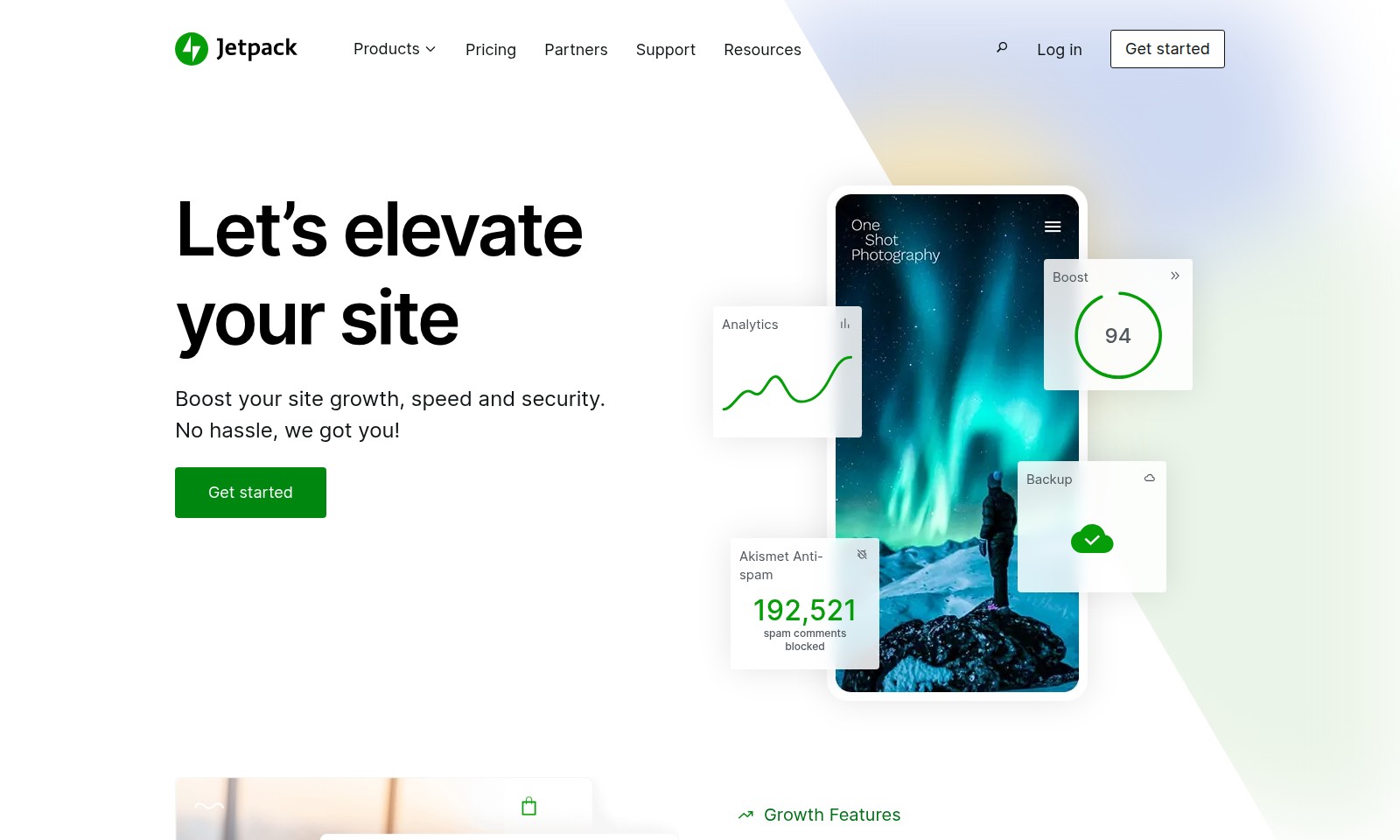
Jetpack's Akismet Anti-spam feature automatically blocks spam comments, ensuring that your site's comment section remains clean and manageable. With over 192,521 spam comments blocked, you can focus on genuine interactions with your audience.
4. What is Jetpack CRM and how can it help my business?
Jetpack CRM streamlines customer management by centralizing your interactions and data. This tool helps you manage your customers without the headache of juggling multiple systems, making it easier to build and maintain relationships with your audience.
5. Can I enhance my site's multimedia without advertisements?
Yes, with Jetpack’s VideoPress feature, you can host your videos without any advertisements. This ensures a seamless viewing experience for your visitors, allowing them to enjoy your content without interruptions.
6. How do I get started with Jetpack?
Getting started with Jetpack is simple! Just visit our website and click on the 'Get started' button. You will be guided through the setup process, and you can begin boosting your site’s growth, speed, and security in no time.
How to Use Jetpack
Step 1: Register an Account
Visit the official website and click on the 'Get started' button. Fill in your email address, create a password, and follow the prompts to complete your registration.
Step 2: Verify Your Email
Check your inbox for a verification email from us. Click the link provided in the email to confirm your account and activate your registration.
Step 3: Log In
Return to the website and log in using the email address and password you just created. Make sure you keep these credentials secure for future access.
Step 4: Set Up Your Profile
After logging in, navigate to your account settings. Complete your profile by adding necessary details such as your name, website URL, and any other relevant information to personalize your experience.
Step 5: Explore the Dashboard
Familiarize yourself with the dashboard layout. You will find key features grouped into categories like analytics, performance, and growth tools. Take your time to understand the options available.
Step 6: Boost Your Site
Click on the 'Boost' section to access features that enhance site speed and performance. Here, you can optimize your website’s loading time and improve its search engine rankings with just one click.
Step 7: Manage Comments
Activate the Akismet Anti-spam feature to automatically block spam comments. This will save you time and keep your site’s comments section clean and engaging.
Step 8: Analyze Your Audience
Utilize Jetpack Stats to gain insights into your site’s performance. Track visitor numbers, popular content, and engagement levels to better understand your audience’s preferences.
Step 9: Publish and Share Content
Make use of Jetpack Social to publish your posts across multiple platforms at once. This feature helps you maximize reach and condense your social media management into a streamlined process.
Step 10: Backup Your Content
Ensure your site’s data is secure by utilizing the backup features. Jetpack provides reliable backups so you can restore your content if needed. Set a schedule for regular backups to safeguard your information.
Step 11: Utilize Jetpack CRM
If you manage a customer base, integrate Jetpack CRM to handle client interactions seamlessly. It helps you keep track of communications, sales, and customer support without headaches.
Step 12: Continuously Monitor and Improve
Keep an eye on your site analytics and make adjustments based on the data you collect. Regularly review features and consider upgrades as your site grows to enhance performance continuously.
Reviews
Pros
- Easy to use
- Fast processing
- Great results
- Affordable pricing
Cons
- Limited free version
- Requires internet connection
Comments
No comments yet. Be the first to share your thoughts!
Jetpack - Alternative Platforms
For some alternatives to Jetpack that you may need, we provide you with sites divided by features.