Mulan
Mulan offers innovative AI tools for content creation, fostering a community of digital creators.
Mulan Introduction
Mulan: Innovating Digital Creativity
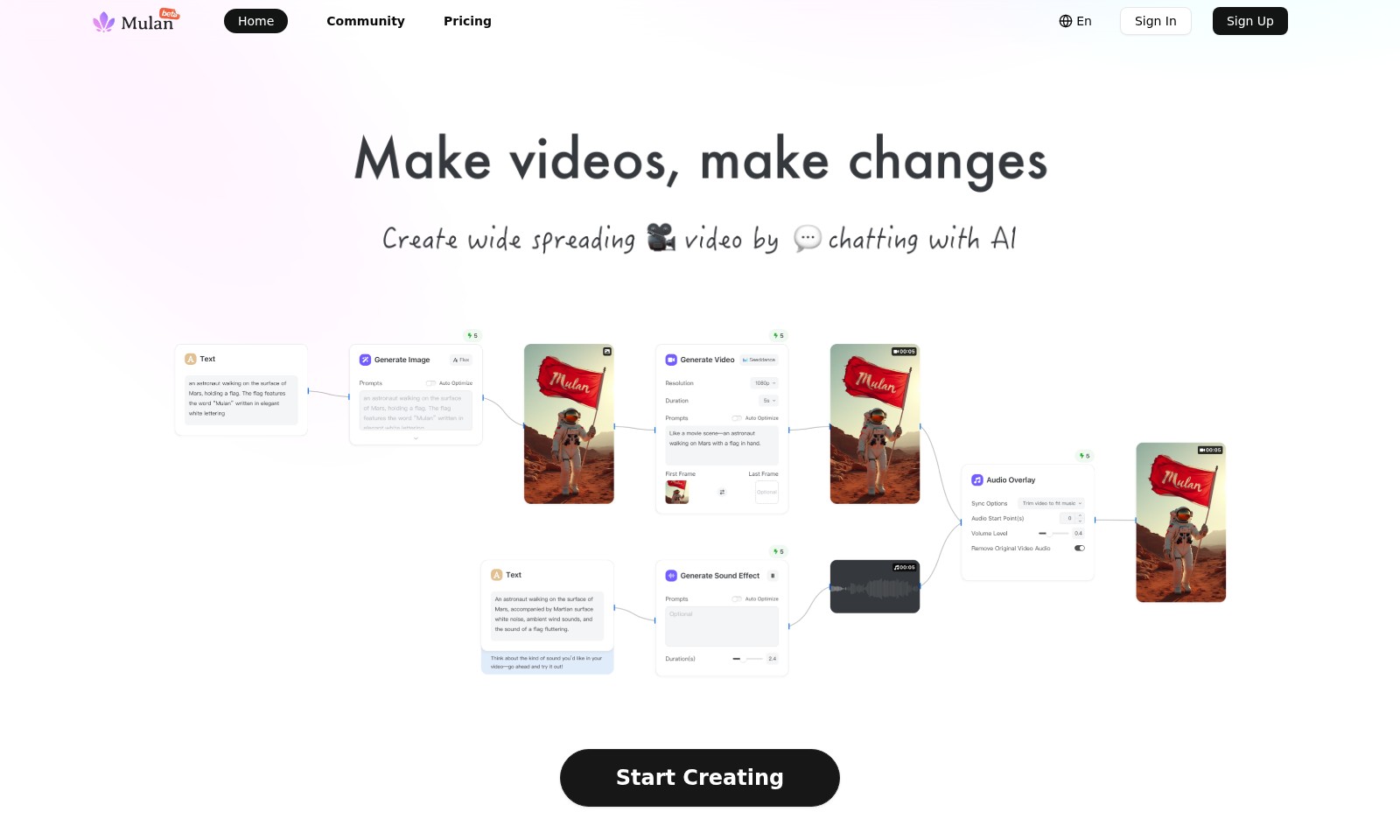
Mulan is at the forefront of transforming digital creativity, providing tools and resources that empower creators to bring their visions to life. Our platform facilitates the seamless creation of captivating content, from short videos and product shots to dynamic logos and AI lessons. Designed for both seasoned professionals and aspiring creators, Mulan offers an array of features tailored to enhance your creative process and elevate your projects.
Mulan Features
Hack the Style: Image to Prompt & Replicate - Transform your visual ideas effortlessly. This feature enables users to convert images into creative text prompts, unlocking new avenues for inspiration and design. By leveraging advanced image recognition technology, you can generate tailored prompts that reflect the essence of your visuals, making it ideal for digital artists and content creators looking to streamline their conceptual process.
Create Hit Short Videos for Your IP - Elevate your intellectual property with engaging short video content. Our platform allows you to produce captivating videos that resonate with your audience, enhancing brand recognition. With built-in analytics, track audience engagement and refine your approach based on measurable results, making it perfect for marketing professionals aiming to maximize their outreach effectively.
Director's Cut! Consistent Movie Storyboards - Plan your cinematic projects with precision. This feature provides dynamic storyboard creation tools that ensure a unified visual narrative. Utilize customizable templates that align with industry standards to streamline collaboration among creative teams, crucial for directors and producers focused on high-quality content development.
Pet Foodie: Global Cuisine Shorts - Explore delicious content creation with diverse culinary themes. Develop enticing videos that celebrate global cuisine, tailored for pet enthusiasts looking to share their culinary adventures with their furry friends. The feature includes geo-targeting capabilities, ensuring that your content reaches the right audience effectively.
No Studio Needed! Instant E-com Product Shots - Simplify e-commerce photography with sophisticated AI-driven technology. Quickly create professional-quality product images without necessitating a physical studio, benefiting online retailers aiming to enhance their visual merchandising. The tool is equipped with real-time editing options, making it convenient to adjust images for various platforms instantly.
Video Character Replacement - Transform your creative narratives effortlessly. This feature allows you to replace video characters at the click of a button, enabling quick adjustments to align with changing storylines or audience preferences. Perfect for video producers who need to adapt content without reshooting, ensuring flexibility and saving time.
Zero to Hero: Your First AI Lesson - Embrace AI technology with beginner-friendly guidance. This educational feature introduces users to the fundamental concepts of artificial intelligence through interactive lessons. Ideal for individuals and businesses wanting to leverage AI insights without prior experience, providing a solid foundation to build advanced knowledge over time.
Frequently Asked Questions About Mulan
Frequently Asked Questions
1. What services do you offer for content creation?
We provide a variety of services designed to enhance your digital presence. From creating short videos that captivate your audience to customizing dynamic logo posters, our goal is to help you establish a strong brand identity effortlessly.
2. How can I join the community?
Joining our community is easy! Simply visit our website and click on the 'Join Discord' button. You’ll be welcomed into a vibrant group of creators and innovators eager to share ideas and collaborate.
3. Is there a fee for using your platform?
We offer various pricing plans to cater to different needs. You can check our pricing page for details on subscription tiers and the features included in each plan, ensuring you get the best value for your investment.
4. Can I create videos without any prior experience?
Absolutely! Our platform is designed for users of all skill levels. Even if you're starting from scratch, our AI-driven tools provide step-by-step guidance, making it easy to create professional-quality content in no time.
5. How do I get support if I encounter issues?
If you need assistance, you can reach out to our support team via email at [email protected]. We aim to respond promptly and help you resolve any issues you might face while using our services.
6. What kind of community creations can I find?
Our community showcases a diverse array of creative works, from AI-generated art to innovative video projects. You can explore these creations to gain inspiration and connect with other talented individuals in your field.
How to Use Mulan
Step 1: Sign Up for an Account
To begin your journey, navigate to the Sign Up page. Fill in the required fields with your information, including email and password, and click on the 'Create Account' button.
Step 2: Verify Your Email
Check your email inbox for a verification message. Open the email and click on the verification link to confirm your account.
Step 3: Log In to Your Account
Return to the home page and click on the 'Sign In' button. Enter your email and password to access your account.
Step 4: Set up Your Profile
Once logged in, visit your profile settings. Add details such as your profile picture, bio, and any relevant links to showcase your work effectively.
Step 5: Explore the Dashboard
Take a moment to familiarize yourself with the dashboard. Here, you'll find various tools and features to help you start creating.
Step 6: Choose a Key Feature to Use
Look through the available features such as 'Create Hit Short Videos' or 'Video Character Replacement.' Select one that aligns with your goals for content creation.
Step 7: Follow Feature-specific Tutorials
Each feature comes with a unique tutorial. Make sure to follow these guides step-by-step to utilize the tools effectively and produce high-quality content.
Step 8: Participate in the Community
Join our vibrant community by clicking on the 'Visit Community' section. Interact with fellow creators, share ideas, and gather feedback on your work.
Step 9: Share Your Creations
Once you've created content, don’t hesitate to share it. Use the platform to showcase your work in the community and invite feedback.
Step 10: Regularly Check for Updates
Keep an eye on the 'Changelog' section for updates. Regular enhancements can significantly improve your experience and expand your creative capabilities.
Reviews
Pros
- Easy to use
- Fast processing
- Great results
- Affordable pricing
Cons
- Limited free version
- Requires internet connection
Comments
No comments yet. Be the first to share your thoughts!
Mulan - Alternative Platforms
For some alternatives to Mulan that you may need, we provide you with sites divided by features.