Otter.ai
Otter.ai revolutionizes meeting productivity with live transcripts, AI summaries, and actionable insights to enhance collaboration.
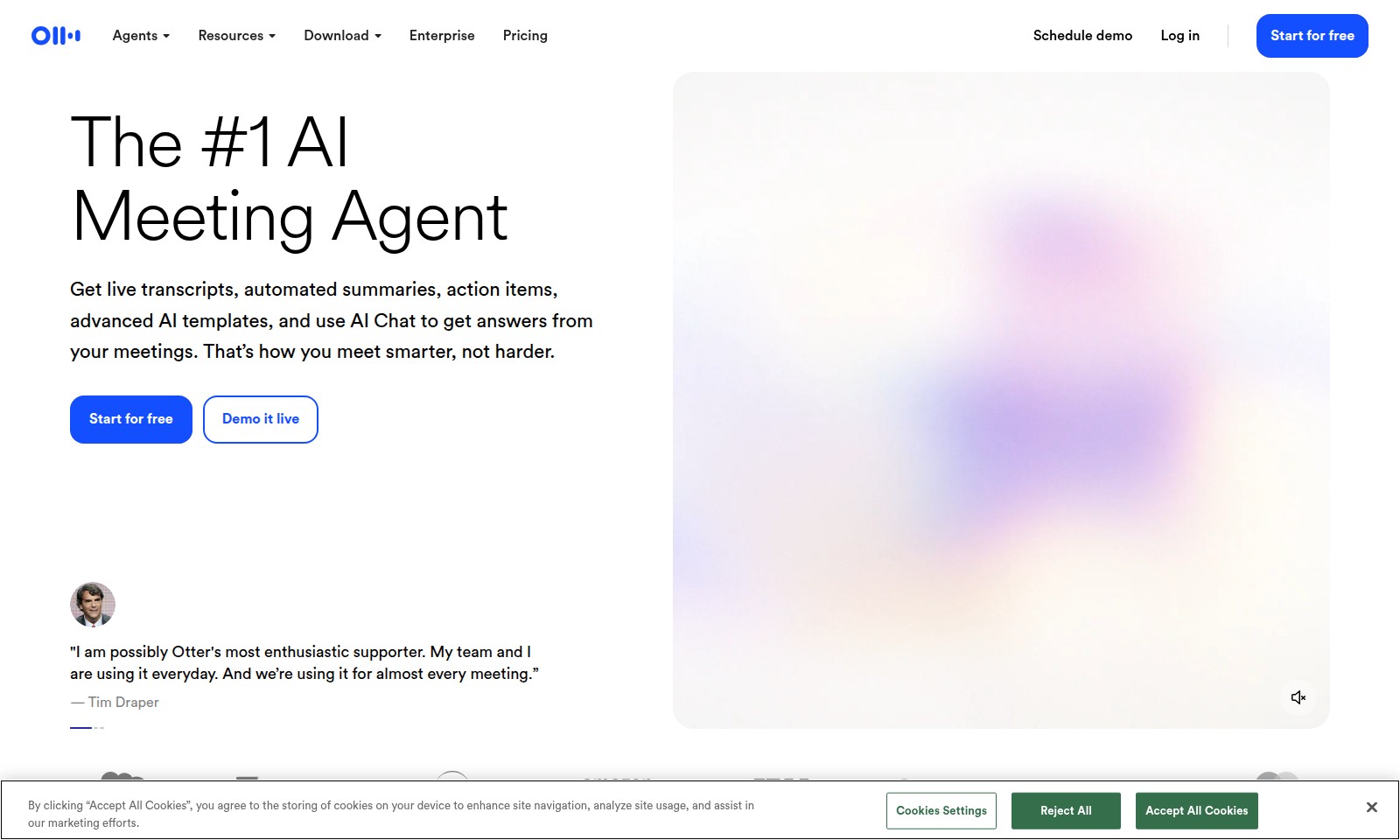
Otter.ai Introduction
Experience the Future of Meetings
With our state-of-the-art AI Meeting Agent, you can transform the way you conduct meetings. No more tedious note-taking or missed details—our technology ensures you stay informed and engaged throughout every discussion. The AI Meeting Agent provides live transcripts, automated summaries, and actionable items, allowing you to focus on strategic thinking instead of administrative tasks.
Otter.ai Features
AI Meeting Agent
Transform your meetings into productive sessions with AI Meeting Agent, which provides live transcripts and automated summaries. This feature ensures you never miss important details, allowing you to focus on what truly matters.
Smart Follow-ups
Never lose track of action items again. Our smart follow-ups automatically remind you about tasks and commitments, streamlining your workflow and enhancing accountability across your team.
Advanced AI Templates
Leverage customizable AI templates designed to fit various meeting formats. This feature allows you to save time preparing agendas and enhances the consistency of your meetings, making them more efficient.
Integrated AI Chat
Get answers in real-time with our integrated AI Chat. Whether you need to extract key information from previous meetings or generate emails and plans, this feature enables you to stay on top of your tasks seamlessly.
Time Savings
Experience significant time savings with our platform—up to 33% recovered time, as stated by satisfied users. This increase in efficiency means more time for strategic decision-making instead of administrative tasks.
User-Centric Design
Designed with users in mind, our platform is intuitive and easy to navigate. This means you can train your team quickly and improve adoption rates, ensuring everyone benefits from the AI Meeting Agent’s capabilities.
Frequently Asked Questions About Otter.ai
Frequently Asked Questions
1. What features does the AI Meeting Agent offer?
The AI Meeting Agent provides live transcripts, automated summaries, action items, and advanced AI templates. These features help streamline your meetings, making it easier to track key points and follow up on action items.
2. How can I start using Otter.ai?
You can easily start using Otter.ai by signing up for a free trial on our website. Just click the 'Start for free' button, and you'll be able to explore all the features we offer, including scheduling demos and accessing resources.
3. Are there any enterprise pricing options available?
Yes, we offer various enterprise pricing options tailored to different organizational needs. You can check out our pricing page for more details or schedule a demo to discuss specific requirements with our sales team.
4. Can I use Otter.ai for team meetings?
Absolutely! Otter.ai is designed to enhance team collaboration by capturing meeting details, generating summaries, and providing actionable insights. You can invite your AI Meeting Agent to any meeting to ensure nothing is missed.
5. Will I be able to access my meeting notes later?
Yes, all your meeting transcripts and summaries are saved in your Otter.ai account, allowing you to access them anytime. This feature is particularly useful for revisiting important discussions and ensuring accountability on action items.
How to Use Otter.ai
Step 1: Start for Free
Begin your journey by signing up for a free account on our website. Click on the 'Start for free' button on the homepage to create your profile.
Step 2: Set Up Your Profile
Once registered, complete your profile by adding your name, email, and any relevant business details. This helps personalize your experience with our AI Meeting Agent.
Step 3: Log In
Use your credentials to log in to your account. This grants you access to all the features available on the platform, including live transcripts and automated summaries.
Step 4: Schedule Your First Meeting
Navigate to the meeting scheduling section to set up your first meeting with the AI Meeting Agent. Select the date, time, and participants to ensure a smooth session.
Step 5: Use AI Meeting Agent During Meetings
Invite the AI Meeting Agent to your meeting. It will listen in, track key takeaways, and manage follow-ups, helping you focus on the discussion.
Step 6: Review Transcripts and Summaries
After the meeting, access the live transcripts and automated summaries generated by the AI. This allows you to catch up on any missed details and ensure all important action items are noted.
Step 7: Utilize AI Chat
Whenever you need quick information or assistance, use the AI Chat feature. It can provide answers or generate emails to streamline your workflow.
Step 8: Explore Additional Features
Familiarize yourself with other advanced features offered by the AI Meeting Agent, such as action items creation and advanced AI templates, to maximize productivity in your meetings.
Reviews
Pros
- Easy to use
- Fast processing
- Great results
- Affordable pricing
Cons
- Limited free version
- Requires internet connection
Comments
No comments yet. Be the first to share your thoughts!
Otter.ai - Alternative Platforms
For some alternatives to Otter.ai that you may need, we provide you with sites divided by features.

Minutes AI helps automate note taking and transcription, providing beautifully formatted notes and a secure, user-friendly experience.
Gladia provides a robust speech-to-text API that delivers high accuracy and seamless integration for voice applications, designed for developers and businesses.
Nutshell is an efficient CRM solution designed to help teams save time and close deals faster, featuring robust automation and seamless integrations.
This page addresses a Bubble app connection issue and urges users to upgrade their app plan for custom domain functionality.