Replicate
Explore thousands of community-contributed AI models and deploy your own custom models with ease on Replicate's platform.
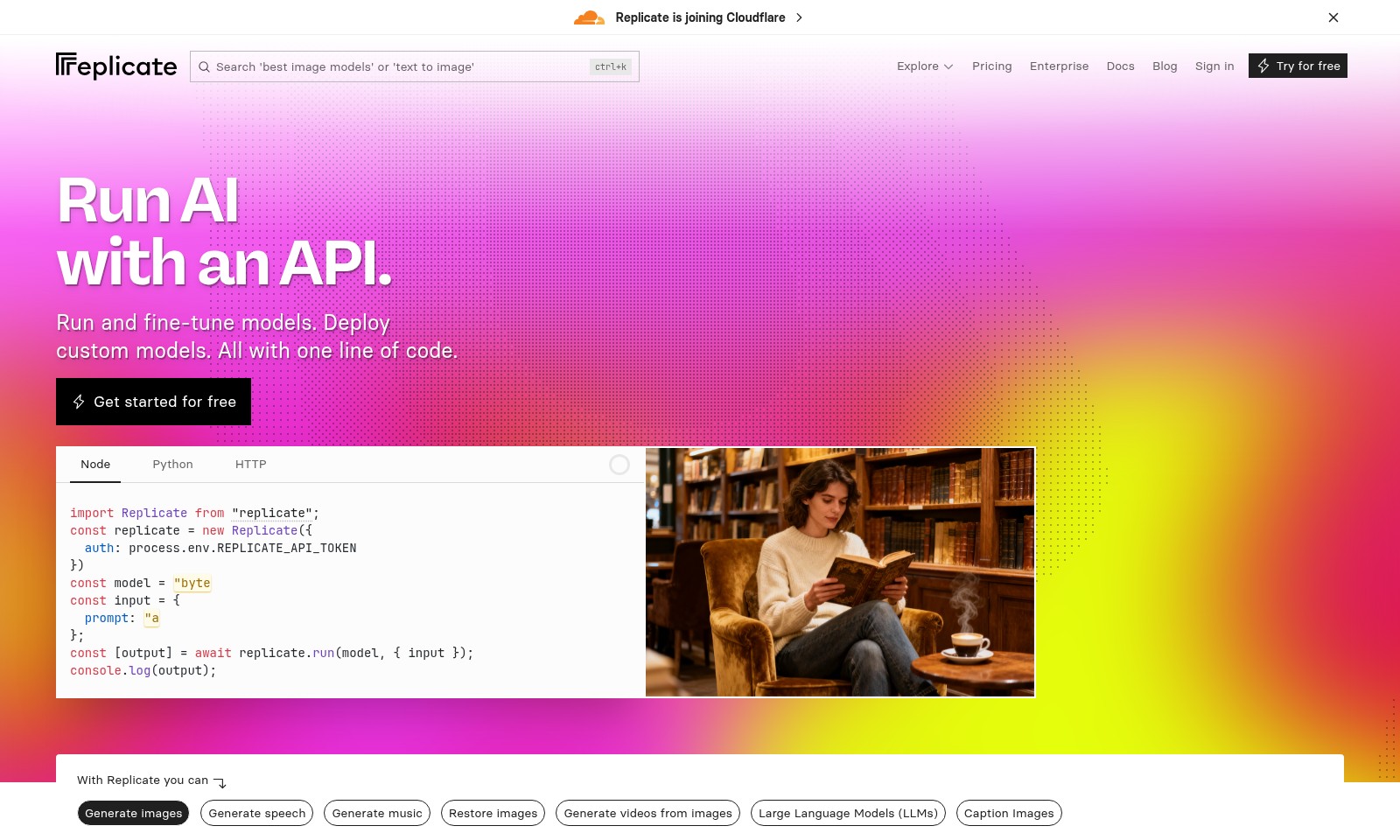
Replicate Introduction
Discover the Power of AI with Replicate
Replicate is a robust platform that allows developers and businesses to harness the capabilities of artificial intelligence effortlessly. By providing API access, users can run and fine-tune models, enabling the generation of images, music, speech, and more—all with just a single line of code. Whether you're looking to integrate AI into your applications or explore innovative models, Replicate makes it accessible and efficient.
Replicate Features
AI Model Deployment - Streamlined Integration
Deploy custom AI models effortlessly with just one line of code, enhancing productivity for developers and data scientists. Our API allows for seamless integration across various programming languages including Node and Python, ensuring flexibility and ease of use in diverse projects.
Image Generation - Creative Freedom
Generate stunning images from simple text prompts, empowering designers and content creators to visualize concepts rapidly. With models like google/imagen-4-fast, users can leverage high-speed image generation while optimizing for cost, making it ideal for startups and freelancers.
Speech Synthesis - Realistic Voice Generation
Transform text into lifelike speech, enabling businesses to enhance user engagement through interactive applications. Our advanced speech generation capabilities can be tailored to various tones and accents, catering to specific audience needs in e-learning and virtual assistance.
Music Composition - Innovation in Sound
Create original music compositions effortlessly, providing musicians and content creators a unique tool for audio generation. Utilizing state-of-the-art algorithms, our platform can generate songs across multiple genres, streamlining the creative process.
Image Restoration - Enhancing Visual Quality
Restore and enhance images with precision, a crucial tool for photographers and archivists. Our model offers advanced capabilities to repair damage and increase resolution, thus preserving visual integrity for both personal and commercial use.
Frequently Asked Questions About Replicate
Frequently Asked Questions
What is Replicate? Replicate is a platform that allows users to run, fine-tune, and deploy AI models through a simple API. It provides an easy way for developers to integrate AI capabilities into their applications with just a few lines of code.
How do I get started with Replicate? To begin using Replicate, you can sign up for a free account on our website. After signing up, you'll receive an API token that allows you to access and use our various AI models.
What types of models can I run with Replicate? Replicate supports a variety of models for generating images, speech, music, and even videos from images. You can also restore images or generate captions for them, making it a versatile tool for different AI applications.
Is it easy to deploy my own models? Yes! Replicate makes deploying custom models straightforward. With just a line of code, you can deploy your AI models and make them available for processing inputs and generating outputs.
What programming languages does Replicate support? Currently, Replicate supports several programming languages, including Node, Python, and HTTP. This flexibility allows developers to integrate AI into various applications regardless of their preferred coding language.
What should I do if I encounter issues while using Replicate? If you face any issues or have questions, you can refer to our documentation or reach out to our support team. We provide resources to help troubleshoot common problems and ensure a smooth experience.
How to Use Replicate
Step 1: Sign Up for an Account
Visit the Replicate website and click on the 'Sign up' button. Fill in the required personal information such as your name, email address, and password. Make sure to verify your email to activate your account.
Step 2: Sign In to Your Account
After successful registration, return to the Replicate website and click on 'Sign in.' Enter your credentials to access your dashboard where you can manage your projects.
Step 3: Set Up Your Profile
Once logged in, navigate to your profile settings. Here, you can add additional information such as a profile picture and a bio. This helps personalize your user experience and other users can recognize you better.
Step 4: Access the API Documentation
To learn about the tools available to you, head to the 'Docs' section of the website. Here, you will find comprehensive guides on how to use the Replicate API, including languages supported like Python and Node.js.
Step 5: Get Your API Token
In order to make API calls, you will need to obtain an API token. Go to the account settings or API section to generate a token. Keep this token secure, as it is essential for making requests.
Step 6: Choose a Model
Explore the available models by visiting the 'Explore' section. You can select from various models such as image generation, speech synthesis, and large language models. Click on each model for more specific usage examples and documentation.
Step 7: Run Your First API Call
Using the code snippets provided in the documentation, write your first API call. For instance, to generate an image, you can use the sample code for Node.js or Python as shown in the Docs section.
Step 8: Experiment with Features
Once you are comfortable with the implementation, start experimenting with different features like generating speeches, music, or restoring images. Use the API documentation to navigate the various options and try out different parameters to see how they affect your output.
Step 9: Fine-tune Your Models
Explore ways to fine-tune existing models based on your requirements. Follow the guide in the documentation to learn how to adjust the parameters and run multiple iterations for the best results.
Step 10: Share Your Work
Finally, consider sharing your projects and findings with the community. You can blog about your experiences or contribute to forums related to model implementation and usage. This not only helps others but can also enhance your learning experience.
Reviews
Pros
- Easy to use
- Fast processing
- Great results
- Affordable pricing
Cons
- Limited free version
- Requires internet connection
Comments
No comments yet. Be the first to share your thoughts!
Replicate - Alternative Platforms
For some alternatives to Replicate that you may need, we provide you with sites divided by features.

Designs.ai offers an all-in-one AI platform for creating professional communication assets like images, videos, and more, ensuring brand consistency and security.
AutoKAT simplifies video production for social media, enabling quick creation and brand-aligned content across various platforms.
Effortlessly design unique logos with our AI logo generator. Ideal for freelancers and businesses seeking quick and elegant branding.
Lovart empowers users with an AI design agent that streamlines creative processes, offering unlimited design possibilities and inspiration.