Scream AI
Scream AI offers a fast, easy way to create unique horror movie posters using personal photos, perfect for sharing on social media.
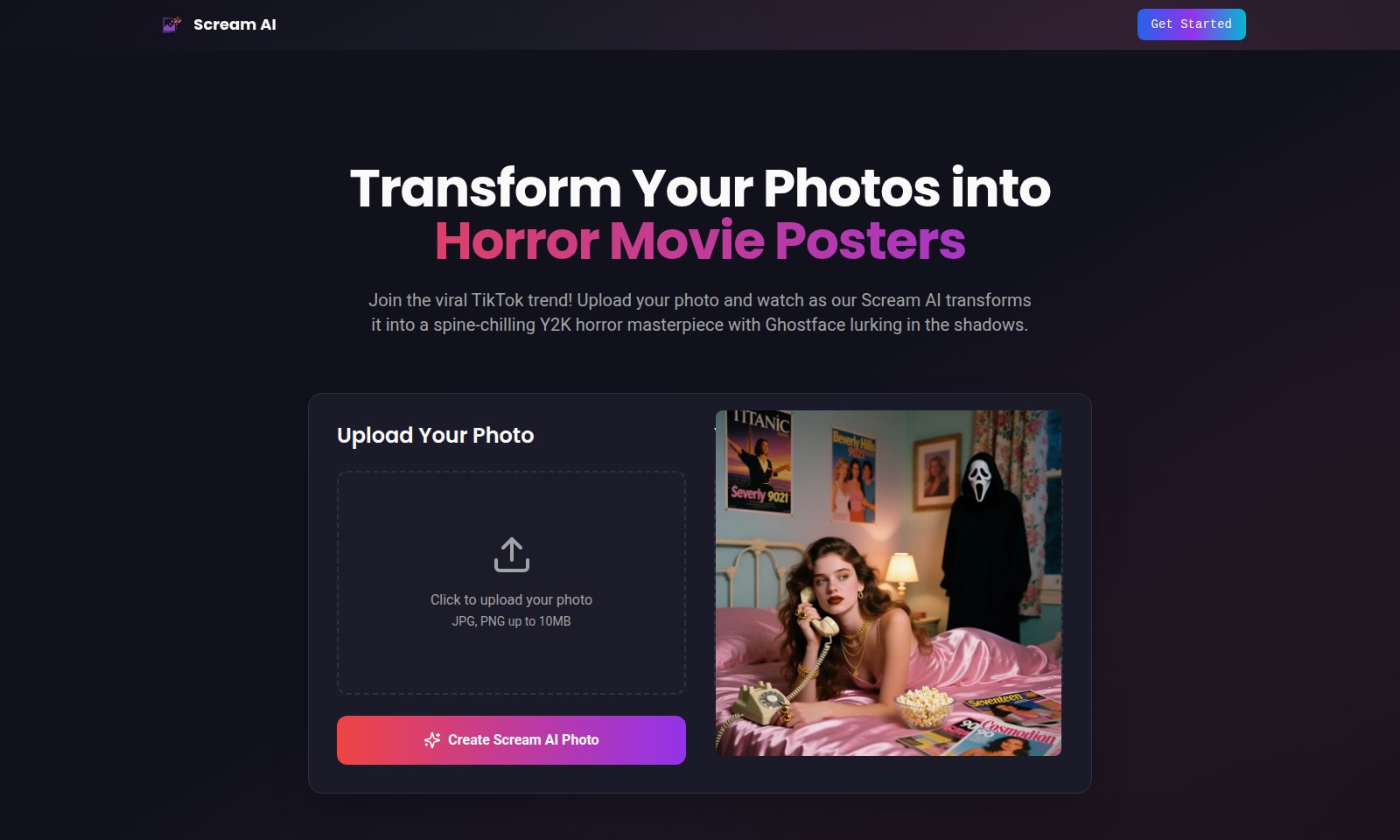
Scream AI Introduction
Transform Your Photos into Horror Masterpieces
Scream AI revolutionizes photo transformation by bringing the chilling aesthetic of horror movies right to your digital album. With our cutting-edge technology, you can seamlessly convert your ordinary pictures into spine-tingling posters featuring the iconic Ghostface, blending nostalgia with a modern twist. Dive into this viral trend that has captured the attention of TikTok users worldwide and experience the thrill of seeing yourself in a horror movie setting. Upload your photo today, and let the transformation unravel your hidden horror persona.
Scream AI Features
Transform Your Photos into Horror Movie Posters - Unleash Your Creativity
With Scream AI, you can effortlessly transform your personal photos into chilling horror movie posters, embracing the iconic aesthetic of the Scream franchise. Experience a seamless upload process where you can convert your images with just a click, facilitating creativity for all users eager to participate in this viral trend.
User-Friendly Photo Upload - Simplified Experience
Our platform allows you to upload images in JPG or PNG formats, with a maximum file size of 10MB. This ensures a hassle-free experience, catering to users of all technical levels who wish to dive into the world of horror artistry without any complicated processes.
Stunning Visual Output - Captivating Quality
Once your photo is transformed, you will receive a high-quality visual output that captures the nostalgic Y2K aesthetics blended with modern horror elements. Scream AI employs state-of-the-art algorithms to ensure that every detail is rendered beautifully, leaving users amazed by the final product.
Explore the Scream AI Gallery - Inspiration Awaits
Dive into our Scream AI Gallery to explore a range of stunning horror posters created by fellow users. This gallery serves not only as inspiration for your next transformation but also as a showcase of the creative possibilities offered by our technology, resonating well with horror enthusiasts and casual users alike.
Engaging Social Sharing Features - Connect with a Community
Scream AI encourages users to share their horror movie posters on social media platforms, particularly TikTok, where the trend is highly viral. By incorporating easy sharing options, we facilitate user engagement and community building among horror genre fans, maximizing reach and interaction.
Continuous Updates and Features - Stay Ahead of Trends
We are committed to continuously improving our Scream AI technology by introducing new features and filters that align with current trends in horror and nostalgia. Users can expect regular updates that enhance their experience and keep the content fresh and engaging.
Safe and Secure Platform - Trustworthy Service
Our platform prioritizes user privacy and data security. We ensure that all uploaded images are handled with utmost care and are not stored beyond the transformation process, giving users peace of mind while they explore the artistic possibilities with Scream AI.
Frequently Asked Questions About Scream AI
What is Scream AI?
Scream AI is a revolutionary photo transformation tool inspired by the iconic Scream movie franchise. It enables users to take their personal photos and turn them into spine-chilling horror movie posters featuring the infamous Ghostface character. This trend has become a sensation on TikTok, capturing the attention of horror enthusiasts and social media users alike.
How do I create my horror masterpiece with Scream AI?
To create your own horror masterpiece, simply upload your photo in either JPG or PNG format, ensuring it does not exceed 10MB. Our Scream AI will then process the image and transform it into a unique horror-themed poster that encapsulates the nostalgic Y2K aesthetics combined with modern horror elements.
What types of photos work best for transformation?
You can use a variety of personal photos for transformation, but the most effective images often feature clear, centered subjects with good lighting. Portraits, selfies, or pictures that highlight facial expressions tend to work best, allowing the Scream AI to capture your essence and infuse it into a horror movie aesthetic.
Is there a limit to the number of photos I can upload?
Currently, there is no strict limit on the number of photos you can upload for transformation. However, we recommend taking your time with each image to fully engage with the transformation process and enjoy the creative results without rushing.
Can I share my transformed photos on social media?
Absolutely! Once your photo has been transformed using Scream AI, we encourage you to share your unique horror movie posters on social media platforms like TikTok and Instagram. It's a fun way to join the viral trend and showcase your creations to friends and followers.
What if I encounter issues while using Scream AI?
If you experience any issues while using Scream AI, such as difficulty uploading your image or questions about the transformation process, please reach out to our support team. We are here to assist you and ensure you have a seamless experience in creating your horror movie poster.
How to Use Scream AI
Step 1: Register an Account
Visit the Scream AI website and click on the 'Get Started' button. Fill in your details such as email and password to create your account.
Step 2: Confirm Your Email
Check your email inbox for a confirmation message from Scream AI. Click on the link provided to verify your account.
Step 3: Log In to Your Account
Return to the Scream AI website. Enter your credentials to log in and access your profile dashboard.
Step 4: Set Up Your Profile
Once logged in, navigate to the profile settings. Upload a profile picture and fill in the required fields to personalize your account.
Step 5: Upload Your Photo
On the main dashboard, find the photo upload section. Click on the 'Upload Your Photo' button and select an image from your device (JPG or PNG, max size 10MB).
Step 6: Transform Your Photo
After uploading, use the transformation options provided by Scream AI. Choose the desired aesthetic or style for your horror movie poster transformation.
Step 7: Preview and Adjust
Review the transformation preview provided by Scream AI. If necessary, make adjustments until you are satisfied with the outcome.
Step 8: Create Your Horror Masterpiece
Once you’re happy with your transformed image, click the 'Create Scream AI Photo' button to finalize the process.
Step 9: Explore the Gallery
After creating your poster, check out the Scream AI Gallery to see stunning horror movie posters made by other users and discover popular trends.
Step 10: Share Your Creation
Share your transformed photo on social media platforms like TikTok to join the viral trend. Encourage your friends to try Scream AI and make their own horror masterpieces.
Reviews
Pros
- Easy to use
- Fast processing
- Great results
- Affordable pricing
Cons
- Limited free version
- Requires internet connection
Comments
No comments yet. Be the first to share your thoughts!
Scream AI - Alternative Platforms
For some alternatives to Scream AI that you may need, we provide you with sites divided by features.

Mulan offers innovative AI tools for content creation, fostering a community of digital creators.