Sora2 AI
Sora2 empowers users to quickly generate high-quality, cinematic videos using AI technology, providing a user-friendly experience and community support.
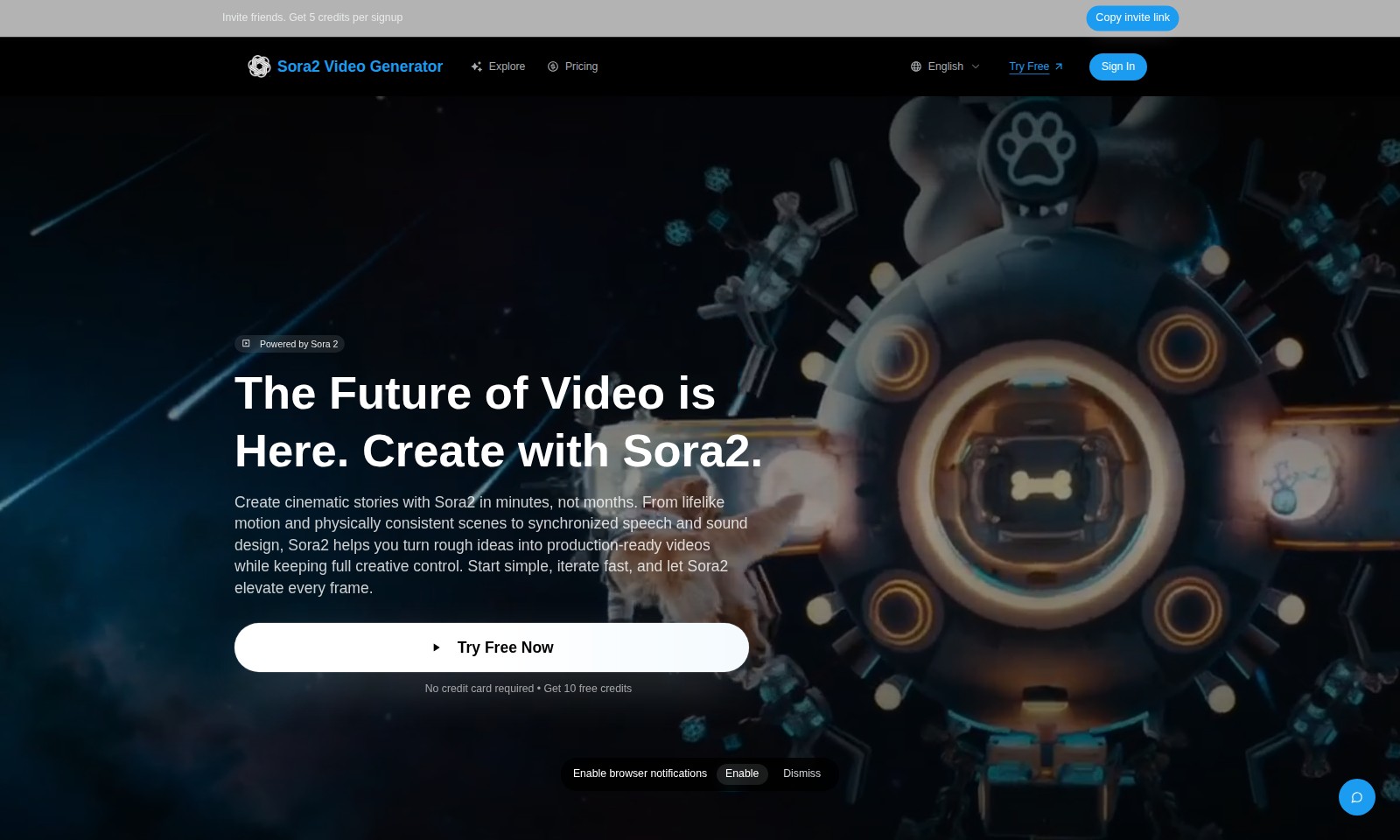
Sora2 AI Introduction
Sora2 Video Generator
Sora2 empowers you to create cinematic stories in minutes, not months. With advanced features like lifelike motion and synchronized sound design, you can transform rough ideas into production-ready videos while maintaining full creative control. Experience the future of video creation with Sora2, where your vision comes to life effortlessly.
Sora2 AI Features
Invite Friends - Earn Rewards
Invite friends to join Sora2 and earn 5 credits for each successful signup. This referral feature encourages collaboration and community engagement, allowing users to benefit from Sora2’s capabilities while expanding their network.
Sora2 Video Generator - Effortless Creativity
Create stunning videos in minutes with the Sora2 Video Generator. This tool allows users to describe their vision in simple English and customize options, making video production accessible without technical expertise.
HD Video Quality - Professional Standards
Subscribers have the option for HD quality, enhancing the visual experience of the videos created. This feature ensures that users can produce professional-grade content that stands out in quality and aesthetics.
Customization Options - Tailored Experience
Users can set various options such as duration and orientation to tailor their videos precisely to their needs. This level of customization caters specifically to the diverse preferences of content creators.
Intuitive User Interface - Streamlined Process
The user interface is designed to be intuitive, guiding users through the video creation process with just a few clicks. This ease of use minimizes the learning curve, ideal for creators seeking quick turnaround times on projects.
No Credit Card Required - Hassle-Free Access
Users can try Sora2 for free with no credit card required, making it easy for anyone to explore the platform’s features without commitment. This approach lowers the barrier to entry, encouraging more users to experience Sora2.
Watermark Feature - Presenting Professionalism
Videos are by default watermarked, but subscribers have the option to disable this feature. This allows users to present their content in a more professional manner when sharing with clients or on social media.
Frequently Asked Questions About Sora2 AI
FAQs about Sora2 Video Generator
1. How do I invite friends to get credits?
You can invite friends by sharing your unique invite link. For every friend that signs up through your link, you'll receive 5 credits, which can be used for video generation.
2. What is Sora2, and what can it do?
Sora2 is a powerful video generation tool that allows you to create cinematic stories quickly and effectively. With features like lifelike motion and synchronized speech, it helps bring your ideas to life in just a few minutes.
3. Do I need a credit card to try Sora2?
No, you do not need a credit card to start your free trial. You can try Sora2 without any payment details for a limited time, plus you also receive 10 free credits to get started.
4. How are credits used in Sora2?
Each video generated costs 10 credits. You can earn additional credits by inviting friends or subscribe for more options, like HD quality or watermark removal.
5. What if I want to customize my video?
Sora2 allows you to describe your vision in English and customize several options, such as duration, quality, and orientation. This flexibility ensures that you can generate stunning videos that meet your specific needs.
6. Is there a watermark on videos?
By default, videos generated through Sora2 will include a watermark. However, subscribers have the option to disable it for a cleaner, more professional finish.
How to Use Sora2 AI
Step 1: Register an Account
To begin using the Sora2 Video Generator, you need to create an account. Click on the 'Sign In' button on the homepage. If you don’t have an account yet, locate the 'Try Free' option and follow the prompts to register. Make sure to provide a valid email address to receive confirmation.
Step 2: Confirm Your Email
After registration, check your email for a confirmation link. Clicking this link verifies your account and grants you access to Sora2 features. If you do not see the email, be sure to check your spam or junk folder.
Step 3: Log In
Once your email is confirmed, return to the Sora2 homepage and click on 'Sign In'. Enter your credentials (email and password) and then hit 'Enter' to access your dashboard. This is where you'll manage your projects.
Step 4: Set Up Your Profile
After logging in, navigate to your profile settings. Here, you can customize your display name and choose your language preferences. Having your profile set will make it easier to explore and use features tailored to your preferences.
Step 5: Invite Friends
You can earn credits by inviting friends to join Sora2. Use the 'Copy invite link' feature found in your dashboard to share with friends. For every signup, you will receive 5 credits, enhancing your video generation capacity.
Step 6: Explore Sora2 Features
Take some time to explore the various features of Sora2. Familiarize yourself with how to write prompts, set options, and generate videos. Understanding each feature will streamline your project creation process.
Step 7: Creating Your First Video
To create a video, click on 'New Video'. You will need to write a prompt that captures your vision. Make sure to be descriptive yet concise to get the best results.
Step 8: Set Video Options
After writing your prompt, customize the video settings like duration and quality. Remember that a default duration of 10 seconds uses 10 credits, while extending it to 15 seconds adds additional costs.
Step 9: Generate Your Video
Once you’re satisfied with your prompt and options, click on 'Generate'. In moments, Sora2 will create your video. Review it to ensure it meets your expectations. Feel free to iterate until you're happy with the final product.
Step 10: Download and Share
After generating your video, you can download it directly from your dashboard. If you’re a subscriber, consider customizing options like disabling the watermark for a smoother look. Share your creation with friends or on social media to showcase your cinematic story!
Reviews
Pros
- Easy to use
- Fast processing
- Great results
- Affordable pricing
Cons
- Limited free version
- Requires internet connection
Comments
No comments yet. Be the first to share your thoughts!
Sora2 AI - Alternative Platforms
For some alternatives to Sora2 AI that you may need, we provide you with sites divided by features.

Kovvid AI offers a user-friendly platform for generating AI images and videos, with the ability to compare multiple models in one place.
Discover the advanced AI tools at MakeShot.ai for creating stunning videos and images with a limited-time 50% discount.
Photo Animate allows users to easily animate photos to video using AI, creating realistic movements for portraits and cherished memories.
Image to Video AI allows quick, high-quality video creation from images, integrating with tools like Google Chrome and Figma for seamless workflows.