Tella
Tella simplifies video creation for entrepreneurs and creators, offering features for recording, editing, and sharing without hassle.
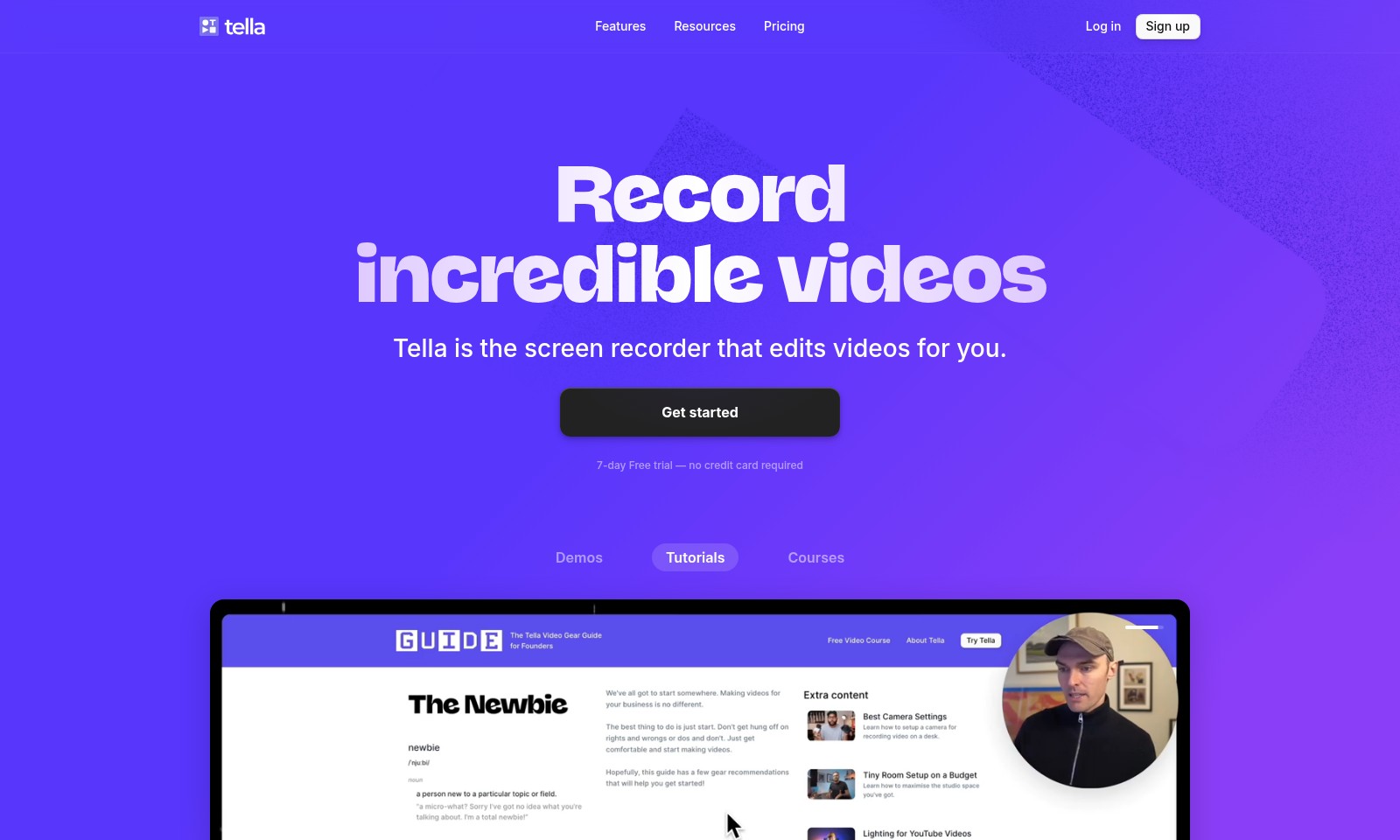
Tella Introduction
Tella: Transform Your Video Creation Experience
Tella redefines the way videos are recorded and edited, allowing users to create stunning visual content with unparalleled ease. Perfect for entrepreneurs, educators, and content creators, Tella offers a seamless experience that combines powerful features with user-friendly functionality.
Tella Features
Record Incredible Videos - Effortless Creation for Everyone
Tella simplifies video creation with its intuitive interface, allowing users to produce high-quality videos without technical skills. While traditional video editing requires extensive editing knowledge, Tella's automated editing features make it possible for anyone to create professional-looking content in no time.
Manageable Clips - Flexible Video Recording
Break your recordings into small, manageable parts that can be easily edited and rearranged later, providing users with the flexibility to craft the perfect narrative. This clip-based structure not only enhances creativity but also saves time by allowing users to focus on specific segments without the pressure of long recordings.
Speaker Notes - Stay on Point
With the integrated speaker notes feature, users can jot down key points or entire scripts, ensuring they stay on topic during recordings. This addition enhances performance by significantly reducing the likelihood of straying from the intended message, especially beneficial for professional presentations or tutorials.
Cross-Platform Compatibility - Seamless Accessibility
Tella offers both a native macOS app and a browser-based web app, allowing users to choose their preferred platform for video creation. This compatibility means that users can switch between devices effortlessly, maintaining productivity whether they're at home or on the go.
Effortless Editing - No Skills Required
Tella is designed for everyone, not just video experts, with features that make editing videos a breeze. Users can apply dynamic transitions and effects with just two clicks, empowering them to keep their audience engaged without needing advanced editing skills.
Zoom Effects - Highlight Important Details
The platform's smooth zoom effects allow users to emphasize key information, creating visually engaging content that captures audience attention. This feature is especially useful for tutorials or product demonstrations, where detail and clarity are crucial.
Personalized Backgrounds - Create Unique Videos
Add personality to your videos with customizable backgrounds, tailoring your visual content to reflect your style or brand. This feature supports brand consistency and enhances storytelling, essential for marketing professionals and content creators alike.
Frequently Asked Questions About Tella
What is Tella and how does it work?
Tella is a user-friendly screen recorder designed to help you create and edit videos effortlessly. Instead of long single takes, Tella allows you to record in clips, making it easier to manage your content and create engaging videos.
Is there a free trial available for Tella?
Yes, Tella offers a 7-day free trial with no credit card required. This allows you to explore the features and capabilities of Tella without any commitment.
Can I use Tella on both Mac and PC?
Absolutely! Tella is available as a native app for macOS and can also be accessed through our browser-based web app, making it convenient for users on both platforms.
What features does Tella offer to enhance video quality?
Tella comes packed with features designed for non-professionals, including transitions, zoom effects, and the ability to add speaker notes. These tools help ensure your videos are dynamic and engaging without requiring extensive video editing skills.
How can I ensure my video stays on topic?
With Tella's speaker notes feature, you can jot down ideas and talking points while recording, helping you stay focused and organized throughout your video presentation.
Are the videos created with Tella easy to edit?
Yes, with Tella's intuitive editing options, you can easily rearrange, trim, and enhance your videos with minimal effort. The design caters to regular users, making video editing accessible for everyone.
How to Use Tella
Step 1: Sign Up for an Account
Begin your journey by clicking on the 'Sign up' button on our homepage. Fill in the required information such as your name, email, and password, and then confirm your registration through the link sent to your email.
Step 2: Log In
After confirming your account, return to the homepage and click 'Log in'. Enter your credentials to access your new account and explore our features.
Step 3: Set Up Your Profile
Once logged in, it’s time to set up your profile. Go to the profile settings and add a profile picture, a brief bio, and any other personal information that can enhance your experience on our platform.
Step 4: Explore Key Features
Navigate to the main dashboard where you can see all the key features available. Familiarize yourself with the recording tools, editing options, and the resources section to make the most of your Tella experience.
Step 5: Record Your First Video
To start recording, click on the record button. Choose your preferred settings and capture your video in clips for easier editing later. Don’t worry about perfection; the editing tools will help you refine your video.
Step 6: Edit Your Video
Utilize the editing features available to enhance your video. Add transitions, zoom effects, and even background music to make your content engaging and professional. Remember, editing is where the magic happens!
Step 7: Use Speaker Notes
Make use of the speaker notes feature to keep your message on track. Write down key points and ideas before recording to ensure you convey all the necessary information clearly.
Step 8: Final Review
After editing, take a moment to review your video. Check for any last-minute adjustments needed and ensure that the content flows smoothly from start to finish.
Step 9: Publish Your Video
Once you are satisfied with your final product, click on the publish button to share your video with your audience. You can also download your video for offline use.
Step 10: Engage with Your Viewers
After publishing, engage with your audience through comments or feedback. This interaction will help you understand what resonates with them and further improve your future videos.
Reviews
Pros
- Easy to use
- Fast processing
- Great results
- Affordable pricing
Cons
- Limited free version
- Requires internet connection
Comments
No comments yet. Be the first to share your thoughts!
Tella - Alternative Platforms
For some alternatives to Tella that you may need, we provide you with sites divided by features.

Vozo offers advanced AI tools for video translation and localization, ensuring high-quality results and fast turnaround times for global audiences.
Lumen5 helps businesses convert blogs and documents into professional videos quickly, leveraging AI for efficient video marketing.
Clueso leverages AI technology to transform raw screen recordings into high-quality videos and documentation, empowering teams to create content faster and more efficiently.
Infinity Looper offers an easy solution to generate seamless video loops, ideal for content creators and streamers looking for professional quality.