TinyWow
Easily solve PDF, image, video, and text issues with TinyWow's free tools, including creators, editors, and AI features.
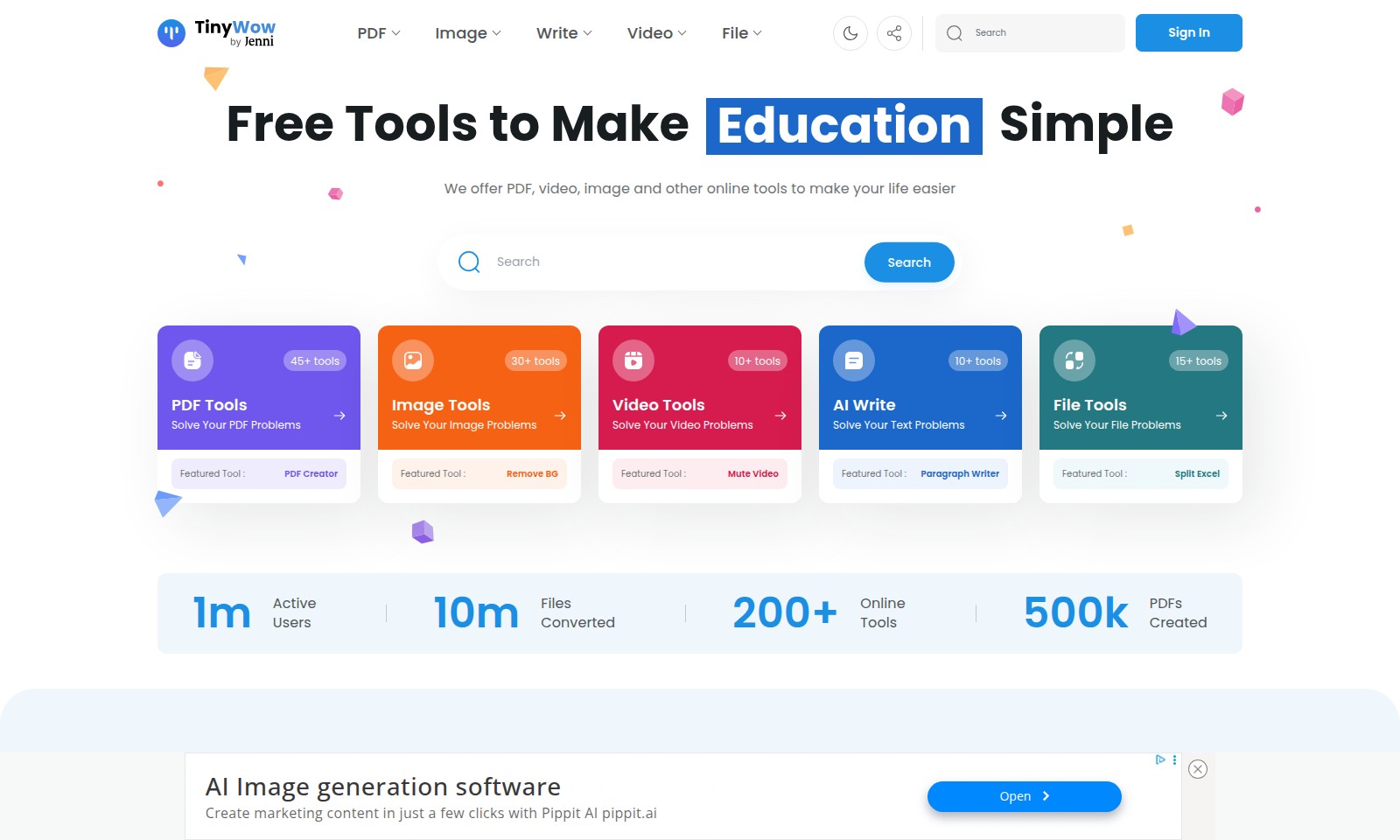
TinyWow Introduction
Unlock the Full Potential of Your Digital Documents and Media
Our platform offers a comprehensive suite of free online tools designed to simplify your everyday tasks related to PDFs, images, videos, and more. Whether you need to edit a document, enhance an image, or create engaging video content, we have you covered with over 45 specialized tools.
TinyWow Features
PDF Creator - Empower Your Document Management
With our PDF Creator, you can easily generate professional-grade PDFs that meet your specific needs. This tool is designed to streamline your document management process, making it simpler and faster to create high-quality PDF files for your business or personal use.
Remove BG - Effortless Background Removal
Remove BG allows users to effortlessly remove backgrounds from images with just one click. This feature is especially beneficial for businesses and individuals looking to enhance product photos without needing graphic design expertise.
Mute Video - Enhance Video Quality
Our Mute Video tool provides users with a simple way to eliminate audio from video files. This is ideal for content creators who want to focus on visual storytelling without the distraction of sound.
Paragraph Writer - Enhance Your Text Content
The Paragraph Writer tool helps users effortlessly create compelling text suited for a variety of applications, including blogging, marketing, and academic writing. It uses advanced AI algorithms to generate contextually relevant content.
Split Excel - Efficient Data Management
Split Excel is a powerful tool designed for users who need to divide large Excel files into more manageable components. This feature is particularly useful for professionals handling extensive datasets who require organized and streamlined data analysis.
Frequently Asked Questions About TinyWow
FAQs about Our Online Tools
1. What types of online tools do you offer?
We offer a variety of online tools, including PDF creators, image editors, video converters, and AI writing assistants. Each tool is designed to target specific user needs and help simplify tasks.
2. How can I create a PDF using your tools?
To create a PDF, simply navigate to our PDF Creator tool, upload your file or input your content, and follow the prompts to generate your PDF. It's quick and user-friendly, allowing for fast creation and customization.
3. Is there a cost to use these tools?
All of our tools are completely free to use with no hidden fees. We believe in providing accessible solutions for our users without any catch.
4. How do I remove background from an image?
Our Remove BG tool allows you to upload an image and automatically removes the background. Simply drag and drop your image, and in seconds, you can download the edited version for further use.
5. Can I convert videos to different formats on your site?
Yes, our video tools allow you to convert videos to various formats. Just upload your video file, select the desired output format, and let our tool do the rest. You'll have a converted video ready in no time!
6. What if I need help using the tools?
If you encounter any issues, our customer support is available to assist you. You can reach out via our contact page for assistance, and we will be happy to guide you through any challenges.
How to Use TinyWow
Register an Account
Visit the website and find the 'Sign In' button. Click on it and select 'Register'. Fill in the required fields and submit the form to create your account.
Verify Your Email
Check your email inbox for a confirmation email. Click on the verification link to activate your account and gain full access to our tools.
Log In to Your Account
Return to the website and click the 'Sign In' button again. Enter your registered email and password to log in and access your dashboard.
Set up Your Profile
Navigate to your account settings from the dashboard. Here, you can update your profile information, set preferences, and upload a profile picture.
Explore Available Tools
On your dashboard, you will see various categories of tools available such as PDF Tools, Image Tools, and Video Tools. Click on each category to explore the tools offered.
Use a PDF Tool
To solve your PDF problems, choose a featured tool like 'PDF Creator'. Follow the prompts to upload your PDF files, customize settings, and complete the conversion.
Try an Image Tool
Select 'Remove BG' under the Image Tools category. Upload your image, and the tool will automatically remove the background for you. Download the result easily.
Edit Videos
Go to the Video Tools section and find the 'Mute Video' tool. Upload your video file to mute the sound. Preview the changes and download the edited video.
Write with AI Tools
Explore the AI Write section to improve your text. Use the 'Paragraph Writer' to generate content or enhance your writing. Simply input your topic and let the AI assist you.
Save and Manage Files
In File Tools, use options like 'Split Excel' to manage your documents. Follow the prompts to upload your Excel file and configure how you want to split the sheets.
Regularly Check for Updates
Keep an eye on the dashboard for updates and new tools. Our platform regularly adds new features to improve your experience and help with more tasks.
Reviews
Pros
- Easy to use
- Fast processing
- Great results
- Affordable pricing
Cons
- Limited free version
- Requires internet connection
Comments
No comments yet. Be the first to share your thoughts!
TinyWow - Alternative Platforms
For some alternatives to TinyWow that you may need, we provide you with sites divided by features.

Elevate your brand with Blaze's AI marketing tools, designed for rapid growth in social media, content creation, and audience engagement.
MiriCanvas offers a comprehensive design platform with millions of templates and AI editing tools, perfect for various creative projects.
Discover Jasper, the AI platform transforming marketing operations through automated content pipelines and intelligent workflows.
Wisebase offers AI-driven tools for efficient research, enabling users to highlight key information, summarize content, and create organized reports.