Tool Video
Tool Video offers a comprehensive platform for generating AI-powered videos, images, and soundtracks, all in one convenient dashboard.
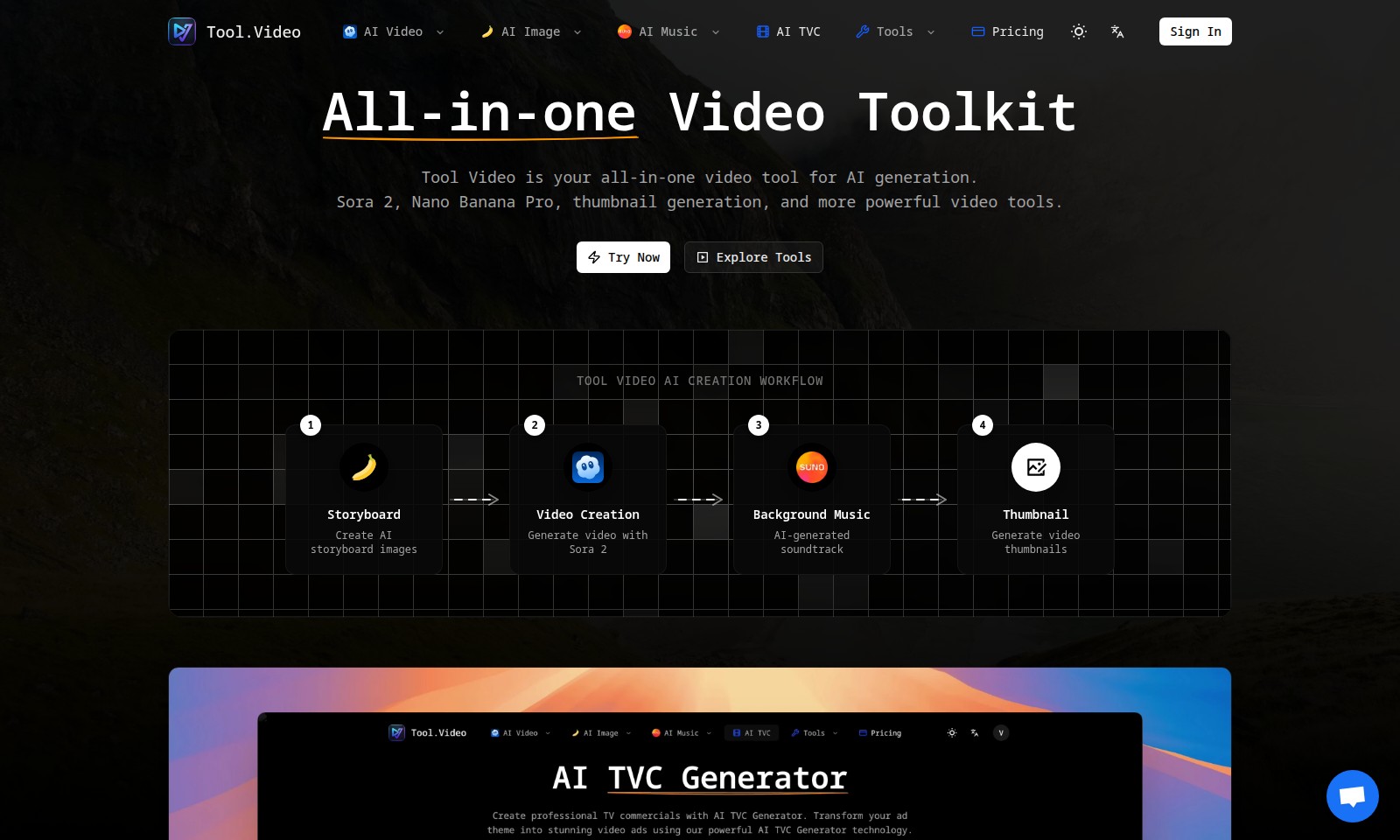
Tool Video Introduction
Tool Video: Your Comprehensive AI Video Toolkit
Tool Video serves as your all-in-one solution for AI-powered video generation, providing an array of innovative tools designed to simplify and enhance the creative process. With state-of-the-art features including AI-driven storyboard creation, advanced video production capabilities, and automated background music generation, Tool Video empowers creators to realize their visions with ease and efficiency.
Tool Video Features
AI Video Generator - Effortless Video Creation
With our AI Video Generator at your fingertips, creating stunning videos has never been easier. Leveraging advanced algorithms, users can generate high-quality videos in a fraction of the time typically required.
Sora 2 - Realistic Text-to-Video Conversion
Utilize Sora 2, OpenAI's cutting-edge text-to-video model, to transform your ideas into lifelike video content. This model’s ability to render natural motion and vivid visuals ensures your narrative is not just told, but visually experienced.
Nano Banana Pro - High-Quality Image Generation
The Nano Banana Pro tool offers unparalleled image generation capabilities, producing high-quality visuals from text descriptions. This feature is essential for content creators aiming to enhance their videos with striking imagery, making your production stand out in a crowded market.
AI-Generated Soundtracks - Tailored Audio Experience
Elevate your videos with tailored soundtracks generated by our AI. This unique feature guarantees the perfect audio accompaniment to your visual storytelling, addressing the needs of editors who understand the impact of sound on viewer engagement.
Thumbnail Generator - Eye-Catching Previews
The Thumbnail Generator simplifies the creation of compelling video previews. Users can generate thumbnails that attract viewers’ attention, ultimately increasing click-through rates and improving viewer engagement metrics.
All-in-One Toolkit - Streamline Your Workflow
The All-in-One Video Toolkit consolidates all these powerful features, allowing users to manage their entire video creation process in one place. This is particularly beneficial for marketing teams who need efficiency without sacrificing quality.
Pricing Models - Flexible Options for Every Creator
Our adaptable pricing models ensure users can select plans that fit their needs, whether you’re an independent creator or part of a larger team. This flexibility empowers users to access premium features without financial strain.
Frequently Asked Questions About Tool Video
What is Tool Video and how does it work?
Tool Video is an all-in-one platform designed for AI generation in video editing. Users can create storyboards, generate videos using Sora 2, add AI-generated background music, and produce thumbnails, all within a single workflow.
How do I create a video using Sora 2?
To create a video with Sora 2, simply input your text prompt and let the AI generate a video with realistic scenes and motions. This powerful tool ensures your videos have stunning visuals that align with your content needs.
Can I generate music for my videos?
Yes, Tool Video allows you to add AI-generated soundtracks to your videos. This feature enhances the viewing experience and adds an engaging auditory aspect to your creations.
What tools are available for image generation?
For image generation, Tool Video includes Nano Banana Pro, which specializes in high-quality AI image creation from text. This allows users to easily obtain visually appealing images for their projects.
Is there a cost associated with using Tool Video?
Tool Video offers various pricing options tailored to different user needs. You can explore the pricing section on our website for detailed information on subscription plans and features available under each.
How to Use Tool Video
Register an Account
Visit the website and click on the 'Sign In' button located at the top right. Follow the prompts to create your account by entering your email and setting a password.
Confirm Your Email
Check your inbox for a confirmation email from us. Click the link in the email to verify your account and activate it.
Set Up Your Profile
Once your account is activated, log in to the site. Go to 'Profile Settings' and fill in your details to personalize your experience. Add a profile picture and any other relevant information to get started.
Explore AI Tools
Navigate to the 'Tools' section on the main menu. Here, you will find various AI tools like AI Video, AI Image, and AI Music. Click on any tool to learn more about its features and capabilities.
Create Your First Video
Select the 'AI Video' tool. Use Sora 2 to generate your first video by inputting a text prompt. Click 'Generate' and watch as your video comes to life with natural motion and stunning visuals.
Add Background Music
After creating your video, enhance it with an AI-generated soundtrack. Click on the 'Background Music' option and choose a soundtrack that fits your video theme.
Generate Thumbnails
Create eye-catching thumbnails for your video. Go to the 'Thumbnail' generation section, select an image, and click 'Generate' to get the perfect preview for your content.
Save and Share
Once you are satisfied with your video and its components, save your project. Use the share options provided to send your creation to friends or post it on social media.
Reviews
Pros
- Easy to use
- Fast processing
- Great results
- Affordable pricing
Cons
- Limited free version
- Requires internet connection
Comments
No comments yet. Be the first to share your thoughts!
Tool Video - Alternative Platforms
For some alternatives to Tool Video that you may need, we provide you with sites divided by features.

Celebrity AI allows users to generate videos featuring celebrity voices for personalized messages, marketing, and creative projects without hiring actual celebrities.
Ray 3 AI provides an intuitive platform for transforming text into professional-grade HDR videos, enhancing video production efficiency.
Veo 3.1 is Google's latest AI tool for generating cinematic 1080p videos from text, simplifying video creation for all users.
Genie 3 transforms text prompts into interactive worlds, enabling real-time modifications and consistent physics, enhancing AI and educational applications.