Vidnoz AI
Vidnoz AI offers a powerful, free video generator to create engaging content quickly and easily, enhancing productivity for creators.
Vidnoz AI Introduction
Create Engaging Videos with Vidnoz AI
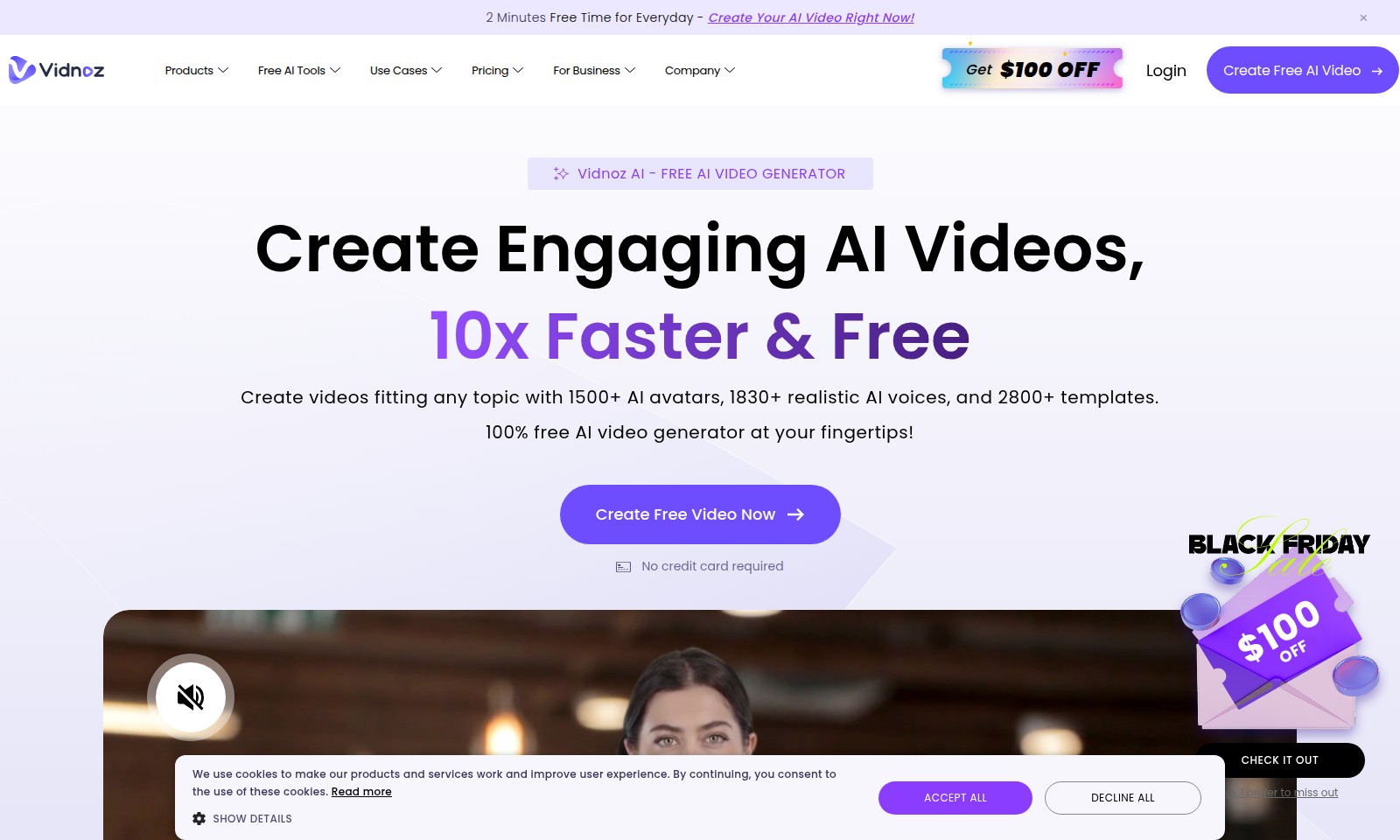
Vidnoz AI is your go-to platform for crafting high-quality videos quickly and effortlessly. With a diverse selection of over 1500 AI avatars, 1830+ realistic AI voices, and 2800+ templates, our free AI video generator empowers users to produce visually stunning content tailored to any topic without the need for credit card details. Experience the ease and efficiency of video creation with Vidnoz AI, where creativity meets technology.
Vidnoz AI Features
AI Video Generation - Instant Engagement
Create your AI videos effortlessly in just two minutes. Experience fast, high-quality video creation with stunning results.
Extensive Customization - Tailored Experience
Access over 1500 AI avatars and 1830+ realistic AI voices, allowing for complete personalization of your videos. Tailor each video to perfectly suit your audience's needs.
Cost Efficiency - Maximized ROI
Utilizing Vidnoz AI can significantly reduce video production costs while increasing your content output. Save resources and achieve a higher return on investment.
User-friendly Interface - Easy to Navigate
The intuitive user interface of Vidnoz AI is designed for all users, regardless of technical skill. Anyone can start creating engaging content with minimal effort.
Versatile Application - Diverse Use Cases
This platform is suitable for a range of applications, from marketing videos to educational content. Empower your business with versatile video solutions.
Professional Quality - Industry Standards
Gain access to professional-grade video tools that meet industry standards, ensuring your content is engaging and impactful. Stand out in the competitive media landscape.
Community Support - Learn and Evolve
Join a community of over 1000 media teams and receive ongoing support. Learn from best practices and continuously enhance your video creation skills.
Frequently Asked Questions About Vidnoz AI
FAQs for Vidnoz AI Video Generator
1. How can I create a free AI video using Vidnoz?
You can start creating a free AI video by visiting the Vidnoz website and clicking on the 'Create Free AI Video' button. The process is straightforward: select from over 2800 templates, choose an AI avatar, and customize your video as per your needs.
2. Do I need a credit card to use Vidnoz AI?
No, you do not need a credit card to use the Vidnoz AI video generator. All features are accessible for free, making it an excellent choice for personal and business use without any financial commitment.
3. What types of videos can I create with Vidnoz?
Vidnoz allows you to create a wide variety of videos tailored to different topics. You can choose from 1500+ AI avatars and 1830+ realistic AI voices to add a unique touch to your content, making it suitable for educational, marketing, or entertaining purposes.
4. How does Vidnoz help in saving time and costs?
Using Vidnoz AI video generator can significantly speed up the video creation process. It enables companies to produce high-quality videos in a fraction of the time compared to traditional methods, increasing ROI and reducing overall costs for businesses.
5. Can I use Vidnoz AI for business purposes?
Absolutely! Vidnoz is designed with businesses in mind. It offers various use cases, including training videos, promotional content, and engaging customer outreach, helping businesses communicate effectively and efficiently.
6. Is there support available if I encounter issues?
Yes, Vidnoz provides support to its users. You can access help through their website or contact customer service for assistance with any issues you may face while creating your videos.
How to Use Vidnoz AI
Register an Account
To start, visit the Vidnoz AI website and click on the 'Create Free AI Video' button. Fill in your details including your email address and create a password. Make sure to verify your email if prompted to complete your registration.
Set up your Profile
Once registered, log into your account and navigate to your profile settings. Here, you can upload a profile picture and fill in any additional details that represent you or your brand.
Understand the Dashboard
After setting up your profile, familiarize yourself with the dashboard. Take a moment to explore the various sections, including 'Products', 'Free AI Tools', and 'Create Free Video Now'. Understanding where everything is will ensure a smoother experience.
Create Your First Video
Click on the 'Create Free Video Now' button. Choose a template that suits your needs. With over 2800 templates available, you're likely to find one that aligns with your message and audience.
Choose AI Avatars and Voices
Select an AI avatar from the 1500+ options available. You can also pick one of the 1830+ realistic AI voices to narrate your video. Ensure the voice fits the tone and style you are aiming for in your content.
Customize Your Video
Now that you've selected your avatar and voice, it's time to customize your video. Add text, change backgrounds, and adjust the timing of the scenes to suit your vision. Don't forget to preview your video design periodically.
Finalize and Export
Once you are satisfied with the video, click the 'Export' button. Choose your preferred resolution and format for download. This step ensures that you can share your video easily on multiple platforms.
Share Your Video
After your video is exported, you can share it directly from your account or upload it to various social media platforms. Engage your audience by promoting your video and watching the response come in!
Reviews
Pros
- Easy to use
- Fast processing
- Great results
- Affordable pricing
Cons
- Limited free version
- Requires internet connection
Comments
No comments yet. Be the first to share your thoughts!
Vidnoz AI - Alternative Platforms
For some alternatives to Vidnoz AI that you may need, we provide you with sites divided by features.