Warp
Warp agents streamline coding, debugging, and deploying across your software workflow, maximizing developer efficiency with integrated tools.
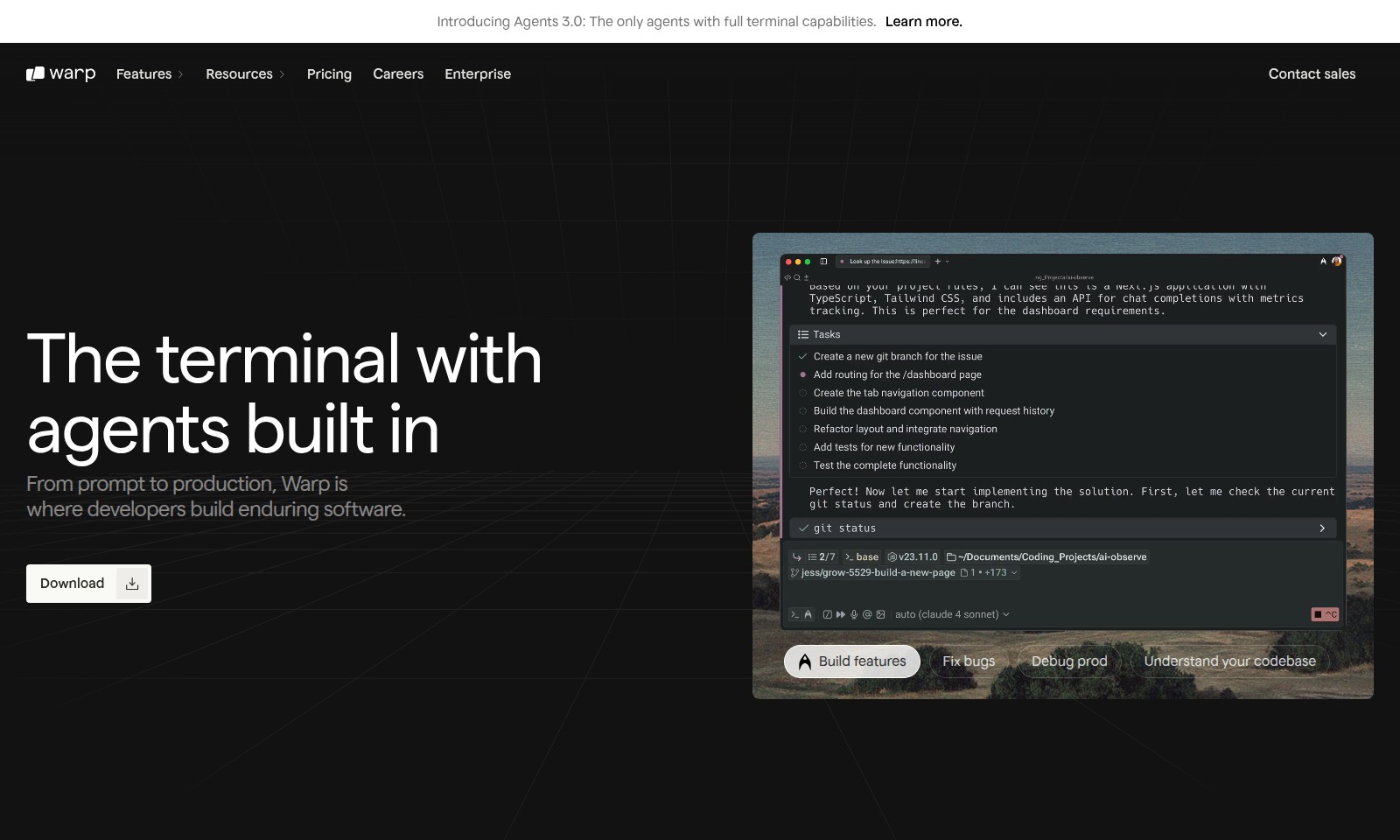
Warp Introduction
Introducing Agents 3.0:
The next generation of software development begins here with Agents 3.0, the only agents equipped with full terminal capabilities that revolutionize your workflow.
Warp Features
Agents 3.0 - Full Terminal Capabilities
Unlock a seamless integration of your development processes with Agents 3.0, where terminal capabilities are fully realized. Our unique approach combines the intuitive nature of an Integrated Development Environment (IDE) with the power of a Command Line Interface (CLI), ensuring that developers can maximize efficiency and effectiveness in their workflows.
Frequently Asked Questions About Warp
Frequently Asked Questions (FAQs)
What are Agents 3.0, and how do they enhance development?
Agents 3.0 are advanced tools integrated into the terminal that provide developers with full capabilities for software development. This innovative system allows for increased productivity by enabling seamless transitions from coding to debugging, thus maximizing workflow efficiency.
How does Warp contribute to my daily development tasks?
Using Warp can save developers an average of one hour a day. This is achieved through enhanced terminal capabilities, allowing users to unlock the full power of their environment while achieving fine-grained control over agents, simplifying the development process within a single application.
Can I access multiple AI models using Warp?
Yes, Warp offers instant access to the latest models from leading AI providers such as OpenAI, Anthropic, and Google. This multi-model advantage ensures that developers can choose the best tools for their specific tasks, greatly improving the development lifecycle and delivery speed.
How does Warp compare to traditional IDEs and CLIs?
Warp uniquely combines features of an Integrated Development Environment (IDE) and Command Line Interface (CLI), allowing for a comprehensive development environment that maintains the strengths of both. This integration not only enhances productivity but also simplifies the user experience in managing development workflows.
Why is using Warp beneficial for enterprise teams?
Enterprise teams benefit from Warp's cutting-edge features, which streamline the software development process and improve collaboration. With agents that can execute complex commands and manage resources effectively, teams can reduce bottlenecks and enhance overall project delivery.
What resources are available for new users of Warp?
New users can explore various resources, including documentation, tutorials, and community forums. These resources are designed to help users get started quickly and effectively, maximizing their understanding of Warp's capabilities throughout the development process.
How to Use Warp
Step 1: Register for an Account
Visit the Warp website and click on the 'Sign Up' button. Fill in the required information, including your email and a secure password to create your user account.
Step 2: Verify Your Email
Check your inbox for a verification email from Warp. Click on the link provided in the email to verify your account and gain access.
Step 3: Set up Your Profile
Once logged in, navigate to your profile settings. Complete your profile by adding your name and any relevant details that will help customize your experience.
Step 4: Download the Warp App
Head to the Downloads section of the website. Choose the appropriate version for your operating system and download the Warp application to your device.
Step 5: Install the Application
Follow the installation prompts to set up the Warp app. Once installed, launch it to begin the setup process.
Step 6: Familiarize Yourself with the Dashboard
Upon launching the app, take a moment to explore the dashboard layout. Get acquainted with the various features and options available to you as a developer.
Step 7: Connect to the Terminal
Access the built-in terminal within Warp. Familiarize yourself with its functionalities, and understand how it integrates with your development workflow.
Step 8: Start Building Features
With the terminal set up, you can begin writing code directly in Warp. Utilize the multi-model advantage by tapping into the latest models from OpenAI, Anthropic, and Google.
Step 9: Fix Bugs
Use Warp's debugging tools to identify and fix issues in your code. Efficiently troubleshoot and resolve problems to ensure your applications run smoothly.
Step 10: Debug Production
When satisfied with your code changes, deploy updates and monitor the production environment. Utilize Warp’s capabilities to keep your applications running optimally.
Step 11: Understand Your Codebase
Utilize the built-in tools to review and understand your projects. Make use of documentation and resources available within Warp to enhance your coding proficiency.
Step 12: Continue Learning and Growing
As you work with Warp, take advantage of the resources available to you, such as tutorials and community forums. Stay informed about updates and new features to elevate your development skills further.
Reviews
Pros
- Easy to use
- Fast processing
- Great results
- Affordable pricing
Cons
- Limited free version
- Requires internet connection
Comments
No comments yet. Be the first to share your thoughts!
Warp - Alternative Platforms
For some alternatives to Warp that you may need, we provide you with sites divided by features.

Comprehensive guide to the best hosting options for OpenClaw, featuring expert reviews and a side-by-side comparison of top providers.
ARC offers holistic AI solutions that prioritize user privacy and efficiency. Discover the Matrix and Reactor, designed to protect your data while enhancing your AI experience.
A visual design tool that simplifies frontend development through AI, allowing users to edit and integrate code seamlessly.
OceSha Ventures transforms ideas into AI-driven products, emphasizing collaboration and impact in technology.