Grammarly
Grammarly offers an AI-powered writing assistant that helps users produce effective, clear, and error-free text while ensuring data privacy.
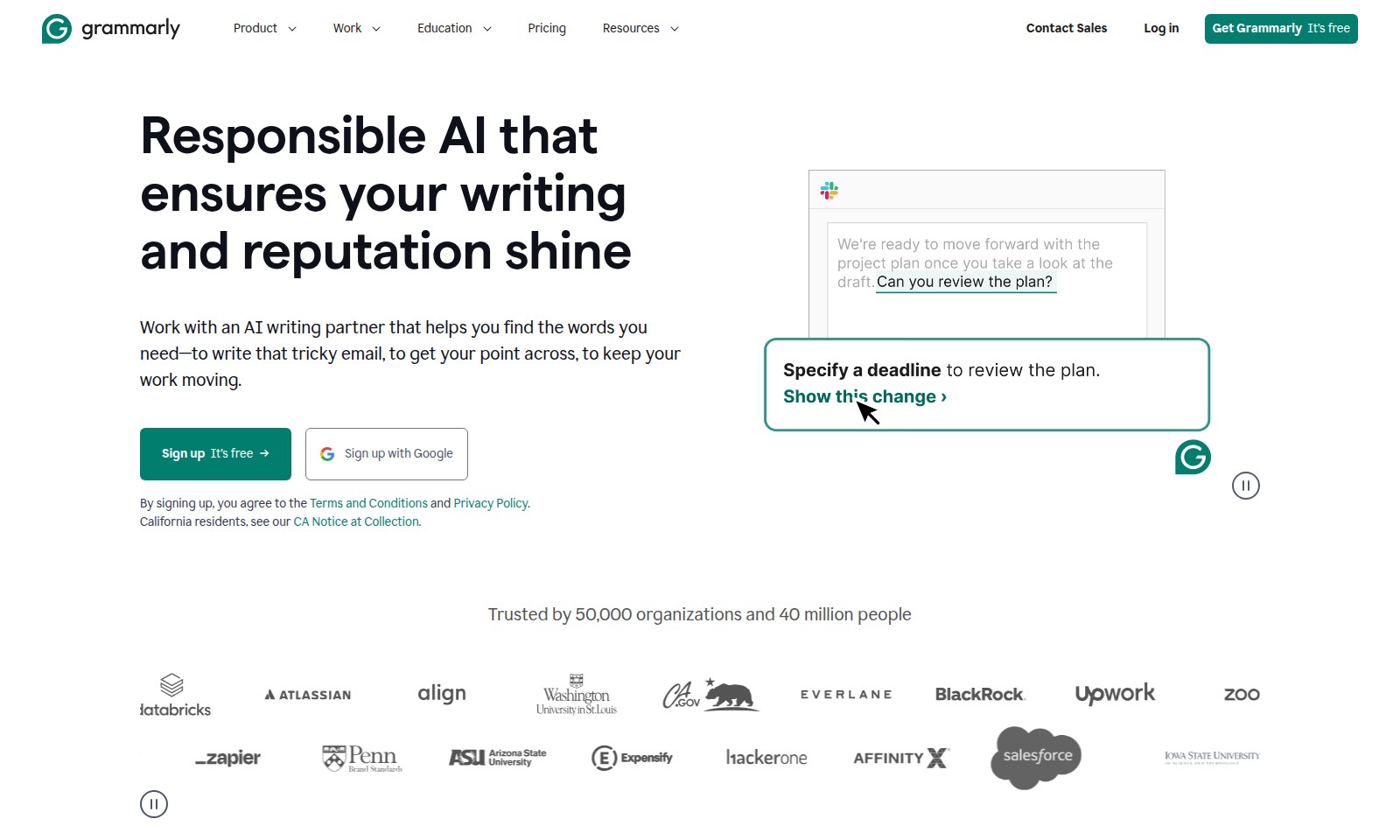
Grammarly Introduction
Empower Your Writing with Grammarly
Grammarly offers powerful writing assistance that elevates your communication and professional presence. Our AI-driven writing partner seamlessly integrates into your workflow, providing personalized suggestions that help you articulate your ideas effectively. Whether composing a project proposal or drafting a crucial email, Grammarly ensures that your writing is clear, persuasive, and professional.
Grammarly Features
Seamless Project Proposal Creation - Enhance Efficiency
With Grammarly, you can effortlessly compose a project proposal that is both persuasive and professional. The writing assistant not only corrects grammar and spelling but also provides contextual suggestions to improve clarity and impact.
Enhanced Persuasiveness - Make Your Point Clear
Integrate Grammarly into your writing process to transform casual drafts into polished communications. Use its feature to highlight essential points that resonate with your audience, ensuring your message is not just heard but understood.
Smart Suggestions for Timely Communication - Meet Deadlines Effectively
When communicating within tools like Slack, Grammarly can suggest writing enhancements that help you set clear deadlines. This ensures that your colleagues have all the information they need to act promptly, reducing back-and-forth communication and streamlining project timelines.
Cross-Platform Functionality - Write Anywhere
Grammarly works seamlessly across various platforms and devices. Whether composing emails in Gmail, drafting proposals in Google Docs, or sending messages in Slack, you can access powerful writing assistance tailored to your context, elevating the quality of your output consistently.
Tailored Writing Assistance - Get Contextual Help
Receive personalized writing suggestions based on the specific context of your projects. Grammarly analyzes your text and the intended audience to provide recommendations that enhance readability and engagement, making your writing not just correct but compelling.
Trust and Reliability - Trusted by Millions
Join the ranks of 50,000 organizations and over 40 million individuals who trust Grammarly for their writing needs. This tool is designed to deliver professional results, ensuring that your writing reflects your organization’s standards and fosters a positive reputation.
Commitment to User Privacy - Your Information is Safe
Grammarly is committed to maintaining the privacy and security of your writing. When you sign up, you can be confident that your data is protected, allowing you to focus on producing high-quality content without worrying about unauthorized access.
Frequently Asked Questions About Grammarly
FAQs
1. What is Grammarly and how can it help me?
Grammarly is an AI-powered writing assistant that helps you produce clear, persuasive, and professional text. Whether you're composing emails, project proposals, or any other type of document, Grammarly provides real-time suggestions to enhance your writing.
2. Is there a cost to using Grammarly?
Grammarly offers a free version with essential features to improve your writing. For those seeking advanced suggestions and additional tools, a premium subscription is available. You can get started with the free version and decide if you need more features later.
3. Can I use Grammarly for work emails and project proposals?
Absolutely! Grammarly is designed to work seamlessly within various platforms, including email clients and project management tools like Slack. You can use it to ensure your messages are clear and impactful, making communication more effective.
4. How does Grammarly personalize writing suggestions?
Grammarly analyzes the context of your writing and the audience you are addressing, providing tailored suggestions that enhance clarity and persuasiveness. This personalization helps you convey your message effectively.
5. Is my data safe when using Grammarly?
Yes, Grammarly takes user privacy seriously. Data shared with Grammarly is encrypted and stored securely. You can also review their Terms and Conditions and Privacy Policy for detailed information on data handling.
6. How can I get started with Grammarly?
To begin using Grammarly, simply sign up for a free account. You can register using your email or Google account. Once registered, you can access its features and start receiving writing suggestions immediately.
How to Use Grammarly
Register for an Account
Visit the website and click on the 'Sign up' button. Choose to sign up using your Google account. By signing up, you agree to the Terms and Conditions and Privacy Policy.
Set Up Your Profile
After registration, you will be prompted to set up your profile. Fill in your basic information to personalize your experience and make the most of the platform.
Explore Key Features
Take a tour of the key features available. Familiarize yourself with tools like writing suggestions and project proposal templates. Understanding how to use these features will enhance your writing skills greatly.
Compose Your First Document
Start a new document and use Grammarly's suggestions to improve your writing. This could be anything from emails to proposals. Leverage the suggestions provided to make your text more persuasive and effective.
Collaborate with Others
Invite team members to collaborate on documents. You can share your writing directly through the platform and receive feedback in real-time, ensuring every piece of writing is highly polished before sending.
Utilize Suggestions
As you write, pay attention to Grammarly’s suggestions. These will help enhance clarity and professionalism in your writing. Make amendments as recommended to ensure your document meets high standards.
Final Review Before Sending
Once you are satisfied with your text, take advantage of the final review tools. Use Grammarly's features to check for any remaining errors before sending out your document, ensuring it's free of grammar issues.
Log Out and Stay Secure
After using the service, log out to keep your account secure. Always make sure to exit your profile, especially when using public or shared devices.
Reviews
Pros
- Easy to use
- Fast processing
- Great results
- Affordable pricing
Cons
- Limited free version
- Requires internet connection
Comments
No comments yet. Be the first to share your thoughts!
Grammarly - Alternative Platforms
For some alternatives to Grammarly that you may need, we provide you with sites divided by features.

TopPDF offers comprehensive PDF tools for editing, converting, and managing files efficiently, used by millions worldwide.
AI Notes revolutionizes note-taking with features like AI summaries, auto-sorting, and secure storage, making it easy to capture and organize thoughts.
Bartleby offers homework solutions, tutoring, and writing tools for various subjects, empowering students to learn effectively.
LanguageTool is an advanced AI-driven tool for grammar checking, paraphrasing, and enhancing writing style, ensuring error-free communication in various languages.