Attio
Attio is an advanced CRM platform tailored for growth and operational efficiency, featuring AI-driven automation and customizable data integration.
Attio Introduction
Welcome to the Attio Developer Platform
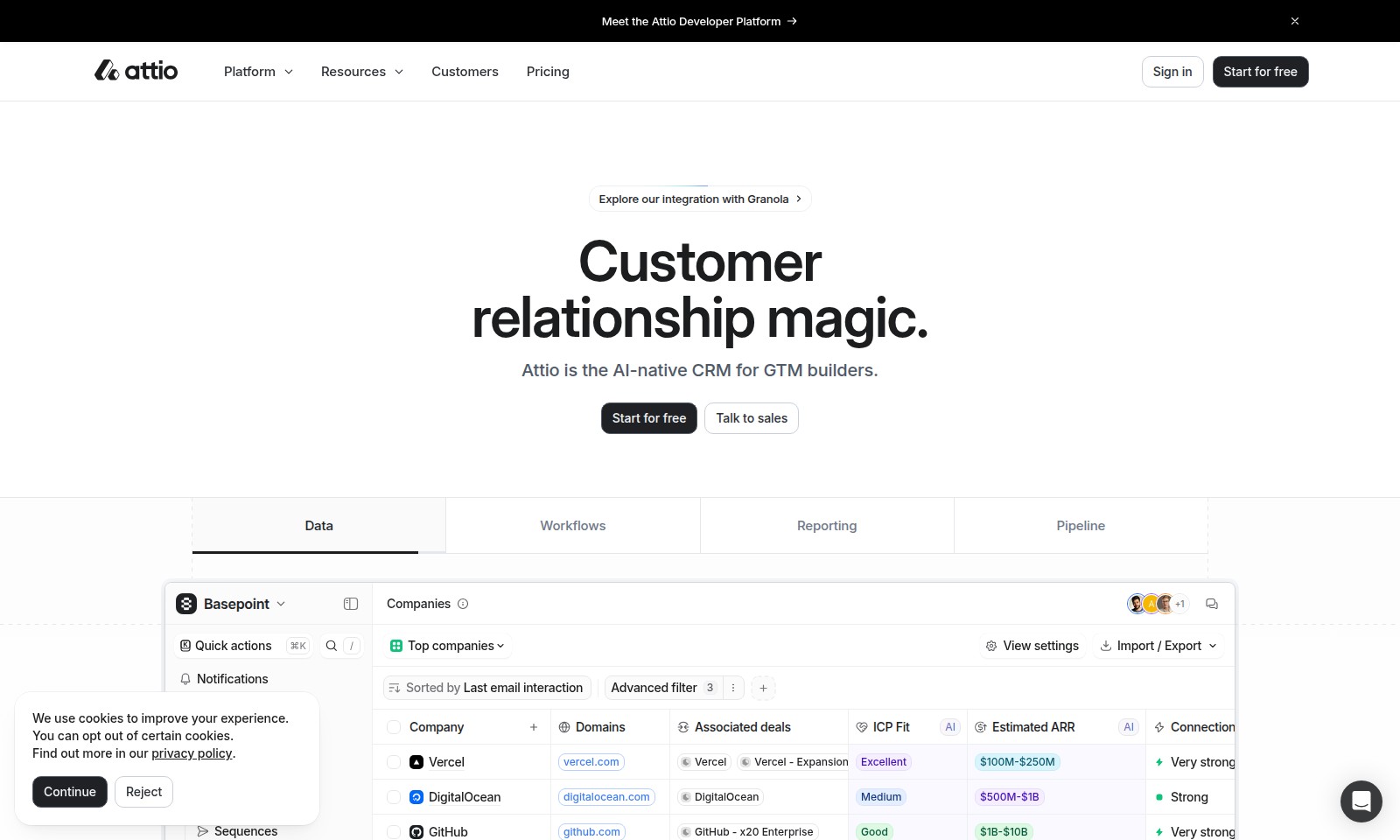
Attio is the AI-native CRM designed specifically for go-to-market builders, providing innovative solutions to enhance your customer relationship management experience. Our platform offers a suite of powerful tools that streamline workflows, manage data intuitively, and facilitate reporting, empowering businesses to unlock their full potential.
Attio Features
AI-Native CRM - Empower Your Go-To-Market Strategy
Attio's AI-native capabilities redefine CRM for GTM builders, enabling seamless integration with platforms like Granola. Experience enhanced decision-making with data-driven insights that scale with your business.
Advanced Reporting - Comprehensive Insights at Your Fingertips
Unlock the power of data with Attio's advanced reporting features. Generate real-time performance metrics and dashboards that support informed strategies, driving growth and efficiency.
Automated Workflows - Streamline Your Processes
Maximize productivity with customizable automated workflows in Attio. By automating repetitive tasks, teams can focus on high-impact activities, leading to a 30% increase in efficiency on average.
Dynamic Pipeline Management - Real-Time Deal Tracking
Stay ahead with Attio's dynamic pipeline management feature that provides real-time tracking of deals. This transparency enhances collaboration and accelerates decision-making, ensuring you never miss a closing opportunity.
Quick Actions - Speed up Your CRM Experience
Utilize Attio’s quick actions to navigate your CRM effortlessly. This feature aggregates essential tasks into one location, allowing for instantaneous updates, saving you valuable time each day.
Strategic Accounts Tracking - Prioritize Key Relationships
Identifying and nurturing your strategic accounts has never been easier. Attio allows for tailored strategies that enhance engagement with high-value clients, fostering long-term business relationships.
Enhanced Integration - One Platform for All Your Needs
With robust integration capabilities, Attio connects seamlessly with other tools your team uses. This ensures that all data and processes align, creating a cohesive user experience that enhances overall productivity.
Frequently Asked Questions About Attio
FAQs about Attio Developer Platform
What is the Attio Developer Platform?
The Attio Developer Platform is an AI-native CRM designed for go-to-market builders, enabling seamless management of customer relationships and workflows. It integrates advanced data analytics, reporting, and automation features to enhance efficiency and decision-making in business operations.
How can I start using Attio?
You can start using Attio for free by signing up on our website. The platform offers a straightforward onboarding process that will guide you through setting up your workspace and utilizing key features right from the start.
What resources are available for Attio users?
We provide a variety of resources including documentation, tutorials, and community forums. These resources are designed to help you maximize the usage of the platform and enhance your CRM strategies effectively.
Is there a support system in place?
Yes, we have a dedicated support team available to assist users with any technical issues or inquiries. You can reach out via email, chat, or through our support portal where you can find FAQs and troubleshooting tips.
How does Attio integrate with other tools?
Attio offers integrations with a range of third-party applications, allowing for seamless data transfer and synchronization. This means you can connect Attio with tools such as Granola and others to streamline your operations further.
What are the pricing plans for Attio?
Attio offers a range of pricing plans to fit different business needs. Starting with a free tier, we present scalable options that provide additional features, support, and integrations as your business grows.
How to Use Attio
Register for an Account
Create your account by visiting the Attio Developer Platform homepage and selecting 'Start for Free.' Fill in the required fields such as your name, email, and password. Click 'Sign Up' to finalize your registration.
Verify Your Email
Check your inbox for a verification email from Attio. Click on the verification link provided in the email to confirm your account. This step is crucial to ensure the security and authenticity of your registration.
Set Up Your Profile
Once you have verified your email, log in to your Attio account. Complete your profile by adding relevant details such as your role and company information. This helps personalize your experience on the platform.
Explore the Dashboard
After setting up your profile, you will be directed to the Attio dashboard. Familiarize yourself with the layout and key features such as Data, Workflows, and Reporting. Each section has easy navigation for new users.
Integrate Your Tools
To make the most of Attio, integrate your existing tools. Click on the 'Integrations' tab and follow the prompts to connect applications like email services or other CRM systems. This increases efficiency and data synergy.
Create Your First Workflow
Navigate to the Workflows section and select 'Create New Workflow.' Follow the guided steps to design a custom workflow that suits your business needs. Use templates if available to simplify the process.
Utilize Reporting Features
Head over to the Reporting section to generate insights about your customer interactions. Choose different metrics to analyze and export reports for deeper analysis. Understanding your data is key to making informed decisions.
Reviews
Pros
- Easy to use
- Fast processing
- Great results
- Affordable pricing
Cons
- Limited free version
- Requires internet connection
Comments
No comments yet. Be the first to share your thoughts!
Attio - Alternative Platforms
For some alternatives to Attio that you may need, we provide you with sites divided by features.

Klaviyo offers an all-in-one platform that combines marketing automation, customer service, and analytics to drive growth for B2C brands.