Editaimg
Editaimg is an AI-powered image editor that allows users to edit images with ease, featuring tools for background removal, object replacement, and more.
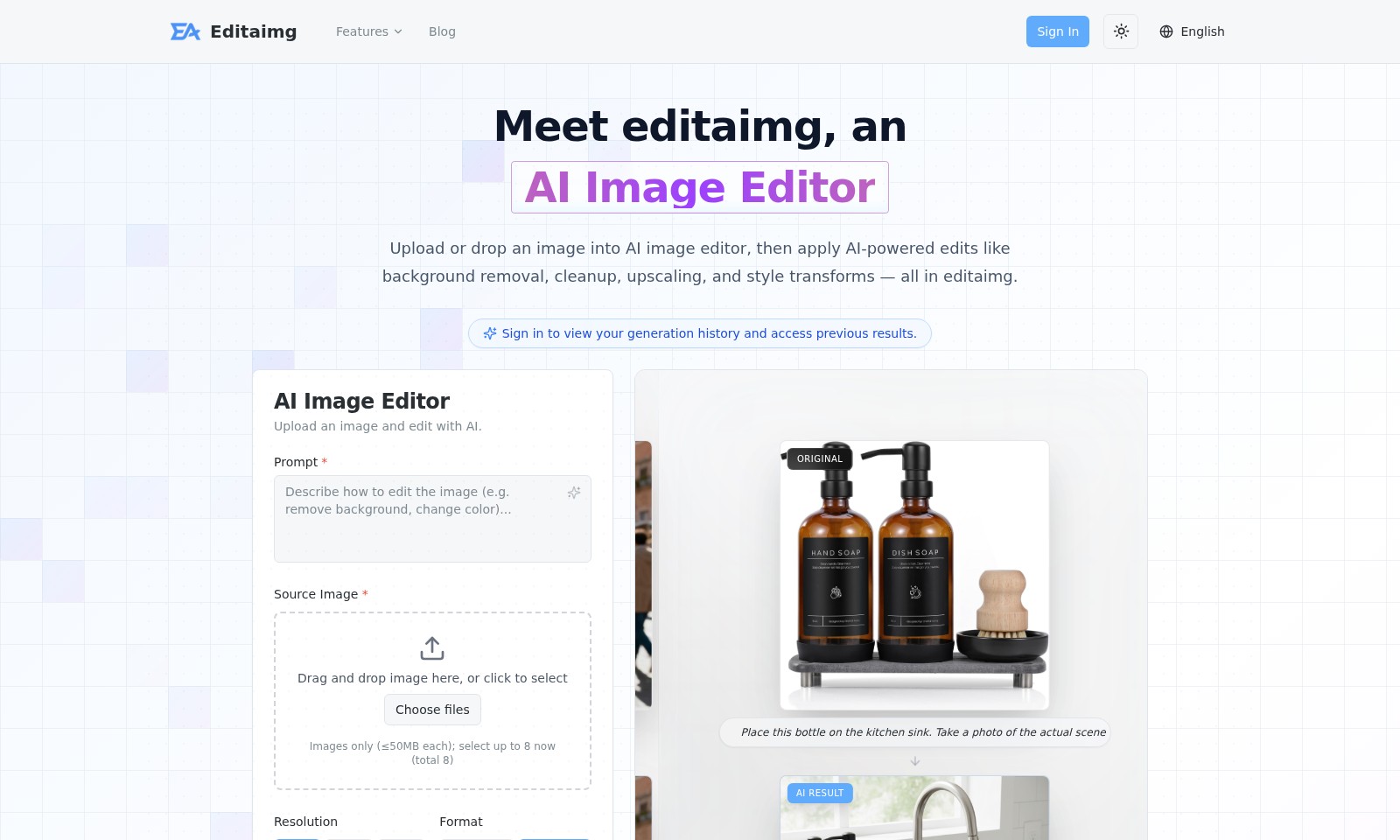
Editaimg Introduction
Editaimg: Revolutionizing Your Image Editing Experience
Editaimg is an advanced AI Image Editor that allows users to elevate their imagery with cutting-edge technology. Designed for both professionals and enthusiasts alike, this platform streamlines the editing process, enabling seamless uploads and instant AI-powered enhancements. Whether you need background removal, image cleanup, upscaling, or artistic style transforms, Editaimg is here to deliver high-quality results with ease and efficiency.
Editaimg Features
AI-Powered Background Removal - Effortless Image Editing
Experience seamless background removal with our intelligent AI-driven technology. This feature allows users to eliminate unwanted backgrounds in just a few clicks, enhancing focus on the primary subjects of their images. With a processing speed that can handle tasks in seconds, you can achieve professional-grade results without the need for elaborate software.
Image Cleanup - Revitalize Your Visuals
Our image cleanup feature enables users to restore and enhance images by removing blemishes and imperfections. Whether you are a photographer or a graphic designer, this tool is tailored to meet your needs without compromising quality. With up to 4K resolution output, your images will appear polished and ready for any platform.
High-Quality Upscaling - Enhance Your Images
Achieve stunning detail with our high-quality upscaling feature, designed to increase the resolution of images without losing fidelity. This benefit is particularly crucial for marketers and social media managers who require sharp visuals for advertising purposes. The advanced algorithms ensure that even scaled images maintain a crisp and professional look.
Versatile Style Transforms - Customize Your Aesthetics
Utilize our style transform feature to apply artistic effects and styles to your images. This is ideal for content creators seeking to curate a specific visual theme or identity. By offering various predefined styles, users can experiment and immediately see how different looks enhance their images.
Comprehensive Image History - Track Your Edits
Maintain an organized record of all your image edits with our generation history feature. Users can easily sign in to access and revisit previous edits, making it a great tool for ongoing projects or for those who need to reference past works. This feature enhances workflow efficiency and supports project continuity.
Seamless User Experience - Intuitive Design
The user interface of our platform is designed with simplicity in mind. Users can drag and drop images directly for editing, making the process straightforward even for novice users. This ensures that anyone, regardless of their technical expertise, can effectively utilize our tools to elevate their visual content.
Frequently Asked Questions About Editaimg
FAQs about Editaimg
1. How do I use the AI Image Editor?
To use the AI Image Editor, simply upload or drag and drop your image into the designated area. Once your image is uploaded, you can choose from various AI-powered editing options like background removal, cleanup, upscaling, and style transforms to enhance your image.
2. What file formats are supported for uploads?
Editaimg supports several file formats for image uploads, primarily including JPEG, PNG, and BMP formats. Ensure that each image is less than or equal to 50MB, and you can upload up to eight images at a time for editing.
3. Can I access my previous edits and generation history?
Yes, after signing in, you can view your generation history and access previous edits. This feature allows you to track your editing journey and easily reuse or modify earlier work.
4. Is there a limit on the image resolution I can edit?
You can choose from various resolution options including 1K, 2K, and 4K, depending on the quality you need for your images. Higher resolutions are ideal for detailed work or print purposes.
5. What are the key features of Editaimg?
Editaimg offers robust features designed to facilitate image editing. These include background removal, which helps isolate subjects, cleanup tools for enhancing image quality, upscaling to maintain clarity at larger sizes, and style transforms to give your images a unique aesthetic.
6. How do I ensure the privacy of my images?
Editaimg takes user privacy seriously. All images uploaded for editing are not publicly visible and follow strict security measures to ensure that your data is safe. You can feel confident using the platform for your image editing needs.
How to Use Editaimg
Step 1: Visit Our Website
Go to editaimg.com. This is where you'll start your journey into using the AI image editor.
Step 2: Sign In or Create an Account
If you're new, click on 'Sign In' and choose 'Create Account.' Fill in the necessary details to get started. If you're already a user, just log in with your credentials.
Step 3: Upload Your Image
Once logged in, you’ll see an option to upload an image. You can drag and drop your image into the designated area or click to select a file. Remember, you can upload only images that are 50MB or smaller.
Step 4: Choose the Right Resolution
After uploading, select the desired resolution for your edits. Options include 1K, 2K, or 4K quality. Higher resolution enhances the final output, so consider your needs.
Step 5: Apply AI-Powered Edits
Select from various AI-powered editing tools, like background removal, cleanup, and style transforms. Each tool has a user-friendly interface, making it easy to achieve your desired effect.
Step 6: View and Save Edits
Once you’re satisfied with your edits, view the final result. If everything looks good, save the image to your device. You can also access your generation history for future reference.
Step 7: Explore More Features
Don’t stop at basic edits! Explore additional features like upscaling images and applying various styles to transform your photos creatively. Utilize the blog section for tips and inspiration.
Reviews
Pros
- Easy to use
- Fast processing
- Great results
- Affordable pricing
Cons
- Limited free version
- Requires internet connection
Comments
No comments yet. Be the first to share your thoughts!
Editaimg - Alternative Platforms
For some alternatives to Editaimg that you may need, we provide you with sites divided by features.

AIImageToImage.ai is an online AI image editor that lets you upload images, describe your desired edits, and quickly generate transformed versions using advanced AI tools.
BuildFloorPlan is an AI tool for generating and refining floor plans from various inputs, ideal for early planning and layout discussions.
BookCoverAI allows authors to generate customized book covers effortlessly, supporting various publishing formats and styles.
AI Anime Generator allows users to create consistent anime characters, manage multi-project workflows, and generate animations from various inputs.