ImageToText
An easy-to-use online OCR tool that extracts text from images in various formats, ensuring privacy and providing free access.
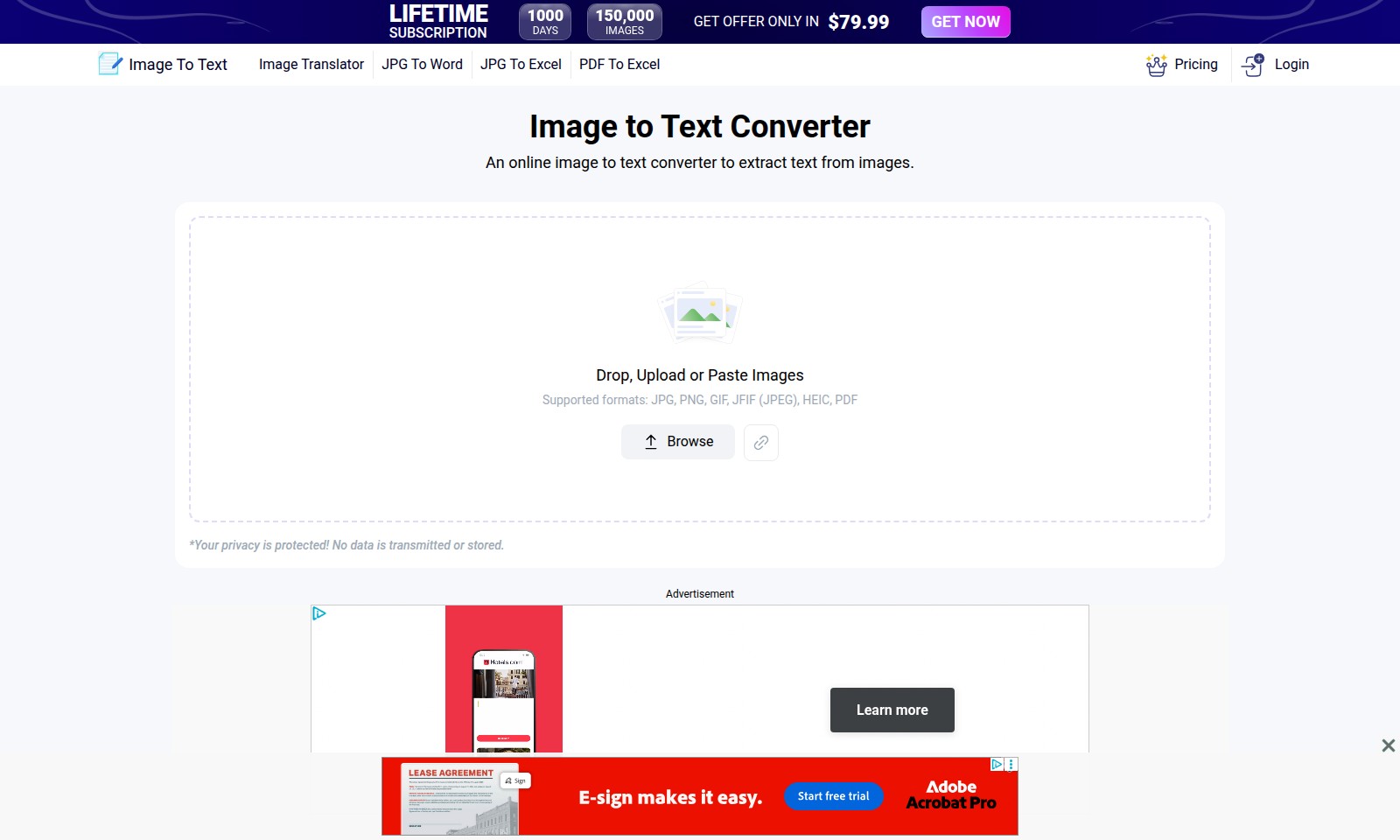
ImageToText Introduction
Unlock the Power of Your Images
Transforming images into editable text has never been easier. Our online image to text converter allows you to swiftly extract text from various image formats such as JPG, PNG, GIF, JFIF, HEIC, and PDF. With an extensive library of features, you can expect a seamless experience tailored for your document conversion needs.
ImageToText Features
Image to Text Converter - Effortless Text Extraction
With our online tool, users can easily extract text from images in just a few clicks. The tool supports multiple formats such as JPG, PNG, and PDF, making it versatile for various user needs.
Image Translator - Seamless Language Conversion
Our image translator allows users to convert text within images to different languages quickly. Designed for travelers and businesses, it can handle multiple image formats, ensuring users can communicate effectively across languages.
JPG to Word - Streamlined Document Creation
Transform JPG images into editable Word documents instantly, saving users time and effort in document preparation. This feature supports accurate text conversion while preserving the layout of the original file.
JPG to Excel - Efficient Data Organization
Convert JPG images that contain tabular data into Excel spreadsheets. This feature is invaluable for users needing to analyze data quickly, reducing the time spent on manual entry.
PDF to Excel - Advanced Data Extraction
Effortlessly convert PDFs to Excel files for better data manipulation. Users can extract important data without losing any formatting, ensuring accuracy and productivity in financial analysis or reporting tasks.
Privacy Protection - Secure Conversions
Our tool prioritizes user privacy; no data is transmitted or stored. Users can convert sensitive information confidently without the worry of data breaches or misuse.
Frequently Asked Questions About ImageToText
Frequently Asked Questions
1. What is the lifetime subscription offer?
The lifetime subscription allows you to access our image to text converter service for just $79.99. This offer is valid for 1000 days, providing you with the flexibility to utilize our platform extensively without additional costs.
2. What types of images can I convert using your tool?
Our image to text converter supports various formats including JPG, PNG, GIF, JFIF (JPEG), HEIC, and PDF. Whether you're working with photographs or document scans, you can easily extract text from them all.
3. Is my data safe when using your image converter?
Absolutely! Your privacy is our priority. We ensure that no data is transmitted or stored after the conversion. Once the process is completed, your images are not kept on our servers, safeguarding your sensitive information.
4. How long does it take to convert an image to text?
Using our tool is incredibly efficient. Most conversions take less than a minute, allowing you to quickly obtain the text you need without delays. Simply drop, upload, or paste your image, and the tool handles the rest.
5. Can I convert images to other formats using your service?
Yes, our services go beyond just image to text conversion. We also offer additional tools such as JPG to Word, PDF to Excel, and more. This provides a comprehensive solution for all your document conversion needs.
6. How can I take advantage of the current offer?
To get started, simply click the 'Get Offer' button on our website, which will guide you through the subscription process. Once you subscribe, you can access the converter at any time during the subscription period.
How to Use ImageToText
Step 1: Register for an Account
To get started, click on the 'Register' button located on the homepage. Fill out the required fields, including your email and password. Ensure you use a valid email address to receive your confirmation link.
Step 2: Confirm Your Email
Check your email inbox for a confirmation message. Click the confirmation link to activate your account. If you don’t see it, check your spam folder.
Step 3: Log In
Once your account is confirmed, return to the homepage and click 'Login'. Enter your email and password to access your account.
Step 4: Set Up Your Profile
After logging in, navigate to your profile settings. Here you can add personal information, including your name and preferences, to customize your experience.
Step 5: Explore Key Features
Take time to explore the features available on the site such as Image To Text and Image Translator. These tools are designed to make your tasks easier.
Step 6: Upload Your First Image
Navigate to the Image to Text Converter. Click 'Drop', 'Upload', or paste an image. Supported formats include JPG, PNG, GIF, JFIF, HEIC, and PDF.
Step 7: Convert Image to Text
Press the convert button once you have uploaded your image. The tool will quickly extract text, taking no more than a minute.
Step 8: Download or Copy the Result
After the conversion is complete, you can either download the extracted text as a document or copy it directly to your clipboard for further use.
Step 9: Utilize Additional Features
Use other features like JPG to Word or PDF to Excel to enhance your document management. Each tool is accessible from the main dashboard.
Step 10: Maintain Your Privacy
Rest assured that your privacy is protected. No data is transmitted or stored after the conversion process. Your images and extracted text remain confidential.
Reviews
Pros
- Easy to use
- Fast processing
- Great results
- Affordable pricing
Cons
- Limited free version
- Requires internet connection
Comments
No comments yet. Be the first to share your thoughts!
ImageToText - Alternative Platforms
For some alternatives to ImageToText that you may need, we provide you with sites divided by features.

UPDF offers a comprehensive PDF editing solution powered by AI. With tools for editing, annotating, and converting across devices, it simplifies PDF workflows.
Liner offers tools for seamless research, including source collection and survey generation, empowering users to enhance their academic work.
Manage PDFs effortlessly with PDFgear, an AI-powered, free tool that enables editing, conversion, and collaboration on all your devices.
DeepSeek OCR employs innovative optical compression to enhance document digitization and multilingual capabilities, achieving high accuracy and efficiency.