MiriCanvas
MiriCanvas offers a comprehensive design platform with millions of templates and AI editing tools, perfect for various creative projects.
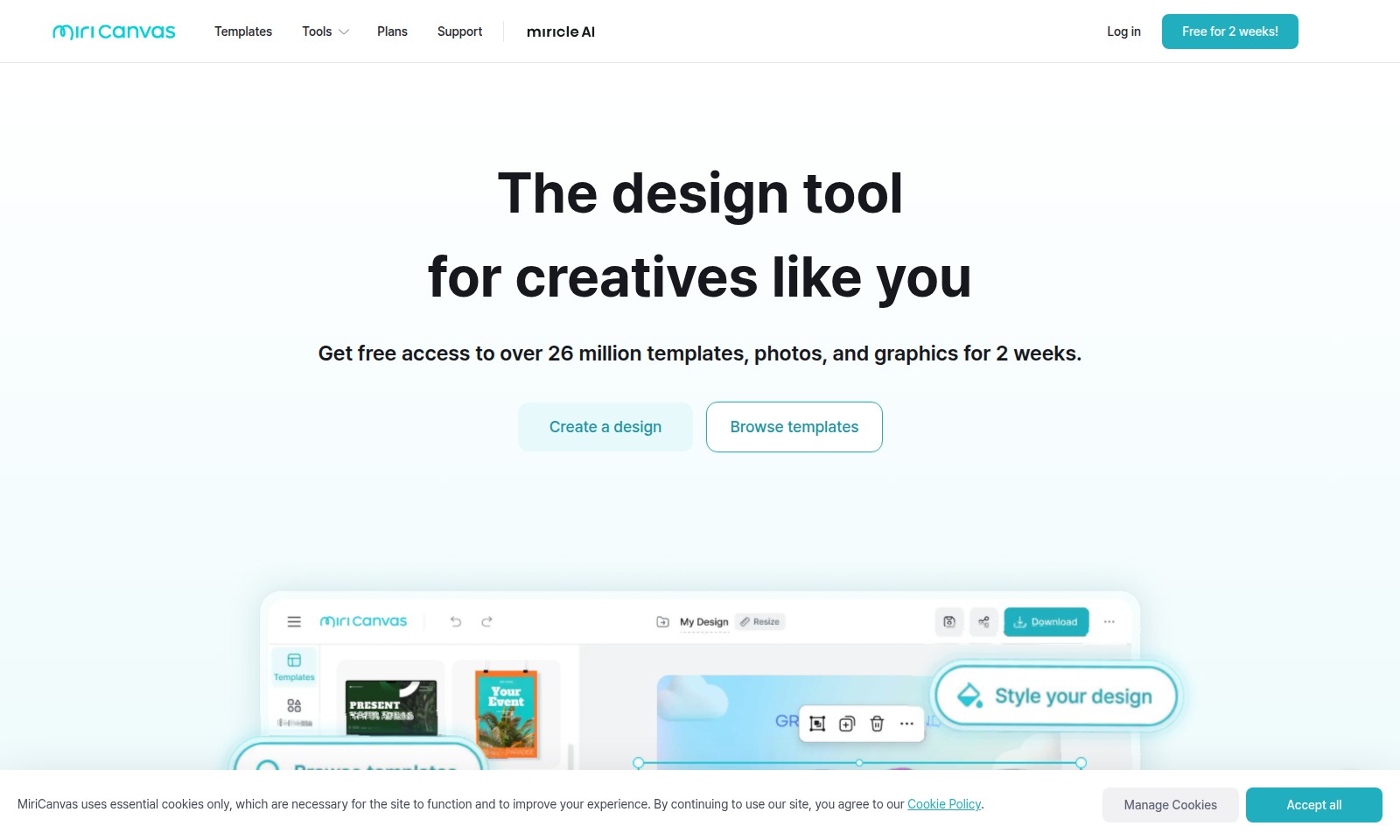
MiriCanvas Introduction
Unleash Your Creativity with Our Design Tool
Experience the power of design at your fingertips. Our platform offers over 26 million templates, photos, and graphics, perfectly tailored for creatives like you, all available for free for two weeks. Whether you are looking to craft stunning presentations, eye-catching social media posts, or engaging marketing materials, our robust selection of tools enables you to create high-quality designs effortlessly.
With innovative features like AI editing, background removal, and image generation, you can enhance your creative projects quickly and efficiently. Join over 2 million monthly active users from more than 180 countries and start designing today!
MiriCanvas Features
Design Tool for Creatives - Unleash Your Creativity
Empower your creative journey with our extensive library. Choose from over 26 million templates, photos, and graphics, ensuring every project reflects your unique vision. Our user-friendly interface allows you to jump into AI editing seamlessly, making the design process intuitive and fast.
AI Image Generator - Customize with Ease
Generate stunning visuals tailored to your needs through our AI image generator. This feature leverages cutting-edge technology to provide users with unique, high-quality images in seconds, perfect for enhancing presentations or social media posts. With this tool, creativity is restricted only by your imagination.
Background Remover - Flawless Image Editing
Make your images stand out effortlessly. Our background remover allows you to isolate subjects quickly and accurately, eliminating distractions from your visuals. This precise tool is ideal for creating professional-looking graphics for marketing materials or personal projects.
AI Presentation Maker - Captivate Your Audience
Elevate your presentations with AI-assisted tools designed for engagement. Our AI presentation maker not only helps you create compelling slides but also offers design suggestions based on best practices, ensuring your pitches resonate with audiences. Connect with stakeholders or classmates effectively with visually striking presentations.
Interactive Quizzes - Boost Engagement
Engage your audience with our interactive quiz tool, ideal for educational platforms or marketing campaigns. Create clickable quizzes that provide insightful data while encouraging participation. This feature not only enhances your audience's experience but also fosters a deeper connection between the content and your viewers.
Frequently Asked Questions About MiriCanvas
Frequently Asked Questions
1. What is the benefit of using your design tool?
Our design tool provides access to over 26 million templates, photos, and graphics, making it incredibly easy for creatives to produce stunning designs quickly. Additionally, you can leverage AI features for editing and enhancements, streamlining your workflow.
2. Is there a trial period available?
Yes, we offer a free trial period for two weeks, allowing users to explore all features and resources without any cost. This is a great way to determine if our tool meets your design needs before committing to a plan.
3. How can I access the templates?
You can access the templates directly through our website by browsing categories such as presentations, social media, and events. Simply create an account or log in to start using the templates right away.
4. What types of templates do you offer?
We provide a wide variety of templates, including those for presentations, social media posts, events, and interactive quizzes. This diversity ensures that there is something for every occasion and purpose, catering to both personal and professional projects.
5. Can I remove backgrounds or enhance images?
Absolutely! Our design tool includes advanced features like background remover and AI image generator, allowing you to easily modify your images and enhance their quality for a more professional look.
6. How does your support work?
Our dedicated support team is available to assist you with any questions or issues you may encounter. You can reach out via the support page on our website for prompt assistance.
How to Use MiriCanvas
Step 1: Register on the Website
Create an account by clicking on the 'Log in' button and selecting 'Register'. Fill in the required details such as your name, email address, and password. Verify your email to activate your account.
Step 2: Set Up Your Profile
Once registered, log in and navigate to your profile settings. Upload a profile picture and fill in your basic information to personalize your account. This will help tailor the content and templates to your needs.
Step 3: Explore Available Templates
Browse through our extensive library of over 530K templates by clicking on the 'Browse templates' section. Filter your search by categories such as presentations, social media posts, or events to find what suits your project best.
Step 4: Start Creating a Design
Select a template you like and click on it to enter the design tool. Utilize features like drag-and-drop editing to add or remove elements. Customize the template by changing colors, fonts, and images to fit your style.
Step 5: Utilize AI Features
Make use of our AI editing tools by using the background remover or AI image generator. These tools help enhance your images and presentations, making your design stand out.
Step 6: Save Your Work
Frequently save your design to avoid losing any changes. Use the 'Save' function in the tool to store your work in your profile. You can always return to edit or download your designs later.
Step 7: Download Your Design
Once satisfied with your design, click on the 'Download' button. Choose your preferred file format and resolution. Your completed work is now ready to be shared or printed.
Step 8: Get Support If Needed
If you encounter any issues, visit the 'Support' section for FAQs and troubleshooting tips. You can also reach out to our customer support team for direct assistance.
Reviews
Pros
- Easy to use
- Fast processing
- Great results
- Affordable pricing
Cons
- Limited free version
- Requires internet connection
Comments
No comments yet. Be the first to share your thoughts!
MiriCanvas - Alternative Platforms
For some alternatives to MiriCanvas that you may need, we provide you with sites divided by features.

Easily solve PDF, image, video, and text issues with TinyWow's free tools, including creators, editors, and AI features.
Elevate your brand with Blaze's AI marketing tools, designed for rapid growth in social media, content creation, and audience engagement.
Discover Jasper, the AI platform transforming marketing operations through automated content pipelines and intelligent workflows.
Wisebase offers AI-driven tools for efficient research, enabling users to highlight key information, summarize content, and create organized reports.