Pixelcut
Pixelcut offers a comprehensive suite of AI-driven tools for editing images and videos, catering to creators and businesses for seamless collaboration.
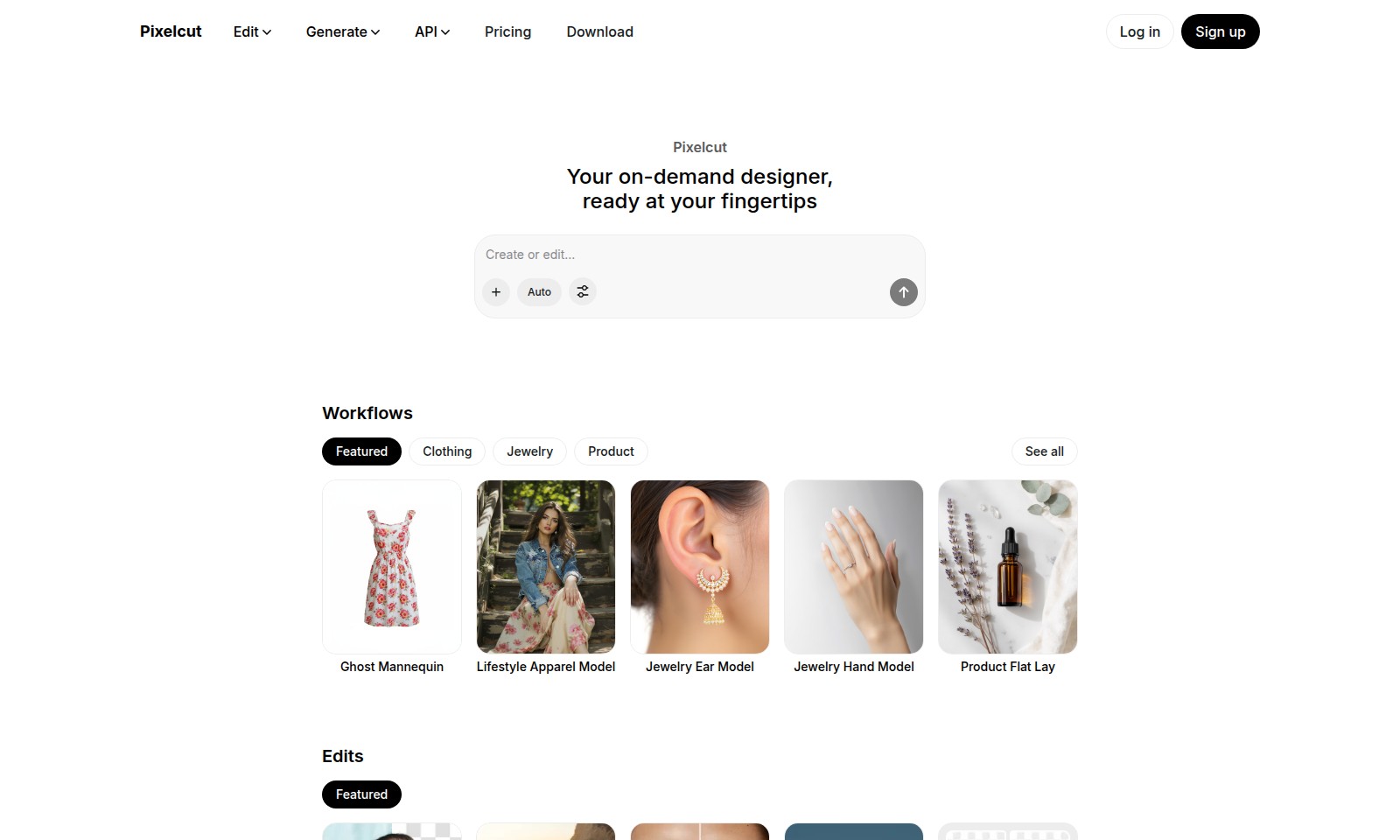
Pixelcut Introduction
Transform Your Visuals with Pixelcut
Experience the ultimate in photo editing with Pixelcut, your on-demand designer at your fingertips. Our platform offers a powerful suite of AI-driven tools tailored for creatives, allowing you to effortlessly enhance your photos and elevate your brand's visual identity.
Pixelcut Features
Background Removal - Effortless Clean Images
Removing backgrounds has never been easier, allowing users to focus on the subject of their photos. Our advanced AI technology ensures seamless background removal, preserving details while enhancing the overall composition.
Photo Retouching - Enhance Image Quality
Perfect your photos with quick and effective retouching tools. Our solution intelligently identifies areas needing adjustment, ensuring your images maintain a professional appearance.
Image Upscaling - Superior Resolution
Increase your image resolution without losing quality. Our cutting-edge upscaling technology enhances pixel density, making your images sharper and more vibrant, ideal for high-quality prints and web use.
Image Expansion - Creative Freedom
Easily expand your images for a more dynamic composition. Our tool allows users to add creative space around their subjects, fostering artistic expression and providing more context in their visuals.
Batch Editing - Streamlined Workflow
Save time with our batch editing capabilities. Users can process multiple images simultaneously, ensuring consistent edits across large volumes, perfect for e-commerce and marketing professionals.
API Integration - Custom Solutions
Leverage our API for customized workflows tailored to your business needs. This feature allows developers to integrate our editing tools seamlessly into existing applications, enhancing functionality while driving efficiency.
Frequently Asked Questions About Pixelcut
Frequently Asked Questions
What is Pixelcut and how can it help me?
Pixelcut is an AI-powered editing tool designed to streamline your image editing tasks. Whether you need to remove backgrounds, retouch your photos, or create stunning product images, Pixelcut offers a user-friendly interface to get your edits done quickly and efficiently.
Can I use Pixelcut for batch editing?
Yes, Pixelcut supports batch editing, allowing you to edit multiple images at once. This feature is perfect for businesses or photographers who need to process large volumes of images without compromising quality.
What types of images can I edit with Pixelcut?
You can edit a wide variety of images including product photos, lifestyle shots, jewelry images, and more. The tool is versatile and designed to meet the needs of various creative projects.
Is there a mobile app available for Pixelcut?
Currently, Pixelcut is primarily available as a web application. However, the mobile experience is optimized for use on tablets and smartphones, allowing you to edit your images on the go.
What pricing plans does Pixelcut offer?
Pixelcut offers several pricing tiers to accommodate different needs, whether you are a hobbyist or a professional. You can check our pricing page for detailed information on the plans and their features.
How do I get started with Pixelcut?
Simply sign up on our website to create an account. Once you're logged in, you can start editing your images immediately. Our guided prompts will assist you in making the most of the editing features available.
How to Use Pixelcut
Step 1: Sign Up for an Account
Join Pixelcut by clicking on 'Sign up'. Fill in the required information and create your profile to unlock the tools at your disposal.
Step 2: Set Up Your Profile
Once registered, access your account settings. Complete your profile with relevant details to personalize your experience.
Step 3: Log In to Your Account
Return to the site and click 'Log in'. Enter your credentials to access your dashboard and begin editing.
Step 4: Choose Your Editing Tool
On the dashboard, explore the various editing options like Remove BG, Retouch, or Upscale. Select the tool that fits your image-editing needs.
Step 5: Upload Your Image
Click on the upload button. Select an image from your device that you want to edit. Wait for the upload to complete before moving to the next step.
Step 6: Edit Your Image
Use the chosen editing feature to enhance your image. Modify settings as needed to achieve the desired effect. Don’t forget to preview your changes.
Step 7: Save Your Edits
Once satisfied with your edits, click the save button. Choose the format and quality settings before downloading your new image.
Step 8: Explore Advanced Features
Take the time to explore more advanced features available on Pixelcut like Batch Edit or AI Prompt Editing. Experiment with these to refine your skills.
Step 9: Learn with Tutorials
Check out the tutorials section to learn tips and tricks. These resources will help you master the editing tools available on the platform.
Step 10: Share Your Work
Finally, showcase your edited images. Use social media or the gallery feature on Pixelcut to share your creations with others. Engage with the community for feedback and inspiration.
Reviews
Pros
- Easy to use
- Fast processing
- Great results
- Affordable pricing
Cons
- Limited free version
- Requires internet connection
Comments
No comments yet. Be the first to share your thoughts!
Pixelcut - Alternative Platforms
For some alternatives to Pixelcut that you may need, we provide you with sites divided by features.

PicWish offers an easy-to-use AI photo editor with tools for background removal, image enhancement, and more, suitable for all users.
Easily create transparent images with our AI-powered background remover. Fast, accurate, and accessible for all users.
Discover the future of photo editing with AI Image to Image. Upload, describe your vision, and download high-quality transformations instantly.
Dynamic Mockups offers an easy way to generate high-quality mockups in seconds for print-on-demand products, beneficial for e-commerce sellers.