nao
nao is an AI-driven data editor designed for data teams, enabling seamless interaction with various data warehouses while ensuring data quality and security.
nao Introduction
Discover the Power of nao
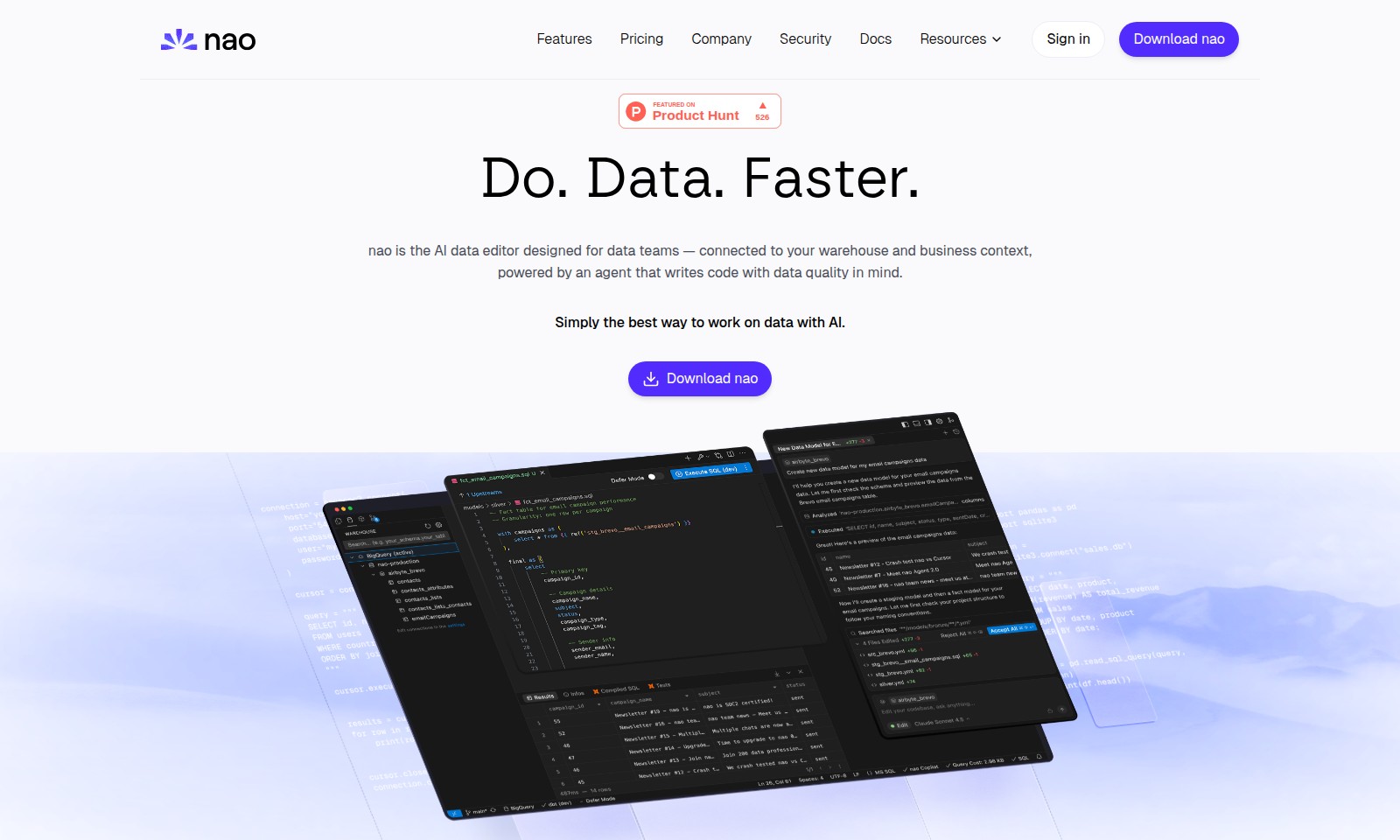
nao is the cutting-edge AI data editor designed specifically for data teams. It seamlessly integrates with your data warehouse and incorporates the essential business context, powered by an intelligent agent that prioritizes data quality. With nao, working on data becomes simpler and more efficient than ever.
Experience a streamlined environment where you can manage your data without the clutter of numerous tools and extensions. nao replaces the traditional data warehouse console with an intuitive IDE, allowing you to preview your data, execute SQL queries directly, and enjoy the benefits of AI-guided auto-completion on your data schema. This is truly the best way to harness the power of AI in data editing, tailored exclusively for data professionals.
nao Features
Feature Name: Integrated Data Connections - Core Benefit: Seamlessly connect to various data warehouses in a single interface for comprehensive data management. Technical Differentiation: nao supports direct connections to leading data platforms such as Postgres, Snowflake, and BigQuery, streamlining data operations for data teams.
Feature Name: AI-Powered SQL Queries - Core Benefit: Efficiently run SQL queries with intelligent auto-complete suggestions to enhance productivity. Technical Differentiation: nao utilizes advanced AI algorithms to predict and suggest SQL queries based on data context, reducing the time spent writing code and minimizing errors.
Feature Name: Comprehensive Data Preview - Core Benefit: Gain immediate insights into your data without switching between tools. Technical Differentiation: nao offers a built-in data preview feature, enabling users to visualize datasets directly within the IDE, allowing for quicker decision-making.
Feature Name: Intuitive User Interface - Core Benefit: Experience a user-friendly environment designed specifically for data professionals. Technical Differentiation: With a streamlined layout, nao minimizes clutter and emphasizes essential tools, allowing users to focus better on their data tasks.
Feature Name: Multi-Data Warehouse Support - Core Benefit: Manage data from multiple sources effortlessly in one platform. Technical Differentiation: nao’s architecture includes robust support for a variety of data warehouses, making it versatile for different organizational needs and data strategies.
Feature Name: Enhanced Security Measures - Core Benefit: Ensure the integrity and confidentiality of your data operations. Technical Differentiation: nao implements rigorous security protocols, including encryption and access controls, safeguarding users' data across all connections and queries.
Feature Name: Context-Aware AI Assistance - Core Benefit: Receive tailored suggestions that consider the specifics of your data context. Technical Differentiation: nao's AI leverages a deep understanding of data quality and context, ensuring the suggestions are relevant and actionable for data teams.
Frequently Asked Questions About nao
Frequently Asked Questions
What is nao?
nao is an AI data editor specifically designed for data teams, offering a seamless integration with your data warehouse and business context. It leverages advanced AI capabilities to enhance coding with a strong focus on data quality.
How does nao improve data editing compared to traditional tools?
nao streamlines the data editing process by replacing clunky developer tools and integrating multiple functionalities into one cohesive IDE. Users can visualize their data and utilize AI features for query building and data exploration all within a single window.
Which data warehouses does nao support?
nao can connect to a variety of popular data warehouses including Postgres, Snowflake, BigQuery, Databricks, DuckDB, Motherduck, Athena, and Redshift, ensuring flexibility and compatibility with your existing data infrastructure.
Can nao replace my current data warehouse console?
Yes, nao is designed to function as a robust replacement for traditional data warehouse consoles, providing added features like AI-assisted query building and data previews, while allowing for seamless SQL execution.
How do I get started with nao?
To begin using nao, you can download it directly from our website. Once downloaded, follow the setup instructions to connect it with your data warehouse and start leveraging AI-powered data editing.
What are the security measures in place for using nao?
nao prioritizes data security and follows industry best practices to ensure your data is protected. We implement robust encryption protocols and adhere to strict compliance standards to keep your information secure.
How to Use nao
Step 1: Register for an Account
Visit the website and locate the 'Sign in' or 'Download nao' button. Click on it and follow the prompts to create a new account by entering your email and setting a password.
Step 2: Verify Your Email
Check your inbox for a verification email from nao. Click on the verification link to confirm your account and activate your access to the platform.
Step 3: Log In
Return to the website and log in using your credentials. Ensure you're using the same email and password you registered with.
Step 4: Set Up Your Profile
After logging in, navigate to your profile settings. Fill in your information to personalize your experience and allow nao to tailor recommendations based on your usage.
Step 5: Connect Your Data Warehouse
Locate the 'Connect your data warehouse' feature on your dashboard. Choose your data source from the list, such as Postgres, Snowflake, or BigQuery, and follow the instructions to link your warehouse.
Step 6: Preview Your Data
Once your warehouse is connected, use nao's interface to preview your data. This step helps you understand what data you have access to and ensures correct integration.
Step 7: Run SQL Queries
Navigate to the querying tool within the nao IDE. Start by writing simple SQL queries to extract insights from your data. Use the AI auto-complete feature for suggestions as you type.
Step 8: Utilize AI Features
Explore the various AI features built into nao. Leverage these tools to enhance your data analysis process by generating insights or automating repetitive tasks.
Step 9: Access Documentation and Resources
Visit the 'Docs' and 'Resources' sections for tutorials and guides on maximizing nao's capabilities. This content will help you deepen your understanding and master your data tools.
Step 10: Engage with the Community
Join the nao community forums to connect with other users. Share insights, ask questions, and find answers to improve your data management skills and usage of the platform.
Reviews
Pros
- Easy to use
- Fast processing
- Great results
- Affordable pricing
Cons
- Limited free version
- Requires internet connection
Comments
No comments yet. Be the first to share your thoughts!
nao - Alternative Platforms
For some alternatives to nao that you may need, we provide you with sites divided by features.

AssemblyAI offers robust Voice AI models to enable innovative voice applications, ensuring top-notch accuracy and seamless scalability for developers.
Tiptap offers an AI Toolkit for creating document-editing agents, featuring templates, collaboration tools, and extensive customizability.
Explore the platform for creating customizable AI companions, avatars, and agents that enhance business processes with full control and zero fees.
Vana is an open network for user-owned data, enabling individuals to trade data tokens, access real datasets, and build data collectives.