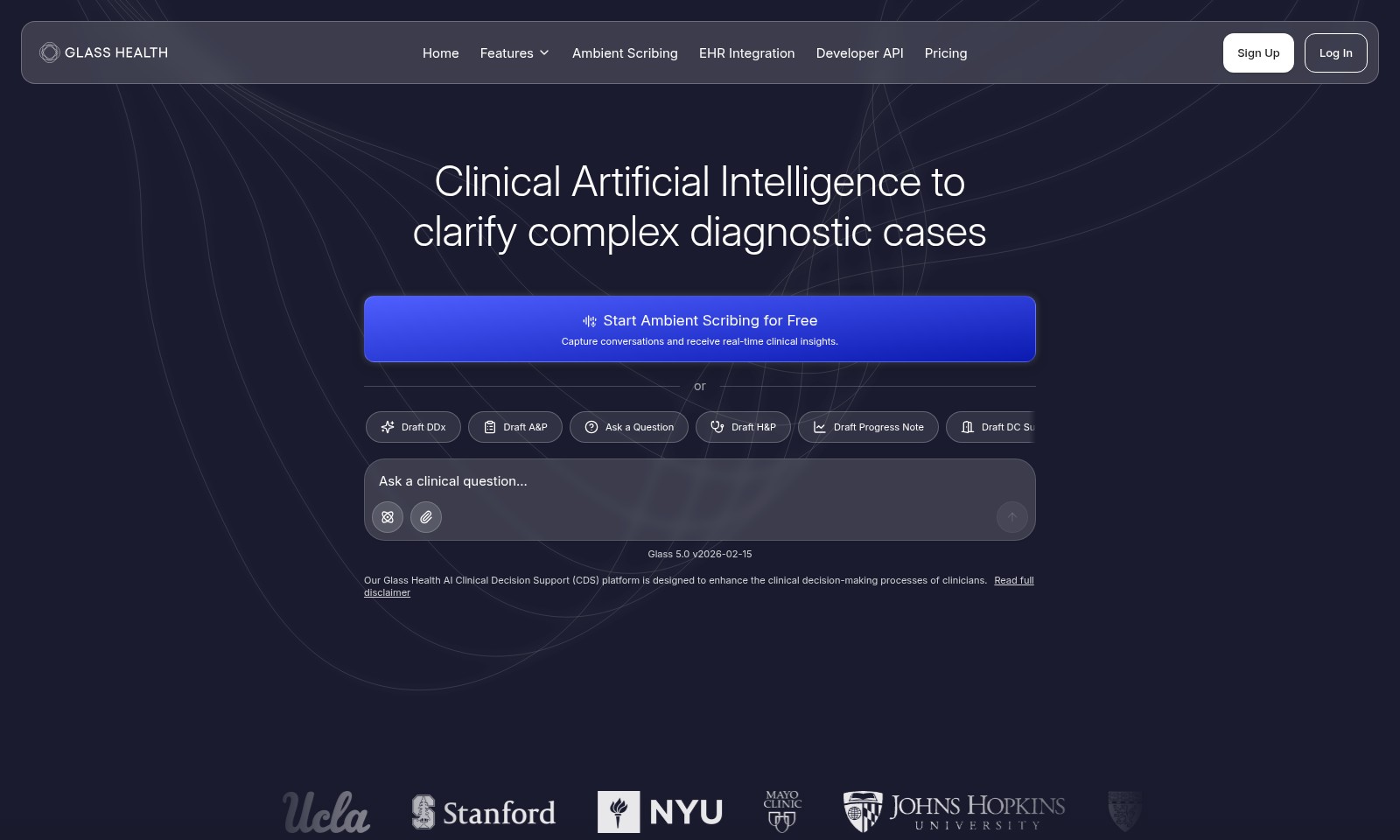
Glass Health
Explore how Glass Health's AI platform enhances clinical workflows with real-time insights, evidence-based guidance, and extensive drug information.
Glass Health Introduction
Elevate Your Clinical Practice with AI-Powered Solutions
Our website is dedicated to providing clinicians with cutting-edge tools that enhance clinical decision-making processes. With our AI-Powered Ambient Scribing and Clinical Decision Support system, you can capture conversations in real-time while receiving valuable clinical insights to improve diagnostic accuracy and treatment effectiveness.
Glass Health Features
Ambient Scribing - Real-time Clinical Insights
Designed for clinicians, Ambient Scribing captures conversations effortlessly, providing immediate clinical insights for enhanced decision-making. This feature utilizes advanced speech recognition technology to transcribe patient interactions on-the-fly, ensuring no critical information is missed.
EHR Integration - Streamlined Workflow
EHR Integration seamlessly connects with existing electronic health record systems, reducing administrative burdens for healthcare professionals. This integration promotes a more efficient workflow, enabling clinicians to focus on patient care rather than paperwork.
Developer API - Customizable Solutions
Our Developer API offers the flexibility for healthcare organizations to build tailored solutions that integrate with their existing platforms. This robust API is designed to meet the unique needs of various health systems, ultimately improving operational efficiency.
AI-Powered Clinical Decision Support - Enhanced Diagnostic Accuracy
The AI-powered Clinical Decision Support system leverages machine learning algorithms to analyze patient data and provide evidence-based recommendations. This feature enhances diagnostic accuracy, helping clinicians make informed decisions for better patient outcomes.
Drafting Tools - Improved Documentation Efficiency
Our comprehensive drafting tools allow healthcare providers to create various clinical documents, including H&P, progress notes, and patient handouts, with minimal effort. By automating documentation processes, clinicians can save time and reduce errors, leading to improved patient care.
Frequently Asked Questions About Glass Health
FAQ
Q1: What is AI-Powered Ambient Scribing?
A: AI-Powered Ambient Scribing is a cutting-edge technology designed to assist healthcare professionals by capturing conversations during patient visits. It provides real-time insights and documentation, thereby improving the workflow and ensuring that no critical information is missed.
Q2: How does EHR Integration work?
A: EHR Integration facilitates seamless communication between our ambient scribing platform and existing Electronic Health Record (EHR) systems. This ensures that clinical data captured during appointments is automatically updated in the patient's health record, optimizing the clinician's time and effort.
Q3: Can I try the service for free?
A: Yes, you can start Ambient Scribing for free! Simply sign up on our website, and you will gain access to a 14-day trial where you can explore the features and capabilities of our platform without any commitment.
Q4: Who can benefit from the Developer API?
A: The Developer API is designed for healthcare organizations and developers who wish to integrate our AI-powered tools into their own applications or workflows. It allows for customized solutions that can enhance existing systems and improve patient care.
Q5: How does the clinical decision support work?
A: Our AI Clinical Decision Support (CDS) leverages advanced algorithms to analyze clinical data and provide evidence-based recommendations. This helps clinicians in making informed decisions during complex diagnostic cases and improving overall patient outcomes.
Q6: What features are included in the platform?
A: The platform includes various tools such as drafting differential diagnoses (DDx), assessment and plan (A&P), history and physical (H&P), progress notes, discharge summaries, instructions, and patient handouts—all aimed at streamlining the documentation process for busy clinicians.
How to Use Glass Health
Step 1: Sign Up for an Account
Visit our website and click on the 'Sign Up' button. Fill in your details, including your name, email, and password. Ensure that your password is strong to protect your account.
Step 2: Confirm Your Email
After registration, check your email for a confirmation link. Click the link to verify your account. This step is crucial for ensuring the security of your data.
Step 3: Log In to Your Account
Return to the website and click 'Log In'. Enter your email and password to access your dashboard and start your journey.
Step 4: Set Up Your Profile
Once logged in, navigate to your profile settings. Fill out necessary information such as your professional details and preferences to personalize your experience.
Step 5: Explore Key Features
Take a moment to familiarize yourself with the dashboard. Explore features like Ambient Scribing and Clinical Decision Support to understand how they can assist you in your clinical practice.
Step 6: Start Using Ambient Scribing
To begin utilizing Ambient Scribing, select the option from the dashboard. Follow the prompts to initiate a session where you can capture conversations and receive real-time insights.
Step 7: Draft Clinical Documents
Use the drafting tools provided to create key clinical documents such as DDx or Progress Notes. Select the type of document you need and input relevant information directly into the system.
Step 8: Ask Clinical Questions
Make use of the AI-powered support by entering any clinical questions you have. The system provides instant feedback and information to assist in your decision-making process.
Reviews
Pros
- Easy to use
- Fast processing
- Great results
- Affordable pricing
Cons
- Limited free version
- Requires internet connection
Comments
No comments yet. Be the first to share your thoughts!
Glass Health - Alternative Platforms
For some alternatives to Glass Health that you may need, we provide you with sites divided by features.