SketchBubble
SketchBubble offers over 200,000 customizable presentation templates, creative designs, and an AI Presentation Maker to enhance your presentations.
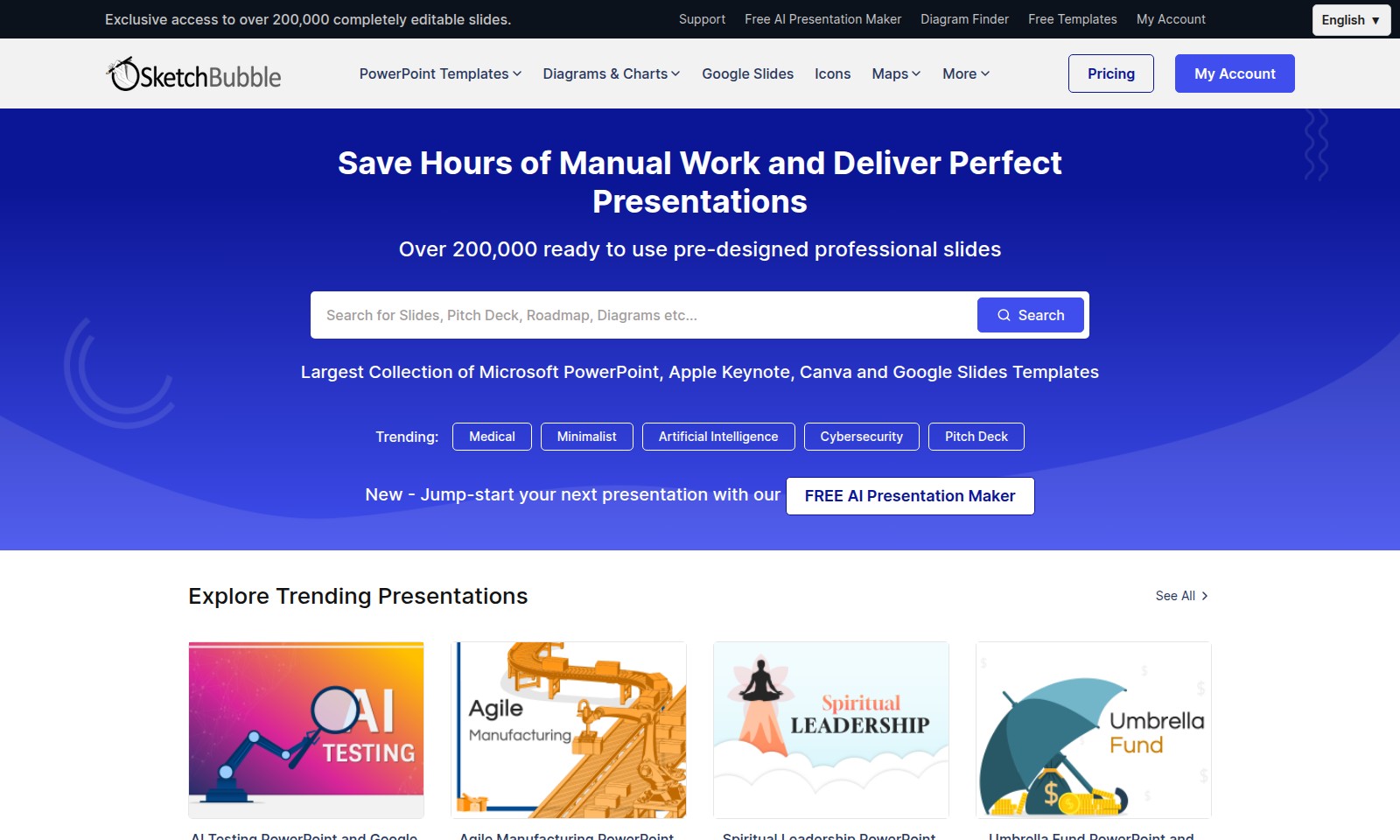
SketchBubble Introduction
Our Extensive Template Library
Unlock a world of creativity with our exclusive access to over 200,000 completely editable presentation slides, designed to empower your storytelling and enhance your presentations instantly.
SketchBubble Features
Exclusive Access to 200,000 Editable Slides - Save Time and Enhance Creativity.
Our platform provides users with a vast library of over 200,000 professionally designed slides that can be swiftly tailored to meet individual presentation needs. This library significantly reduces the time spent on design, allowing users to focus on content and delivery.
Free AI Presentation Maker - Streamline Your Presentation Creation.
The AI Presentation Maker leverages artificial intelligence to assist users in generating presentations quickly and efficiently. With this feature, users can simply input their content requirements and receive a polished presentation, drastically cutting down on preparation time.
Extensive Template Collection - Versatility at Your Fingertips.
With the largest collection of Microsoft PowerPoint, Apple Keynote, Canva, and Google Slides templates, users can choose the format that best meets their needs, ensuring compatibility and ease of use across different platforms.
Diagram Finder - Simplify Complex Concepts.
The Diagram Finder tool allows users to search and find diagrams that visually represent complex information, making it easier for audiences to grasp key concepts quickly. This feature enhances the clarity of presentations and engages viewers more effectively.
Unmatched Variety in Trending Presentations - Stay Relevant and Engaging.
By offering templates in trending categories such as Medical, Minimalist, Artificial Intelligence, and Cybersecurity, users can create contemporary presentations that resonate with current industry topics, ensuring their message is impactful and relevant.
User-Friendly Interface - For All Skill Levels.
The website's intuitive interface allows users, regardless of their technical expertise, to navigate easily and find the resources they need. This accessibility is crucial for professionals who may not have extensive experience with design software, allowing everyone to create stunning presentations effortlessly.
Continuous Updates and New Content - Always Fresh and Relevant.
The platform is committed to regularly updating its content to include the latest trends and designs. Users can expect new templates and features that reflect the evolving demands of effective presentations, ensuring they always have access to the best resources.
Frequently Asked Questions About SketchBubble
FAQs About Our Presentation Templates
1. What types of presentation templates do you offer?
We provide a vast collection of over 200,000 presentation templates compatible with Microsoft PowerPoint, Apple Keynote, Canva, and Google Slides. Our templates span various categories, from minimalist designs to specific themes like medical, cybersecurity, and pitch decks, catering to different presentation needs.
2. How can I access the free AI presentation maker?
You can jump-start your presentations by visiting the 'Free AI Presentation Maker' section on our website. It's a user-friendly tool that helps create professional slides quickly, allowing you to edit and customize them to match your style effortlessly.
3. Are the presentation slides editable?
Yes, all our presentation slides are completely editable. You can modify text, images, colors, and layouts to suit your needs easily. This flexibility ensures that you can create a unique presentation without starting from scratch.
4. What support is available if I encounter issues?
Our support team is here to help! You can reach out through the support section on our website for assistance with accessing templates, using our tools, or troubleshooting any problems. FAQ resources are also available to address common questions.
5. How often do you update your template collection?
We regularly update our template collection to include the latest design trends and user requests. New templates are added frequently, ensuring you have fresh options for every presentation.
6. Can I use these templates for commercial purposes?
Yes, most of our templates can be used for commercial purposes, but we recommend checking the specific licensing agreements for each template you wish to use. This guarantees that you are compliant with any usage restrictions and can maximize the potential of your presentations.
How to Use SketchBubble
Register for an Account
To get started, click on the 'My Account' section at the top of the webpage. Fill in your personal details in the registration form and click 'Sign Up' to create your account.
Set up Your Profile
Once registered, navigate to your profile settings. Here, you can upload a profile picture and add additional information to personalize your account.
Explore the Template Collection
Visit the homepage to browse through the largest collection of presentation templates. Use the search bar to find specific categories like Medical, Minimalist, or Artificial Intelligence.
Use the Free AI Presentation Maker
Click on the link to the Free AI Presentation Maker. Follow the on-screen instructions to generate a presentation tailored to your needs with just a few clicks.
Save Your Presentations
After creating or editing a presentation, click on the 'Save' button. Ensure you name your presentation for easy future access, and select the format you prefer, such as PowerPoint or Google Slides.
Reviews
Pros
- Easy to use
- Fast processing
- Great results
- Affordable pricing
Cons
- Limited free version
- Requires internet connection
Comments
No comments yet. Be the first to share your thoughts!
SketchBubble - Alternative Platforms
For some alternatives to SketchBubble that you may need, we provide you with sites divided by features.

MyMap.AI helps users create visual content through AI-generated diagrams, enhancing productivity for students, professionals, and creators.
Felo provides a consolidated workspace for managing documents, utilizing AI tools, and improving team collaboration.
TeraBox offers 1024GB of cloud storage with easy backup, file sharing, premium features, and strong data security, catering to individual and business needs.
PPT AI offers a fast and efficient way to create professional presentations from text, documents, and videos, empowering users with intelligent design tools.