Banani
Banani is an AI UI design tool that simplifies the creation of beautiful, user-friendly interfaces quickly and efficiently.
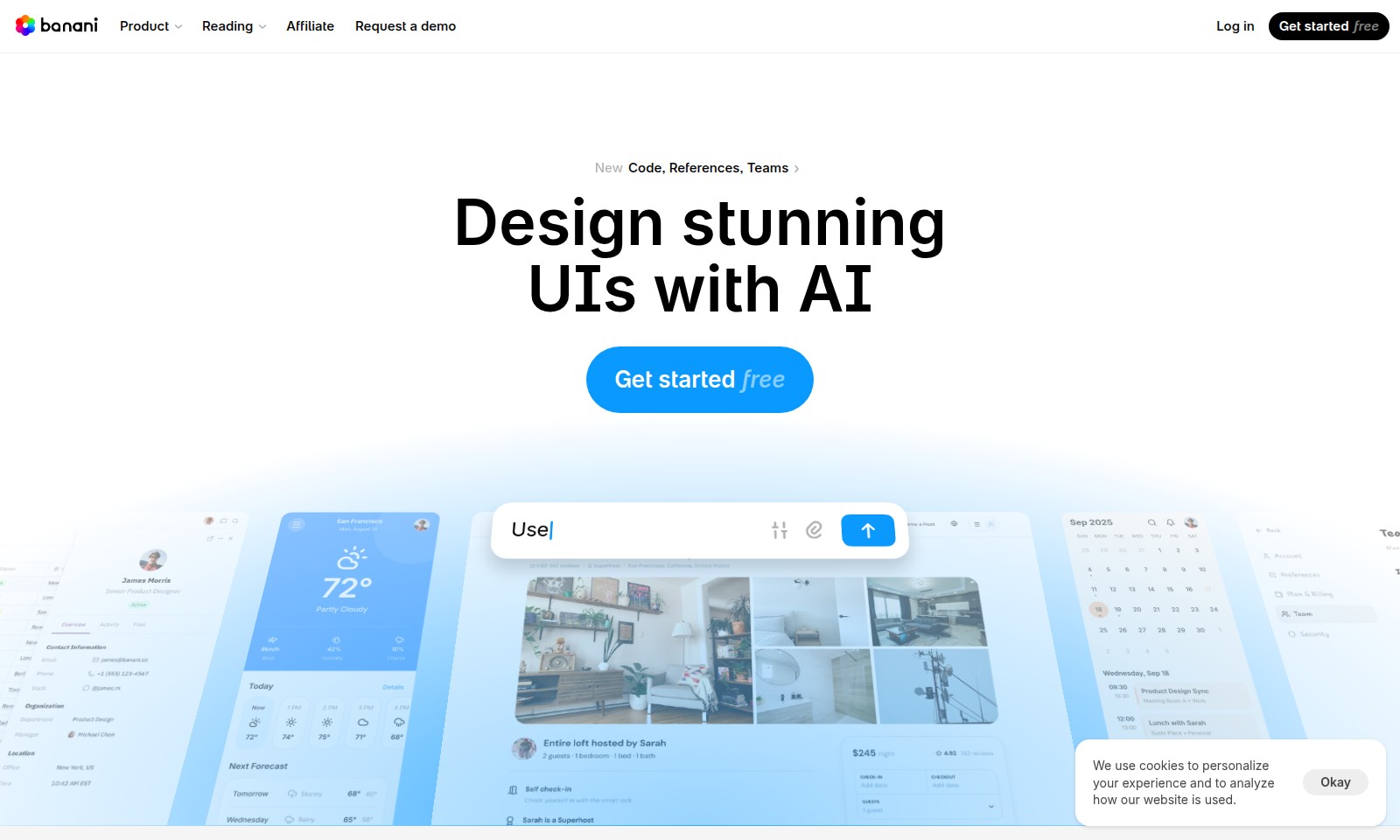
Banani Introduction
Transform Your Ideas into Stunning UI Prototypes
Bring your design concepts to life with our advanced AI-driven design tool. Our platform enables you to create beautiful, user-friendly interfaces rapidly and with ease. Whether you're a seasoned designer or just starting out, our tool simplifies the UI design process, allowing you to focus on creativity rather than technicalities. Dive into a seamless experience that empowers you to generate interactive designs from simple text descriptions, making it easier than ever to visualize and iterate on your ideas.
Banani Features
AI-Powered UI Design - Streamline Your Creative Process
Our AI design tool revolutionizes UI design by enabling you to create beautiful, user-friendly designs with ease. This innovative feature allows you to expedite your workflow, effectively turning you into a 10x designer in no time.
Rapid Prototyping - Transform Ideas into Interactive Experiences
With our rapid prototyping feature, you can generate interactive designs from simple text descriptions. Describe your product in plain, straightforward language, and watch as Banani generates editable, multi-screen prototypes within seconds.
Style Extraction - Create from Any Reference
Instantly enhance your design process by dropping in images, screenshots, or Figma links. Banani intelligently extracts the visual style and layout from these references, allowing you to either generate fresh ideas or recreate existing UIs 1:1.
Customizable Design Styles - Your Vision, Your Way
Request the AI to adjust your design's overall charm—be it playful or minimalistic. Additionally, our tool provides manual adjustments for colors, typography, and other tokens, ensuring the final product aligns perfectly with your brand’s identity.
Seamless Collaboration - Feedback Made Easy
Enhance teamwork by allowing project sharing with just one click. Send a link to your project or screen for immediate feedback from your teammates. This improves communication and accelerates the decision-making process during design reviews.
One-Click Export - Efficient Workflow Management
Minimize the time it takes to transition from design to development with our one-click export feature. Users can export directly to Figma or get the necessary code, streamlining the handoff between designers and developers.
Free Start - Access Powerful Tools at No Cost
Get started with our free tier, giving you access to the essential tools required for effective UI design. Experience the benefits of our system without any upfront costs, allowing you to explore all functionalities without financial commitment.
Frequently Asked Questions About Banani
Frequently Asked Questions
What is Banani and how does it work?
Banani is an innovative AI design tool that allows users to create beautiful, user-friendly UI designs rapidly. By simply describing your product in natural language, Banani generates editable prototypes in seconds, enabling you to visualize your ideas without the need for advanced design skills.
How can I generate designs from textual descriptions?
To generate designs from text, just enter a plain language description of your product into the Banani tool. The AI will then produce multi-screen prototypes based on your description, allowing for quick iterations and refinements.
Can I use my own images or references in Banani?
Absolutely! You can upload images, screenshots, or even Figma links into the Banani tool. The AI will analyze these inputs to extract visual styles and layouts, giving you a head start in design creation or helping you recreate existing UIs with precision.
Is there a way to customize the design outputs further?
Yes, Banani allows users to tweak various design elements to match their style preferences. You can easily adjust colors, typography, and other design tokens to create a unique look that fits your vision. Whether you want a playful or minimal style, Banani can accommodate your needs.
How do I share my designs with teammates?
Sharing your designs is effortless with Banani. You can send a project link to your teammates for feedback or collaboration. This ensures that everyone can contribute to the design process seamlessly, making it easier to refine and improve your ideas together.
Is Banani free to use?
Yes, Banani offers a free version that provides users access to its core features. You can start designing stunning UIs without any upfront costs, making it a great option for startups and individual designers alike.
How to Use Banani
Step 1: Register an Account
Visit our registration page and fill in the required fields with your email and a secure password. Once you have completed the form, click on the 'Sign Up' button to create your new account.
Step 2: Verify Your Email
Check your email inbox for a verification email. Click the link provided in the email to confirm your account and activate your membership.
Step 3: Set Up Your Profile
Log in to your account, and access your profile settings. Here, add your name, upload a profile picture, and customize any other details to make your account personalized.
Step 4: Explore the Dashboard
Once your profile is set up, navigate to your dashboard. Take a moment to familiarize yourself with the layout and available tools that will enhance your design experience.
Step 5: Start a New Project
Click on the 'Create New Project' button to begin. Choose a template or start from scratch to initiate your design journey. This interface is user-friendly and helps direct your creative process effectively.
Step 6: Generate Your First Design
Use our AI design tool by entering plain text descriptions of your product or concept. The tool will generate interactive prototypes for you to edit and refine as needed.
Step 7: Customize Your Design
After generating a prototype, explore the customization options. Fine-tune colors, typography, and other elements to align the design with your brand style.
Step 8: Add References
Upload images, screenshots, or Figma links for reference. The tool will analyze these inputs to inspire new designs or recreate existing styles with precision.
Step 9: Share Your Project
Once you're satisfied with your design, share it with teammates for feedback. Use the one-click sharing feature to distribute a link to your project effortlessly.
Step 10: Export Your Work
When your design is finalized, you can export it to Figma or download the code files. This allows you to integrate your design into your workflow seamlessly.
Reviews
Pros
- Easy to use
- Fast processing
- Great results
- Affordable pricing
Cons
- Limited free version
- Requires internet connection
Comments
No comments yet. Be the first to share your thoughts!
Banani - Alternative Platforms
For some alternatives to Banani that you may need, we provide you with sites divided by features.

Login to Logo Diffusion with various methods or register. The site uses cookies for personalization and traffic analysis.
The AI SVG Generator transforms text into scalable vector graphics, enabling effortless logo creation, illustrations, and more for modern web and branding.
Patternaly is an online AI pattern generator for creating stunning seamless patterns effortlessly, suited for various design needs.