AI Resume Checker
GPTZero offers powerful AI detection solutions for educators, ensuring content authenticity and high-quality writing with 99% accuracy.
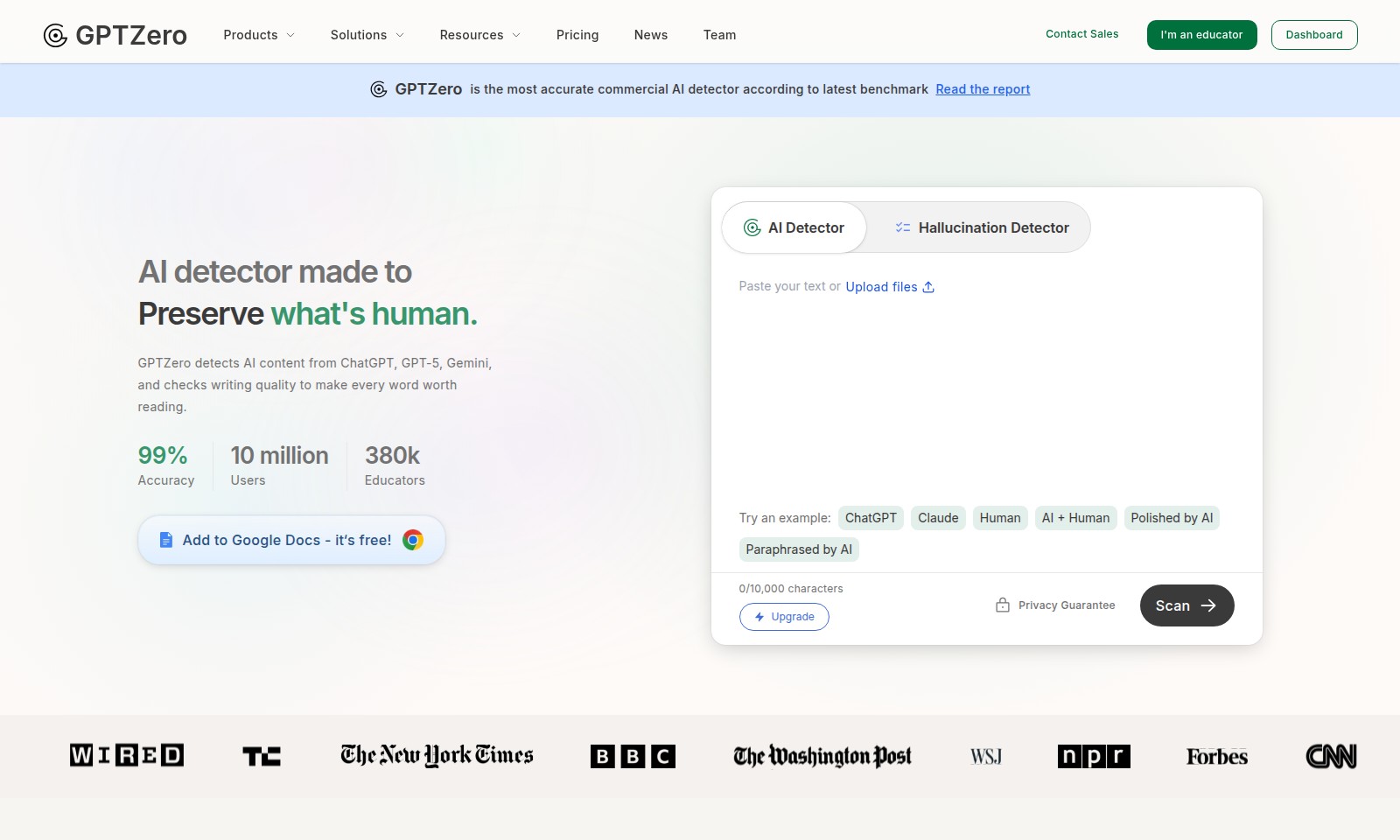
AI Resume Checker Introduction
GPTZero: The Premier AI Detection Tool
GPTZero stands at the forefront of AI detection technology, ensuring that authenticity in written content is preserved. As the most accurate commercial AI detector available today, our leading-edge solution has been rigorously validated through extensive benchmarking, making it an indispensable tool for educators and professionals alike. With an impressive accuracy rate of 99%, GPTZero is tailored to detect AI-generated text from top models including ChatGPT, GPT-5, and Gemini, whilst also providing critical insights into writing quality.
AI Resume Checker Features
Advanced AI Detection - Ensuring Authenticity
Harness the power of our cutting-edge AI detection technology to maintain the integrity of human-generated content. Our system offers a remarkable 99% accuracy rate, allowing educators to confidently verify the originality of student submissions.
Writing Replay - Insight into the Creation Process
Explore the journey of written content with our Writing Replay feature. This tool provides educators and evaluators visual documentation of the writing process, revealing how documents are created and any potentially concerning behaviors, ensuring only authentic submissions are reviewed.
Plagiarism Checker - Upholding Academic Standards
Protect academic integrity with our comprehensive plagiarism checking tool. It scans submissions against a vast database to identify potential instances of copied content, facilitating the submission of original work and fostering authentic learning.
User-Friendly Integration - Seamlessly Enhance Your Workflow
Our AI detection tools are designed for ease of use within platforms like Google Docs. Educators can quickly add our detection capabilities with just a few clicks, making it simpler to incorporate effective checks into their existing writing and assessment processes.
Privacy Guarantee - Safeguarding Information
We prioritize user privacy. Our service guarantees that all submitted documents are securely processed without retaining any identifiable information, allowing educators and students to focus on learning and assessment without privacy concerns.
Frequently Asked Questions About AI Resume Checker
FAQs
What is GPTZero and how does it work?
GPTZero is an advanced AI detector designed to identify content generated by AI models like ChatGPT and GPT-5. It analyzes writing quality and content authenticity, ensuring that every word is impactful and meaningful.
How accurate is GPTZero in detecting AI content?
GPTZero boasts an impressive accuracy rate of 99%. This high level of precision allows educators and users to effectively assess the originality of written content.
Can I use GPTZero for free?
Yes! GPTZero offers a free tool that can be easily integrated into Google Docs. Simply add the extension, and you can start using the AI detection capabilities immediately.
What other features does GPTZero provide?
In addition to AI detection, GPTZero includes tools such as a Hallucination Detector, Advanced Scan, and Plagiarism Checker. These features help enhance the writing process by providing thorough feedback and ensuring that the content is both authentic and high-quality.
Who can benefit from using GPTZero?
GPTZero is particularly useful for educators, content creators, and professionals who want to maintain high writing standards. With over 380,000 educators already utilizing this tool, it has proven to be an essential resource in academic and professional settings.
What should I do if I suspect content has been plagiarized?
You can use GPTZero's Plagiarism Checker to scan the document in question. This feature will help you identify any potentially plagiarized content, enabling you to take appropriate action swiftly.
How to Use AI Resume Checker
Step 1: Register an Account
To start using GPTZero, visit the registration page and fill out the sign-up form. Provide your email address and create a secure password to create your account.
Step 2: Verify Your Email
After registering, check your email for a verification link. Click the link to confirm your registration and activate your account.
Step 3: Log In to Your Dashboard
Once your account is verified, return to the GPTZero website and log in using your credentials. You will be directed to your user dashboard where you can access all features.
Step 4: Set Up Your Profile
Navigate to your profile settings and fill in your details, including your name and type of user (educator or general user). This helps tailor your experience on the platform.
Step 5: Explore the Dashboard
Take a moment to familiarize yourself with the dashboard layout. Key features like the AI detector, plagiarism checker, and writing feedback tools are easily accessible from this interface.
Step 6: Upload Your Document
Begin by uploading a document you want to analyze. Simply drag and drop your file into the designated area or use the upload button. Supported formats include PDF, DOCX, and TXT.
Step 7: Analyze Your Document
Once your document is uploaded, select the desired analysis feature, like the AI detector or plagiarism checker. Click the 'Scan' button to initiate the process and wait for the results.
Step 8: Review Results and Feedback
The system will provide you with feedback on your document, including potential AI generation indicators or instances of plagiarism. Carefully review these results to understand your writing quality.
Step 9: Utilize Writing Feedback Tools
Make use of the writing replay feature to see how your document evolved. The tool will visualize changes and help you identify areas you can improve.
Step 10: Export Your Results
After reviewing your feedback, you can export the results as a report. Use the export feature to save your feedback for future reference or to share with others.
Reviews
Pros
- Easy to use
- Fast processing
- Great results
- Affordable pricing
Cons
- Limited free version
- Requires internet connection
Comments
No comments yet. Be the first to share your thoughts!
AI Resume Checker - Alternative Platforms
For some alternatives to AI Resume Checker that you may need, we provide you with sites divided by features.

Owl Eyes provides secure, no-code identity verification solutions for onboarding, fraud prevention, and employee authentication with advanced AI technology.
The AI Humanizer enhances the quality of AI-generated text, making it sound human and original, ideal for various writing needs.
Engage in a fun game where you identify if you're chatting with a human or an AI bot. Compete for a spot on the leaderboard!
hCaptcha Enterprise offers advanced bot detection and fraud protection, enabling secure interactions while preserving privacy across various industries.