Heptabase
Heptabase empowers users to make sense of complex topics through visual notetaking and collaborative tools, suitable for learning and research.
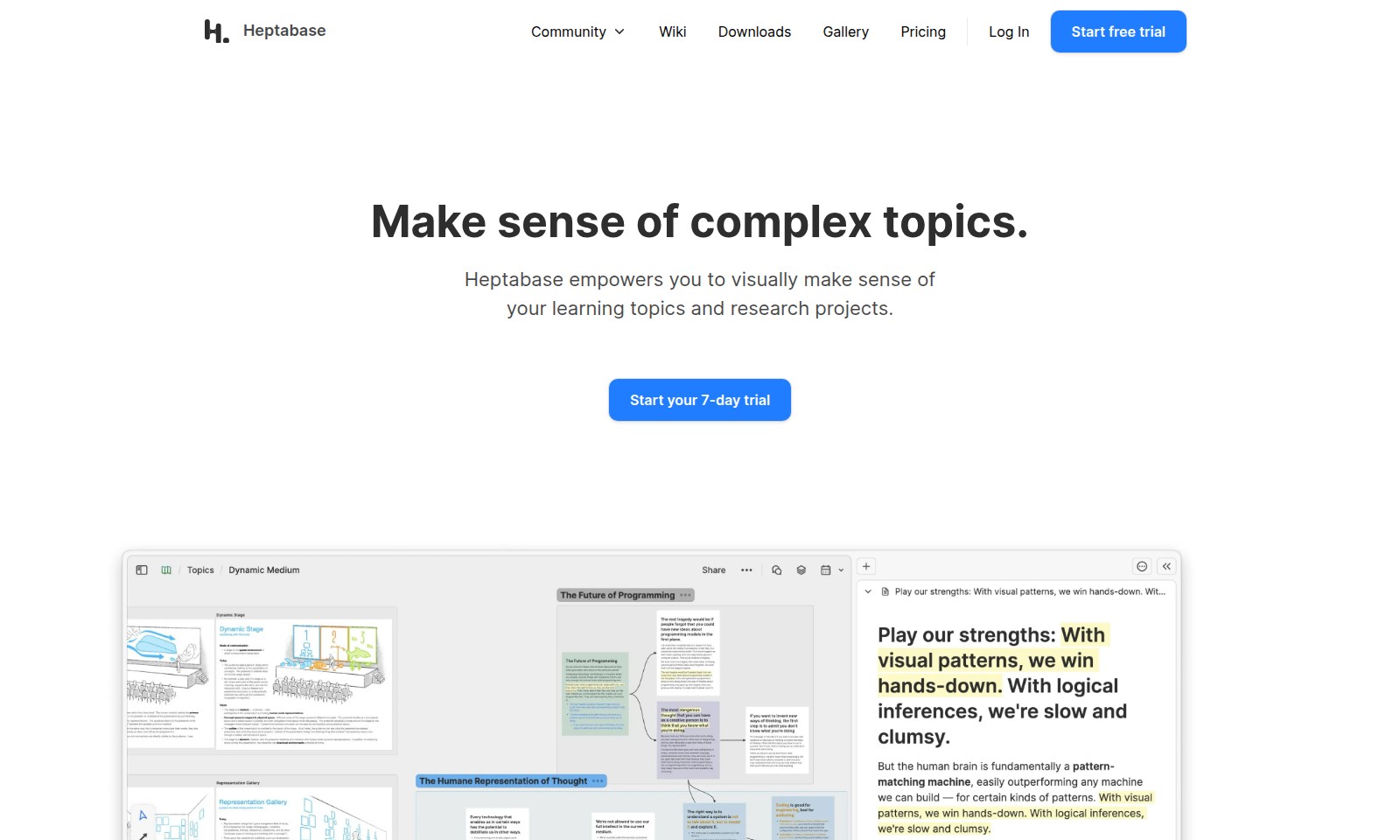
Heptabase Introduction
Heptabase: Your Ultimate Tool for Organizing and Visualizing Knowledge
Heptabase is designed to transform the way you manage and understand complex topics and research projects. With advanced visualization tools at your fingertips, you can easily see connections between your thoughts and information, empowering you to take command of your learning experience.
Heptabase Features
Visual Note Integration - Simplified Learning Experience
Heptabase enables users to seamlessly integrate visual elements into their notes, enhancing comprehension and retention. Users can manipulate various formats such as PDFs, audio transcriptions, and journals within a single application, making it a versatile tool for students and researchers.
Collaborative Research Projects - Enhanced Team Productivity
Work collaboratively on research projects with Heptabase's interactive whiteboards. The ability to contribute in real-time ensures that all members remain up-to-date, fostering a more productive environment, especially for academic teams and research groups.
Dynamic Visualization Tools - Comprehensive Understanding
Harness the power of dynamic visualization tools such as mindmaps and kanban boards. These features help users to see all connections and relationships among topics and projects at a glance, making complex information more manageable for data-driven professionals.
Cross-Format Compatibility - All-in-One Solution
Heptabase supports various content formats, allowing users to highlight, annotate, and visualize content across different mediums. This capability is particularly beneficial for educators and students who engage with diverse types of instructional materials.
Offline Accessibility - Continuous Engagement
The offline capabilities of Heptabase ensure that users can access and contribute to their work anytime, anywhere. This is crucial for users who may not always have internet access, such as during field research or in remote learning environments.
Frequently Asked Questions About Heptabase
Frequently Asked Questions
What is Heptabase and how can it help me? Heptabase is a powerful platform designed to help you visually organize and make sense of complex topics. Whether you are studying, working on research projects, or trying to comprehend various learning formats, Heptabase provides the tools you need to enhance your understanding and retain information more effectively.
Can I collaborate with others on Heptabase? Yes, Heptabase allows you to work collaboratively on whiteboards and projects. You can easily invite friends and teammates to join your workspace, making it perfect for group studies or shared research endeavors.
What types of formats can I use with Heptabase? With Heptabase, you can annotate PDFs, transcribe audio and video files, and visualize notes from journals. This versatility helps you integrate different types of learning materials into one coherent system.
Is there a free trial available? Absolutely! Heptabase offers a 7-day free trial for new users. This allows you to explore all features and discover how they can improve your learning and project management without any commitment.
How do I get started with Heptabase? Getting started with Heptabase is simple. Just visit our website, sign up for the free trial, and begin using the platform to organize your notes and research in a more visual way. You'll find tutorials and resources to help you maximize your experience.
What visualization tools are available on Heptabase? Heptabase provides several visualization options, including mind maps, tables, kanban boards, and whiteboards. These tools enable you to see the connections between your ideas and ensure that your notes are organized in a way that works best for you.
How to Use Heptabase
Step 1: Start Your Free Trial
Visit the Heptabase website and click on the 'Start free trial' button to kick off your journey. Fill in the required details to create your account and enjoy a 7-day trial to explore all the features.
Step 2: Verify Your Email
Check your email for a verification link from Heptabase. Click the link to confirm your account and activate your access to the platform.
Step 3: Log In
Return to the Heptabase site and log in using your registered email and password. You're now ready to explore the platform and its powerful features.
Step 4: Set Up Your Profile
Once logged in, navigate to your account settings. Fill in your profile information to tailor your learning experience and connect with the community.
Step 5: Familiarize Yourself with the Dashboard
Take a moment to explore the Heptabase dashboard. Familiarize yourself with the layout and the various tools available for managing your notes and projects.
Step 6: Create Your First Note
Click on 'Create Note' and start jotting down ideas, concepts, or research findings. Utilize text, images, and other formats to enhance your note-taking experience.
Step 7: Organize Your Notes
Use the visual organization tools, such as mind maps and kanban boards, to categorize and link your notes. This will make it easier to navigate through your information later.
Step 8: Highlight and Annotate Your PDFs
Upload any relevant PDFs and use Heptabase's tools to highlight and annotate important sections. This will enhance your understanding and retention of the material.
Step 9: Collaborate with Others
Invite friends or teammates to collaborate on your projects. Use the collaborative whiteboard feature to work together in real-time, ensuring everyone stays on the same page.
Step 10: Utilize AI Features
Explore the AI tools provided by Heptabase to gain insights and recommendations based on your notes. This will help you to deepen your understanding of complex topics and optimize your learning process.
Reviews
Pros
- Easy to use
- Fast processing
- Great results
- Affordable pricing
Cons
- Limited free version
- Requires internet connection
Comments
No comments yet. Be the first to share your thoughts!
Heptabase - Alternative Platforms
For some alternatives to Heptabase that you may need, we provide you with sites divided by features.

Kuku offers a robust Markdown editing experience with AI integration, supporting local files and powerful search capabilities on macOS.
Discover Capacities, a unique platform for organizing thoughts through intuitive objects, enhancing creativity and knowledge management.
Sana provides AI-driven solutions and a learning platform for teams, now part of Workday, focusing on enhancing workplace efficiency and development.
Dovetail offers a comprehensive platform for transforming customer feedback into actionable insights, enhancing product innovation and collaboration.