Linked API
The Linked API enables users to control LinkedIn accounts, automate tasks, and retrieve data seamlessly, supporting various integrations.
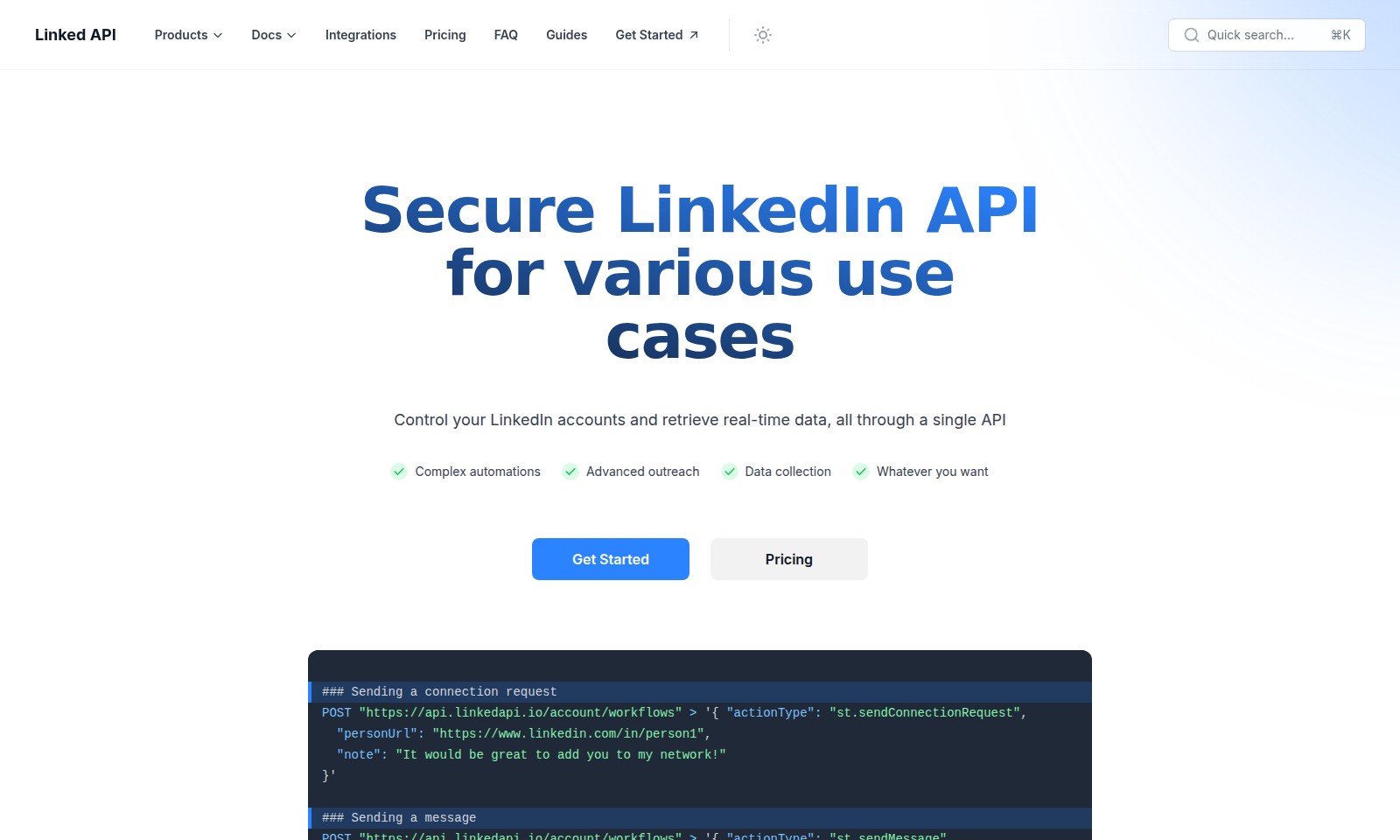
Linked API Introduction
Linked API: Empowering Your LinkedIn Automation
The Linked API provides a powerful solution for managing your LinkedIn presence effortlessly. With robust capabilities designed for different use cases, users can streamline their LinkedIn operations and leverage real-time data to enhance engagement and outreach strategies.
Linked API Features
LinkedIn Connection Request Automation - Enhance Networking Efficiency
Streamline your networking efforts through automated connection requests. Our API allows users to send connection requests with personalized notes swiftly.
Direct Messaging Capability - Foster Professional Relationships
Easily maintain communication with your network by sending messages directly via our API. This feature supports quick outreach efforts, enhancing engagement.
Post Reaction Automation - Boost Content Interaction
Improve your visibility and interaction with targeted posts by automating reactions. This feature allows users to react to posts programmatically, raising engagement metrics.
Real-Time Data Retrieval - Informed Decision-Making
Access real-time LinkedIn data to inform your strategies and decisions. This technical feature supports intelligent data gathering, tailored for users seeking actionable insights.
Custom Workflow Building - Personalized Automation
Our API facilitates the creation of custom workflows based on individual user needs. Tailor your automations for specific outreach goals with flexibility and ease.
Frequently Asked Questions About Linked API
What is the Linked API and how can it help me?
The Linked API is a powerful tool that allows users to control their LinkedIn accounts and retrieve real-time data through a single interface. It is designed for various use cases, including complex automations and advanced outreach, making it a perfect fit for anyone looking to enhance their networking and data collection efforts.
How do I send a connection request using the Linked API?
To send a connection request, you can use the following POST request: POST "https://api.linkedapi.io/account/workflows" > '{ "actionType": "st.sendConnectionRequest", "personUrl": "https://www.linkedin.com/in/person1", "note": "It would be great to add you to my network!"}'. Just replace the URL with the LinkedIn profile you wish to connect with and customize the note if needed.
Can I send messages through the Linked API?
Yes, the Linked API allows you to send messages directly. You can achieve this with the following POST request: POST "https://api.linkedapi.io/account/workflows" > '{ "actionType": "st.sendMessage", "personUrl": "https://www.linkedin.com/in/person1", "text": "Hello, how are you doing today? Hope everything is great!" }'. Ensure you change the URL and message content to suit your needs.
How do I react to a post on LinkedIn using the API?
Reactions are an engaging way to interact with content on LinkedIn. You can react to a post using: POST "https://api.linkedapi.io/account/workflows" > '{ "actionType": "st.reactToPost", "postUrl": "https://www.linkedin.com/posts/post1", "reactionType": "celebrate" }'. Modify the post URL and reaction type accordingly to express your sentiments on the post.
What pricing options are available for using the Linked API?
The Linked API offers various pricing plans tailored to meet different user needs, whether you’re a solo entrepreneur, a small business, or a large enterprise. You can check the official website for detailed pricing information and to determine which plan fits your requirements best.
Where can I find documentation for the Linked API?
Comprehensive documentation for the Linked API is available on the official website. It includes guides on how to use various features, examples of API requests, and troubleshooting tips to help users navigate and utilize the API efficiently.
How to Use Linked API
Register your account
Visit the Linked API registration page and fill out the necessary information. This typically includes your name, email address, and a password. Once you submit the form, check your email for a verification link to activate your account.
Set up your profile
After verifying your email, log into your account and navigate to the profile setup section. Complete your profile by adding relevant details such as your job title, company, and a brief bio to enhance your connectivity on the platform.
Explore the dashboard
Take some time to familiarize yourself with the main dashboard. This is where you will find key features, data retrieval options, and your API usage metrics. Understanding the layout will help you navigate through various tools more effectively.
Connect your LinkedIn account
Link your LinkedIn account through the API settings. This allows you to manage your LinkedIn interactions directly from the Linked API, enabling you to send messages, connection requests, and track your activity.
Sending a connection request
To send a connection request, use the following API call:
POST "https://api.linkedapi.io/account/workflows" > '{ "actionType": "st.sendConnectionRequest",
  "personUrl": "https://www.linkedin.com/in/person1",
  "note": "It would be great to add you to my network!"}'
Make sure to replace the "personUrl" with the LinkedIn profile of the person you want to connect with.
Sending a message
You can communicate with your connections by sending messages through the API. Here’s a sample request:
POST "https://api.linkedapi.io/account/workflows" > '{ "actionType": "st.sendMessage",
  "personUrl": "https://www.linkedin.com/in/person1",
  "text": "Hello, how are you doing today? Hope everything is great!"}'
Simply update the "text" field with your desired message.
Reacting to a post
Engage with your network by reacting to posts using the following API call:
POST "https://api.linkedapi.io/account/workflows" > '{ "actionType": "st.reactToPost",
  "postUrl": "https://www.linkedin.com/posts/post1",
  "reactionType": "celebrate"}'
Just replace the "postUrl" with the link to the post you want to interact with.
Reviews
Pros
- Easy to use
- Fast processing
- Great results
- Affordable pricing
Cons
- Limited free version
- Requires internet connection
Comments
No comments yet. Be the first to share your thoughts!
Linked API - Alternative Platforms
For some alternatives to Linked API that you may need, we provide you with sites divided by features.

ActiveCampaign offers marketing automation solutions to reduce busywork and optimize campaigns, backed by AI insights.