Napkin AI
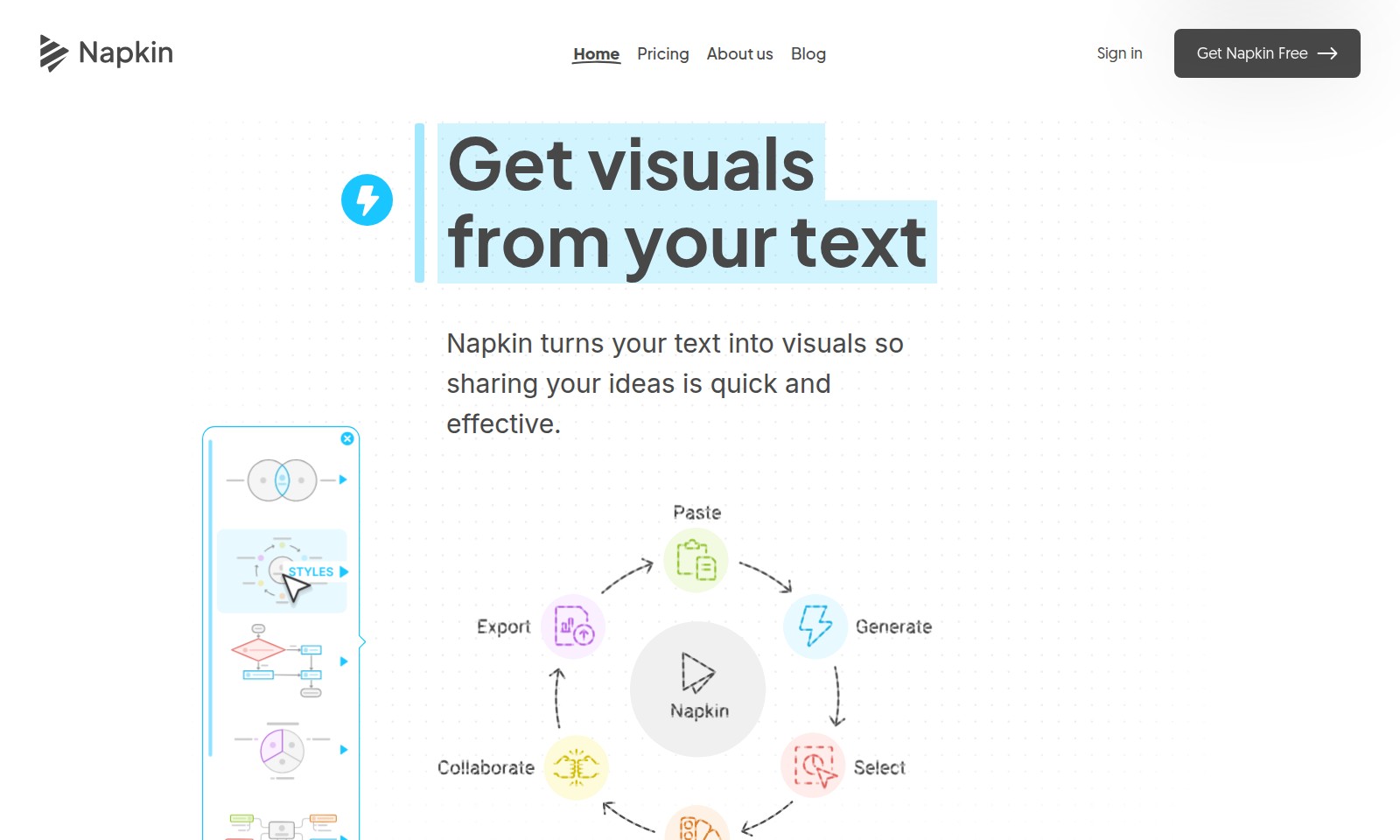
Get visual content effortlessly with Napkin, a tool that transforms text into stunning designs suitable for presentations, social media, and documents.
Napkin AI Introduction
Transforming Ideas into Visuals
Napkin is an innovative platform that revolutionizes the way you share your ideas by converting text into engaging visuals seamlessly. With our intuitive design, you can transform your written content into professional-grade graphics, making communication faster and more effective. Whether you are preparing a presentation, crafting marketing materials, or simply looking to enhance your online content, Napkin provides the tools you need to elevate your visual storytelling.
Napkin AI Features
Visual Generation - Streamlined Idea Sharing
Napkin transforms your text into visuals, enabling quick and effective idea sharing. By eliminating the need for lengthy explanations, users can communicate their thoughts more clearly and efficiently, thereby enhancing collaboration.
Intuitive Workflow - Simplified User Experience
Forget complicated prompting; Napkin functions directly from your text. This user-centric approach ensures that even those with minimal technical expertise can easily generate visuals based on their written content.
Customizable Visuals - Tailor to Your Needs
The visuals created by Napkin are fully editable, allowing users to adjust content and style as needed. This flexibility ensures that the final product is aligned with their specific goals, maximizing the impact of the visuals on the intended audience.
Extensive Asset Library - Enhance Your Designs
Utilize icons, decorators, connectors, colors, and fonts from our extensive database to create polished visuals. Users can add or swap icons, use smart decorators, connect elements dynamically, and choose from a variety of color schemes to ensure their visuals stand out.
Versatile Export Options - Use Anywhere
Visuals created in Napkin can easily be exported in multiple formats, including .ppt, .png, .pdf, and .svg. This versatility allows users to seamlessly integrate these visuals into presentations, reports, and other media, making their ideas accessible wherever they are shared.
Rapid Prototype Development - Foster Innovation
With Napkin, users can quickly prototype their ideas visually, iterating on designs based on feedback. This rapid development cycle supports a dynamic approach to project management, allowing teams to adapt and innovate swiftly in response to changing requirements.
Frequently Asked Questions About Napkin AI
Frequently Asked Questions
1. How does Napkin work?
Napkin allows you to turn your text into visuals effortlessly. Start by importing or pasting your text, and with just a click, generate the most relevant visuals to convey your ideas effectively.
2. Can I edit the visuals generated by Napkin?
Absolutely! Once Napkin creates the visuals, you can fully edit them to suit your preference. Adjust the content, style, and even add or swap icons from our extensive database to enhance your presentation.
3. What formats can I export my visuals in?
You can export your visuals in multiple formats, including .ppt, .png, .pdf, and .svg. This flexibility allows you to use your visuals in various contexts, whether for presentations, documents, or online sharing.
4. Does Napkin support different color schemes?
Yes, Napkin visuals look great in both light and dark modes. You can choose from a variety of colors that will always look appealing, making it easier to align your visuals with your brand or personal style.
5. Is there any installation required to use Napkin?
No installation is required! Napkin operates entirely online, allowing you to generate and edit visuals directly from your web browser. Simply sign in to start transforming your text into impactful visuals.
6. What kind of texts can I use with Napkin?
You can use any type of text with Napkin, whether it’s a simple idea or a detailed report. The key is that Napkin works directly from your text input, making it versatile for various users and purposes.
How to Use Napkin AI
Sign Up for Napkin
To get started, visit the Napkin homepage and click on 'Get Napkin Free.' Fill in the required information to create your account. Remember to verify your email to activate your account and gain full access.
Set Up Your Profile
Once your account is active, log in and navigate to your profile settings. Update your information to personalize your experience. This will allow Napkin to provide tailored suggestions based on your interests.
Import Your Text
Start creating visuals by importing or pasting your text directly into Napkin. Forget lengthy prompts; just provide the text you want to visualize, and Napkin will handle the rest.
Generate Visuals
After entering your text, click on the 'Generate Visuals' button. Napkin will analyze your input and present you with a selection of the most relevant visuals. Choose the one that best reflects your idea to continue.
Customize Your Visuals
To make your visuals truly yours, enter the editing interface. Here, you can adjust the content and styling. Make necessary edits to enhance clarity and impact, ensuring your visuals resonate with your audience.
Add Icons and Decorators
Enhance your visuals by adding or swapping icons from our extensive database. You can also utilize decorators to emphasize particular segments and make your visual more engaging.
Use Dynamic Connectors
If your visual requires connection points, make use of Napkin's dynamic connectors. These can seamlessly link various elements of your visual, helping convey your message clearly and effectively.
Final Touches with Colors and Fonts
Choose from a range of colors that look good in both light and dark modes. Make your visual appealing by picking the right font—whether casual or formal—to set the tone for your message.
Export Your Visuals
Once you are satisfied with your creation, it’s time to take it anywhere. Napkin allows you to export your visuals in various formats including .ppt, .png, .pdf, or .svg, making it easy to share on different platforms or include in presentations.
Reviews
Pros
- Easy to use
- Fast processing
- Great results
- Affordable pricing
Cons
- Limited free version
- Requires internet connection
Comments
No comments yet. Be the first to share your thoughts!
Napkin AI - Alternative Platforms
For some alternatives to Napkin AI that you may need, we provide you with sites divided by features.

Login to Logo Diffusion with various methods or register. The site uses cookies for personalization and traffic analysis.
The AI SVG Generator transforms text into scalable vector graphics, enabling effortless logo creation, illustrations, and more for modern web and branding.
Patternaly is an online AI pattern generator for creating stunning seamless patterns effortlessly, suited for various design needs.