same new
Create and deploy fullstack web applications with ease. Sign up now and utilize a variety of project prompts.
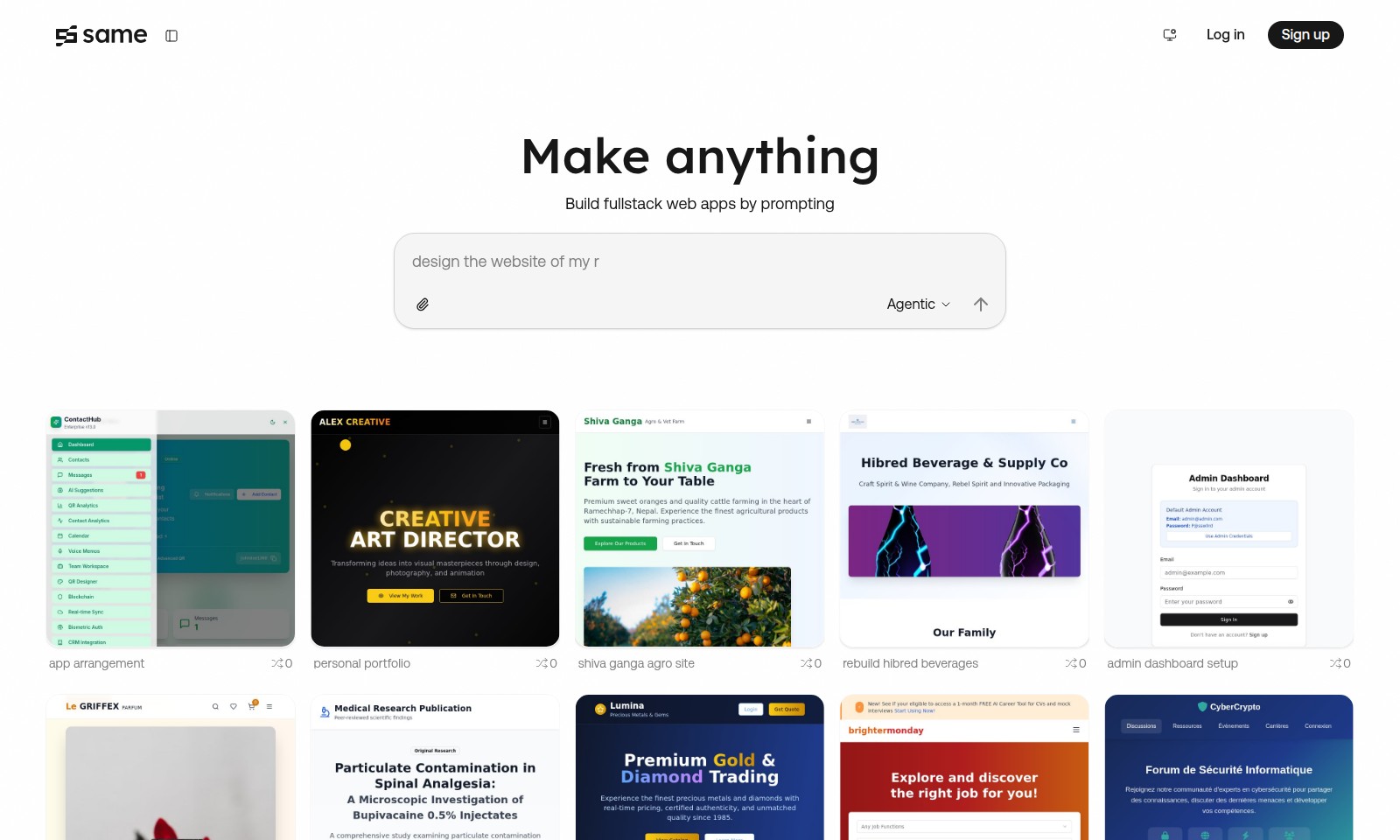
same new Introduction
Transform Your Ideas into Reality
Our platform empowers you to build full-stack web applications effortlessly. Whether you're creating a personal portfolio, an innovative e-commerce store, or a dynamic admin dashboard, you can start from concept to deployment in just a few clicks. Join a community of creators who harness the power of AI prompts to turn their visions into successful projects. With user-friendly tools and robust functionality, achieving your digital dreams has never been easier.
same new Features
Feature 1: Fullstack Web App Development - Empower Your Creativity
Create fullstack web applications effortlessly using our intuitive prompting system. It enables users to build diverse applications without extensive coding expertise.
Feature 2: Agentic Design Environment - Intuitive User Experience
Experience a seamless transition from idea to prototype with our Agentic framework. This unique aspect allows users to visualize projects as they develop them, enhancing creativity and productivity.
Feature 3: Personal Portfolio Integration - Showcase Your Work
Easily set up personal portfolios to display your projects. Our platform seamlessly integrates web apps with portfolio capabilities, allowing users to present their work in a professional manner.
Feature 4: Agile Project Remixing - Enhance Flexibility
Modify existing projects efficiently with our remix functionality. This feature encourages iterative development, guiding users to adapt and refine their applications to meet evolving needs.
Feature 5: Comprehensive App Arrangement - Optimize Workflow
Our app arrangement feature streamlines project organization, allowing users to categorize and manage multiple applications effortlessly. This ensures that your workflow remains efficient and productive.
Feature 6: Advanced Security Protocols - Safeguard Your Data
Maintain your application's integrity with advanced security measures built into the platform. Our robust protocols protect user data while enhancing trust among your audience.
Feature 7: Performance Analytics - Measure Success
Gain insight into your application's performance with integrated analytics tools. These metrics help users understand user behavior, enabling data-driven decisions to enhance user experience.
Frequently Asked Questions About same new
FAQs
What is the process to sign up for your service?
To sign up, simply visit our website and click the 'Sign Up' button. You'll need to provide some basic information, including your email and a password. Once you've filled out the form, check your inbox for a confirmation email to activate your account.
Can I build a personal portfolio using your platform?
Absolutely! Our platform allows users to create personalized portfolios seamlessly. You can choose from a variety of templates and customize them to showcase your work, which can significantly enhance your online presence.
What kind of fullstack web apps can I build?
You can create a wide range of fullstack web apps by prompting our intuitive interface. Whether it’s a modern e-commerce site, a personal blog, or an admin dashboard, our tools are designed to support diverse project types to meet your needs.
What happens if I encounter an issue while using the site?
If you experience any problems, our support team is here to help. You can reach out through the help section on our website where you can submit a support ticket or access our extensive knowledge base for quick solutions.
Are there any associated fees for using your services?
While signing up is free, there are premium features and services that may require payment. You can explore our pricing plan under the 'Terms of Service' section for more detailed information on any costs.
How can I ensure my data is secure while using your platform?
We take privacy very seriously and adhere to strict protocols to protect your information. Your data is encrypted and stored securely, and you can review our Privacy Policy for comprehensive details on how we safeguard your information.
How to Use same new
Step 1: Sign Up
Begin your journey by signing up for an account on our platform. Fill out the registration form with your details and create a secure password to protect your account.
Step 2: Confirm Your Email
Check your inbox for a confirmation email from us. Click on the link provided to verify your email address and complete the registration process.
Step 3: Set Up Your Profile
Once logged in, navigate to your profile settings. Upload a profile picture and provide additional details that help personalize your experience.
Step 4: Explore the Dashboard
Take a moment to familiarize yourself with the dashboard layout. This is where you’ll access different sections for creating projects and managing your account.
Step 5: Start a New Project
Click on the 'New Project' button to begin building. You’ll be prompted to select a template that best fits your needs, whether it’s for a personal portfolio or an admin dashboard setup.
Step 6: Use Prompt Features
Utilize the 'Use Prompt' feature to get suggestions and prompts that guide you in adding content. This will help ensure that you are prompted throughout your project development.
Step 7: Customize Your Project
Make the necessary changes to your project by adding images, text, and other multimedia elements. You can remix projects from the gallery for inspiration or customization.
Step 8: Preview Your Project
Before finalizing, preview your project to see how it will look to users. Make adjustments as necessary to ensure the best user experience.
Step 9: Open Deployed Site
Once satisfied, click on 'Open Deployed Site' to go live with your project. Share it with others to receive feedback and gather likes on your creation.
Step 10: Manage Your Projects
Return to your dashboard at any time to manage your existing projects. You have the option to edit, delete, or deploy new updates to keep everything fresh.
Reviews
Pros
- Easy to use
- Fast processing
- Great results
- Affordable pricing
Cons
- Limited free version
- Requires internet connection
Comments
No comments yet. Be the first to share your thoughts!
same new - Alternative Platforms
For some alternatives to same new that you may need, we provide you with sites divided by features.

Atoms is an AI-powered platform designed for building, launching, and managing applications efficiently, streamlining the development process.
Fabricate offers an easy way to turn app ideas into reality using AI. Choose from various templates and build with minimal effort.
Discover how Runner AI generates product images, listings, and complete storefronts with AI, saving time and costs for e-commerce growth.
A platform for building diverse projects like dashboards and games using AI solutions, featuring robust security and various hosting options.