Top PDF
TopPDF offers comprehensive PDF tools for editing, converting, and managing files efficiently, used by millions worldwide.
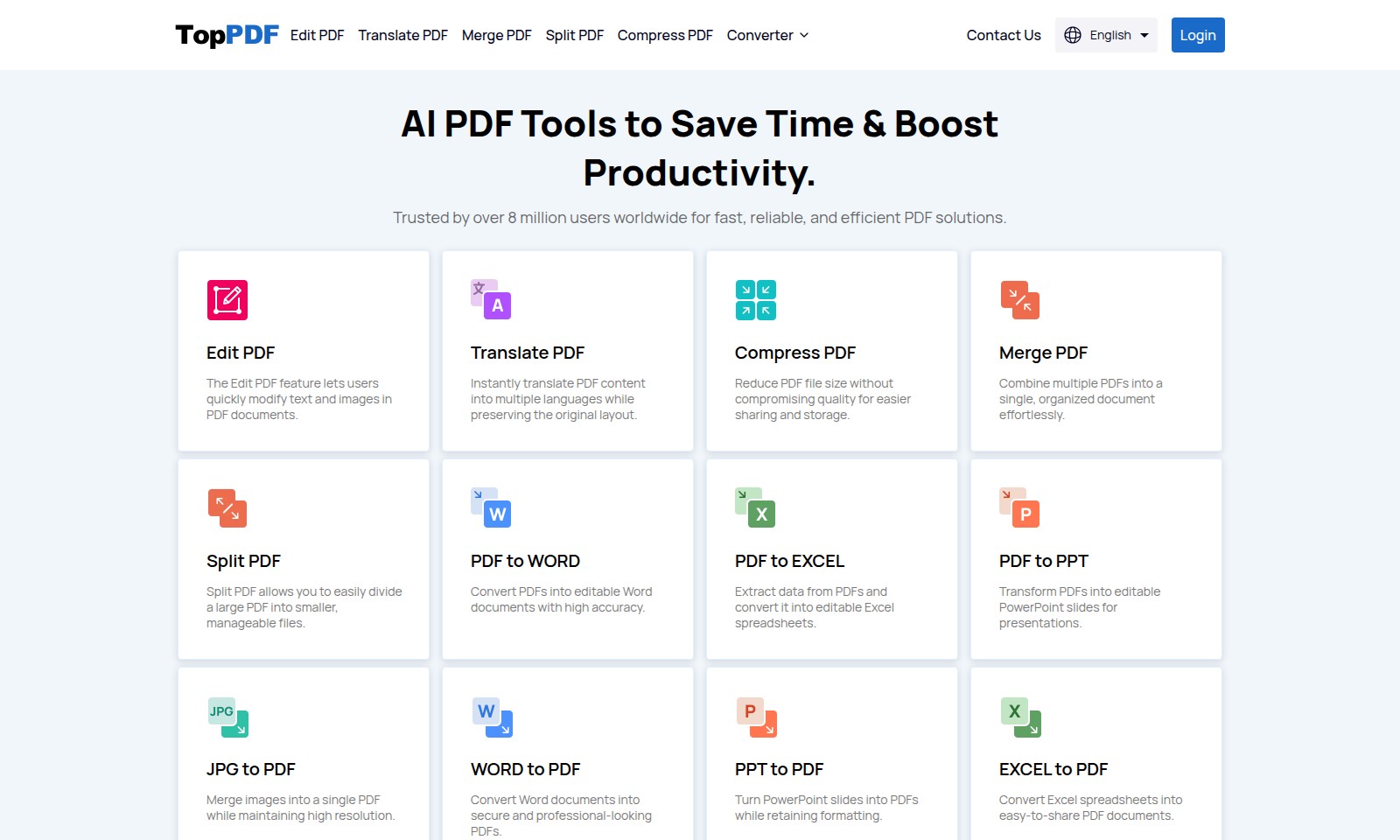
Top PDF Introduction
Unlock the Full Potential of Your PDF Documents
Our powerful AI-driven tools provide a comprehensive solution for all your PDF needs. Whether you're looking to edit, convert, merge, or compress your PDF files, our user-friendly platform delivers fast and reliable results designed to maximize your productivity. With over 8 million satisfied users around the globe, we are your trusted partner for efficient PDF management.
Experience seamless editing with our Edit PDF feature that allows users to modify text and images directly within their documents. No more complicated processes or software; transform your PDFs with just a few clicks. Additionally, the Translate PDF functionality instantly converts content into multiple languages while keeping your original layout intact, making cross-language communication smoother than ever.
When file sizes become cumbersome, don’t worry! Our Compress PDF feature will reduce your PDF's file size without sacrificing quality, enabling easier sharing and storage. Need to consolidate documents? Our Merge PDF tool allows you to combine multiple files into a single and neatly organized document, enhancing your workflow and collaboration efforts.
For those instances when you need to break documents apart, our Split PDF function enables you to divide large files into smaller, manageable pieces quickly. Further, our conversion tools allow you to switch formats effortlessly—transform PDF files into editable formats like WORD, EXCEL, PPT, and JPG, or convert documents back to PDF from various formats with exceptional accuracy.
Explore the efficiency of our PDF tools to save time and boost your productivity today.
Top PDF Features
Edit PDF - Empower Your Documents
The Edit PDF feature lets users quickly modify text and images in PDF documents. This intuitive tool streamlines content updates, ensuring your documents remain current without the need for time-consuming re-creation.
Translate PDF - Break Language Barriers
Instantly translate PDF content into multiple languages while preserving the original layout. This feature accommodates global communications and enhances accessibility, allowing users to reach diverse audiences effortlessly.
Compress PDF - Optimize Space
Reduce PDF file size without compromising quality for easier sharing and storage. With precise compression algorithms, this feature ensures your files are lightweight while maintaining document integrity, saving valuable storage space.
Merge PDF - Consolidate Effortlessly
Combine multiple PDFs into a single, organized document effortlessly. This functionality is perfect for creating comprehensive reports or portfolios, enhancing productivity in document management.
Split PDF - Simplify Management
Split PDF allows you to easily divide a large PDF into smaller, manageable files. Ideal for sharing specific sections or reorganizing data, this feature provides flexibility in handling extensive documents.
PDF to WORD - Edit with Ease
Convert PDFs into editable Word documents with high accuracy. This conversion ensures you can easily make necessary changes while retaining original formatting, streamlining your editing tasks.
PDF to JPG - Visualize Your Content
Convert PDFs to high-quality JPG images. This feature is perfect for sharing visual content online, ensuring your graphics maintain clarity and appeal across platforms.
Frequently Asked Questions About Top PDF
Frequently Asked Questions (FAQs)
1. How can I edit a PDF document?
You can easily edit a PDF document using our Edit PDF feature, which allows you to modify text and images quickly without hassle. Just upload your PDF file, make the necessary changes, and download the updated document.
2. Is it possible to translate a PDF into another language?
Yes, our Translate PDF feature enables you to instantly translate your PDF content into multiple languages while maintaining the original layout of the document. Simply upload your PDF, select the desired language, and download the translated version.
3. Can I merge multiple PDFs into one file?
Absolutely! Our Merge PDF tool allows you to combine multiple PDF files into a single, organized document effortlessly. Upload the files you wish to merge, arrange them in the desired order, and then click the merge button to download your new document.
4. How do I compress a PDF file?
To compress a PDF file, use our Compress PDF feature which reduces the file size without compromising its quality. Upload your PDF, and our tool will optimize the file for easier sharing and storage.
5. What is the best way to convert a PDF to Word?
The PDF to WORD conversion feature allows you to convert your PDF files into editable Word documents with high accuracy. Simply upload your PDF, and the conversion will take place seamlessly, enabling you to edit the content as needed.
6. How can I split a large PDF into smaller files?
Our Split PDF tool is designed to help you divide a large PDF into smaller, manageable files. You can select the pages you wish to extract and create new PDFs accordingly, making it easier to handle large documents.
How to Use Top PDF
Create Your Account
Visit the registration page and fill in the required information. Choose a strong password and click 'Register' to create your account. Check your email for a confirmation link and complete the registration process.
Set up your profile
Once your account is confirmed, log in and navigate to your profile settings. Add your name, email, and any other requested information to personalize your profile.
Explore our features
Familiarize yourself with the dashboard. Take a moment to look at the various features available, including Edit PDF, Translate PDF, and Compress PDF. Each feature comes with a brief description to guide you.
Edit PDF
To edit your PDF, upload the document you want to modify. Use the editing tools to change text or images as needed. Once you're satisfied with your changes, download the updated file.
Translate PDF
If you need to translate a document, select the Translate PDF option. Upload your PDF file and choose the language you want to translate it into. After the translation is complete, download the new version.
Compress PDF
For those looking to reduce file sizes, navigate to the Compress PDF tool. Upload your file, and our system will minimize its size while maintaining quality. Download the compressed PDF for easier sharing.
Merge PDF
If you have multiple PDF files that you want to combine, use the Merge PDF feature. Upload each document in the order you wish to combine them, then click 'Merge'. Your new combined document will be ready for download shortly after.
Split PDF
To break a large PDF into smaller files, use the Split PDF tool. Upload your document and select how you wish to split it, whether by number of pages or file size. The smaller files will be available for download once the process is complete.
Reviews
Pros
- Easy to use
- Fast processing
- Great results
- Affordable pricing
Cons
- Limited free version
- Requires internet connection
Comments
No comments yet. Be the first to share your thoughts!
Top PDF - Alternative Platforms
For some alternatives to Top PDF that you may need, we provide you with sites divided by features.

AI Notes revolutionizes note-taking with features like AI summaries, auto-sorting, and secure storage, making it easy to capture and organize thoughts.
Bartleby offers homework solutions, tutoring, and writing tools for various subjects, empowering students to learn effectively.
LanguageTool is an advanced AI-driven tool for grammar checking, paraphrasing, and enhancing writing style, ensuring error-free communication in various languages.
Revise empowers writers with AI editing that maintains their voice, offering full control over edits, custom styles, and easy collaboration.