Twee
Twee streamlines language lesson planning with AI tools for creating tailored exercises, assessment, and management—all aligned to CEFR standards.
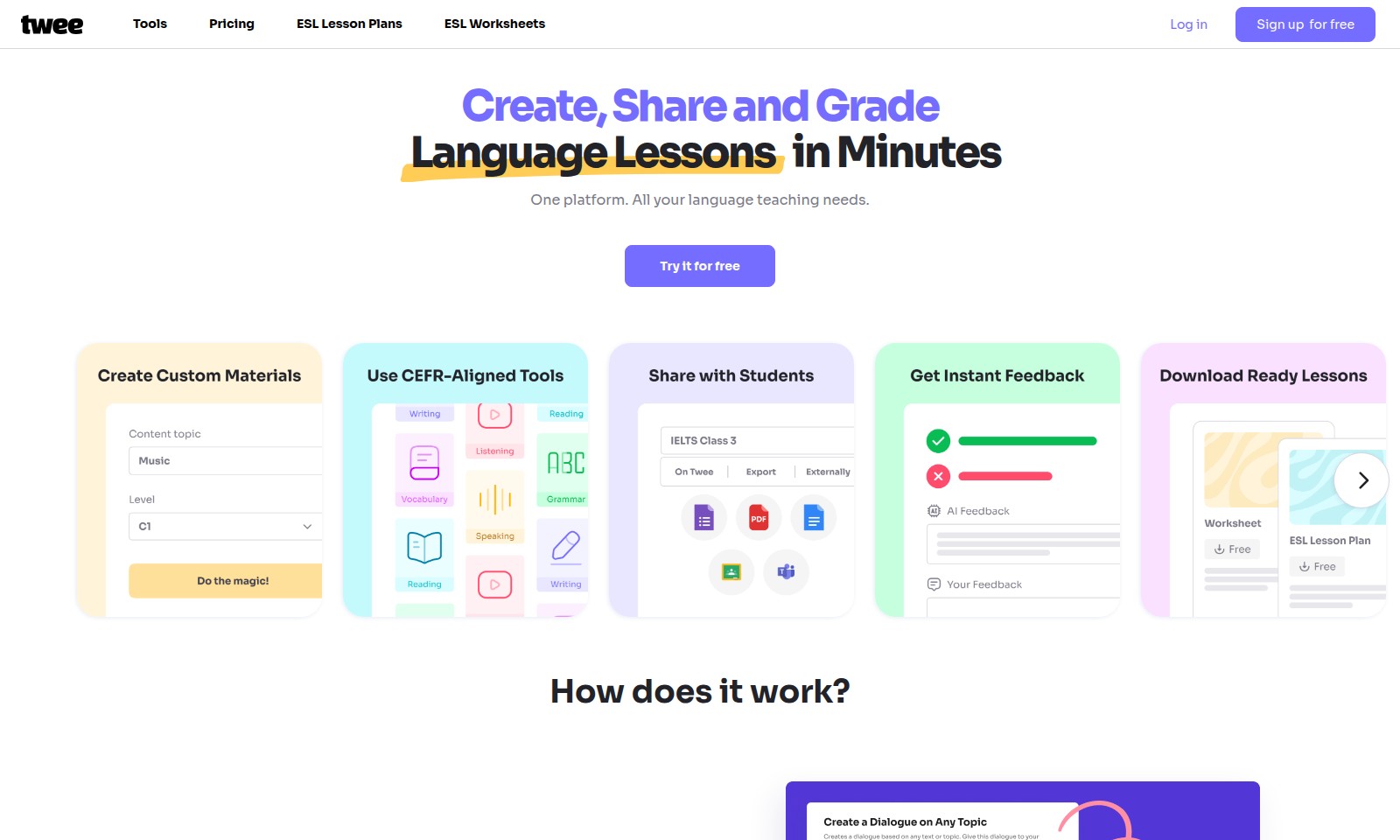
Twee Introduction
Discover the Future of Language Teaching
Twee is a comprehensive platform designed to revolutionize the way educators approach language instruction. With tools tailored to meet every language teaching need, Twee empowers instructors to create, share, and grade lessons in mere minutes, making it an indispensable resource for modern educators.
Twee Features
Lesson Creation Made Easy - Effortless Content Generation for Teachers.
Twee allows educators to create CEFR-aligned lesson materials quickly and efficiently, enhancing lesson planning and delivery. With just a topic, link, or list of words, Tween generates customized texts, dialogues, and exercises tailored to various proficiency levels (A1-C2).
Flexible Sharing Options - Boost Collaboration and Accessibility.
Twee provides multiple formats for sharing lesson materials, making it easier for teachers to connect with students. Users can export their lessons as professional-quality PDFs or Word documents or utilize interactive assignments that can be shared via links or digital platforms.
AI-Powered Student Assessment - Streamlined Evaluation Process.
Utilizing advanced AI technology, Twee assesses student performance automatically, allowing educators to focus on teaching rather than grading. This feature helps in identifying areas of improvement and tailoring follow-up lessons efficiently, ensuring a more personalized learning experience for each student.
Comprehensive Language Support - One-Stop Solution for Multiple Languages.
Twee supports lesson creation for ten different languages, making it ideal for multilingual classrooms and diverse learners. This inclusivity allows teachers to meet the needs of all their students and makes language learning accessible for every proficiency level.
Interactive Learning Experiences - Engage Today's Digital Learners.
With the ability to create interactive assignments, Twee enhances student engagement through gamification and responsiveness. Students can access exercises online, facilitating learning outside the classroom while allowing educators to monitor their progress in real time.
Frequently Asked Questions About Twee
Frequently Asked Questions
What is Twee and how does it help with language teaching? Twee is an innovative platform designed to streamline the process of creating lesson materials for language educators. With its ability to generate CEFR-aligned content for various languages, it allows teachers to produce tailored lesson plans and exercises in just a few minutes.
Can I try Twee before committing? Absolutely! Twee offers a free trial, enabling you to explore its features and see how it can benefit your teaching approach without any financial commitment. Sign up and test it out today!
How does the content creation process work? Creating content with Twee is simple and efficient. You can input a topic or a list of words, and the platform will automatically generate texts, dialogues, and various exercises that match the proficiency level of your students, ranging from A1 to C2.
What formats are available for sharing lesson materials? Twee provides extensive options for sharing your created lessons. You can download them as professional-looking PDFs or Word documents to use offline, or share them digitally through links, Google Forms, or Twee's interactive assignments.
Can Twee assess students’ performance? Yes, Twee has AI capabilities that assess students’ responses to generated exercises, providing you with valuable insights into their performance and understanding. This feature enables you to tailor your teaching strategies accordingly.
Is Twee suitable for all levels of language learners? Definitely! With materials aligned to the Common European Framework of Reference for Languages (CEFR), Twee caters to learners at all proficiency levels, ensuring that both beginners and advanced students are adequately supported in their language learning journey.
How to Use Twee
Step 1: Sign up for free
Visit the website and click on the 'Sign up for free' button. Fill in the required fields with your information to create your account. Make sure to check your email for a confirmation link to activate your account.
Step 2: Log in to your account
Once your account is activated, return to the website and click on the 'Log in' button. Enter your email and password to access your dashboard. Ensure that your credentials are correct to avoid login issues.
Step 3: Set up your profile
After logging in, navigate to the profile section. Here, you can add a profile picture and fill in your teaching preferences. This information helps tailor the platform's suggestions to fit your needs.
Step 4: Explore the tools
Familiarize yourself with the various tools available on the platform. Explore the 'Tools' section to see what resources can assist you in creating lesson plans and worksheets.
Step 5: Create your first lesson
Begin by clicking on the 'Create' button. Enter a topic, link, or list of words relevant to your lesson. The system will generate CEFR-aligned material for your chosen level, making lesson preparation quick and efficient.
Step 6: Customize your lesson materials
Review the generated content and customize it as needed. You can modify texts, dialogues, and exercises to better suit your students’ proficiency levels.
Step 7: Save and share your lessons
Once satisfied with your materials, save them in your preferred format, whether as a .pdf or .doc. You can also share your lessons interactively through a link, allowing students to access the materials easily.
Step 8: Assess your students
Utilize the AI assessment features to evaluate your students’ performance effectively. The platform provides tools to analyze their progress and adjust your teaching strategies accordingly.
Reviews
Pros
- Easy to use
- Fast processing
- Great results
- Affordable pricing
Cons
- Limited free version
- Requires internet connection
Comments
No comments yet. Be the first to share your thoughts!