Whisk AI
Whisk AI is an innovative platform powered by Google's technology that allows users to remix images effortlessly for various creative projects.
Whisk AI Introduction
Whisk AI: Revolutionizing Image Editing
Whisk AI is an advanced image remix platform that harnesses the power of Google’s Gemini and Imagen 3 technology. With our innovative tools, users can seamlessly transform images by remixing subjects, scenes, and styles, allowing for unparalleled creative expression. The platform is designed for creators of all levels, making high-quality image editing and generation accessible and straightforward.
Whisk AI Features
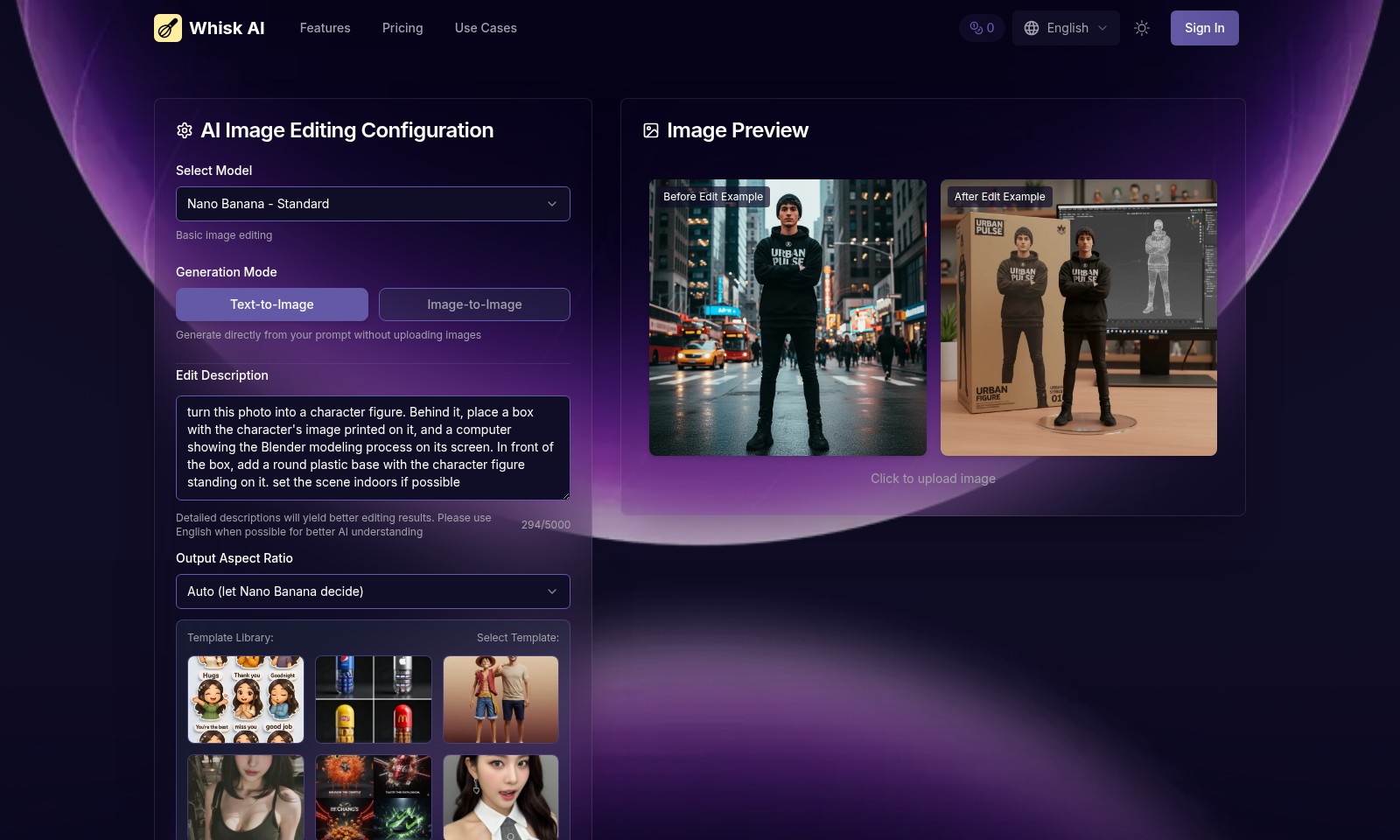
AI Image Editing Configuration - Seamless Creative Control
Whisk AI provides a powerful AI editing tool that enables users to generate and modify images effortlessly. Users can directly edit images from their descriptions, significantly reducing the time spent on manual adjustments. The tool allows for flexible outputs, ensuring the results align closely with user intent.
Text-to-Image Generation - Instant Creativity
With the text-to-image generation feature, users can swiftly turn textual descriptions into vivid illustrations. This capability is beneficial for creators looking to visualize concepts without needing design skills. The underlying technology leverages Google's cutting-edge AI engines, delivering high-quality images efficiently.
Image-to-Image Editing - Transformative Artistry
The image-to-image editing feature allows users to enhance existing images by evolving their styles and themes. This process is vital for creators who seek to innovate on their previous works. By remixing existing art, Whisk AI provides an easy pathway to artistic transformation, contributing to greater variability in creative outputs.
Template Library - Guiding Creativity
Whisk AI's template library offers a range of starter templates that guide users in their creative processes. This resource can significantly streamline the design workflow, especially for those who may feel overwhelmed at the blank canvas. The templates cater to various artistic needs, ensuring users can find a fitting creative prompt.
Output Aspect Ratio - Perfect Fit Every Time
The auto aspect ratio feature smartly adjusts images to fit optimal dimensions based on the intended use. This functionality is crucial for users who need images tailored for specific platforms or purposes. It enhances the presentation quality by ensuring that the final product is visually appealing and functional.
User Trust - Proven Track Record
With over 150,000 creators trusting Whisk AI for their image editing needs, the platform is a reliable choice for artists, marketers, and designers alike. This wide adoption signifies the effectiveness of the tool in addressing user needs across various creative sectors. Feedback and results from the community play a huge role in ongoing enhancements, ensuring continuous improvement in user satisfaction.
AI-Powered Innovation - Future-Ready Creativity
Whisk AI stands at the forefront of innovation in AI-powered image editing. Utilizing Google's Gemini and Imagen 3 technologies, it champions a future where creativity is easily attainable for everyone. The AI's ability to understand and execute artistic commands enhances the user experience, making advanced image remixes accessible and straightforward.
Frequently Asked Questions About Whisk AI
Frequently Asked Questions
What is Whisk AI and how does it work?
Whisk AI is an innovative image remix platform powered by Google's Gemini and Imagen 3 technology. It allows users to transform their creative vision by remixing elements such as subject, scene, and style from reference images. This process enables the generation of unique artwork within seconds, eliminating the need for complex text prompts.
How do I start creating images with Whisk AI?
To begin creating images, simply visit the Whisk AI website and select the desired AI model, which defaults to Nano Banana for standard image editing. You can generate images directly from text prompts or by uploading reference images. The platform also offers an output aspect ratio option that adjusts automatically based on your selection.
What editing features does Whisk AI offer?
Whisk AI provides users with basic image editing capabilities including text-to-image and image-to-image generation modes. You can edit existing images by providing detailed descriptions, which enhance the AI's understanding and yield improved editing results. Additionally, there is a template library that users can select from to further streamline the creation process.
How can I ensure the best results when using Whisk AI?
For optimal results, it's essential to provide detailed and clear descriptions when editing images. This not only helps the AI understand your vision better but also enhances the overall quality of the output. Using English is recommended, as the AI is better equipped to process prompts in this language. Moreover, exploring the template library can provide inspiration and guidance for your creations.
What are the pricing plans for using Whisk AI?
Whisk AI offers several pricing options depending on the needs of the users. Each use of the platform, such as starting an AI edit, requires credits. Therefore, it’s advisable to review the pricing details on the website to choose a plan that aligns with your creative needs. Regular users may benefit from purchasing credits in bulk for better value.
Is there a community or support system for Whisk AI users?
Yes, Whisk AI boasts a community of over 150,000 creators who regularly share their work and experiences. Users can find inspiration, share tips, and seek help via various platforms linked to the Whisk AI site. Additionally, customer support is available to assist users with any technical issues or inquiries about using the platform.
How to Use Whisk AI
Step 1: Register for an Account
Visit the Whisk AI website and click on 'Sign In' at the top right corner. If you do not have an account, select 'Register' and fill out the necessary information.
Step 2: Verify Your Email Address
After registration, check your email for a verification link. Click the link provided to confirm your email address and activate your account.
Step 3: Log In to Your Account
Return to the Whisk AI website. Click on 'Sign In' and enter your credentials to access your account.
Step 4: Set Up Your Profile
Once logged in, navigate to your account settings. Fill in your profile details, including your display name and preferences, to enhance your user experience.
Step 5: Explore the Dashboard
After setting up your profile, take a moment to familiarize yourself with the dashboard. Look for key features including 'AI Image Editing', 'Template Library', and 'Generate' options.
Step 6: Choose Your AI Model
In the dashboard, locate the 'Select Model' feature. Choose 'Nano Banana - Standard' for basic image editing or explore other models available.
Step 7: Select a Generation Mode
Decide whether you want to utilize 'Text-to-Image' or 'Image-to-Image' generation modes based on your project requirements.
Step 8: Generate Your First Image
Enter your preferred prompt in the text box. For the best results, provide detailed descriptions. Click 'Start AI Edit' to generate your image and use necessary credits as required.
Step 9: Preview and Edit Your Image
After generation, review the 'Image Preview'. If necessary, you can make adjustments to enhance the outcome. Use the before and after examples as a guide.
Step 10: Save and Share Your Creations
Once satisfied with your image, save it to your profile. Share it with the community or download it directly for personal use. Explore the template library for additional inspiration.
Reviews
Pros
- Easy to use
- Fast processing
- Great results
- Affordable pricing
Cons
- Limited free version
- Requires internet connection
Comments
No comments yet. Be the first to share your thoughts!
Whisk AI - Alternative Platforms
For some alternatives to Whisk AI that you may need, we provide you with sites divided by features.

Login to Logo Diffusion with various methods or register. The site uses cookies for personalization and traffic analysis.
The AI SVG Generator transforms text into scalable vector graphics, enabling effortless logo creation, illustrations, and more for modern web and branding.
Patternaly is an online AI pattern generator for creating stunning seamless patterns effortlessly, suited for various design needs.