Supa
Supa Daily offers news updates and chat assistance with additional features for research and user accounts.
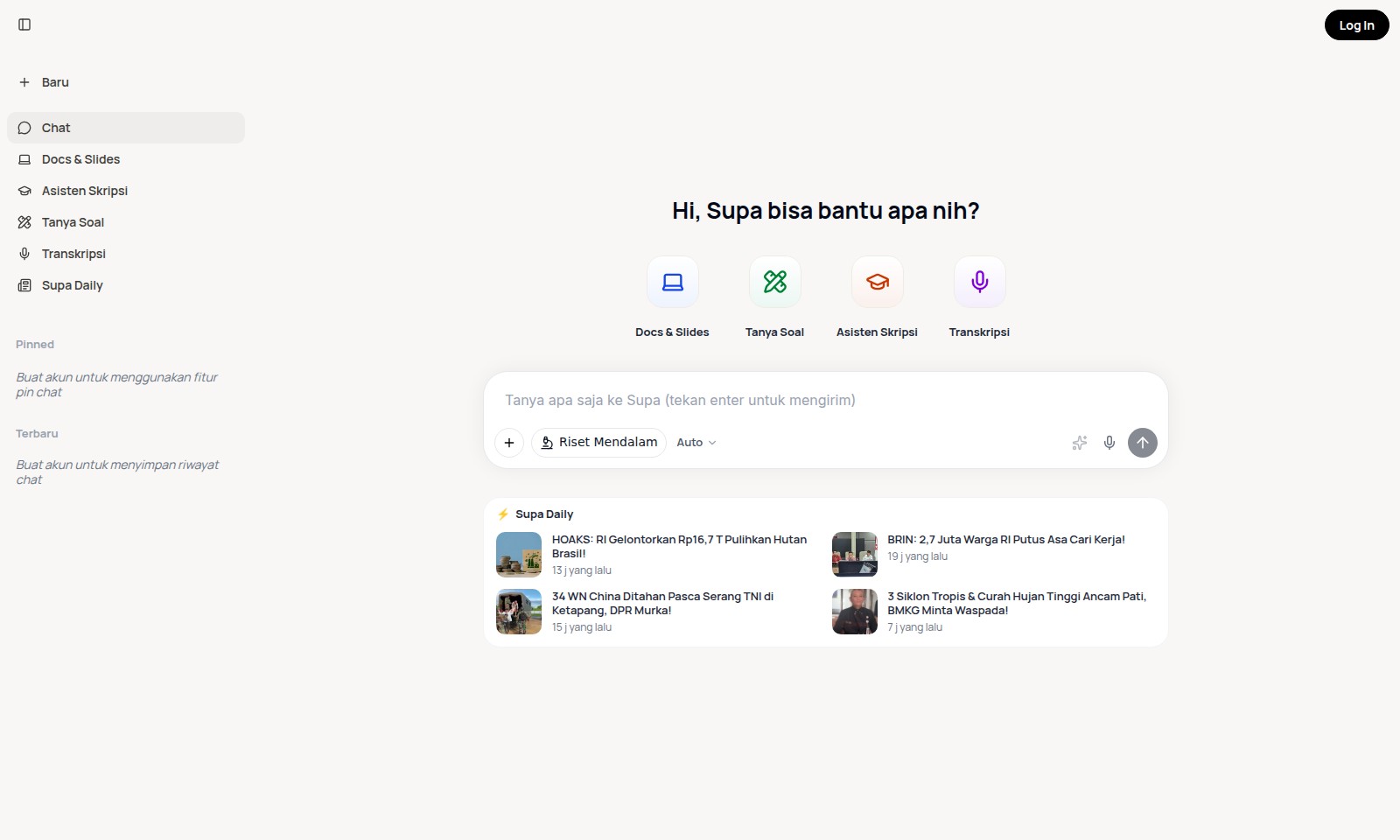
Supa Introduction
Welcome to Baru
At Baru, we offer a comprehensive digital platform tailored to meet a variety of academic and professional needs. Our robust features empower users to engage in insightful discussions, access vital academic resources, and utilize efficient tools for research and communication. Whether you are a student seeking assistance with your studies or a professional aiming to enhance your productivity, Baru serves as your go-to online resource.
Supa Features
Feature: Baru - Core Benefit
Stay updated with the latest news at your fingertips. This feature aggregates real-time news articles, ensuring users in Indonesia are always informed about the most relevant developments.
Technical Differentiation Utilizing advanced algorithms, Baru analyzes news trends and categorizes content based on user preferences, delivering a personalized news feed that highlights significant events relevant to the Indonesian audience.
Feature: Chat - Core Benefit
Enhance communication efficiency with our integrated chat feature. This tool allows for seamless conversation and collaboration, crucial for users who require quick and effective interaction.
Technical Differentiation Equipped with encryption protocols, this feature ensures that all conversations remain private and secure, meeting the demands of users concerned with data protection.
Feature: Docs & Slides - Core Benefit
Create and manage presentations effortlessly with our Docs & Slides functionality. Ideal for students and professionals alike, this feature simplifies the process of document creation.
Technical Differentiation The tool supports real-time collaboration, enabling multiple users to edit and comment simultaneously, significantly reducing the time taken to finalize documents.
Feature: Asisten Skripsi - Core Benefit
Get dedicated support for your thesis with our Asisten Skripsi feature. This service provides valuable resources and guidance tailored for students in their academic journeys.
Technical Differentiation Backed by a database of scholarly articles and research materials, Asisten Skripsi offers users access to a wealth of information, enhancing the quality of their academic work.
Feature: Tanya Soal - Core Benefit
Instantly resolve your academic queries with the Tanya Soal feature. Perfect for students seeking immediate answers to pressing questions.
Technical Differentiation Leveraging machine learning, this feature provides context-aware responses and directs users to associated topics or similar questions previously asked, ensuring a comprehensive understanding of the subject matter.
Feature: Transkripsi - Core Benefit
Transform spoken words into written text with our Transkripsi feature, catering primarily to educators and students in need of accurate documentation.
Technical Differentiation The application employs advanced speech recognition technology, enabling swift and accurate transcriptions of lectures and discussions, thus saving users valuable time.
Feature: Supa Daily - Core Benefit
Stay informed about daily news highlights with the Supa Daily feature. This presents users with concise summaries, promoting efficient consumption of important news.
Technical Differentiation Utilizing AI-driven content curation, Supa Daily ensures that users receive a tailored news briefing that aligns with their interests and reading habits, helping them stay engaged with relevant topics.
Frequently Asked Questions About Supa
FAQs about Baru Website
Q: What features does the Baru website offer?
A: The Baru website provides a variety of features including chat functionality, document and slide sharing, assistance with thesis writing, and transcription services.
Q: How can I create an account on Baru?
A: To create an account, simply click on the 'Buat akun' button on the homepage and follow the prompts to register your details.
Q: What can I do if I forget my password?
A: If you forget your password, click on the 'Log In' button and select the 'Forgot Password?' option to receive a password reset link via your registered email.
Q: How does the pinned chat feature work?
A: The pinned chat feature allows users to bookmark important conversations for easy access later. You need to be logged in to use this feature.
Q: Is there a way to access my chat history?
A: Yes, users can access their chat history after creating an account. Make sure to log in to see your saved chats.
Q: Can I use the Baru website for collaborative work?
A: Yes, the website facilitates collaboration through shared documents and real-time chat, making it ideal for group projects and thesis assistance.
How to Use Supa
Create Your Account
To start using the features on our site, you need to create an account. Visit the registration page and fill in the required information such as your email and password. Make sure to choose a strong password for your security.
Set Up Your Profile
Once your account is created, log in to access your profile settings. Click on your username at the top right corner and select 'Profile'. Here, you can add a profile picture and provide additional information to personalize your account.
Navigate the Dashboard
After setting up your profile, familiarize yourself with the dashboard. Explore different sections like Chat, Docs & Slides, and the Asisten Skripsi. This will help you find the features you want to use easily.
Use Key Features
Start utilizing the features available on our site. For instance, you can use the 'Chat' feature to connect with others, or check 'Docs & Slides' for educational materials. Don't forget to explore the 'Tanya Soal' section for any questions you may have.
Pin Important Chats
To keep track of important conversations, you can pin chats. Go to the chat list, find the conversation you want to pin, and click the pin icon. This will help you save time and keep your important discussions at the forefront.
Access the Latest Information
Stay updated with the latest news by checking the 'Terbaru' section. Here you will find the most recent discussions and articles, including important topics like job searching and environmental news.
Log Out Safely
When you are finished using the site, log out to protect your account. Click on your username and select 'Log Out'. This ensures that your information remains secure, especially when using public or shared devices.
Reviews
Pros
- Easy to use
- Fast processing
- Great results
- Affordable pricing
Cons
- Limited free version
- Requires internet connection
Comments
No comments yet. Be the first to share your thoughts!
Supa - Alternative Platforms
For some alternatives to Supa that you may need, we provide you with sites divided by features.

ThetaWave AI simplifies note-taking by turning lectures, files, and videos into structured notes, quizzes, and flashcards for effective studying.
Impel offers a powerful AI platform that streamlines dealership processes, improves customer interactions, and boosts performance across the automotive industry.
MYND offers an AI-driven app designed for personal mental wellness, featuring custom meditations and supportive conversations for users.
Alya is an AI-powered app that supports mental health and personal growth, providing tools for organization, goal setting, and emotional tracking.