ai subtitle translator
AI Subtitle Translator offers reliable and effective subtitle localization, enhancing translation quality and reducing manual edits.
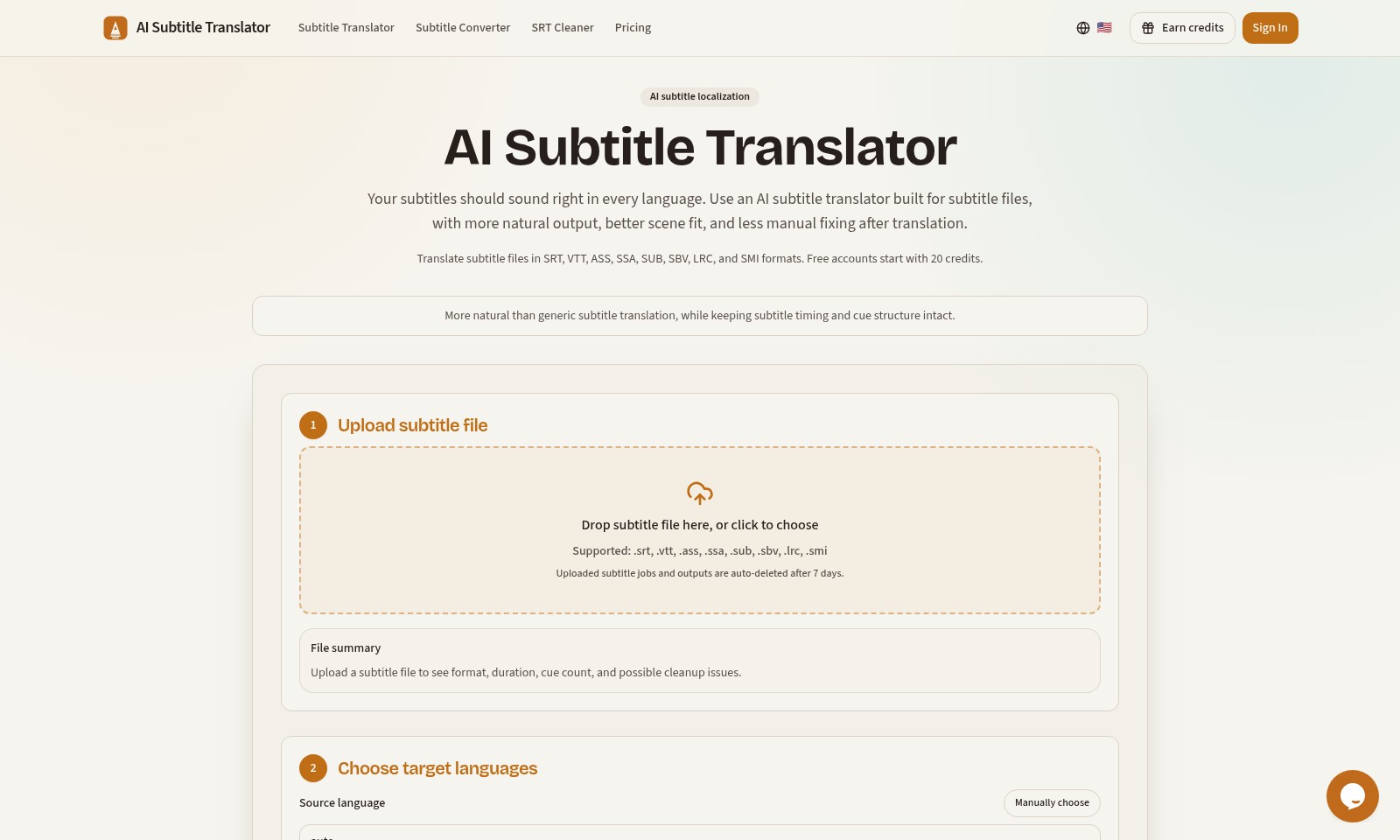
ai subtitle translator Introduction
AI Subtitle Translator
Elevate your subtitle translation process with our state-of-the-art AI Subtitle Translator, specifically designed for various subtitle file formats. Experience seamless translations that not only retain the timing and cue structure but also produce natural-sounding dialogue, making your content accessible to global audiences.
ai subtitle translator Features
AI Subtitle Translator - Enhanced Multilingual Communication
By leveraging advanced AI technology, our subtitle translator provides a nuanced and culturally relevant translation, ensuring your content resonates well across different languages. Unlike conventional translators, our service adapts to the context of each scene, minimizing the need for post-translation edits.
Subtitle Compatibility - Versatile File Support
Our platform supports an extensive range of subtitle file formats including SRT, VTT, ASS, SSA, SUB, SBV, LRC, and SMI. This broad compatibility ensures seamless integration into your existing workflows, regardless of your project's requirements.
Time-Saving Automation - Efficient Processing
The AI Subtitle Translator automates the translation process, significantly reducing the time spent on manual translations. Users can save valuable hours which can be redirected towards content creation and strategy.
User-Friendly Interface - Simplified Workflow
With an intuitive drag-and-drop interface, uploading your subtitle files is hassle-free. This user-centric design allows even those with minimal technical expertise to utilize advanced translation features effectively.
Clean Up and Optimization - Streamlined Output
Our SRT Cleaner feature automatically identifies potential issues in your subtitle files, ensuring a polished final product. By cleaning up subtitles before translation, we help maintain clarity and coherence in your content.
Cost-Effective Solution - Flexible Pricing Models
Start with 20 free credits upon sign-up, enabling users to explore our features without initial financial commitment. We offer various pricing tiers to accommodate diverse project sizes and budgets, making professional subtitle translation accessible for everyone.
Frequently Asked Questions About ai subtitle translator
FAQs about AI Subtitle Translator
1. What file formats does the AI Subtitle Translator support?
The AI Subtitle Translator supports various subtitle formats, including SRT, VTT, ASS, SSA, SUB, SBV, LRC, and SMI. You can easily upload your subtitle files in these formats for translation.
2. How does the AI ensure natural subtitle translations?
Our AI Subtitle Translator is specifically designed to maintain natural output by considering the context of the subtitles. This minimizes the need for manual adjustments after translation, ensuring that the subtitles sound right in every language.
3. Are there any limitations on file uploads?
Yes, uploaded subtitle jobs and outputs will be automatically deleted after 7 days. It’s essential to download your translated subtitles within this timeframe to avoid losing access.
4. How many credits can I earn for free?
Free accounts start with 20 credits, which you can use to translate your subtitle files. As you use the service more, there are options to earn additional credits as well.
5. What if the source language is not detected automatically?
If the source language cannot be detected automatically, users have the option to select it manually. This ensures the translation process begins accurately, matched to the correct language.
6. Can the AI Subtitle Translator help with subtitle timing issues?
Absolutely! Our translator not only focuses on the preservation of the content but also ensures that the timing and cue structure of the subtitles remain intact during the translation process.
How to Use ai subtitle translator
Upload Subtitle File
To begin translating your subtitles, you must first upload your subtitle file. Supported formats include .srt, .vtt, .ass, .ssa, .sub, .sbv, .lrc, and .smi. Simply drag and drop your file into the designated area or click to browse and select your file. Ensure your file is ready, as uploaded jobs will be deleted after 7 days.
Select Target Languages
Once your file is uploaded, you need to choose the target languages for translation. Manually select the source language if it’s not automatically detected. This step is crucial to ensure that your subtitles are accurately translated to the desired languages.
Check File Summary
After selecting the languages, take a moment to review the file summary. This will provide you with important details such as the file format, duration, and cue count. Additionally, it will highlight any potential cleanup issues that may need to be addressed before the translation process begins.
Initiate Translation
With all settings in place, proceed to initiate the translation. Click the ‘Translate’ button to start the process. The AI subtitle translator will work to deliver a more natural translation while retaining the timing and cue structure of the original subtitles.
Review Translated Subtitles
After the translation is completed, review your translated subtitles carefully. Ensure that the translations are accurate and fit well with the timing of the dialogue. Make manual adjustments if necessary to improve the flow and readability.
Download Your Translated Subtitles
Once you are satisfied with the translations, download the finished subtitle file. This can be done by selecting your preferred format and clicking the download link. Keep your subtitles organized for easy access in future projects.
Earn Credits for More Features
As you continue to use the AI Subtitle Translator, consider utilizing credits to access additional features. Free accounts start with 20 credits, which you can earn over time by engaging with the platform or upgrading your account for more credits.
Reviews
Pros
- Easy to use
- Fast processing
- Great results
- Affordable pricing
Cons
- Limited free version
- Requires internet connection
Comments
No comments yet. Be the first to share your thoughts!
ai subtitle translator - Alternative Platforms
For some alternatives to ai subtitle translator that you may need, we provide you with sites divided by features.

Cockatoo offers advanced AI transcription services for audio and video files, ensuring quick turnaround and high accuracy across multiple languages.
Kreativespace offers AI-driven writing tools designed to boost productivity, maintain authenticity, and improve clarity across various writing tasks.
Professional-quality book translations powered by a multi-pass AI system, achieving near-publishable results in hours.