Cockatoo
Cockatoo offers advanced AI transcription services for audio and video files, ensuring quick turnaround and high accuracy across multiple languages.
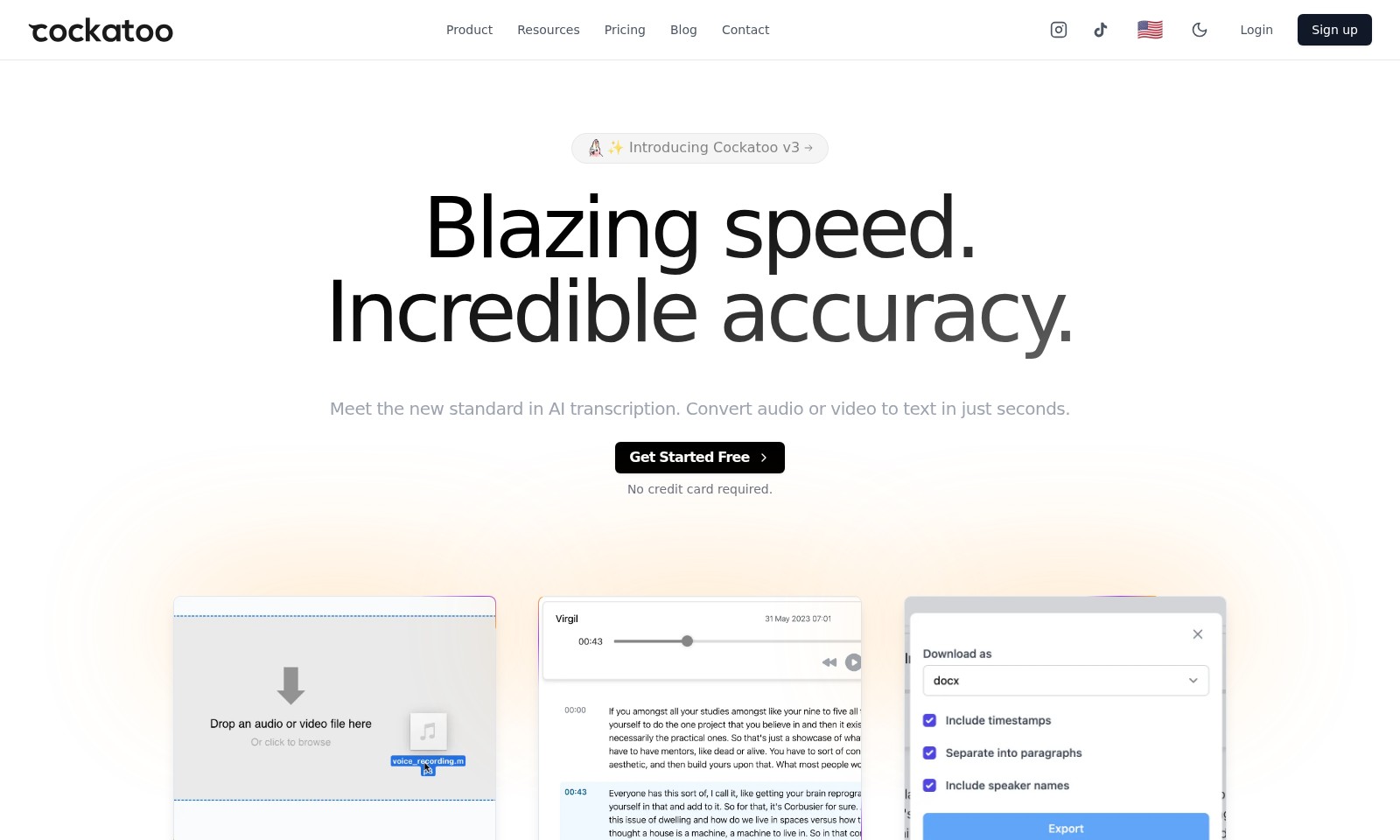
Cockatoo Introduction
Transform Your Audio and Video into Text in Seconds
Unlock the power of Cockatoo, the leading AI transcription tool that delivers blazing speed and incredible accuracy. With our cutting-edge technology, you can seamlessly convert your audio or video files into text in mere seconds, enabling you to focus on what truly matters—your content.
Cockatoo Features
Transcription Speed - Immediate Accessibility
Cockatoo provides unparalleled transcription speed, allowing users to convert audio or video to text in seconds. With an average processing time of under 10 seconds for standard files, users can immediately access essential information when they need it most.
Multilingual Support - Global Reach
Cockatoo supports audio transcription in multiple languages, including English, Spanish, French, German, Italian, Portuguese, Russian, Chinese, Japanese, Korean, and Arabic. This feature enables users from diverse backgrounds to utilize our service seamlessly, enhancing global communication.
High Accuracy - Reliable Results
Our AI transcription technology boasts an impressive accuracy rate of over 95%, ensuring that users receive high-quality transcriptions with minimal errors. This level of precision is crucial for professionals who rely on accurate transcripts for legal, medical, or corporate purposes.
Versatile Export Options - User Convenience
Cockatoo allows users to export their transcripts in popular formats such as DOCX, PDF, and TXT. This flexibility caters to various user needs, whether preparing a presentation or preserving notes for academic work.
User-Friendly Interface - Simplified Workflow
With a straightforward and intuitive interface, Cockatoo ensures a smooth user experience, even for those with minimal technical skills. Users can easily navigate the platform, upload files, and retrieve transcripts with just a few clicks.
Secure & Confidential - Data Protection
We prioritize user security by employing advanced encryption protocols to protect sensitive data during the transcription process. Our commitment to confidentiality assures users that their information remains safe and private throughout their interaction with Cockatoo.
Free Trial - Risk-Free Experience
Cockatoo offers a risk-free trial, allowing new users to explore our features without the need for credit card information. This enables prospective users to experience the benefits of our service before making a commitment.
Frequently Asked Questions About Cockatoo
FAQs about Cockatoo Transcription Services
1. How quickly can I get my transcript using Cockatoo?
With Cockatoo, you can get your transcript in just seconds after uploading your audio or video file. This allows you to save time and focus on other important tasks.
2. What languages does Cockatoo support for transcription?
Cockatoo supports a wide variety of languages including English, Spanish, French, German, Italian, Portuguese, Russian, Chinese, Japanese, Korean, and Arabic. This feature ensures that users can transcribe audio in their preferred language effortlessly.
3. Do I need to pay anything to start using Cockatoo?
You can get started with Cockatoo for free, and no credit card is required for the initial sign-up. This means you can explore the features and test the service without any financial commitment.
4. Can I export my transcripts to different formats?
Yes! Cockatoo allows you to export your transcripts to popular formats, making it easy to integrate the text into your documents or workflows quickly. You will have flexibility in how you utilize your transcribed content.
5. Is Cockatoo reliable for professional use?
Absolutely! Cockatoo is trusted by leading teams and professionals across various industries. The transcription service is designed to be fast and accurate, making it suitable for both casual and professional use.
6. What should I do if I encounter issues or need help?
If you experience any difficulties using Cockatoo or need assistance, you can reach out through the Contact section on the website. Our support team is ready to help resolve any issues you may have.
How to Use Cockatoo
Step 1: Sign Up for Cockatoo
Visit the Cockatoo website and click on the 'Sign up' button. Fill in the required information such as your email address and password to create your account. Remember to verify your email to activate your account.
Step 2: Log In
Once you've created your account, return to the Cockatoo website and click on the 'Login' button. Enter your credentials to access your user dashboard, where you can manage your transcription projects.
Step 3: Upload Your Audio or Video
In your dashboard, find the upload button. Click it to select the audio or video file you wish to transcribe. Cockatoo supports various file formats, so ensure your files are in an acceptable format for the best experience.
Step 4: Choose Your Language
After uploading your file, select the language in which your audio or video is spoken. Cockatoo supports a multitude of languages, making it easier for you to convert your content accurately.
Step 5: Start Transcription
Once your file is uploaded and the language is selected, initiate the transcription process by clicking on the 'Transcribe' button. In just seconds, you will receive your transcript, showcasing Cockatoo's blazing speed and incredible accuracy.
Step 6: Review and Edit Your Transcript
After receiving your transcript, it's important to review the text for any errors or misinterpretations. Cockatoo's AI is highly accurate, but a quick once-over can ensure everything is perfect for your needs.
Step 7: Export Your Transcript
When you’re satisfied with the transcript, look for the export option. Cockatoo allows you to export your transcript in popular formats such as TXT, DOCX, or PDF, making it versatile for your use.
Step 8: Utilize Key Features
Explore other key features of Cockatoo, such as collaboration tools that allow you to share your transcripts with team members or clients easily. Take advantage of the blog and resources section for tips on maximizing transcription efficiency.
Reviews
Pros
- Easy to use
- Fast processing
- Great results
- Affordable pricing
Cons
- Limited free version
- Requires internet connection
Comments
No comments yet. Be the first to share your thoughts!
Cockatoo - Alternative Platforms
For some alternatives to Cockatoo that you may need, we provide you with sites divided by features.

AI Subtitle Translator offers reliable and effective subtitle localization, enhancing translation quality and reducing manual edits.
Kreativespace offers AI-driven writing tools designed to boost productivity, maintain authenticity, and improve clarity across various writing tasks.
Professional-quality book translations powered by a multi-pass AI system, achieving near-publishable results in hours.