Bigjpg
AI Image Enlarger uses advanced algorithms to enhance images while preserving quality. Free and paid options available for better performance.
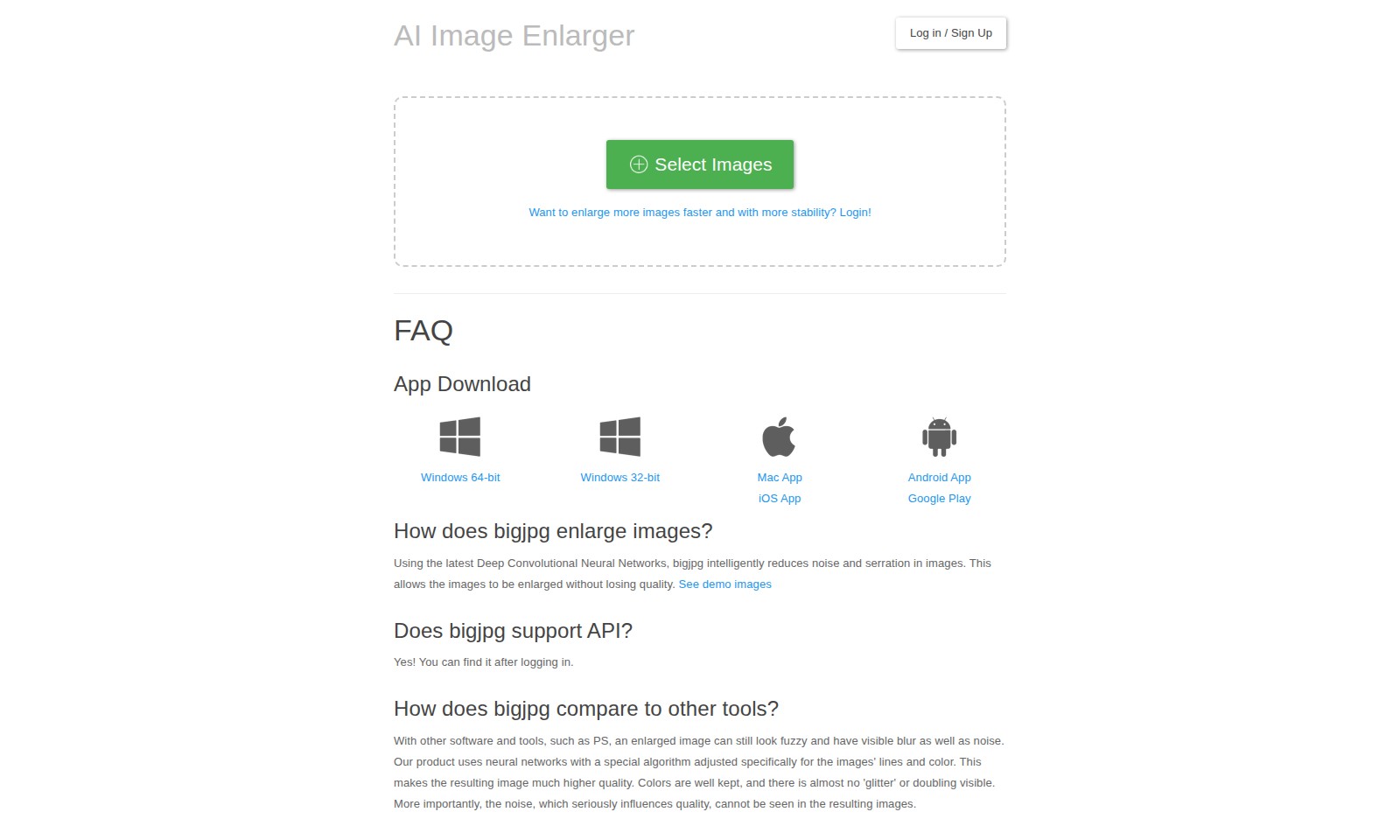
Bigjpg Introduction
Enhance Your Images with Precision and Quality
Discover the power of advanced image enlargement technology. Our platform utilizes cutting-edge Deep Convolutional Neural Networks to ensure your images are enhanced seamlessly, maintaining their original clarity and vibrancy.
Bigjpg Features
AI Image Enlarger - Enhanced Image Quality
Experience superior image enlargement that maintains clarity and detail. Using advanced Deep Convolutional Neural Networks, our technology intelligently reduces noise and serration, enabling images to be enlarged without loss of quality.
Fast and Stable Processing - Efficient Workflow
Accomplish more in less time with our optimized processing speed and stability. Whether you're working with one image or multiple, our system ensures a seamless experience, tailored for professionals in need of quick and reliable results.
User-Friendly Interface - Simplified Access
Navigate effortlessly with an intuitive interface designed for ease of use. Ideal for graphic designers and photographers, our platform allows users to focus on their work rather than grappling with complex tools.
Multi-Platform Support - Flexibility You Need
Access our features across multiple platforms, including Windows, Mac, iOS, and Android. Professionals can process images on-the-go or from their desktops, ensuring they can work whenever and wherever needed.
API Availability - Custom Integration
Integrate our powerful image enlargement technology directly into your workflow using our extensive API. This feature meets the needs of developers and businesses seeking to enhance their applications with advanced imaging capabilities.
Frequently Asked Questions About Bigjpg
Frequently Asked Questions
1. How does bigjpg enlarge images? Using the latest Deep Convolutional Neural Networks, bigjpg intelligently reduces noise and serration in images. This enables images to be enlarged significantly without compromising on quality. You can check demo images to see the enhancement in detail.
2. Does bigjpg support API? Yes! If you log in to your account, you will find the API documentation available for integration purposes. This allows developers to utilize bigjpg’s powerful image enlargement features programmatically.
3. How does bigjpg compare to other tools? Unlike many other software options, such as Photoshop, which may leave enlarged images looking fuzzy or noisy, bigjpg employs specialized neural networks tailored to preserve lines and colors. This results in significantly clearer images with minimal artifacts and well-maintained colors, ensuring a high-quality output.
4. What are the system requirements for bigjpg? Bigjpg is available across multiple platforms including Windows (both 32-bit and 64-bit), Mac, iOS, and Android. This means you can access our image enlargement tools from nearly any device, giving you the flexibility to enhance images as needed.
5. How can I access more features? To access additional features and increase the speed and stability of your image enlargements, we recommend logging in to your account. This will grant you access to premium capabilities that enhance your overall experience.
6. Can I try bigjpg for free? Yes, bigjpg offers a free version allowing users to try out its functionalities. However, for larger images and faster processing, consider signing up for a premium account. This will provide you with more options and resources to work with your images effectively.
How to Use Bigjpg
Step 1: Log In or Sign Up
To get started, visit the homepage and click on the 'Log in / Sign Up' button. If you are a new user, fill out the registration form with your email and password, then submit it to create an account. If you already have an account, simply enter your credentials to log in.
Step 2: Select Images
Once logged in, navigate to the 'Select Images' section. This is where you can choose the images you want to enlarge. Click on the upload button and select the images from your device. Ensure the images are in a supported format for best results.
Step 3: Enlarge Images
After selecting your images, you will see options for enlargement. Utilize the settings to choose the desired enlargement scale. Click the 'Enlarge' button to begin processing your images. The AI will begin working to enhance your images without compromising their quality.
Step 4: Download Enlarged Images
Once the images have been processed, they will be available for download. Click on the 'Download' button next to each enlarged image to save them to your device. Review the images to ensure they meet your expectations.
Step 5: Explore Additional Features
Take a moment to explore other features available on the platform. For instance, you may want to check out the FAQ section for tips or download the app for mobile convenience. This will enhance your experience and improve your workflow.
Reviews
Pros
- Easy to use
- Fast processing
- Great results
- Affordable pricing
Cons
- Limited free version
- Requires internet connection
Comments
No comments yet. Be the first to share your thoughts!
Bigjpg - Alternative Platforms
For some alternatives to Bigjpg that you may need, we provide you with sites divided by features.

Experience the ultimate video editing and conversion tool with UniConverter 17, featuring AI-driven enhancements for superior quality and speed.
Fotor offers a comprehensive suite of online editing tools making photo enhancement simple and efficient for all users.
Upscayl transforms low-resolution images into high-quality visuals using AI, available on cloud and desktop for easy access.
Shop Topaz Labs' Black Friday sale for discounts on image and video enhancement tools, trusted by professionals worldwide.