Fotor
Fotor offers a comprehensive suite of online editing tools making photo enhancement simple and efficient for all users.
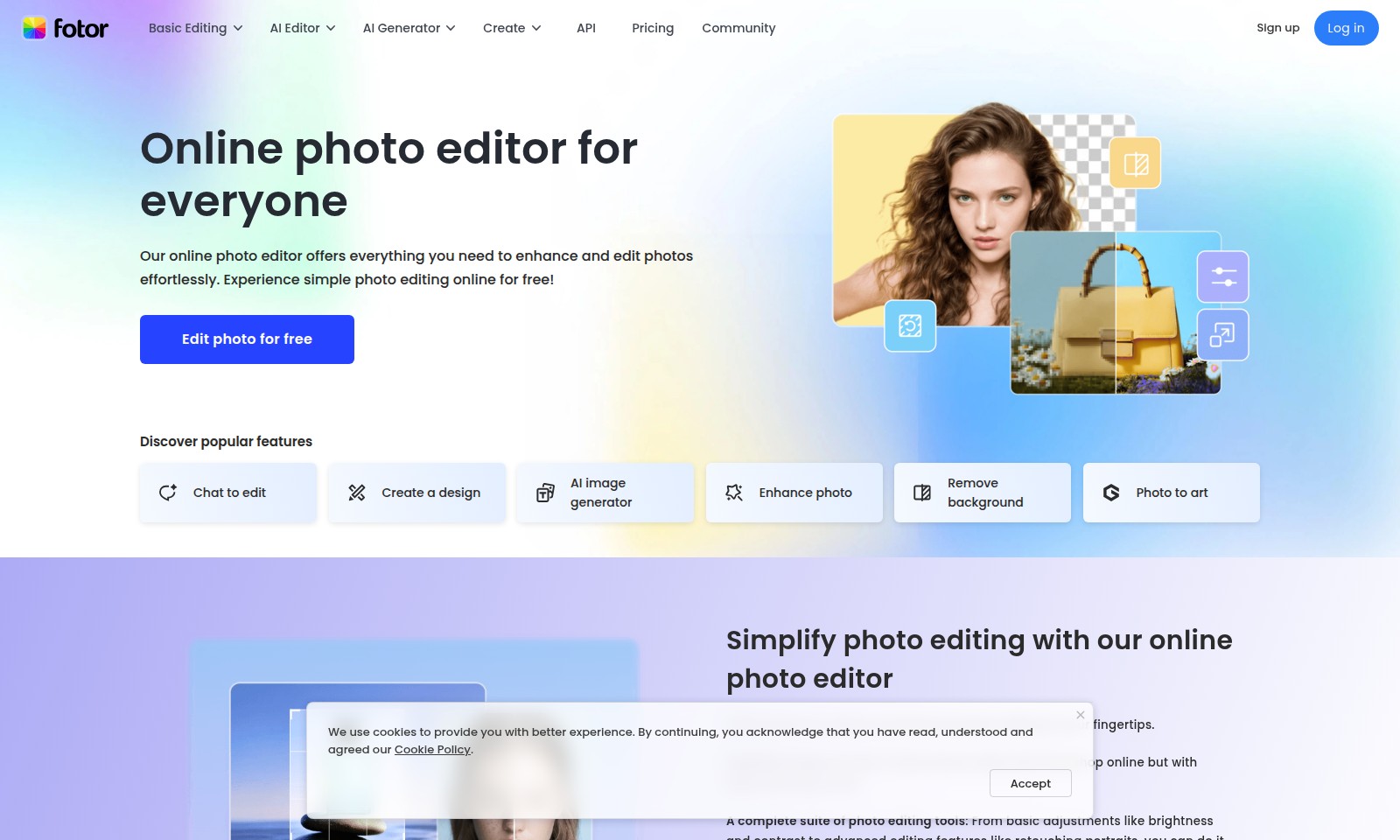
Fotor Introduction
Enhance Your Images with Our Online Photo Editor
Our online photo editor provides a comprehensive suite of tools designed for both beginners and seasoned professionals to enhance and edit images effortlessly, all from the convenience of your web browser. With straightforward navigation and powerful features, you can transform your photos into stunning visuals without the need for extensive training or complicated software installations.
Fotor Features
Basic Editing - User-Friendly Interface
Our basic editing tools allow users to perform essential adjustments with ease. Experience intuitive controls that make photo enhancement efficient for anyone, regardless of skill level.
AI Editor - Intelligent Editing Solutions
Harness the power of artificial intelligence to streamline your editing process. Our AI-powered editor automatically enhances images, saving users time by eliminating repetitive tasks.
AI Generator - Creative Image Creation
Generate stunning images seamlessly with our AI generator. Leverage cutting-edge algorithms to produce high-quality visuals tailored to your specific needs, ideal for marketers and content creators alike.
Create - Customizable Design Options
Create unique designs effortlessly using our platform. With a range of templates and intuitive tools, users can craft personalized visuals that stand out without needing extensive design experience.
API - Integrate with Ease
Our API allows for seamless integration with your existing workflows. Developers can easily access powerful editing features within their applications, enhancing functionality and user experience.
Pricing - Flexible Plans for Every User
Enjoy competitive pricing tailored to fit various needs and budgets. Our flexible plans provide users access to robust editing tools and features without breaking the bank.
Community - Supportive User Network
Join a thriving community of like-minded users sharing tips, techniques, and insights. Engage with fellow photo enthusiasts to enhance your skills and make the most of our editing tools.
Frequently Asked Questions About Fotor
Frequently Asked Questions
1. How can I start editing photos for free? You can easily edit photos for free by signing up on our website. Once registered, you will have access to all our essential editing features without any cost.
2. What features does your online photo editor offer? Our online photo editor includes tools for basic adjustments like brightness and contrast, advanced features such as retouching portraits, an AI image generator, background removal, and more. You can perform all necessary edits to enhance your images seamlessly.
3. Can I edit multiple photos at once? Yes, our batch photo editor allows you to edit multiple photos at once, saving you time and making the editing process more efficient.
4. Is your online photo editor user-friendly? Absolutely! Our powerful online photo editor is designed to be robust yet easy to use, making it accessible for both beginners and experienced editors alike. You don't need extensive training to get started!
5. What should I do if I encounter issues while editing? If you face any issues, you can reach out to our community support or access our help section for troubleshooting tips. We are dedicated to ensuring a smooth editing experience for you.
6. Is there a need for special software installation? No, our online photo editor runs in your web browser, so there is no need for any software installation. Just log in and start editing your photos instantly!
How to Use Fotor
Register for an Account
Visit our website and click on 'Sign up'. Fill in the required information to create your account. Make sure to use a valid email address for verification.
Verify Your Email
Check your inbox for a verification email. Click the link provided to verify your account. If you don't see it, check your spam folder.
Log in to Your Account
Return to the homepage and click on 'Log in'. Enter your email and password to access your account.
Set Up Your Profile
Once logged in, navigate to your profile settings. Fill out your personal information and add a profile picture if desired. This helps personalize your experience.
Explore the Dashboard
After setting up your profile, take a moment to explore the dashboard. Familiarize yourself with the layout and the available tools for photo editing.
Start Editing Photos
Select the 'Edit photo' option to upload an image. Use the various editing tools available to enhance your photo. Try adjusting brightness, contrast, and saturation for better results.
Use AI Features
Take advantage of our AI tools by selecting the 'AI Editor' or 'AI Generator'. These features can help streamline your workflow and enhance your creativity.
Save and Share Your Work
Once you’re satisfied with your edits, click 'Save'. You can also share your creations directly to social media or download them to your device.
Join the Community
Engage with other users by visiting the 'Community' section. Share tips, ask for feedback, and learn from others’ experiences.
Review Pricing Options
If you desire access to advanced features, check out our 'Pricing' page to understand the different plans available. Consider which option suits you best based on your editing needs.
Keep Learning
Continue to explore the new features and updates on our site. Utilize tutorials and guides available in our support section to enhance your skills further.
Reviews
Pros
- Easy to use
- Fast processing
- Great results
- Affordable pricing
Cons
- Limited free version
- Requires internet connection
Comments
No comments yet. Be the first to share your thoughts!
Fotor - Alternative Platforms
For some alternatives to Fotor that you may need, we provide you with sites divided by features.

Experience the ultimate video editing and conversion tool with UniConverter 17, featuring AI-driven enhancements for superior quality and speed.
Upscayl transforms low-resolution images into high-quality visuals using AI, available on cloud and desktop for easy access.
Shop Topaz Labs' Black Friday sale for discounts on image and video enhancement tools, trusted by professionals worldwide.
AI Image Enlarger uses advanced algorithms to enhance images while preserving quality. Free and paid options available for better performance.