Pixalice AI
Pixalice offers a powerful AI tool for generating high-quality images and videos from text or photos, featuring a vast style library and user-friendly interface.
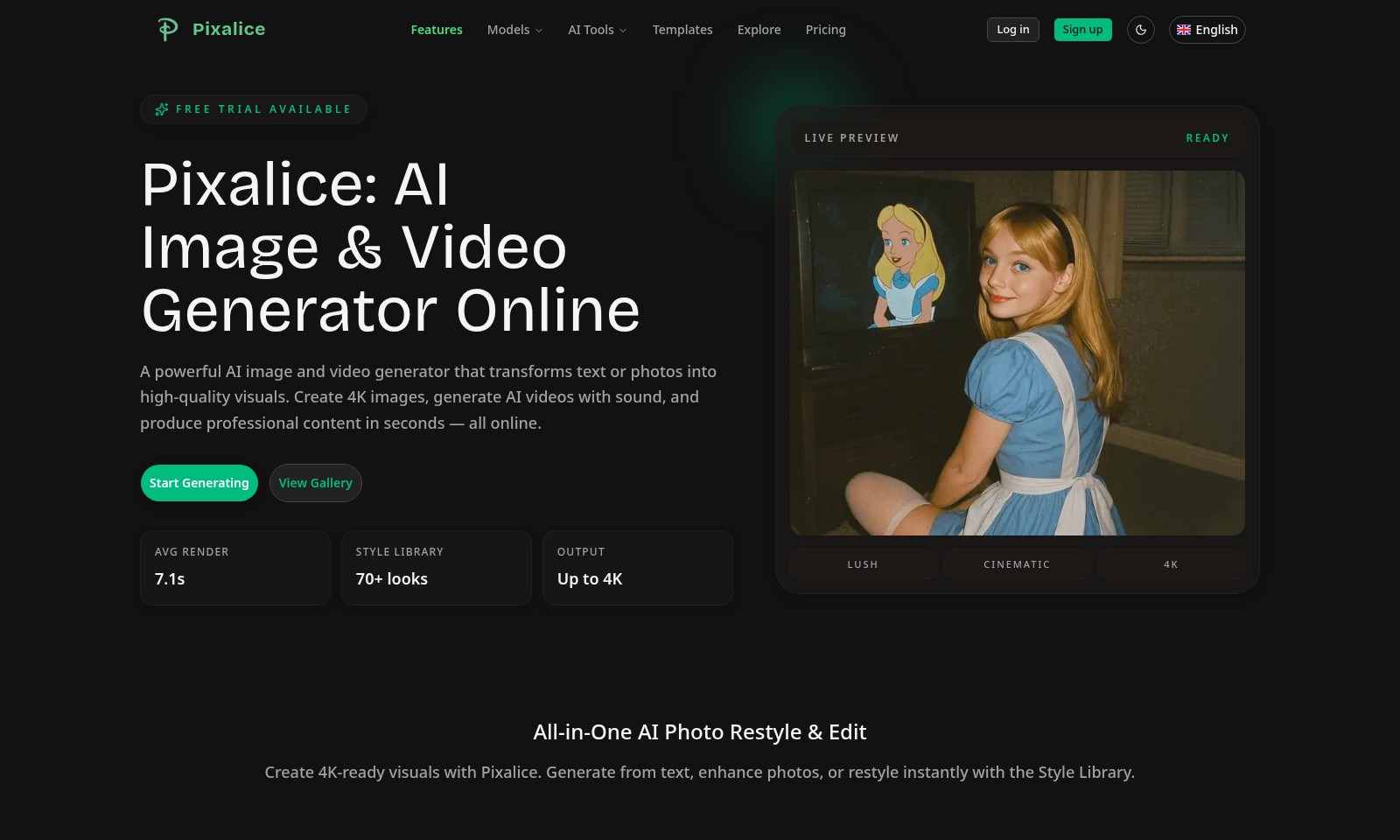
Pixalice AI Introduction
Pixalice: AI Image & Video Generator Online
Pixalice offers a cutting-edge platform for creating high-quality visuals. With its powerful AI image and video generator, users can seamlessly transform text or photos into stunning 4K graphics and engaging videos, all within seconds. The platform enables everyone—from amateur creators to seasoned professionals—to produce remarkable content effortlessly.
Pixalice AI Features
All-in-One AI Photo Restyle & Edit
Transform your creative process with Pixalice's All-in-One AI Photo Restyle & Edit feature. This tool allows you to create stunning 4K-ready visuals, whether you're generating images from text or enhancing existing photographs. With the option to restyle instantly using our diverse Style Library, your workflow becomes more efficient than ever. Just choose a style from over 70 presets and let Pixalice do the heavy lifting.
Instant Style Library Access
Quickly access a comprehensive Style Library featuring 70+ unique styles curated to inspire your creativity. Whether you're looking for 3D visuals, anime aesthetics, or fashionable avatars, each selection offers a deep well of inspiration. This feature not only saves you time but also ensures that your projects are aligned with current design trends.
High-Quality Output
Pixalice guarantees top-notch quality in output, with visuals rendered in stunning 4K resolution. This attention to detail ensures your content remains professional and visually appealing, catering to users who prioritize quality, whether for personal projects or commercial requirements. With our AI-driven capabilities, expect high-resolution results in seconds, enhancing both productivity and output quality.
Fast Rendering Time
Experience the magic of technology with an average render time of just 7.1 seconds. This rapid processing capability allows creatives to generate content quickly, making Pixalice an ideal choice for users working under tight deadlines. The swift output allows flexibility, enabling last-minute changes without the stress of prolonged waiting.
Live Preview Functionality
Utilize the Live Preview feature to visualize changes in real-time. This function allows users to see how their adjustments affect the overall look of the content, ensuring satisfaction before finalizing work. It fosters an interactive experience that encourages experimentation and creativity, crucial for designers looking to perfect their craft.
Versatile Use Cases
Pixalice's features are tailored to meet the needs of a broad audience, from social media influencers seeking visually engaging content to businesses looking for professional marketing materials. Its diverse functionalities encourage a wide range of creative possibilities, suitable for everything from digital art production to corporate presentation designs.
Frequently Asked Questions About Pixalice AI
Frequently Asked Questions (FAQs)
What is Pixalice?
Pixalice is an advanced online AI image and video generator that allows users to create high-quality visuals from text or photos. It enables users to produce professional-grade images and videos quickly, transforming ideas into 4K content within seconds.
How does the free trial work?
New users can explore Pixalice with a free trial that grants access to a limited number of features and templates. This gives users a chance to experience the platform's capabilities in generating stunning visuals before committing to a paid plan.
What types of visuals can I create with Pixalice?
With Pixalice, users can create a variety of visuals, including 4K images, AI-generated videos complete with sound, and edited photos. The platform boasts a Style Library with over 70 preset looks, allowing for endless creative possibilities.
Are there any specific system requirements to use Pixalice?
As a cloud-based platform, Pixalice requires only a stable internet connection and a compatible web browser. This means users can generate content from virtually any device without needing high-end hardware.
What is the average rendering time for visuals on Pixalice?
The average render time for images and videos generated on Pixalice is approximately 7.1 seconds. This swift processing enhances user experience, allowing for quick iterations and instant creative output.
Can I edit my visuals after generating them?
Absolutely! Pixalice offers an all-in-one photo restyle and editing feature that allows users to refine their visuals post-creation. Users can adjust elements within the images or videos to better suit their needs and preferences.
How to Use Pixalice AI
Register for an Account
To begin your journey with Pixalice, visit the website and click on the 'Sign up' button. Fill in your details, including your email and a secure password. After completing your registration, confirm your email address to activate your account.
Log In to Your Account
Once registered, click on the 'Log in' button. Enter your email and password to access your account. If you forget your password, use the 'Forgot password?' link to reset it.
Set up Your Profile
After logging in, navigate to the profile settings. Here, you can upload a profile picture, fill in your personal information, and adjust your preferences. Completing your profile helps personalize your experience on Pixalice.
Explore AI Tools
Once your profile is set, dive into the features offered by Pixalice. Go to the 'AI Tools' section where you can create 4K images and videos. Familiarize yourself with the different tools available and how they can assist you in generating stunning visuals.
Choose a Style from the Style Library
To create unique visuals, access the Style Library. Select from over 70 styles, such as Anime, Fashion, or Art. This step allows you to apply your chosen style to your project, making customization easy and fun.
Generate Your First Image
With your style selected, return to the main generation page. Input your text or upload a photo and select the desired settings, including output resolution. Click 'Start Generating' and watch as Pixalice transforms your input into a high-quality visual.
Edit and Restyle Your Images
If you need adjustments, use the editing tools available. You can enhance your image, apply effects, or restyle using the Style Library. Make edits until you are satisfied with the results, ensuring your image meets your expectations.
Create a Video with Sound
Explore the video generation feature by selecting it from the AI Tools section. Similar to image generation, you can input text or photos to create videos. Make sure to add sound to enhance your video experience.
Save and Share Your Creations
After generating images or videos, remember to save your works to your gallery. Use the viewing options to showcase your creations. You can also share them directly on social media platforms to reach a wider audience.
Reviews
Pros
- Easy to use
- Fast processing
- Great results
- Affordable pricing
Cons
- Limited free version
- Requires internet connection
Comments
No comments yet. Be the first to share your thoughts!
Pixalice AI - Alternative Platforms
For some alternatives to Pixalice AI that you may need, we provide you with sites divided by features.

Yevideo is an all-in-one platform for AI-generated videos and images, offering various models for enhanced creativity and efficiency.
Easily generate dancing pet videos or GIFs by uploading photos and choosing templates, perfect for social media sharing.
MojoMake offers advanced AI tools for video and image creation, providing commercial rights and professional quality, all in one platform.
Kive enables fast, accurate visual content creation, helping brands produce high-end marketing assets with ease.