Crayo AI
Crayo empowers users to create viral-ready clips swiftly, offering AI voiceovers, video editing, and tools for various content styles, helping creators keep up with trends.
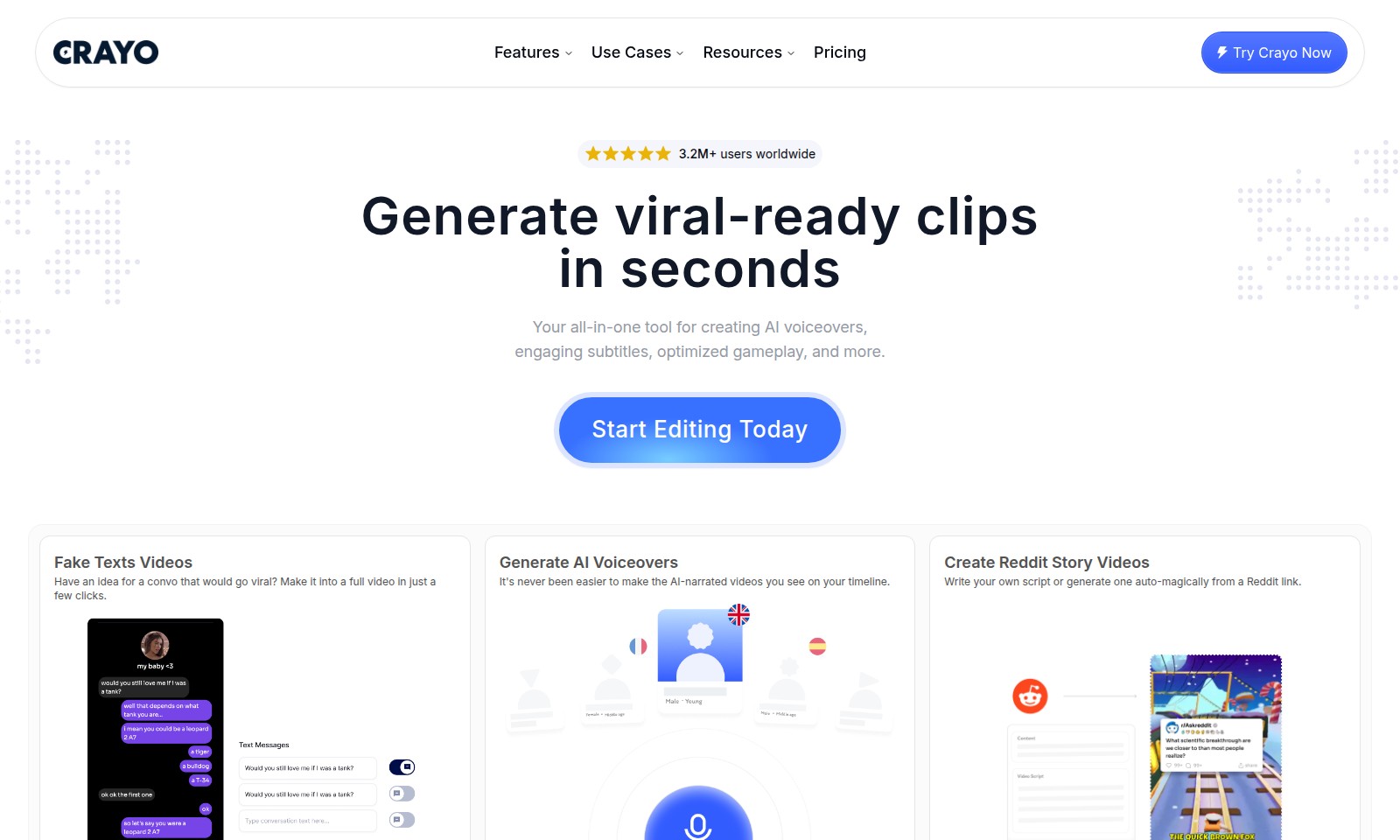
Crayo AI Introduction
Unlock Your Creative Potential with Crayo
Crayo is your ultimate all-in-one tool designed to revolutionize the way you create content. With a diverse range of features, it empowers users to generate viral-ready clips in mere seconds. Whether you're looking to produce engaging AI voiceovers, dynamic subtitles, or optimized gameplay videos, Crayo consolidates everything you need into one powerful platform.
Crayo AI Features
Fake Texts Videos - Turn Ideas into Viral Content
Transform engaging conversation ideas into fully produced videos with just a few clicks. Our streamlined process allows you to quickly create stunning visuals that captivate audiences and boost engagement.
Generate AI Voiceovers - Effortless Narration
Create professional-quality AI-narrated videos effortlessly. Our advanced voice synthesis technology enables lifelike narration in seconds, ensuring your content stands out with clear, engaging audio.
Create Reddit Story Videos - From Script to Screen
Easily turn Reddit discussions into compelling videos, enhancing viewer retention and interaction. Our platform can auto-generate scripts from Reddit links, making it simple to keep your content fresh and relevant.
Create Split-Screen Videos - Dual Perspectives
Enhance your storytelling by using split-screen functionality to juxtapose your clips with premium gameplay. This feature not only boosts engagement but also allows for creative storytelling techniques that resonate with your audience.
Background Music Remover - Clear Audio Focus
Seamlessly remove unwanted background music from your audio and video files. Ensure that your content maintains a professional audio quality, making it easier for viewers to focus on the core message without distractions.
AI Vocal Remover - Clean Up Your Sound
Upload your audio or video files effortlessly and let our AI technology remove vocals. This feature is perfect for creators looking to repurpose tracks or enhance their educational content by providing clear audio without original vocals.
Streamer Video - Capture the Essence of Streaming
Create engaging, viral-ready content tailored for streamers. Our platform is designed to bring the excitement of live streaming to your edited videos, appealing to both gamers and content creators alike. Start reaching a wider audience today.
Frequently Asked Questions About Crayo AI
FAQs
Q1: What features does Crayo offer for creating videos?
Crayo provides a variety of features for video creation, including AI voiceovers, engaging subtitles, and the ability to generate viral-ready clips in seconds. It also supports creating split-screen videos that showcase gameplay alongside other clips.
Q2: How can I generate AI voiceovers for my videos?
Creating AI voiceovers with Crayo is simple and user-friendly. You can either upload your script or let our platform generate one for you. The tool will narrate your content with natural-sounding voices, making your videos more engaging.
Q3: Is it possible to remove background music from my videos?
Yes, Crayo includes a background music remover feature that allows you to eliminate any unwanted music from your audio or video files. Just upload your content, and the AI will take care of the rest.
Q4: Can I create Reddit story videos?
Absolutely! Crayo enables users to create Reddit story videos by writing their own scripts or auto-generating them from a Reddit link. This feature is ideal for converting trending Reddit posts into engaging video content.
Q5: How does Crayo help with trending content?
Crayo is designed to help you keep up with current trends by allowing you to generate viral-ready clips quickly. By utilizing popular themes and formats, you can enhance your chances of going viral and increasing your audience engagement.
Q6: What pricing plans are available for using Crayo?
Crayo offers several pricing plans to cater to different users, from casual content creators to professional streamers. Check our pricing page for details on subscription plans and their respective features.
How to Use Crayo AI
Register Your Account
Create an account by visiting our website and clicking on the 'Sign Up' button. Fill in the required details such as your email and password to get started.
Confirm Your Email
Check your inbox for a confirmation email. Click on the provided link to verify your account and gain full access to all features.
Set Up Your Profile
Once logged in, navigate to your profile settings. Upload a profile picture and provide additional information to enhance your user experience.
Explore Key Features
Familiarize yourself with the various features available. From AI voiceovers to video editing tools, take some time to explore what you can create.
Create Your First Video
Start building your first project by selecting a feature. For instance, try the 'Generate AI Voiceovers'. Upload your script or use a text template to create engaging videos.
Edit Your Video
Utilize the editing tools such as adding subtitles and removing background music. Experiment with different options to perfect your video.
Download Your Creation
Once satisfied, download your video directly from the platform. Choose the appropriate file format and resolution for your needs.
Share Your Video
Distribute your finished product by sharing it on social media platforms like TikTok and YouTube. Use the built-in options to make sharing seamless.
Keep Up with Trends
Stay updated with trending topics and utilize these insights to create viral content. Explore resources provided on the site to learn more about popular themes.
Reviews
Pros
- Easy to use
- Fast processing
- Great results
- Affordable pricing
Cons
- Limited free version
- Requires internet connection
Comments
No comments yet. Be the first to share your thoughts!
Crayo AI - Alternative Platforms
For some alternatives to Crayo AI that you may need, we provide you with sites divided by features.

Kovvid AI offers a user-friendly platform for generating AI images and videos, with the ability to compare multiple models in one place.
Discover the advanced AI tools at MakeShot.ai for creating stunning videos and images with a limited-time 50% discount.
Photo Animate allows users to easily animate photos to video using AI, creating realistic movements for portraits and cherished memories.
Image to Video AI allows quick, high-quality video creation from images, integrating with tools like Google Chrome and Figma for seamless workflows.