TabliSync: PDF/Image to Excel AI
TabliSync offers AI-driven OCR technology for instant conversion of images and PDFs to structured Excel data, enhancing productivity and accuracy.
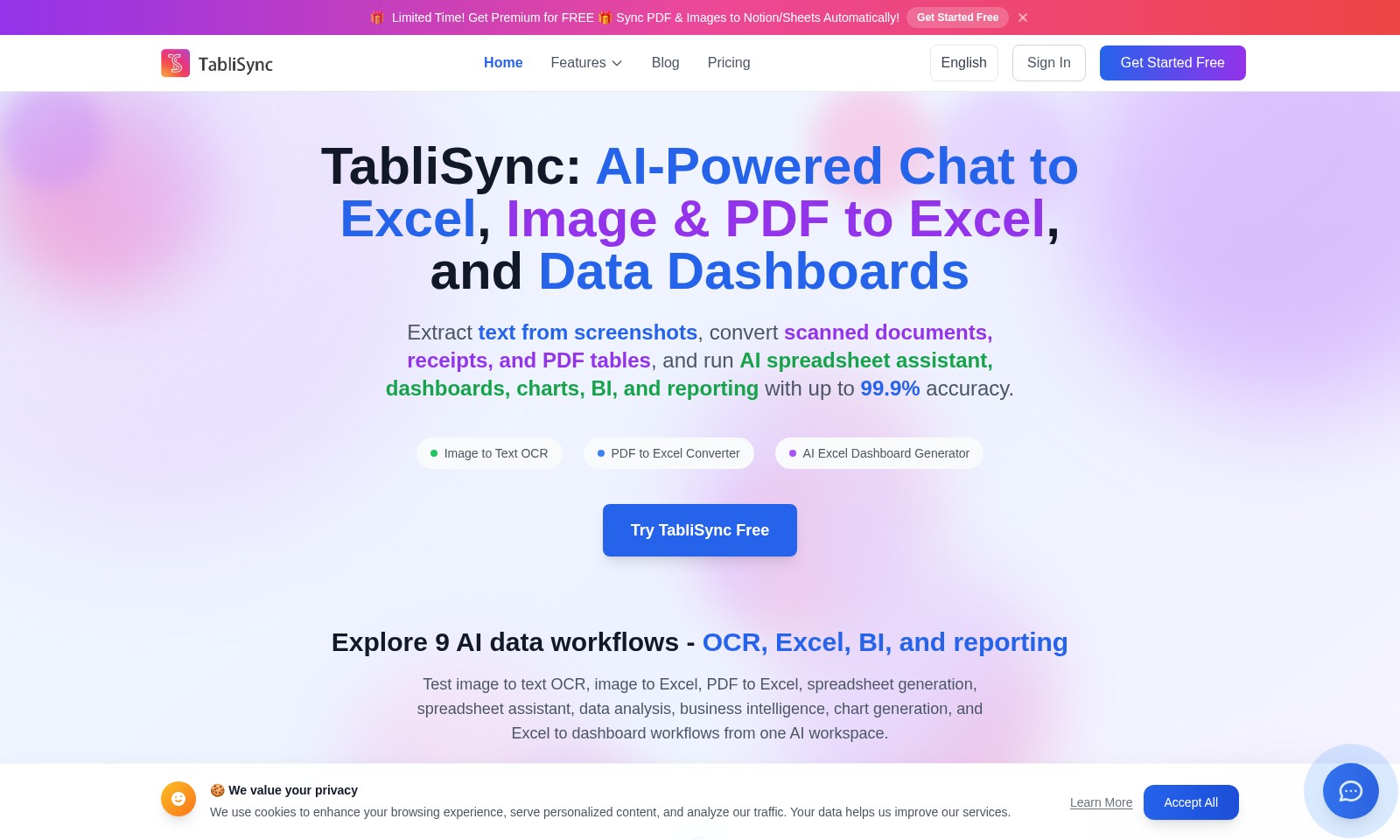
TabliSync: PDF/Image to Excel AI Introduction
TabliSync: Revolutionizing Data Management
TabliSync empowers users with cutting-edge AI tools, allowing seamless transformation of documents and images into actionable data. Our innovative platform offers robust features such as advanced OCR for text extraction, efficient PDF to Excel conversion, and comprehensive dashboard capabilities for business intelligence.
TabliSync: PDF/Image to Excel AI Features
Image to Text OCR - Effortlessly Convert Images to Editable Text
Utilize our advanced OCR technology to extract text from images, making document management seamless. With 99.9% accuracy, it captures every detail, ensuring no information is lost during conversion.
PDF to Excel Converter - Transform PDFs into Usable Data
Unlock the potential of your PDF documents by converting them into fully editable Excel sheets. This feature provides a user-friendly interface and rapid processing, catering to professionals who require fast and accurate data extraction.
AI Excel Dashboard Generator - Visualize Your Data Effectively
Our AI-powered dashboard generator allows you to create dynamic dashboards without complex spreadsheet manipulations. By synthesizing data from various sources, it presents actionable insights for informed decision-making.
AI-Powered Spreadsheet Assistant - Enhance Your Excel Experience
Experience a smarter way to manage your spreadsheets with our AI assistant, designed to provide real-time suggestions and automate repetitive tasks. This tool is tailored for users looking to optimize their workflow and improve productivity.
Comprehensive Data Analysis - Make Informed Decisions
Leverage our data analysis capabilities to uncover trends and insights from your datasets. The built-in business intelligence features enable visualization of data, empowering stakeholders to make evidence-based decisions quickly.
Frequently Asked Questions About TabliSync: PDF/Image to Excel AI
Frequently Asked Questions
Q1: What is TabliSync, and how can it benefit me?
TabliSync is an AI-powered tool that allows you to convert images and PDFs into Excel spreadsheets seamlessly. It offers OCR capabilities to extract text from screenshots and scanned documents with up to 99.9% accuracy, which can significantly enhance your productivity and data management.
Q2: How does the image to text OCR feature work?
The image to text OCR feature uses advanced algorithms to analyze images and extract readable text. Simply upload a screenshot or any image containing text, and TabliSync will convert it to an editable format, making it easier for you to manipulate and analyze data.
Q3: Can I really convert PDFs to Excel with TabliSync?
Yes, TabliSync allows you to convert PDF documents directly into Excel spreadsheets. This feature is particularly useful for transforming tables and data from reports or receipts into a format that is easier to work with, streamlining your workflow and saving time.
Q4: Are there any limitations to the free version of TabliSync?
The free version of TabliSync allows you to explore its core functionalities, including basic PDF and image conversions. However, to access premium features like advanced data analytics and enhanced OCR capabilities, you may need to upgrade to a paid plan.
Q5: How do I get started with TabliSync?
Getting started is easy! You can sign up for a free account on our website. After signing up, you can start using our features immediately, including the ability to sync your PDFs and images directly to platforms like Notion and Sheets, maximizing your productivity!
Conclusion
If you have more questions or need additional assistance, feel free to reach out through our support channels. We're here to help you make the most out of your data management tasks!
How to Use TabliSync: PDF/Image to Excel AI
Step 1: Register for an Account
Go to the TabliSync website and click on 'Get Started Free'. Fill out the registration form with your email and create a password. Check your email for a confirmation link and complete the registration process.
Step 2: Sign In
After registration, return to the TabliSync homepage. Click on 'Sign In' and enter your email and password to access your dashboard.
Step 3: Set up your Profile
Once logged in, navigate to the profile settings. Add your name, a profile picture, and any other relevant details to personalize your account.
Step 4: Familiarize Yourself with the Dashboard
Take a moment to explore the dashboard interface. Notice the various features like Image to Text OCR, PDF to Excel Converter, and the AI Excel Dashboard Generator available at your fingertips.
Step 5: Upload Your First Document
To utilize the Image to Text OCR feature, click on the designated upload area. Select an image or PDF file from your computer and wait for the processing to complete.
Step 6: Explore AI-Powered Features
After uploading, use the tools provided to convert your documents, extract text, or generate Excel spreadsheets. Experiment with the dashboard functionalities to see how AI can assist you in data management.
Step 7: Utilize the Analytics Tools
Navigate to the Analytics section of your dashboard. Here, you can create charts and reports based on the data extracted from your documents. Click on 'Generate Report' to visualize your data insights.
Step 8: Join the Community
Visit the TabliSync blog and feedback sections to learn more from other users. Get tips and share experiences on maximizing the use of the platform.
Step 9: Upgrade to Premium (Optional)
If you’re enjoying the features, consider upgrading to premium for expanded options. Click on 'Pricing' to view the benefits of premium membership.
Reviews
Pros
- Easy to use
- Fast processing
- Great results
- Affordable pricing
Cons
- Limited free version
- Requires internet connection
Comments
No comments yet. Be the first to share your thoughts!