Tiptap
Tiptap offers an AI Toolkit for creating document-editing agents, featuring templates, collaboration tools, and extensive customizability.
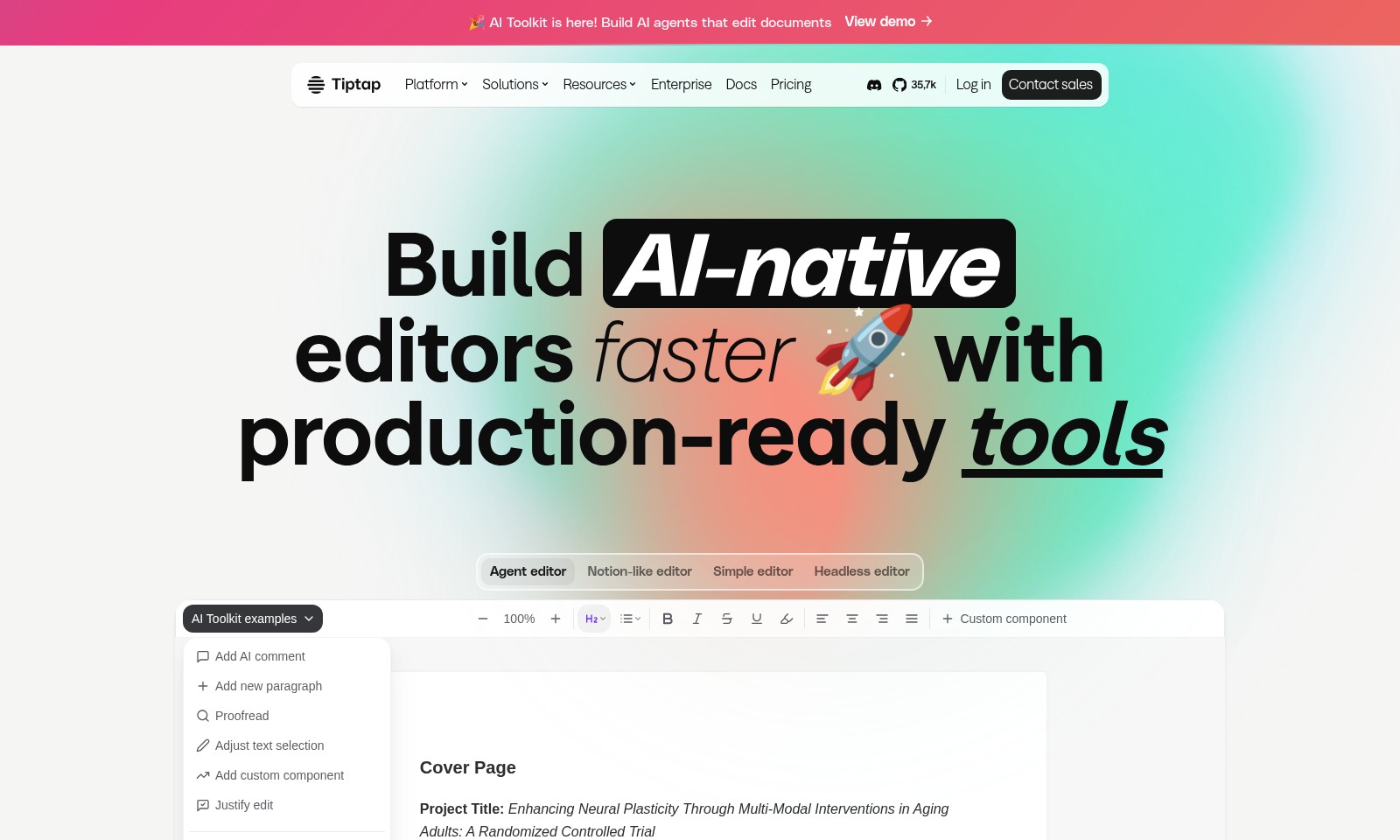
Tiptap Introduction
AI Toolkit: Transforming Document Editing
The AI Toolkit offers cutting-edge solutions for building AI agents capable of editing documents. With our platform, users can harness the power of advanced editing tools, enabling seamless workflows and enhanced document management.
Tiptap Features
AI Toolkit - Enhanced Document Editing Efficiency
Build AI agents that elevate your document editing experience. This innovative feature allows users to create chatbots, proofreaders, or multi-document workflows with real-time streaming capabilities.
Agent Editor - Streamlined User Experience
The Agent Editor provides a Notion-like interface that simplifies the editing process. Users can seamlessly navigate and format their documents, resulting in increased productivity and user satisfaction.
Tiptap Platform - Customizable Editor Framework
With over 100+ extensions and features, the Tiptap Platform empowers users to create editors tailored to their specific needs. This flexibility ensures that your editing tool is aligned with your workflow and user preferences.
Conversion Tool - Effortless File Management
Importing and exporting documents has never been easier. The one-click conversion tool supports DOCX, ODT, and Markdown formats, making compatibility with existing user workflows a breeze.
Collaboration Features - Real-time Engagement
Enable real-time collaboration with built-in functionalities. Teams can work together efficiently on documents, sharing edits and feedback seamlessly, fostering a more productive environment.
Frequently Asked Questions About Tiptap
Frequently Asked Questions
What is the AI Toolkit and how can it help me?
The AI Toolkit allows you to build AI agents that can edit documents efficiently. With features like real-time streaming and context-aware selections, it simplifies the process of document management, making it perfect for users looking to enhance productivity.
Can I try the AI Toolkit for free?
Yes, you can try the AI Toolkit for free! Take advantage of our free trial to explore its features and see how it can benefit your workflow before committing to a purchase.
What kind of document formats does the Toolkit support?
The AI Toolkit supports importing and exporting popular document formats such as DOCX, ODT, and Markdown. This ensures compatibility with documents you and your team are already using, facilitating a seamless transition.
Are there any collaboration features included?
Absolutely! The Toolkit provides collaboration features through integrations that allow multiple users to work on documents simultaneously. This includes real-time editing and track-changes functionalities, enhancing teamwork.
Can I create custom editors using Tiptap?
Yes! Tiptap is a headless editor framework that enables you to create custom editors tailored to your needs. You can integrate over 100 extensions and functionalities, including AI agents, to design the perfect user experience.
How do I get support if I encounter issues?
You can access our support resources by viewing the documentation or contacting our sales team for assistance. Additionally, there is a vibrant community on Discord where you can connect with other users for advice and help.
How to Use Tiptap
Step 1: Register an Account
To begin your journey with the AI Toolkit, head to the registration page. Fill in the required fields with accurate information to create your account and enjoy the full benefits of the platform.
Step 2: Verify Your Email
Check your email inbox for a verification message. Click on the verification link provided in this email to activate your account. This step is crucial to ensure the security of your profile.
Step 3: Log In to Your Account
Once your email is verified, return to the website and log in using your credentials. This will direct you to your dashboard, where you can access various features of the AI Toolkit.
Step 4: Set Up Your Profile
Now that you are logged in, navigate to your profile settings. Here, fill out essential details, including your name and preferences. This personalization helps tailor your experience and makes it more enjoyable.
Step 5: Explore the Dashboard
Take some time to familiarize yourself with the dashboard layout. You will see key sections like 'Agent Editor', 'Notion-like Editor', and more. Understanding the layout will enhance your ability to navigate through the tools effectively.
Step 6: Choose the Editor Type
Decide on the type of editor you want to use. Whether it’s the agent editor for advanced features or the simple editor, select one that suits your needs best. Each offers unique capabilities to enhance your editing experience.
Step 7: Create Your First Document
Start creating your first document by clicking on the respective editor. Begin adding text, using formatting tools, and leveraging AI features to streamline your document editing process.
Step 8: Utilize AI Features
Take advantage of AI Toolkit's functionalities like chatbots and proofreaders. Implement real-time streaming and track-changes for collaborative editing. These features will considerably improve your workflow.
Step 9: Save and Export Your Work
Once you are satisfied with your document, save your work. Also, explore the import/export options to save your documents in formats like DOCX or Markdown. This ensures that your work is accessible and shareable.
Step 10: Join the Community
Don’t hesitate to join our Discord community. Engage with other users, share tips, and stay updated on the latest features. Being part of the community enhances your learning experience and provides support.
Step 11: Access Documentation
For detailed guidance and FAQs, visit our documentation section. This resource is invaluable for troubleshooting issues and discovering advanced features of the AI Toolkit.
Reviews
Pros
- Easy to use
- Fast processing
- Great results
- Affordable pricing
Cons
- Limited free version
- Requires internet connection
Comments
No comments yet. Be the first to share your thoughts!
Tiptap - Alternative Platforms
For some alternatives to Tiptap that you may need, we provide you with sites divided by features.

AssemblyAI offers robust Voice AI models to enable innovative voice applications, ensuring top-notch accuracy and seamless scalability for developers.
Explore the platform for creating customizable AI companions, avatars, and agents that enhance business processes with full control and zero fees.
Vana is an open network for user-owned data, enabling individuals to trade data tokens, access real datasets, and build data collectives.
Learn to utilize Spice for AI applications with Amazon S3 integration, featuring efficient SQL federation and hybrid search capabilities.