floor plan generator
BuildFloorPlan is an AI tool for generating and refining floor plans from various inputs, ideal for early planning and layout discussions.
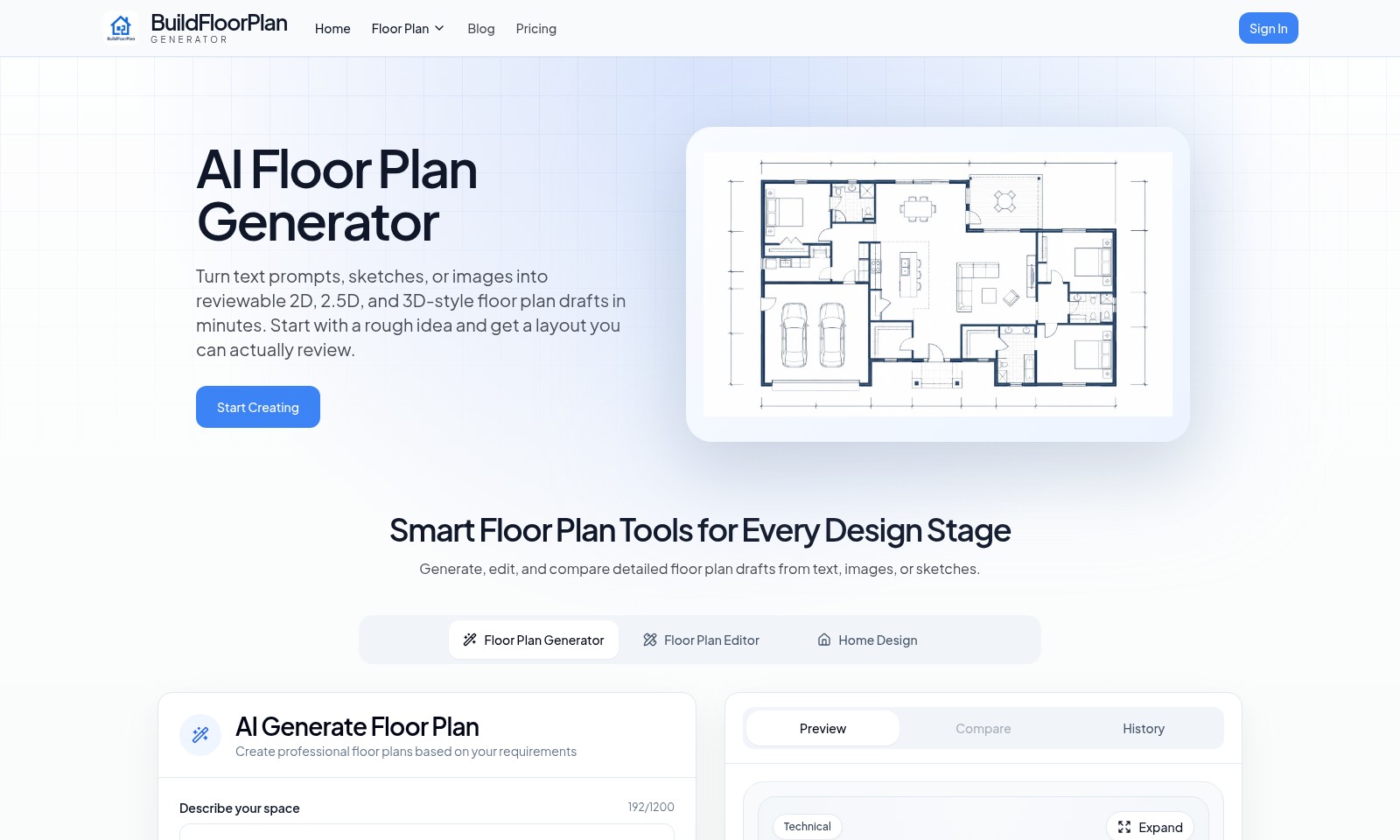
floor plan generator Introduction
Unleashing Your Creativity with BuildFloorPlan
BuildFloorPlan is an innovative platform that empowers users to create detailed floor plans effortlessly. With a user-friendly interface, our AI-driven technology allows you to transform your concepts, sketches, or images into professionally designed 2D, 2.5D, and 3D floor plans in just minutes. Whether you're an architect, interior designer, or a homeowner looking to visualize your space, BuildFloorPlan provides the necessary tools to bring your ideas to life.
floor plan generator Features
AI Floor Plan Generator - Efficient Planning
Transform your ideas into detailed floor plans in minutes with our AI-powered generator. This feature allows users to start from a rough sketch or text description and quickly produce high-quality 2D, 2.5D, or 3D floor plan drafts.
Smart Editing Tools - Flexibility in Design
Adjust your floor plans effortlessly with our smart editing tools. Users can compare different iterations and refine their designs based on specific preferences and needs, ensuring optimal results every time.
User-Centric Design - Tailored Spaces
Our platform is designed with the end-user in mind. Whether you are designing an apartment, office, or restaurant, our tools allow for the customization of layouts that suit unique requirements and styles.
Comprehensive Style Options - Visual Appeal
Choose from a variety of style options including clean 2D and dynamic 3D views. This differentiation enhances the user's ability to visualize their projects, making it easier to communicate ideas effectively.
In-Depth Comparison Features - Informed Decisions
With our comparison feature, users can evaluate multiple designs side by side. It allows for informed decision-making by highlighting the differences in layout and style, which is critical for designers and architects who aim for precision.
Adaptive Aspect Ratios - Versatile Usability
Our platform supports multiple aspect ratios to suit different project needs, ensuring that the generated plans are adaptable for various applications, from presentations to construction documents. This versatility caters to the diverse needs of our target audience.
Initial Free Generations - Cost-Effective Start
Get started without any commitment! Users can create a free account to access two free generations, allowing them to explore our features without any financial risk. This encourages trial and adoption among new users.
Frequently Asked Questions About floor plan generator
FAQs about BuildFloorPlan
1. How does the AI floor plan generator work?
Our AI floor plan generator takes your text prompts, sketches, or images and quickly converts them into actionable 2D, 2.5D, or 3D-style drafts. You simply input your ideas, and the AI helps create a layout that you can review and iterate upon.
2. Can I create floor plans for various types of buildings?
Yes, you can generate floor plans for different types of spaces including apartments, houses, offices, restaurants, and warehouses. Each type has tailored options that you can choose from to better suit your design needs.
3. Do I need professional design skills to use BuildFloorPlan?
No, you do not need any prior experience or design skills. Our platform is user-friendly and designed for anyone looking to create a floor plan quickly and easily. You can describe your space in simple terms, and the AI will guide you through the process.
4. Is there a free trial available?
Yes, you can create a free account and receive 2 free generations of floor plans. This allows you to test our services without any initial investment and see how the AI can assist you in your design projects.
5. Can I edit the floor plans after they are generated?
Absolutely! You can edit the generated floor plans using our Floor Plan Editor tool. This feature allows you to customize layouts to better meet your specifications, ensuring you get the exact design you’re looking for.
6. What formats do the generated floor plans come in?
The output from our generator can be downloaded in various formats, such as PDF or image files. This makes it easy to share your plans with others or incorporate them into presentations.
How to Use floor plan generator
Create Your Free Account
Start by clicking the 'Sign In' button on the home page. Choose the option to create a new account and fill in your details: email, password, and any additional required information. This account will allow you to save your projects and access features later.
Set up Your Profile
Once registered, navigate to your profile settings. Add details about your design preferences and interests. This helps the platform tailor suggestions for your floor plans effectively.
Explore the Generator
Go to the AI Floor Plan Generator section. Here, you'll find options to start creating your floor plan using text prompts, sketches, or images. Familiarize yourself with the layout and available tools.
Describe Your Space
Use the provided prompts to describe your desired space. Indicate the type of facility (like a house, apartment, or office) and any specific dimensions or features you require.
Choose Your Style
Select the style of the floor plan you want. Options include Clean 2D, 2.5D, Visual top-down, or 3D. Each style offers a different perspective, so pick one that fits your needs.
Set Aspect Ratio
Determine the aspect ratio for your floor plan. Choices include 16:9, 4:3, or 1:1, among others. The aspect ratio will affect how your design appears in the final draft.
Generate Your Floor Plan
After setting all parameters, click on the 'Start Creating' button. The AI will process your inputs and create a draft floor plan based on your specifications. Review the generated plan closely.
Edit Your Floor Plan
Use the Floor Plan Editor to make any necessary adjustments. You can add walls, change layouts, or simply refine design elements until it meets your standards.
Compare Drafts
If you’ve generated multiple plans, utilize the 'Compare' feature to evaluate different drafts. This helps identify which layout works best for your needs.
Save Your Work
Once satisfied with your design, be sure to save your project. Use the history feature to track changes or revert to previous versions if needed.
Utilize Key Features
Explore additional features such as generating renderings, exporting plans, or sharing your designs with others. Each tool is designed to enhance your floor planning experience.
Reviews
Pros
- Easy to use
- Fast processing
- Great results
- Affordable pricing
Cons
- Limited free version
- Requires internet connection
Comments
No comments yet. Be the first to share your thoughts!
floor plan generator - Alternative Platforms
For some alternatives to floor plan generator that you may need, we provide you with sites divided by features.

AIImageToImage.ai is an online AI image editor that lets you upload images, describe your desired edits, and quickly generate transformed versions using advanced AI tools.
Editaimg is an AI-powered image editor that allows users to edit images with ease, featuring tools for background removal, object replacement, and more.
BookCoverAI allows authors to generate customized book covers effortlessly, supporting various publishing formats and styles.
AI Anime Generator allows users to create consistent anime characters, manage multi-project workflows, and generate animations from various inputs.