Coda
Coda is a versatile workspace designed for collaboration, offering tools and integrations to improve teamwork and efficiency across various roles and teams.
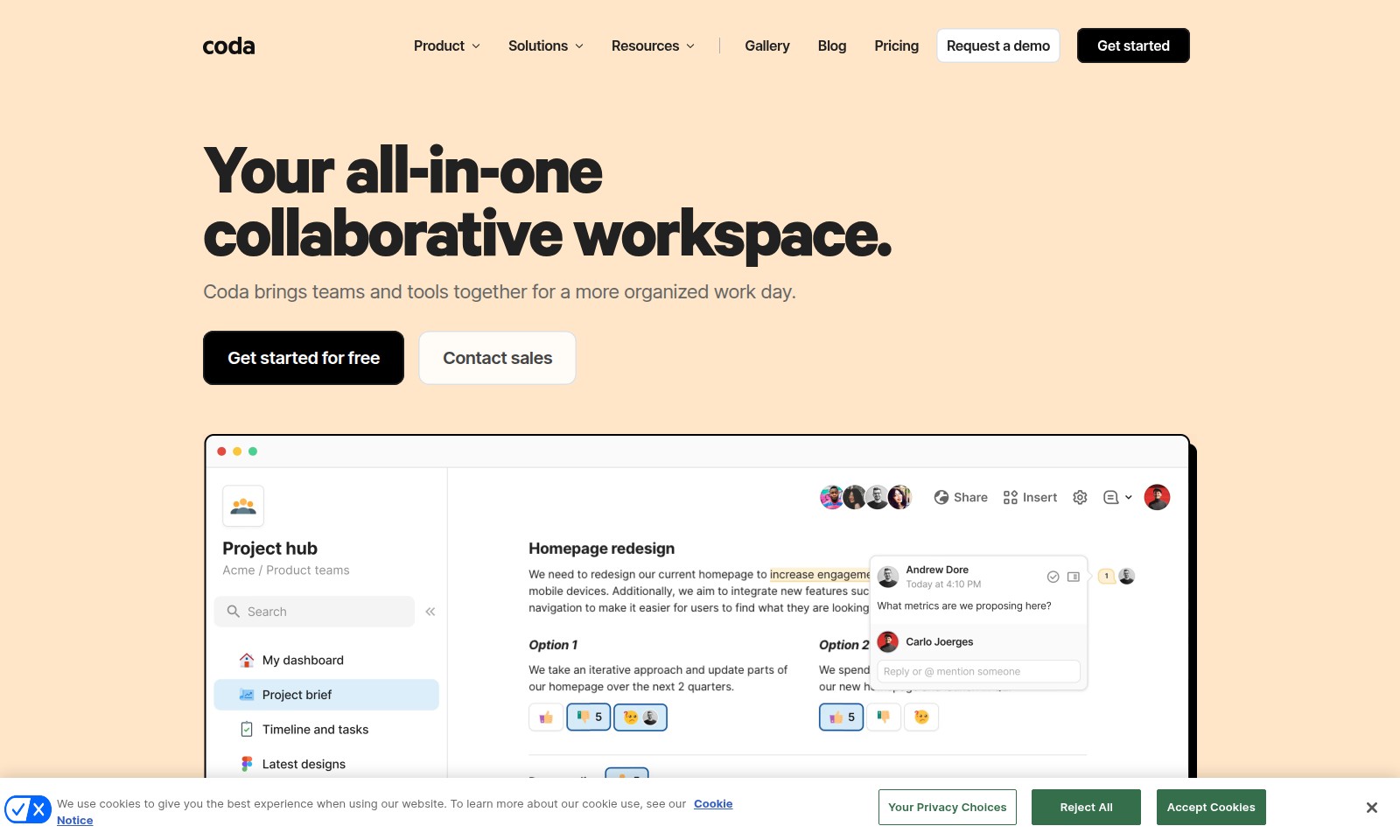
Coda Introduction
Your all-in-one collaborative workspace.
Coda brings teams and tools together for a more organized work day.
Coda Features
Collaboration Hub - Centralized Teamwork
Experience a truly coordinated workspace designed for teamwork. Coda integrates all your tools into one platform, enabling seamless collaboration across diverse teams.
User-Centric Design - Tailored for Efficiency
Coda's intuitive interface focuses on user experience, minimizing the learning curve for new team members. Its streamlined design allows for quick access to essential features, empowering users to maximize productivity from day one.
Robust Integrations - Unify Your Tools
Integrate with an extensive array of applications, allowing teams to consolidate their workflows. This feature minimizes the need for multiple software solutions, reducing overhead and streamlining operations.
Powerful Automation - Enhance Productivity
Utilize Coda's automation capabilities to simplify repetitive tasks. This functionality allows teams to allocate time to more strategic initiatives, significantly boosting overall efficiency.
Real-Time Collaboration - Instant Syncing
Coda brings your team together in real time, ensuring everyone stays on the same page. Collaborate effortlessly and make instant updates that reflect immediately across all viewing devices.
Analytics Dashboards - Data-Driven Insights
Leverage built-in analytics to monitor progress and make informed decisions. These dashboards present quantifiable metrics, helping teams gauge performance and align their strategies accordingly.
Customizable Templates - Quick Start
Kickstart projects with customizable templates designed for various scenarios. Coda’s templates cater to different roles and use cases, simplifying setup and enhancing focus on goals.
Frequently Asked Questions About Coda
FAQs about Coda
1. What is Coda and how can it help my team?
Coda is an all-in-one collaborative workspace that integrates various tools for enhanced productivity. By using Coda, teams can streamline their workflows, consolidate their tools, and foster better collaboration.
2. How does Coda compare to other tools like Notion or Airtable?
Coda offers unique features that differentiate it from Notion and Airtable, such as a more versatile document-editing environment and powerful integration capabilities. Users can build tailored solutions that fit their specific needs, making Coda a versatile option for various scenarios.
3. Can I try Coda for free?
Yes, Coda offers a free tier that allows users to explore its features and functionalities. This is an excellent way to assess how Coda can fit your team's needs before committing to a paid plan.
4. Is there customer support available if I have questions?
Absolutely! Coda provides a comprehensive help center, along with community forums where users can seek assistance. Additionally, you have the option to hire a services partner for more tailored support.
5. What types of organizations can benefit from using Coda?
Coda is designed for a wide range of users, including startups, small businesses, and enterprise teams. Its adaptability makes it suitable for various roles and project scenarios, whether it's project management, planning, or marketing.
6. How can I learn more about using Coda effectively?
Coda offers a variety of resources including guides, interactive sessions, and webinars to help users get the most out of the platform. Engaging with these resources can significantly enhance your team's efficiency with Coda.
How to Use Coda
Register an Account
Go to the registration page and fill in the required fields with your email and password. Ensure you use a strong password for security.
Confirm Your Email
Check your inbox for a confirmation email and click on the link provided. This step verifies your account and allows you to proceed to the next stage.
Set Up Your Profile
After verification, log into your account and navigate to your profile settings. Add your name, a profile picture, and any other relevant information to personalize your experience.
Explore the Dashboard
Familiarize yourself with the dashboard layout. Take a moment to hover over each section to understand the available tools and features at your fingertips.
Create Your First Document
Click on the 'New Document' button to start. This document will serve as your canvas to play around with various tools and integrations.
Invite Team Members
To collaborate, invite colleagues or team members to your document. Use the 'Share' feature to send out invitations via email, allowing them to join the project.
Utilize Key Features
Explore tools such as tables, charts, and integrations with other services. Start using these features to enhance your document and improve teamwork.
Reviews
Pros
- Easy to use
- Fast processing
- Great results
- Affordable pricing
Cons
- Limited free version
- Requires internet connection
Comments
No comments yet. Be the first to share your thoughts!
Coda - Alternative Platforms
For some alternatives to Coda that you may need, we provide you with sites divided by features.

Nuwa offers a platform for face search with clear photo guidelines, emphasizing user privacy and rewarding participation.
Our AI image detector analyzes photos in under 10 seconds to reveal if they are AI-generated, ensuring privacy and high accuracy.