Flick
Flick is an all-in-one social marketing platform, offering AI-driven tools for scheduling, hashtag research, and analytics to help brands grow.
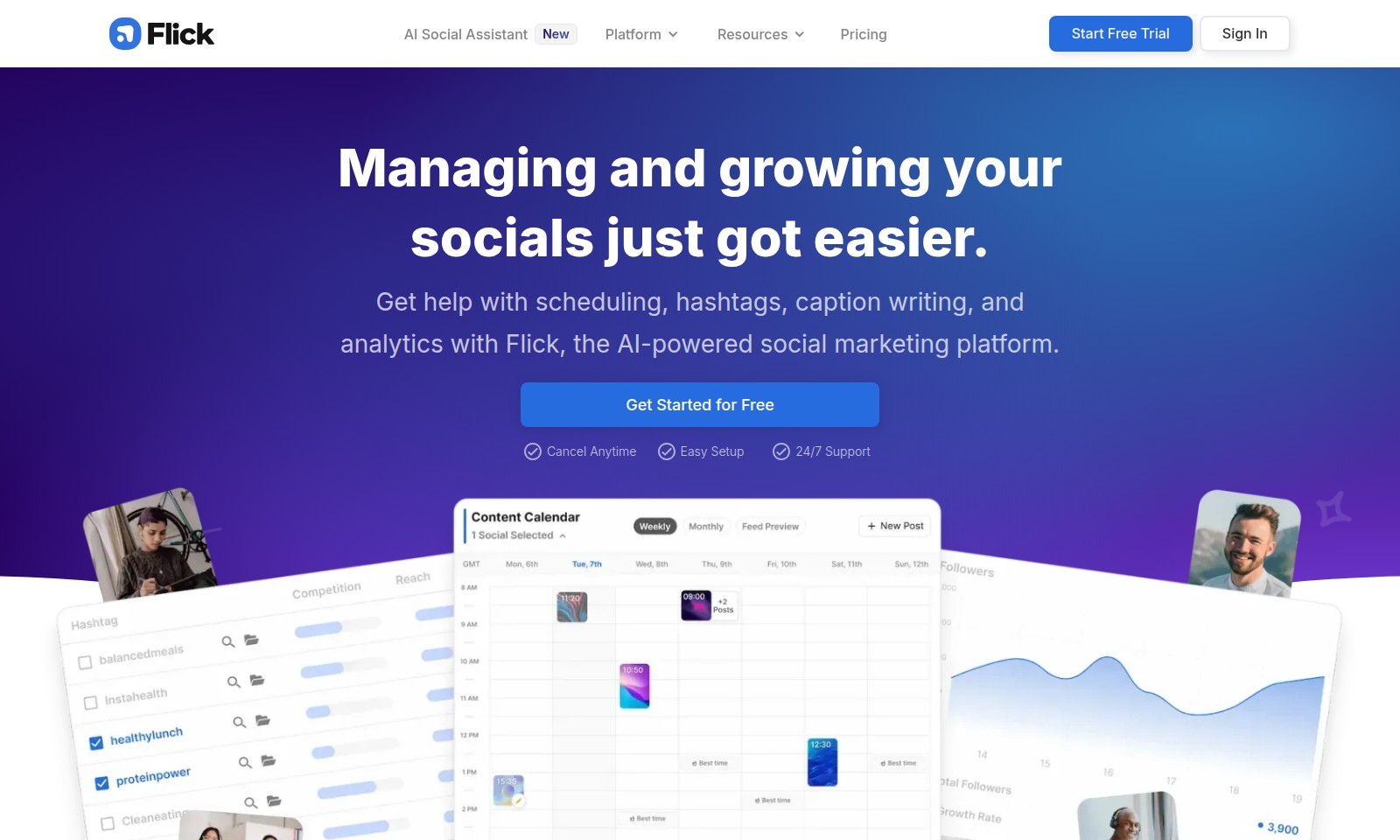
Flick Introduction
AI Social Assistant
Managing and growing your social presence has never been easier. With Flick, the AI-powered social marketing platform, you can streamline your social media tasks, from scheduling posts to analyzing performance metrics. Designed specifically for busy business owners, marketers, and creators, Flick offers a comprehensive suite of tools that empowers you to optimize your social strategy effortlessly.
Flick Features
AI Social Assistant - Simplify Your Social Management
Our AI Social Assistant streamlines your social media tasks, allowing you to focus on what really matters—growing your brand. With automated scheduling and performance insights, you can save hours every week.
Hashtag Tools - Maximize Your Reach
Utilize our smart Hashtag Tools to create a tailored, effective hashtag strategy. This feature analyzes trends and performance metrics, ensuring your posts reach the ideal audience.
Post Scheduler - Efficient Content Publishing
The Post Scheduler helps you plan, create, and publish your content effortlessly. This feature is designed for busy professionals, offering intuitive scheduling options and reminders to keep your content flowing.
Analytics & Insights - Data-Driven Decisions
Leverage our advanced analytics to understand your audience better. This tool provides actionable insights into your performance, allowing you to refine your strategies and maximize engagement.
24/7 Support - Always Here For You
Our dedicated support team is available around the clock to assist you with any challenges you might face. Whether you're setting up your account or optimizing your strategy, we've got your back.
Frequently Asked Questions About Flick
FAQs about AI Social Assistant
1. What is the AI Social Assistant and how can it help me?
The AI Social Assistant, known as Flick, is a powerful tool designed to help manage your social media presence. It offers features such as scheduling posts, generating hashtags, writing captions, and analyzing performance, allowing busy business owners, marketers, and creators to streamline their social marketing efforts.
2. How does the post scheduler work?
Flick's post scheduler simplifies the process of planning, creating, and publishing content. You can easily set specific times for your posts to go live, ensuring that your content reaches your audience at optimal times without added stress.
3. Are there any resources available for learning how to use Flick?
Yes, Flick provides various resources to help users get started. From tutorials on using the platform's different features to customer support options available 24/7, you can find the assistance you need at any time.
4. What is the trial period for Flick, and are there any commitments?
Flick offers a 7-day free trial, allowing you to explore the platform's features without any financial commitment. You can cancel at any time during the trial period, so there's no risk in trying out the platform to see if it meets your social media marketing needs.
5. How does the hashtag tool improve my social media performance?
The hashtag tool from Flick helps you tailor your hashtag choices based on performance insights. By suggesting effective hashtags, it can enhance your post visibility, reach a wider audience, and ultimately improve engagement on your content.
6. Who can benefit the most from using AI Social Assistant?
Flick is designed for busy business owners, marketers, and content creators who want to grow their social media presence without the overwhelming workload. Whether you're managing multiple accounts or just looking to enhance your marketing strategy, Flick provides the support you need to succeed.
How to Use Flick
Step 1: Register for an Account
Start by visiting the AI Social Assistant website. Click on the 'Start Free Trial' button and fill in the registration form with your details. Ensure you provide a valid email address to receive a confirmation.
Step 2: Confirm Your Email
Check your inbox for a confirmation email. Click on the link provided to verify your account. This step is crucial to ensure your account is set up correctly.
Step 3: Set up Your Profile
Once logged in, navigate to your profile settings. Fill out your profile information, including your username, profile picture, and a brief bio. This helps personalize your experience.
Step 4: Explore the Dashboard
Take a moment to familiarize yourself with the dashboard. Here, you will find various tools and resources available for managing your social media presence effectively.
Step 5: Connect Your Social Media Accounts
Integrate your social media accounts by following the prompts. This allows the platform to pull in relevant data and assist you in managing content across different platforms.
Step 6: Discover Key Features
Explore features like the Post Scheduler and Hashtag Tools. Familiarize yourself with how these tools can streamline your social media management and enhance your reach.
Step 7: Create Your First Post
Use the Post Scheduler to draft and schedule your first post. Choose the optimal time for posting based on analytics to maximize engagement.
Step 8: Utilize Analytics
Access the analytics section to review the performance of your posts. Pay attention to metrics like engagement rates and audience demographics to refine your strategy.
Step 9: Optimize Your Hashtags
Make use of the Hashtag Tools to identify effective hashtags for your content. Tailoring your hashtags can significantly improve your post visibility and engagement.
Step 10: Seek Support If Needed
If you encounter challenges, remember that 24/7 support is available. Reach out via the support section for assistance with any features or issues.
Reviews
Pros
- Easy to use
- Fast processing
- Great results
- Affordable pricing
Cons
- Limited free version
- Requires internet connection
Comments
No comments yet. Be the first to share your thoughts!
Flick - Alternative Platforms
For some alternatives to Flick that you may need, we provide you with sites divided by features.

Join OpenVC for free to access a vast network of 16,614 investors and streamline your fundraising efforts with advanced tools and resources.
Goodnotes combines handwriting, typing, and AI features for effective note-taking and collaboration across devices.
Discover how Jetpack enhances your WordPress experience with growth, performance, and security features tailored for simplicity and effectiveness.
DeepL offers innovative translation services and AI tools to enhance business communication, supporting 100+ languages.