Image Editor
Experience fast, high-quality photo editing with AI. Edit images easily using natural language prompts and download professional results for free.
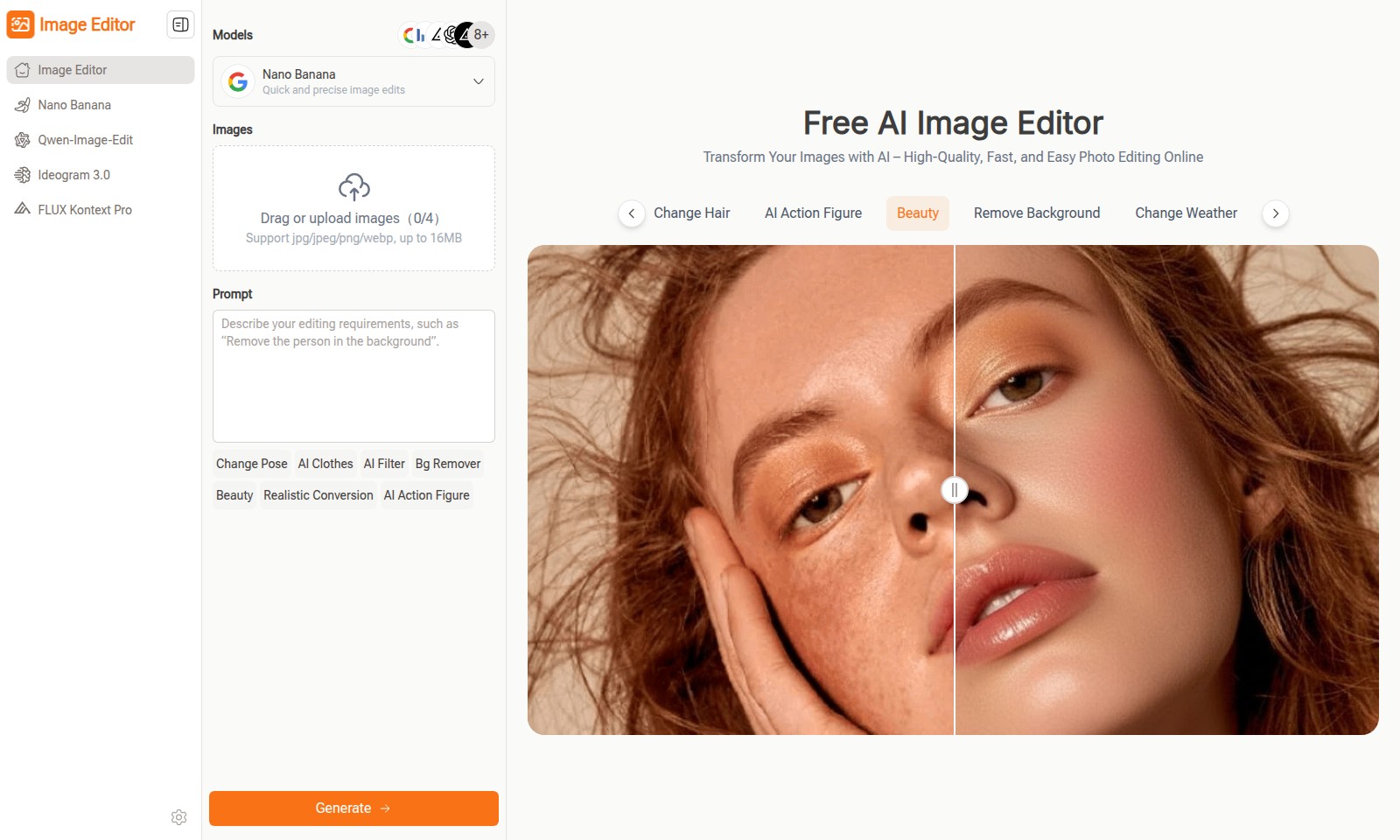
Image Editor Introduction
Transform Your Images with AI
Image Editor is an innovative AI-powered tool designed to simplify the photo editing process. With a user-friendly interface, it allows anyone to enhance and transform images quickly and efficiently without the need for advanced graphic design skills. The platform supports a variety of file formats including jpg, jpeg, png, and webp, accommodating images up to 16MB in size. Whether you need to enhance a personal photo or create professional graphics, Image Editor has the tools to meet your needs seamlessly.
Experience high-quality results with features like background removal, pose adjustments, and AI-driven filters that collectively redefine your image editing experience. Users can apply real-time edits effortlessly, making it an ideal solution for both casual users and professionals looking for quick and effective image enhancements.
The incorporation of AI technology enables features such as beauty enhancements and the generation of artistic styles, ensuring that your images not only look good but also meet a high standard of realism and creativity. It’s time to elevate your photography and graphic projects with an intuitive, online image editing solution that caters to all skill levels.
Image Editor Features
Image Editor - Quick and Precise Image Edits
Achieve stunning photo transformations with ease. Our AI-powered editor allows users to enhance and edit images without the need for extensive technical skills.
AI Filter - Instant Image Enhancement
Transform ordinary photos into extraordinary visuals instantly. The AI filter applies advanced algorithms to improve color balance and tone, enabling users to achieve professional-grade results effortlessly.
Change Pose - Dynamic Photo Adjustments
Elevate your images with realistic pose alterations. This feature allows users to reposition subjects in their photos dynamically, offering a flexible solution for creating engaging visuals.
Bg Remover - Effortless Background Removal
With our background remover, users can isolate subjects with one click. This tool utilizes AI technology to accurately detect edges and create clean, crisp backgrounds for any image.
Realistic Conversion - High-Quality Image Transformation
Easily convert your images into lifelike renditions. This feature leverages sophisticated deep learning models that guarantee detailed outputs, appealing to users looking for superior realism in their edits.
AI Action Figure - Custom Avatar Creation
Bring your imagination to life by creating customizable action figures from images. This innovative feature serves a unique niche for users interested in character design and digital art.
Remove Object - Clean Up Your Images
Clean your images seamlessly by removing unwanted objects. Using AI-driven detection, this feature ensures that edits are smooth and preserve the original context of the image, meeting the needs of users focused on perfection.
Frequently Asked Questions About Image Editor
Frequently Asked Questions about the Image Editor
1. How do I use the Image Editor to edit my photos?
Using the Image Editor is simple! Just drag and drop or upload your images, and choose from various editing options such as background removal, pose change, or AI filters. The platform supports common image formats like jpg, jpeg, png, and webp, with a maximum file size of 16MB.
2. What features are available in the Image Editor?
The Image Editor offers a range of features including changing poses, adding AI clothes, applying filters, removing backgrounds, and much more. These tools allow for quick and precise image edits, making it easy to transform your photos without the need for complex software.
3. Is there a cost to use the Image Editor?
The Image Editor is completely free to use! Enjoy high-quality, fast, and easy photo editing online without any sign-up requirements. You can start editing your photos right away without worrying about hidden fees or subscriptions.
4. Can I edit multiple images at once?
Yes! The Image Editor allows you to upload and edit up to four images simultaneously. This feature is perfect for batch processing your photos and saves you time when making changes across multiple images.
5. What if I encounter issues while using the Image Editor?
If you experience any problems, check out our help section for troubleshooting tips or contact our support team. We are always here to help you make the most of our image editing tools.
6. Are my images secure when using the Image Editor?
Absolutely! Your images are processed securely, and we prioritize your privacy. Once you finish editing, your images are not stored on our servers. You have complete control over your files during and after the editing process.
How to Use Image Editor
Register on the Website
Visit the homepage and locate the registration button. Fill in your details like name, email, and password to create your account.
Verify Your Email
Check your inbox for the verification email from us. Click on the verification link to activate your account.
Log In to Your Account
Return to the homepage and log in using your registered email and password. This will take you to your user dashboard.
Set up Your Profile
Once logged in, navigate to the profile section. Upload a profile picture and fill in additional information to personalize your experience.
Upload Your Images
In the editor section, locate the upload button. Drag and drop your images or upload files directly (supports jpg, jpeg, png, webp up to 16MB).
Choose Your Editing Tools
Explore the wide range of editing tools available. Select features such as "Change Pose," "Remove Background," or "Apply AI Filter" to start enhancing your images.
Apply Enhancements
After choosing a tool, follow the on-screen instructions. Make adjustments to your images by applying the selected edits using simple drag and drop techniques.
Save Your Edited Images
Once you are satisfied with your edits, click on the save button to download your edited images. Choose your preferred format for the download.
Share Your Creations
After saving, you can share your images directly to social media platforms or via email. Select the share option and follow the prompts to showcase your creations.
Reviews
Pros
- Easy to use
- Fast processing
- Great results
- Affordable pricing
Cons
- Limited free version
- Requires internet connection
Comments
No comments yet. Be the first to share your thoughts!
Image Editor - Alternative Platforms
For some alternatives to Image Editor that you may need, we provide you with sites divided by features.

Login to Logo Diffusion with various methods or register. The site uses cookies for personalization and traffic analysis.
The AI SVG Generator transforms text into scalable vector graphics, enabling effortless logo creation, illustrations, and more for modern web and branding.
Patternaly is an online AI pattern generator for creating stunning seamless patterns effortlessly, suited for various design needs.