Kling 3.0
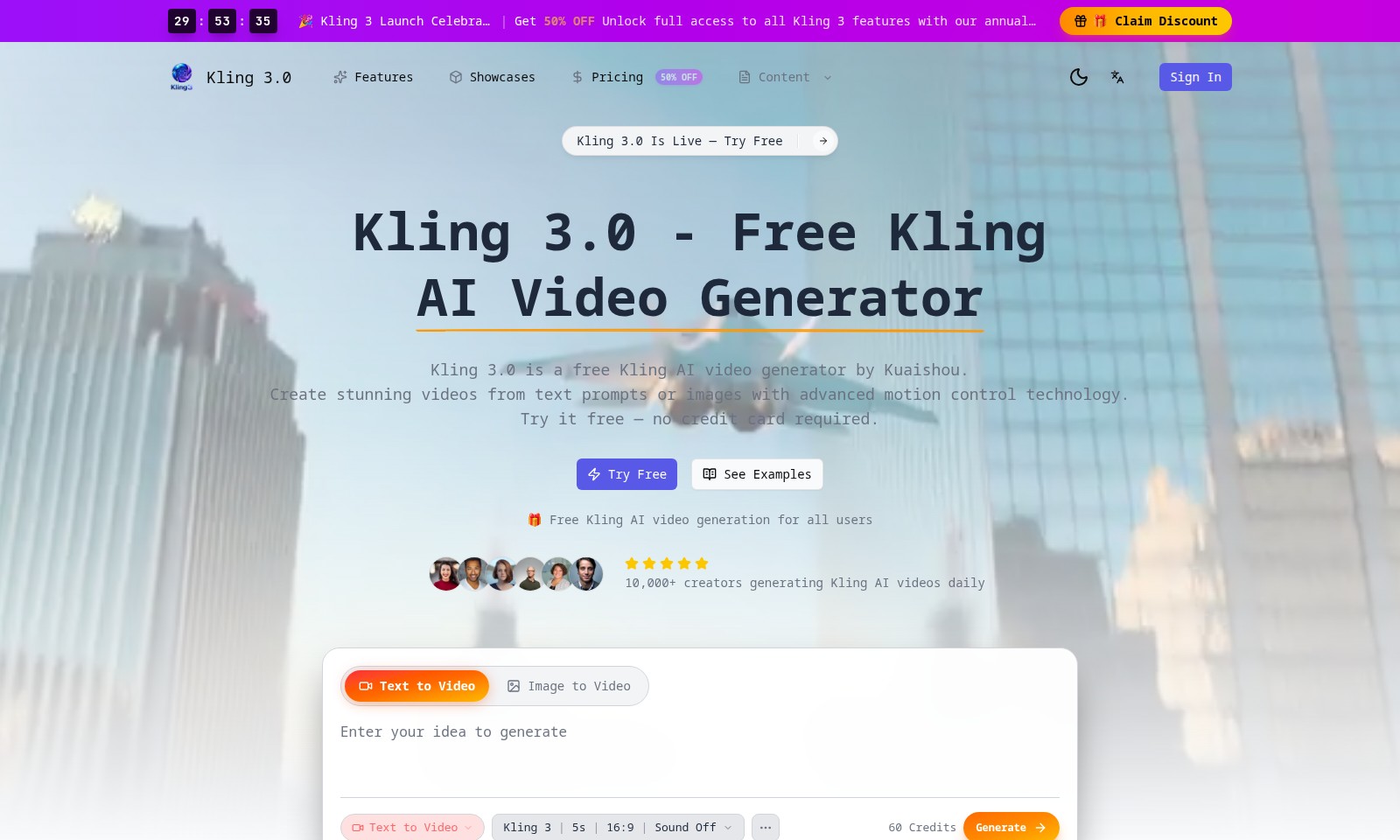
Kling 3.0 offers a powerful free AI video generator, enabling creators to produce high-quality videos from text and images, enhanced with motion control technology.
Kling 3.0 Introduction
Kling 3.0: Revolutionizing Video Creation
Kling 3.0 is an innovative free Kling AI video generator developed by Kuaishou, designed to empower users with the ability to create stunning videos effortlessly. Leveraging advanced motion control technology, Kling 3.0 transforms text prompts and images into engaging video content, providing users with a unique creative tool that caters to both novices and seasoned creators alike.
Kling 3.0 Features
Kling AI Video Generator - Unleash Your Creativity
With the free Kling AI video generator, users can effortlessly turn text prompts or images into stunning videos. The advanced motion control technology ensures smooth transitions and high-quality output.
Seamless Text to Video Conversion - Instant Video Creation
Our platform allows creators to simply input text, which the AI then transforms into engaging video content. This feature supports various languages, making it ideal for global audiences.
Image to Video Transformation - Visual Storytelling Made Easy
Kling enables users to upload images and have the AI generate corresponding video scenes. This capability helps users bring static content to life, enhancing viewer engagement.
User-Friendly Interface - Built for Everyone
Designed with usability in mind, users of all technical backgrounds can navigate the system with ease. This feature empowers creators to focus on content rather than technology.
Daily Volume of Creation - Join the Community
With over 10,000 creators producing content daily, users can become a part of a vibrant community. This feature fosters collaboration and sharing of ideas/resources among creators.
Free Trials Available - No Strings Attached
Users can experience Kling 3.0 free of charge, with no credit card required. This initiative reduces barriers to entry, inviting more creators to explore and leverage AI technology in their work.
Frequently Asked Questions About Kling 3.0
Frequently Asked Questions
-
What is Kling 3.0?
Kling 3.0 is the latest version of the Kling AI video generator by Kuaishou. It allows users to create exceptional videos from text prompts or images using advanced motion control technology. -
Is Kling 3.0 free to use?
Yes, Kling 3.0 offers a free version that allows you to generate videos without requiring a credit card. You can start creating videos immediately by trying our free service. -
What features does Kling 3.0 offer?
Kling 3.0 comes packed with features like text-to-video and image-to-video creation. Whether you want to turn written content into engaging visuals or animate images, Kling 3.0 has you covered. -
How can I claim the 50% discount?
To claim the 50% discount, simply visit our pricing page and choose an annual plan. The discount will be applied automatically at checkout. -
How many creators are using Kling 3.0?
Currently, over 10,000 creators are sharing and generating Kling AI videos daily. Join our growing community and start creating your own videos today! -
Where can I see examples of videos created with Kling 3.0?
You can view stunning examples of videos created using Kling 3.0 on our website under the 'Showcases' section. These examples demonstrate the capabilities of our AI video generation technology.
How to Use Kling 3.0
Step 1: Register an Account
Visit the Kling 3.0 website and click on 'Sign In' at the top right corner. If you don’t have an account, click on 'Try Free' to begin your registration process. Fill in the required fields and verify your email address to activate your account.
Step 2: Complete Your Profile
After logging in, go to your profile settings. Add your name and a brief bio to personalize your account. Completing your profile helps tailor your user experience and connects you with other creators.
Step 3: Explore Features
Familiarize yourself with the Kling 3.0 interface. Navigate through the features such as 'Text to Video' and 'Image to Video'. Take a moment to read descriptions and watch tutorials to understand how each feature works.
Step 4: Start Creating Your Video
Choose 'Text to Video' or 'Image to Video' based on your project needs. For 'Text to Video', simply enter your script and select your desired settings. If you opt for 'Image to Video', upload your images and adjust motion controls accordingly.
Step 5: Customize Your Video
Utilize the editing tools available within the platform. Change elements such as fonts, colors, and transitions to align with your creative vision. Don’t hesitate to experiment with different styles until you find the perfect combination.
Step 6: Preview Your Video
Once you’re satisfied with the editing, click on the 'Preview' button. Review the video to ensure everything looks and sounds as you envisioned. This step is crucial for making any last-minute adjustments.
Step 7: Generate Your Video
When you are happy with the preview, click 'Generate' to create your final video. You may need to wait a bit while the system processes your request. Remember, you have 60 credits for video generation, so use them wisely!
Step 8: Download and Share
After generation, you’ll have the option to download your video. Click on the download button for a high-quality version. You can also share it directly on social media platforms to showcase your creative work to others.
Step 9: Explore Community Content
Check out examples of videos created by other users under the 'Showcases' section. Engaging with community content not only inspires your creativity but also allows you to learn new tips and tricks from fellow creators.
Step 10: Stay Updated
Keep an eye on updates and new features that Kling 3.0 may introduce. Subscribe to the newsletter and follow Kling on social media for the latest news and exclusive offers, like the current 50% OFF for annual plans. This ensures you are always utilizing the best features the platform has to offer.
Reviews
Pros
- Easy to use
- Fast processing
- Great results
- Affordable pricing
Cons
- Limited free version
- Requires internet connection
Comments
No comments yet. Be the first to share your thoughts!
Kling 3.0 - Alternative Platforms
For some alternatives to Kling 3.0 that you may need, we provide you with sites divided by features.

Kovvid AI offers a user-friendly platform for generating AI images and videos, with the ability to compare multiple models in one place.
Discover the advanced AI tools at MakeShot.ai for creating stunning videos and images with a limited-time 50% discount.
Photo Animate allows users to easily animate photos to video using AI, creating realistic movements for portraits and cherished memories.
Image to Video AI allows quick, high-quality video creation from images, integrating with tools like Google Chrome and Figma for seamless workflows.