MyEdit
Unlock your creativity with AI tools for image generation, audio editing, and video creation, all in one platform.
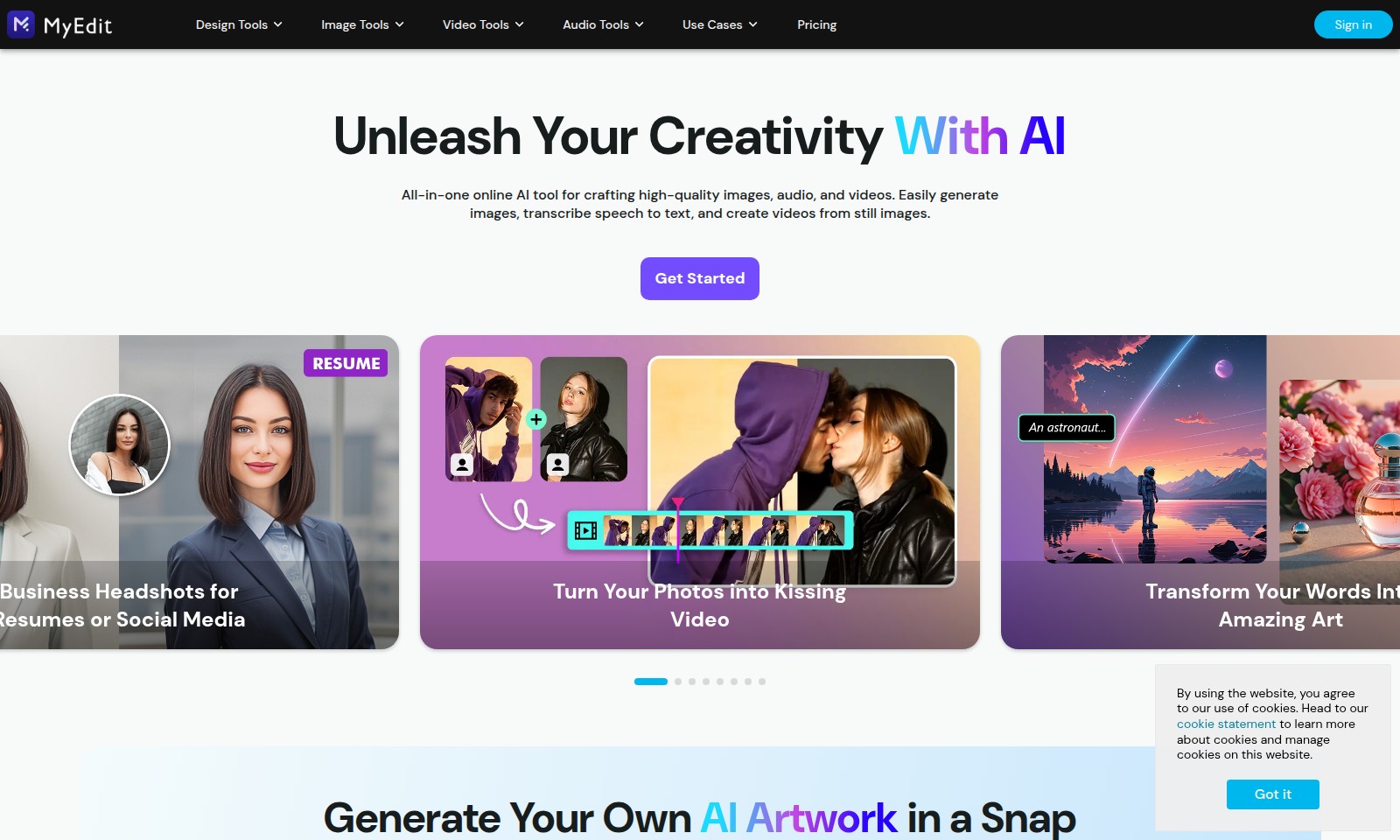
MyEdit Introduction
Unleash Your Creativity with AI
Our website is an all-in-one online AI tool designed to empower creators and innovators through advanced image, audio, and video generation capabilities. With our platform, users can seamlessly create high-quality visuals and engaging multimedia content, transforming their ideas into reality with just a few clicks. Whether you are a professional filmmaker, a budding artist, or someone looking to enhance your online presence, our versatile tools cater to your needs, making creativity easier and more accessible than ever before.
MyEdit Features
Image Generation - Tailored Visuals for Every Need
Create stunning images tailored to your specific vision. With our AI-driven customization tools, users can adjust myriad parameters to achieve the perfect look.
Audio Editing - Effortless Sound Optimization
Transform your audio recordings into polished pieces with minimal effort. Our smart audio editing features automatically enhance sound quality for an immersive listening experience.
Video Creation - Seamless Transformation from Images to Videos
Easily turn static images into dynamic videos. This feature allows users to create engaging visual narratives with a few simple clicks, ideal for marketers looking to boost engagement.
AI Artwork Generation - Expressive Creativity in Moments
Generate unique artwork simply by providing text prompts. This user-focused tool brings artistic ideas to life, making it a go-to resource for creative professionals and hobbyists alike.
Podcast Crafting - Professional Quality with Smart Tools
Design and edit your podcast effortlessly with our all-in-one podcasting toolset. From recording to final edits, users can achieve a professional sound without the steep learning curve.
Text to Voice Conversion - Accessibility Made Easy
Convert written content into audio seamlessly. Ideal for content creators and educators, this feature helps enhance content accessibility and provides new ways to engage audiences.
Template Generation - Time-Saving Creativity
Utilize AI to create templates based on your text prompts. This feature not only saves time but also ensures professional consistency across your designs, perfect for busy professionals.
Frequently Asked Questions About MyEdit
Frequently Asked Questions
What types of design tools do you offer?
We provide a wide range of design tools for creating high-quality images, audio, and videos. You can use our tools to generate stunning visuals, edit backgrounds, and enhance audio quality seamlessly.
Can I create videos from images?
Yes, our platform allows you to convert still images into dynamic videos easily. You can use this feature to transform your content into engaging formats for presentations or social media.
How can I improve my podcast audio quality?
Our smart audio editing tools are designed to help you perfect your podcast sound. You can enhance audio clarity, remove background noise, and easily transcribe speech for better accessibility.
Is there a way to generate text from audio?
Absolutely! Our audio-to-text converter allows you to transcribe spoken words into written text efficiently, making it easier for you to create scripts or captions for your content.
How do I get started with your tools?
Getting started is easy! Simply sign in to our website, choose the tool that suits your project, and follow the intuitive prompts to unleash your creativity with AI.
What pricing options are available?
We offer a variety of pricing plans to suit different needs, from individual users to businesses. For detailed information, please check our pricing section on the website.
How to Use MyEdit
Step 1: Register an Account
Start by clicking on the 'Sign in' button located on the homepage. Fill in the required fields with your email and a secure password. Check your inbox for the verification email and follow the instructions to activate your account.
Step 2: Set up Your Profile
Once logged in, navigate to your profile settings. Upload a profile picture and fill in your basic information. This personalization helps tailor your experience on the platform.
Step 3: Explore Design Tools
Access the 'Design Tools' section from the main menu. Familiarize yourself with various tools available for creating stunning visuals tailored to your needs. Spend time understanding each feature to maximize your creative potential.
Step 4: Utilize Image Tools
Go to 'Image Tools' to start enhancing your photos. Try out the 'Image Enhancer' feature or the 'AI Background Removal' to create unique images. Experiment with different features to see what fits your project best.
Step 5: Create Video Content
Head to the 'Video Tools' section for video creation. Use tools to transform still images into videos or edit together multiple clips. Follow the prompts to generate videos that effectively convey your message.
Step 6: Edit Audio for Quality
Visit the 'Audio Tools' area for podcasting and audio editing. Utilize features like 'Smart Audio Editing' to refine your recordings. This section is essential for anyone looking to produce professional-quality audio content.
Step 7: Learn Through Use Cases
Check out the 'Use Cases' section to see practical applications of the tools. This will provide you with inspiration and ideas on how to use the features effectively for your projects.
Step 8: Understand Pricing Models
Before fully committing, review the 'Pricing' options available. Analyze the different plans to select one that fits your budget and usage needs. Each plan offers varying features that might be beneficial depending on your creative goals.
Step 9: Get Started with Your First Project
Now that you are familiar with the tools, embark on your first project. Choose a tool you're interested in, and start experimenting. Use tutorials to guide you if needed. Embrace the process and let your creativity shine.
Reviews
Pros
- Easy to use
- Fast processing
- Great results
- Affordable pricing
Cons
- Limited free version
- Requires internet connection
Comments
No comments yet. Be the first to share your thoughts!
MyEdit - Alternative Platforms
For some alternatives to MyEdit that you may need, we provide you with sites divided by features.

Vozo offers advanced AI tools for video translation and localization, ensuring high-quality results and fast turnaround times for global audiences.
Lumen5 helps businesses convert blogs and documents into professional videos quickly, leveraging AI for efficient video marketing.
Clueso leverages AI technology to transform raw screen recordings into high-quality videos and documentation, empowering teams to create content faster and more efficiently.
Infinity Looper offers an easy solution to generate seamless video loops, ideal for content creators and streamers looking for professional quality.