Toki
Toki is an innovative AI calendar assistant that helps users schedule, manage, and sync their calendars with ease using various input methods.
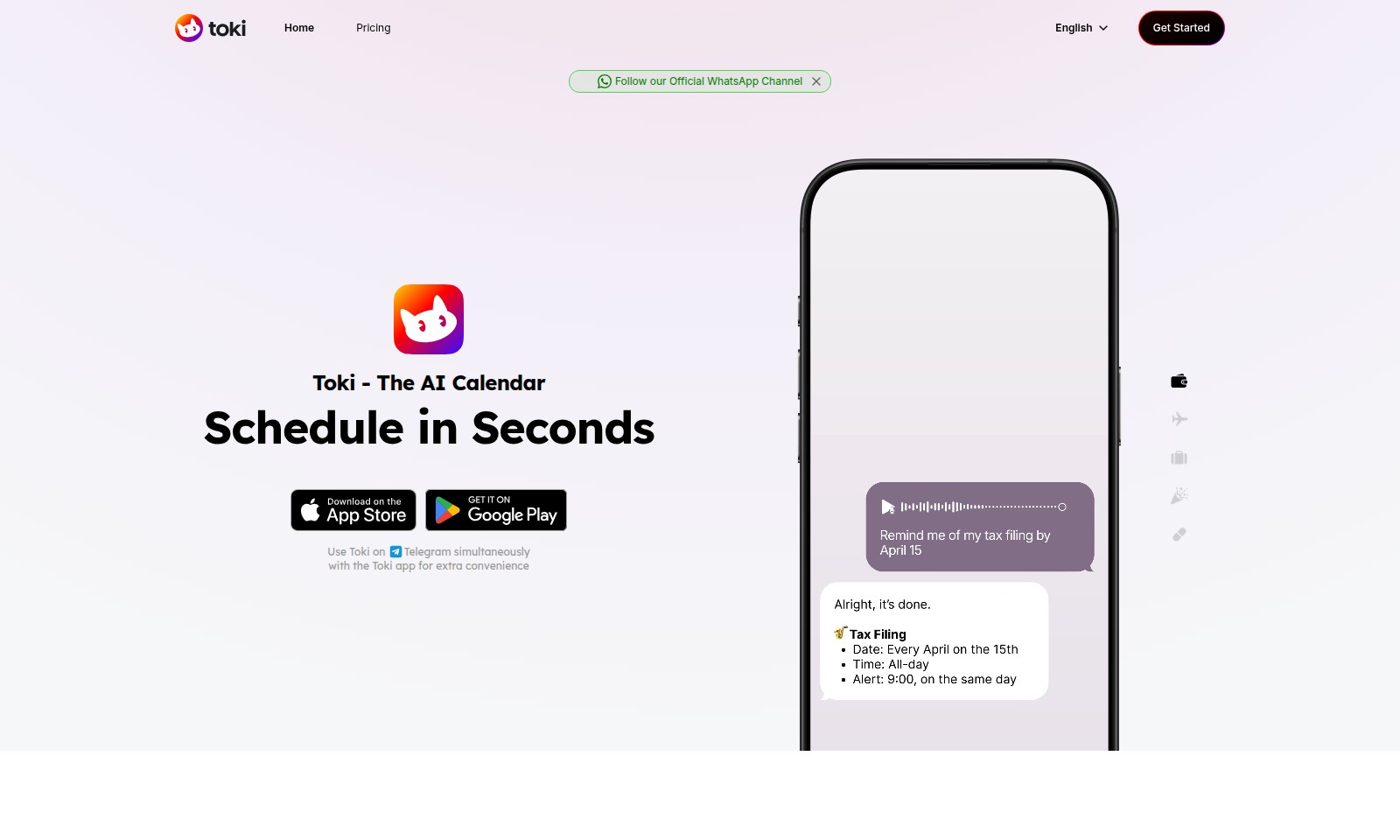
Toki Introduction
Toki - The AI Calendar
Toki is a revolutionary AI-powered calendar solution designed to streamline your scheduling experience. By integrating advanced technology with user-friendly interfaces, Toki allows you to manage all your calendars from a centralized hub, ensuring that you never miss an important event again.
Toki Features
Calendar Centralization - Effortless Management
Easily synchronize and manage all your calendars in one convenient platform. Toki employs advanced AI technology to keep your scheduling streamlined and efficient, ensuring you never miss an important event.
Multi-modal Input - Versatile Planning
Whether you prefer to text, use voice commands, or share images, Toki accommodates all of your planning needs. This flexibility allows users to quickly and easily organize their day, catering to various preferences.
Proactive Alerts - Stay Informed
Toki ensures you stay on top of your schedule with proactive call alerts. This unique feature guarantees that you won't miss crucial appointments or reminders, providing a layer of reliability that many users find invaluable.
Seamless Integration - Cross-Platform Utility
Utilize Toki seamlessly on both Telegram and the Toki app for added convenience. This integration allows users to engage with their schedules wherever they are, optimizing their productivity.
Global Reach - Trusted by Millions
Join a community of over 3 million users worldwide who trust Toki for their scheduling needs. The platform's user-centric design and advanced features cater perfectly to individuals looking to enhance their time management.
User-Friendly Interface - Simplified Scheduling
Toki's interface is designed for ease of use, allowing anyone to navigate through their schedules effortlessly. With intuitive controls and an organized layout, users can manage their busy lives with minimal effort.
Intelligent Suggestions - Tailored Recommendations
Benefit from Toki's AI-driven suggestions that tailor recommendations based on user habits and preferences. This feature enhances your scheduling process by providing personalized insights that align with your lifestyle.
Frequently Asked Questions About Toki
FAQ for Toki - The AI Calendar
Q: How can Toki help me manage my calendars more effectively?
A: Toki allows you to sync all your calendars in one centralized hub, utilizing cutting-edge AI technology. You can easily manage your schedules and never worry about missing important events again.
Q: Can I use Toki on different platforms?
A: Yes, Toki is designed for versatility. You can use the Toki app on your phone and also access it through Telegram for extra convenience. This way, you can seamlessly interact with your calendar from multiple devices.
Q: How does Toki ensure I don't miss important calls or notifications?
A: Toki offers call alerts that will notify you of upcoming events. If you're busy, Toki can even call you directly to ensure you stay updated on your schedule, giving you peace of mind.
Q: What types of inputs can I use when planning my day with Toki?
A: You can use text, voice, or even images to plan your day with Toki. This flexibility allows you to send reminders or event details as voice messages, text, or even as image attachments, making scheduling super convenient.
Q: Is there a cost associated with using Toki?
A: Toki offers various pricing plans to cater to different needs. You can start with a free plan that allows basic functionalities, and there are premium options available for more features and better customization.
Q: How can I get started with Toki?
A: You can easily join over 3 million users worldwide by downloading the Toki app and signing up. Follow our official WhatsApp channel for more tips and updates to enhance your Toki experience.
How to Use Toki
Get Started with Toki
To begin using Toki, visit our website and click on 'Get Started'. Follow the registration prompts to create your account. Ensure you provide a valid email address to verify your account.
Verify Your Email
After registration, check your inbox for a verification email. Click the link provided in the email to verify your account. This step is crucial for gaining access to all features of Toki.
Set Up Your Profile
Once your account is verified, log in to Toki and set up your profile. Fill in your preferences, including time zone and notification settings, to personalize your user experience.
Explore the Interface
Familiarize yourself with the user interface. Navigate through the dashboard, where you can see your calendar events. Take note of the various features such as syncing options and alerts.
Sync Your Calendars
Now it’s time to sync your existing calendars with Toki. Go to the 'Sync' section and choose the calendars you want to integrate. This feature allows Toki to centralize your scheduling across platforms.
Use Text, Voice, or Images
Plan your day by using Toki's unique capabilities. You can add events through voice commands, text messages, or by sending images. Just choose your preferred method and let Toki take care of the organization.
Set Reminders for Important Events
To ensure you never miss important dates, set reminders. This can be done easily within the event creation section. Choose how far in advance you want to be notified, and Toki will alert you.
Enjoy Call Alerts
Make use of Toki’s call alert feature. If you have enabled it, Toki will call you to remind you of important events. This is particularly useful for critical meetings or appointments.
Join Our Community
Connect with over 3 million users worldwide. Follow our official WhatsApp channel for updates, tips, and to engage with other Toki users. Joining the community enhances your experience and provides additional support.
Get Support
If you encounter any issues while using Toki, don’t hesitate to reach out for support. Visit the support section on our website where you can find FAQs or contact our customer service team for assistance.
Reviews
Pros
- Easy to use
- Fast processing
- Great results
- Affordable pricing
Cons
- Limited free version
- Requires internet connection
Comments
No comments yet. Be the first to share your thoughts!
Toki - Alternative Platforms
For some alternatives to Toki that you may need, we provide you with sites divided by features.

Minutes AI helps automate note taking and transcription, providing beautifully formatted notes and a secure, user-friendly experience.
Gladia provides a robust speech-to-text API that delivers high accuracy and seamless integration for voice applications, designed for developers and businesses.
Nutshell is an efficient CRM solution designed to help teams save time and close deals faster, featuring robust automation and seamless integrations.
This page addresses a Bubble app connection issue and urges users to upgrade their app plan for custom domain functionality.