Dyad
Dyad lets you build unlimited AI apps quickly without coding, using your own local models and preferred tools, while ensuring privacy and user control.
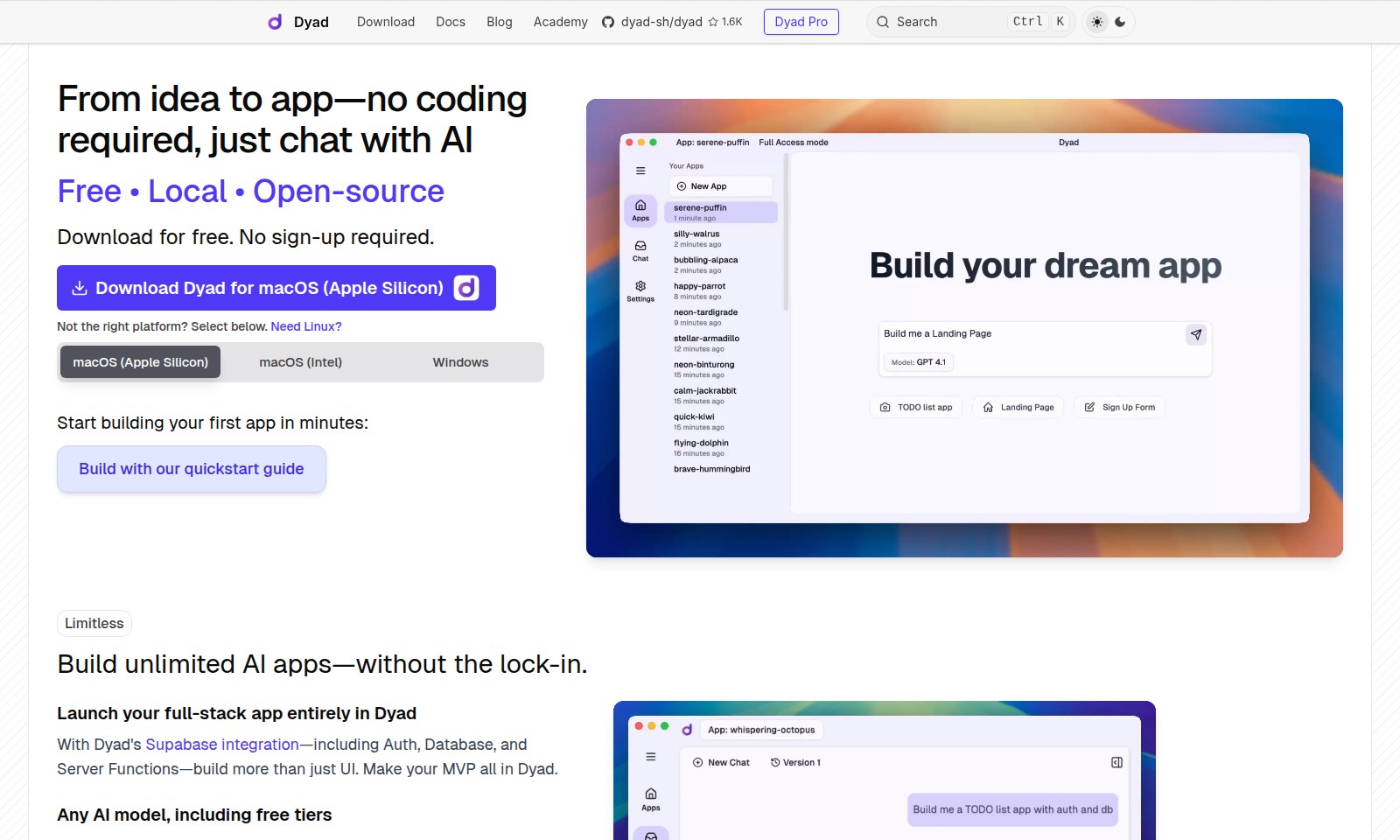
Dyad Introduction
Unlock Your Potential with Dyad
Dyad is your go-to platform for transforming ideas into fully functional applications without the need for coding. Offering a user-friendly interface, Dyad empowers anyone—from novices to seasoned developers—to create customized AI applications effortlessly, allowing you to channel your creativity into building real-world solutions. With Dyad, you can download the software for free and start your app development journey instantly, without any registration hurdles.
Experience seamless integration, a local environment, and robust features that enhance your app-building process. Begin harnessing the power of AI today.
Dyad Features
Unlimited AI App Development - Empower Your Creativity
Create an infinite number of AI applications tailored to your unique vision without the constraints of traditional development environments. Dyad enables you to build everything from simple prototypes to full-stack applications seamlessly.
Effortless Supabase Integration - Comprehensive Back-End Solutions
Utilize Dyad's built-in Supabase support, allowing you to manage authentication, databases, and serverless functions effortlessly. This integration simplifies the backend complexities, making it a breeze for users to focus on app functionality rather than setup.
Multi-Model Compatibility - Flexibility in Choice
With Dyad, you are not restricted to a single AI vendor's model. Leverage various leading APIs, including Gemini 2.5 Pro, OpenAI's GPT-4.1, and Claude Sonnet 3.7. This flexibility enables you to select the best AI solutions tailored to your project's specific needs.
Local Development - Total Control Over Your Code
All source code generated using Dyad remains on your machine, ensuring complete control and privacy. This feature empowers developers to use their preferred IDEs, such as VS Code or Cursor, providing a familiar environment for development without the constraints of web-based platforms.
No Code Required - Democratizing Development
Transforming ideas into reality has never been easier. With Dyad's AI-driven chat interface, users can build apps without any coding knowledge. This democratizes technology access, allowing entrepreneurs and innovators to realize their projects without technical barriers.
Quickstart Guide - Accelerate Your Journey
Get started within minutes with our intuitive quickstart guide. The documentation is designed to help new users quickly understand how to leverage Dyad’s capabilities, ensuring a smooth onboarding experience for all skill levels.
Open-Source Advantage - Community-Driven Development
Dyad's open-source nature means that the community drives its evolution. Users benefit from collective improvements and shared solutions, fostering a rich ecosystem of innovation while giving you assurance about the transparency and security of your tools.
Frequently Asked Questions About Dyad
FAQ
Q1: What is Dyad and how does it work?
Dyad is an open-source, local application that allows users to build AI-driven applications without any coding experience. Users can simply chat with AI to turn their ideas into functional apps within minutes.
Q2: Do I need to sign up to download Dyad?
No, Dyad can be downloaded for free without any sign-up requirements. Just choose the appropriate version for your operating system and start building immediately.
Q3: Which platforms does Dyad support?
Dyad is available for macOS (both Apple Silicon and Intel) and Windows. If you're looking for a Linux version, you can find it in the options provided on the site.
Q4: Can I integrate my own AI models in Dyad?
Absolutely! Dyad allows you to integrate any AI model, including popular ones like OpenAI's GPT-4.1 and Gemini 2.5 Pro. You just need to provide your API keys, giving you flexibility and independence in your projects.
Q5: What kind of apps can I build with Dyad?
With Dyad's robust infrastructure, you can build full-stack applications with unlimited possibilities. Its integration with Supabase for authentication, databases, and server functions makes it easy to create comprehensive MVPs without any coding expertise.
Q6: Is my source code safe with Dyad?
Yes, with Dyad, all your source code remains on your machine. This means you have full control over your code and can work with your preferred development tools without any third-party lock-in.
How to Use Dyad
Register for Dyad
To get started with Dyad, simply click on the download button for your operating system. No sign-up is required, making the process completely hassle-free. Choose from macOS (Apple Silicon), macOS (Intel), or Windows to begin your journey.
Set up your profile
Once you've downloaded Dyad, launch the application. You'll find an intuitive interface where you can quickly set up your profile. This will give you a personalized experience tailored to your needs.
Explore the quickstart guide
Head over to the Quickstart Guide within the app. It provides step-by-step instructions to help you build your first app in minutes. Follow the guide closely to ensure a smooth building process.
Build your app
Using Dyad’s features, start building your app without coding. Utilize the Supabase integration for Authentication, Database, and Server Functions. This allows you to create not just the user interface but also fully functional apps seamlessly.
Use any AI model
You have the flexibility to utilize any AI model. Input your own API keys to access top models like OpenAI’s GPT-4.1 and others. This makes it easy to enhance your app's capabilities without being locked into a single provider.
Test your application
Test your application within the Dyad environment. This allows you to debug and ensure everything functions as expected. Utilize the built-in tools to refine your app before launching.
Launch your app
After thorough testing, it's time to launch. Deploy your app fully using Dyad’s platform. Enjoy the freedom of having all your source code on your machine, ensuring you maintain control over your project.
Reviews
Pros
- Easy to use
- Fast processing
- Great results
- Affordable pricing
Cons
- Limited free version
- Requires internet connection
Comments
No comments yet. Be the first to share your thoughts!
Dyad - Alternative Platforms
For some alternatives to Dyad that you may need, we provide you with sites divided by features.

Discover how Hello Audio enables course creators and coaches to engage their audiences by turning content into private podcasts accessible anytime, anywhere.
Tines offers a secure platform to build intelligent workflows, integrating various tools and enhancing operational efficiency.
LIKN Studio simplifies launching and trading unique digital assets through AI, bridging Web2 content with Web3 technology for creators.
TestMu AI enhances quality engineering with AI-native solutions for testing, automation, and analytics, trusted by millions globally.