Fathom
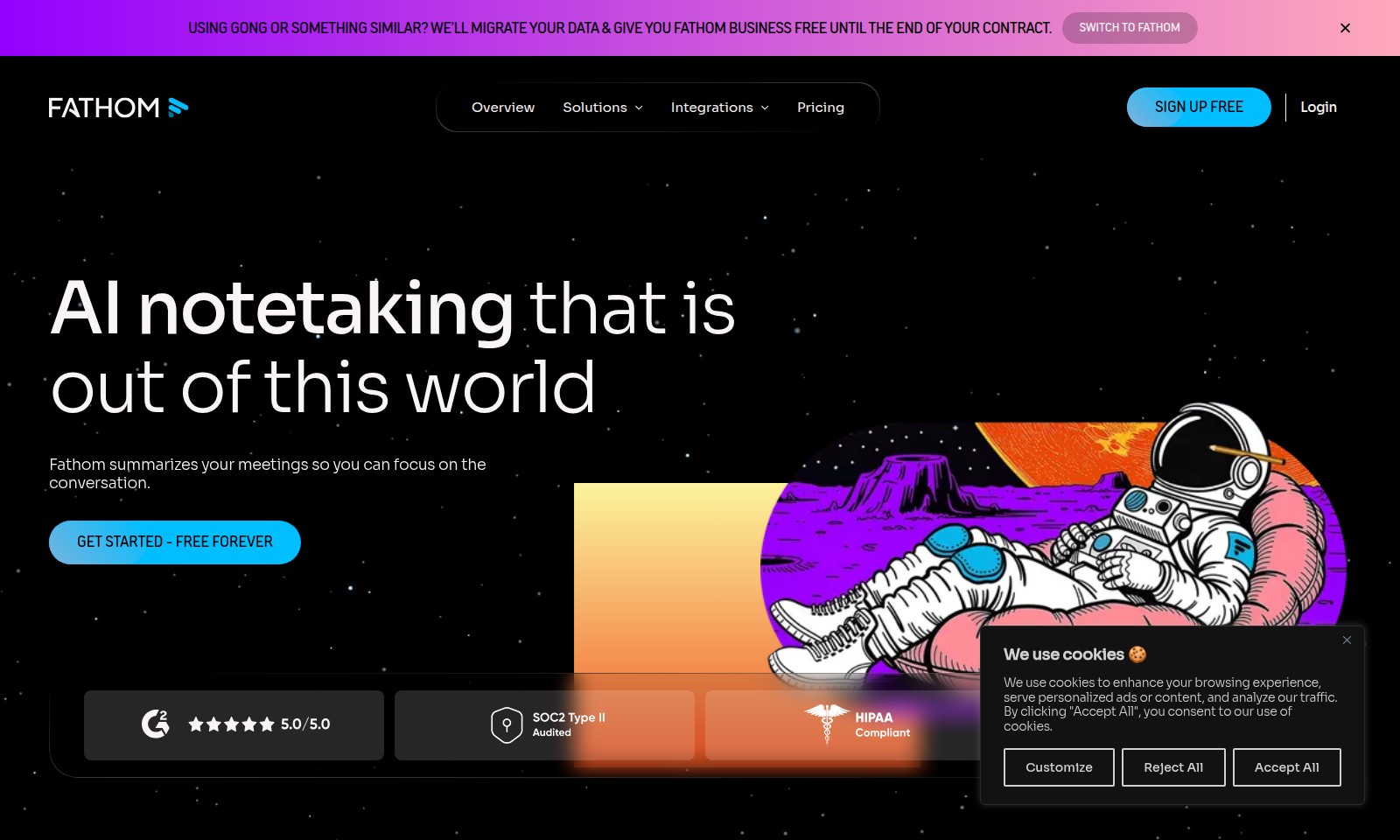
Fathom provides AI-driven meeting summaries and transcripts, integrating seamlessly with your workflow tools to boost team productivity.
Fathom Introduction
Fathom: Revolutionizing Your Meeting Experience
Fathom transforms the way you engage with your meetings through cutting-edge AI notetaking technology, providing precise summaries and important insights right when you need them. Our platform is designed to enhance productivity by eliminating the overhead often associated with note-taking, allowing you to devote your full attention to the conversation at hand.
Fathom Features
AI Notetaking
Transform your meetings into actionable insights effortlessly. Fathom provides shockingly accurate transcripts and instant summaries, ensuring you never miss a crucial point. The notable integration with your existing workflow tools keeps everything in sync, enhancing your productivity.
Data Migration Assistance
Seamlessly switch to Fathom without losing valuable information. Our data migration service transfers your previous meeting notes and records, allowing for an uninterrupted transition. Enjoy Fathom Business for free until the end of your contract, a feature designed to ease your transition.
Customizable Summaries
Empower your team with tailored summaries that match your specific workflow requirements. With a user-centric approach, Fathom allows you to create summaries that highlight key action items and insights, making follow-ups and decisions more straightforward.
Instant Access to Meetings
Access your meeting summaries instantly, delivered straight to your inbox. This feature eliminates the inconvenience of searching for notes, saving you time and streamlining your post-meeting processes. Experience the magic of having everything organized and available at your fingertips.
Enhanced Collaboration Tools
Increase team collaboration with Fathom's functionality that allows sharing of meeting notes and insights directly within your team’s preferred communication channels. This integration fosters a collaborative environment where ideas can flourish and decisions can be made efficiently.
Frequently Asked Questions About Fathom
Frequently Asked Questions
What are cookies and why do you use them?
Cookies are small files stored on your device that help us enhance your browsing experience. They allow us to personalize content and ads, as well as analyze traffic.
How can I manage my cookie preferences?
You can customize your cookie preferences by clicking on the 'Customize' option. Here, you can choose which types of cookies you’d like to accept or reject based on your privacy preferences.
What happens if I reject all cookies?
If you choose to reject all cookies, some functionalities of our website may be limited, affecting your user experience. We recommend allowing at least essential cookies for optimal browsing.
What is the Fathom Business offer?
If you're currently using Gong or a similar service, we offer to migrate your data and provide Fathom Business for free until the end of your contract. This is a great opportunity to switch without incurring additional costs.
What features does Fathom provide?
Fathom summarizes your meetings, providing shockingly accurate transcripts and instant summaries delivered straight to your inbox. This ensures you can focus on the conversation without missing action items.
How does Fathom help increase productivity?
With features like 'Ask Fathom', you can search everything related to your meetings and get customizable AI summaries tailored to your team's workflow, helping to eliminate overhead and maximize productivity.
How to Use Fathom
Step 1: Sign Up for Free
Begin your journey by clicking the 'Sign Up Free' button on our website. Fill out the registration form with your details to create your account. Make sure to check your email for a confirmation link to activate your account.
Step 2: Accept Cookies
Once logged in, you may encounter a cookie consent banner. Click 'Accept All' to enhance your browsing experience and allow us to serve personalized content tailored just for you.
Step 3: Set up Your Profile
Navigate to your profile settings to add personal details. Upload a profile picture and input relevant information to help tailor your experience.
Step 4: Explore Integrations
Visit the integrations section to connect Fathom with your existing tools. This allows you to import data seamlessly and start using Fathom with your current workflow.
Step 5: Start Your First Meeting
Initiate a meeting using the 'Start Meeting' button. Ensure you have the necessary participants invited to make the most out of the meeting recording and summarization features.
Step 6: Use AI Notetaking
During your meeting, let Fathom summarize the discussions in real-time. You will receive shockingly accurate transcripts and instant summaries, keeping your focus on the conversation.
Step 7: Access Action Items
After your meeting ends, check your inbox for an email with action items created from the meeting. Utilize these tasks to ensure follow-ups and maintain productivity.
Step 8: Utilize 'Ask Fathom'
If you have questions or need details about your meetings, head to the 'Ask Fathom' feature. This allows you to search through all your past meetings and retrieve customized AI summaries.
Step 9: Manage Your Subscription
Lastly, keep an eye on your subscription status under account settings. If you were using another service, you can easily migrate your data to Fathom and enjoy services complimentary until the end of your previous contract.
Reviews
Pros
- Easy to use
- Fast processing
- Great results
- Affordable pricing
Cons
- Limited free version
- Requires internet connection
Comments
No comments yet. Be the first to share your thoughts!
Fathom - Alternative Platforms
For some alternatives to Fathom that you may need, we provide you with sites divided by features.

Rev provides a trusted platform for legal professionals, enabling efficient evidence analysis, transcription services, and trial preparation.
Tactiq offers real-time transcriptions and AI-generated summaries during meetings, promoting effective follow-ups and team productivity.
Notta offers advanced AI voice recording and transcription features to enhance productivity, saving users time in meeting documentation.