Humanizer AI
Humanizer AI is a free tool designed to convert AI-generated text into natural, engaging writing, offering multi-detector analysis and user-friendly features.
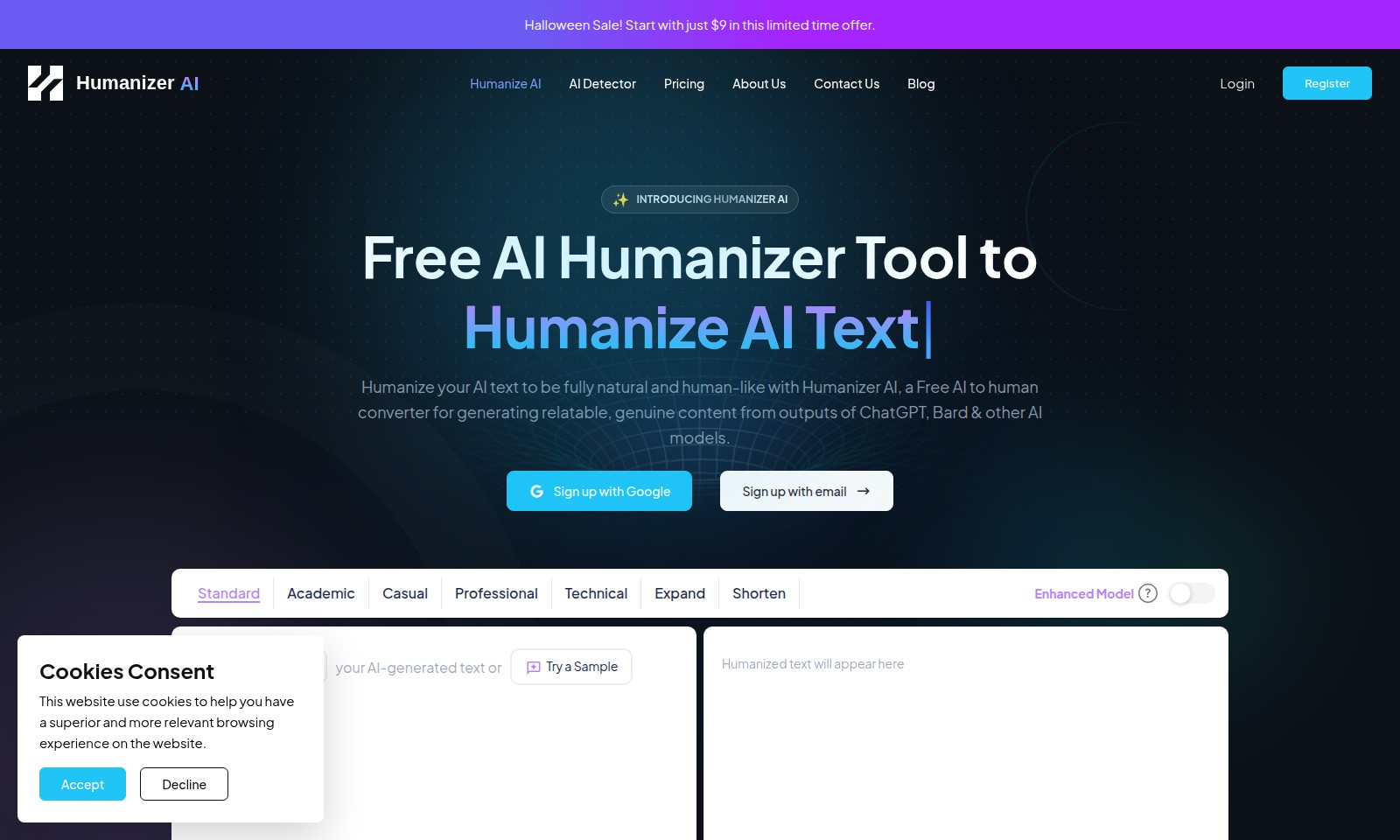
Humanizer AI Introduction
Transform Your AI Writing into Genuine Human-Like Text
Humanizer AI offers a unique solution for anyone looking to enhance AI-generated content. Our free AI humanizer tool takes your text outputs from AI models like ChatGPT and Bard, and transforms them into relatable, natural, and engaging writing. Whether you're a student, a professional, or a casual user, our platform is designed to cater to your specific needs in content creation. With just a few clicks, you can humanize your text, making it sound more authentic and appealing to your audience. Join us today to elevate your writing!
Humanizer AI Features
Humanizer AI - Natural Text Transformation
Experience the power of Humanizer AI, a free AI humanizer tool designed for effortless conversion of AI-generated text into natural, human-like content. This tool allows users to craft relatable and genuine text, enhancing engagement and comprehension.
AI Detector - Authenticity Assurance
Utilize our advanced AI detector to ensure the authenticity of your content. With sophisticated algorithms, it identifies and evaluates AI-generated writing, providing a comprehensive report of human versus machine-written text.
Enhanced Model - Superior Customization
Achieve unparalleled content personalization with our enhanced model, offering multiple tone settings such as Standard, Academic, Casual, Professional, and Technical. This flexibility empowers users to tailor their text for any audience or purpose.
Competitive Pricing - Affordable Access
Start your journey with Humanizer AI for just $9 during our limited-time Halloween sale. Our pricing structure is designed to be accessible for individuals and businesses alike, ensuring you get premium features without breaking the bank.
Seamless Integration - Effortless Workflow
Integrate Humanizer AI into your existing workflow with ease. Our user-friendly interface allows for quick text input and instant results, streamlining the content creation process for maximum efficiency.
Ongoing Support - Dedicated Assistance
Receive ongoing support from our dedicated team of experts, available to resolve any queries you may have. Our goal is to ensure you have the best experience possible while using Humanizer AI, making your content creation smooth and efficient.
Community Engagement - Collaborative Learning
Join a thriving community of users sharing tips, advice, and success stories. Collaborate with fellow content creators to enhance your skills and share your experiences with Humanizer AI.
Frequently Asked Questions About Humanizer AI
FAQs about Humanizer AI
1. What is Humanizer AI?
Humanizer AI is a free tool designed to transform AI-generated text into natural, human-like content. This ensures that the output resonates more with your audience, making it relatable and engaging.
2. How does the Halloween Sale work?
Our Halloween Sale allows you to start using Humanizer AI for just $9. This limited time offer provides you access to all features at a fraction of the regular price. Don't miss out on this opportunity to enhance your content creation!
3. Can I use Humanizer AI for different types of writing?
Absolutely! Humanizer AI supports various writing styles, including standard, academic, casual, professional, and technical. Just select your preferred style, and the AI will tailor the content accordingly.
4. How do I register for Humanizer AI?
You can register easily by signing up with your Google account or your email. Once registered, you can start exploring all the features we offer right away!
5. Is my data safe with Humanizer AI?
Yes, we prioritize your privacy and security. All your data is handled according to strict privacy policies, ensuring your information is safe and confidential.
6. What if I encounter issues while using the tool?
If you face any technical problems or have questions, feel free to reach out through our Contact Us page. Our support team is ready to assist you with any concerns you may have.
How to Use Humanizer AI
Register for an Account
To get started with Humanizer AI, click the 'Register' button on the homepage. You can sign up quickly using your Google account or by providing your email address. Make sure to choose a secure password to protect your information.
Set up your Profile
Once registered, you will be directed to your profile page. Fill in necessary details such as your name and preferences to get a more personalized experience on the platform.
Explore Pricing Plans
Visit the 'Pricing' section to view the different plans available. Currently, there is a Halloween Sale where you can start for just $9. Select the plan that suits your needs best.
Try the Enhanced Model
Navigate to the 'Type or Paste' section on the main interface. Here, you can input your AI-generated text. Experiment with both the 'Expand' and 'Shorten' features to see how they transform your text.
Humanize Your Text
Once you've pasted your text, click on the 'Humanize' button. The tool will process it and present you with a more natural version. Review the output for quality and ensure it meets your expectations.
Highlight Key Points
Use the 'Show Highlights' feature to identify the most essential parts of your content. This can help you refine your text further or extract quotes for other uses.
Check for Plagiarism
To maintain originality, utilize the Plagiarism Check feature. This will ensure your humanized text is unique and ready for sharing or publishing.
Save Your Work
After finalizing your text, make sure to copy it to your clipboard or use the 'Freeze Specific Words or Quotes' option to save particular sentences for future reference.
Reviews
Pros
- Easy to use
- Fast processing
- Great results
- Affordable pricing
Cons
- Limited free version
- Requires internet connection
Comments
No comments yet. Be the first to share your thoughts!
Humanizer AI - Alternative Platforms
For some alternatives to Humanizer AI that you may need, we provide you with sites divided by features.

Cudekai offers AI writing and detection tools to enhance your content, featuring a humanizer, plagiarism checker, and more—trusted by thousands.
Aithor is a platform offering AI tools for writing, sourcing, and structuring academic content, making research and writing easier.
Descubre cómo Parafrasear Textos puede transformar tu escritura académica y profesional con herramientas avanzadas de parafraseo y corrección.
Toolsmart offers a comprehensive hub for over 50 free AI tools, from PDF management to social media content downloading, boosting productivity like never before.