Tactiq
Tactiq offers real-time transcriptions and AI-generated summaries during meetings, promoting effective follow-ups and team productivity.
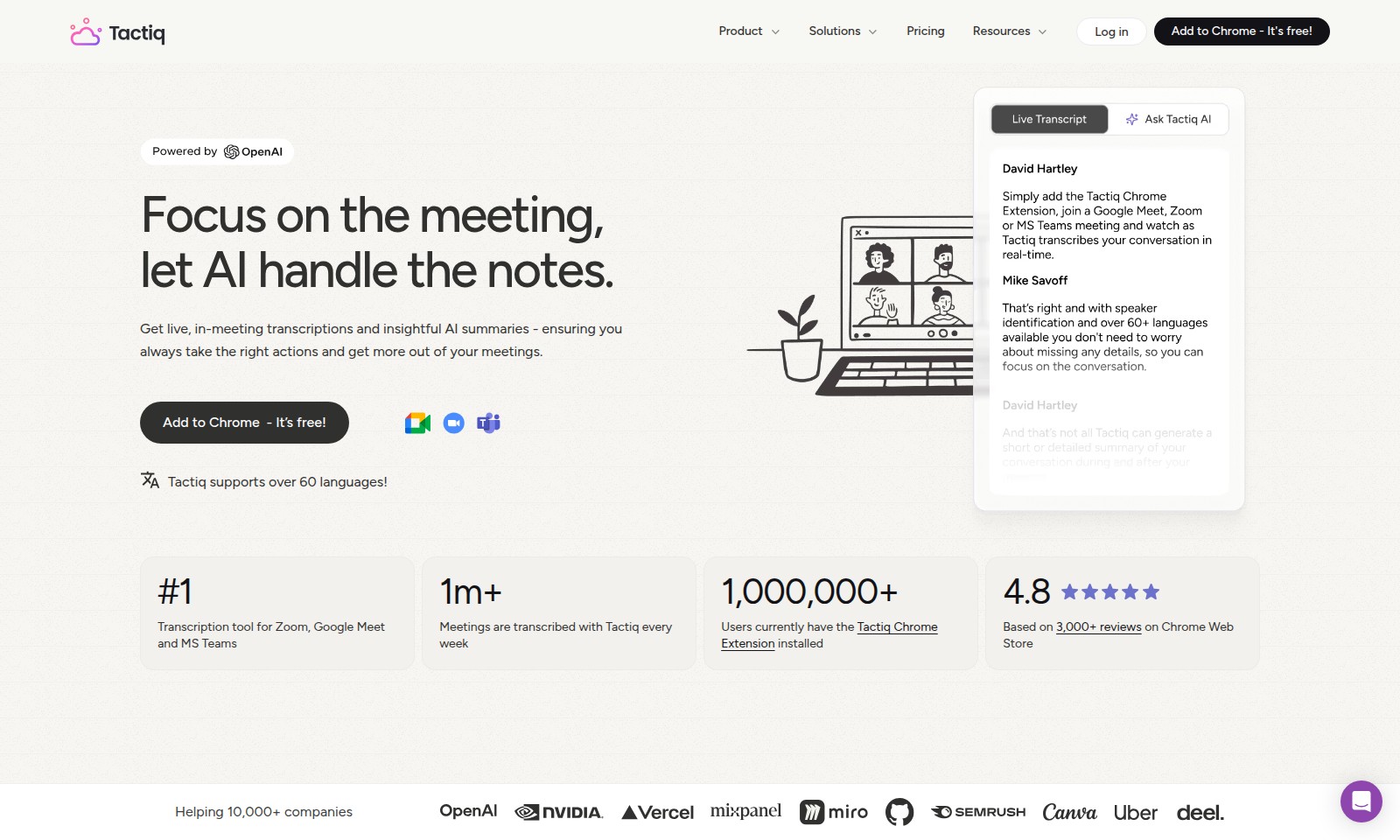
Tactiq Introduction
Experience Seamless Meeting Management
Tactiq revolutionizes the way you conduct meetings by providing real-time transcriptions and AI-generated summaries. With a focus on enhancing productivity, our tool allows you to concentrate on the discussion while we take care of capturing every essential detail and action item.
Tactiq Features
Transcription Tool - Streamline Meeting Logs
Experience seamless meeting documentation with Tactiq's transcription tool, designed specifically for Zoom, Google Meet, and MS Teams. With over one million meetings transcribed weekly, Tactiq eliminates the hassle of note-taking, allowing you to focus on what truly matters: the meeting itself.
Action Items - From Discussion to Execution
Transform commitments into actionable tasks with Tactiq. Our platform effectively outlines action items during meetings, ensuring that every team member understands their responsibilities and can execute flawlessly post-discussion.
AI-Powered Summaries - Context in an Instant
Gain insights quickly with AI-generated summaries. Tactiq provides essential context in just three seconds, cutting down the time spent on review and enabling you to focus on decision-making.
Multilingual Support - Inclusive Communication
Tactiq supports over 60 languages, making it a perfect solution for international teams. Engage with colleagues around the world without the barriers of language, enhancing collaboration and understanding.
Extensive User Base - Trusted by Many
Join over 1,000,000 users globally who trust Tactiq for their meeting transcriptions. Our chrome extension boasts a 4.8 rating based on 3,000+ reviews on the Chrome Web Store, highlighting our commitment to quality and user satisfaction.
Effortless Installation - Add to Chrome for Free
Tactiq can be added to your Chrome browser free of charge. Setting up the extension is a breeze, allowing you to start transcribing meetings right away, with no additional bots required.
Frequently Asked Questions About Tactiq
Frequently Asked Questions
1. How can Tactiq enhance my meeting experience?
Tactiq provides live transcriptions during meetings on platforms like Zoom, Google Meet, and MS Teams, allowing you to focus on the discussion while the AI takes notes. You'll receive insightful summaries, making it easier to identify action items and key points without spending unnecessary time reviewing recordings.
2. Is Tactiq easy to set up?
Absolutely! You can add Tactiq to your Chrome browser for free, and it integrates seamlessly with your existing video conferencing tools. Once installed, just start your meeting, and Tactiq will automatically generate transcriptions and summaries for you.
3. Can Tactiq support my team's language needs?
Yes, Tactiq supports over 60 languages, making it an ideal tool for diverse teams. This feature ensures that every team member can participate fully in meetings, regardless of their primary language, thereby improving collaboration and productivity.
4. What kind of insights can I expect from Tactiq summaries?
Tactiq’s AI-generated summaries provide context within three seconds, helping you quickly grasp crucial points without the lengthy replay of recorded meetings. This allows you to take timely actions based on your discussions and enhances decision-making efficiency in your team.
5. How does Tactiq ensure accuracy in its transcriptions?
Tactiq uses advanced AI technology to deliver a high level of accuracy in transcriptions. While no tool is perfect, the system continually learns and improves, helping to provide reliable meeting notes for follow-ups and record-keeping.
6. What advantages does Tactiq offer to companies?
Over 10,000 companies already leverage Tactiq for their meetings, benefiting from increased accountability and better execution of action items. The integration of AI simplifies note-taking processes, allowing teams to focus on strategic discussions rather than administrative tasks.
How to Use Tactiq
Step 1: Register Your Account
Begin by visiting our website and click on the 'Sign Up' button. Follow the prompts to enter your email and create a secure password.
Step 2: Verify Your Email
Check your email inbox for a verification link. Click on the link provided to confirm your email address and activate your account.
Step 3: Complete Your Profile
After logging in, navigate to your profile settings. Fill in your personal information, including your name and job title, to personalize your experience.
Step 4: Install the Tactiq Chrome Extension
Go to the Chrome Web Store and search for the Tactiq extension. Click 'Add to Chrome' and follow the installation prompts to enable it.
Step 5: Start a Meeting
Launch your preferred conferencing tool like Zoom, Google Meet, or MS Teams. Make sure the Tactiq extension is activated during your meeting.
Step 6: Use Transcription Features
During the meeting, Tactiq will automatically transcribe the conversation. You can focus on the discussion while Tactiq captures notes in real time.
Step 7: Review Meeting Summaries
After your meeting, access the AI-generated summary. It will provide you with key points and action items, saving you time in reviewing the discussion.
Step 8: Assign Action Items
Use the action items feature to turn commitments discussed during the meeting into actionable tasks. Assign these tasks to your team members directly within the platform.
Step 9: Utilize AI Support
If you have any questions about your meetings, take advantage of the AI assistance feature. It can provide relevant information and responses based on the meeting context.
Step 10: Repeat and Improve
Continue to use Tactiq for all your meetings. The more you utilize the tool, the better your team will be at executing tasks and making informed decisions based on the summaries provided.
Reviews
Pros
- Easy to use
- Fast processing
- Great results
- Affordable pricing
Cons
- Limited free version
- Requires internet connection
Comments
No comments yet. Be the first to share your thoughts!
Tactiq - Alternative Platforms
For some alternatives to Tactiq that you may need, we provide you with sites divided by features.

Fathom provides AI-driven meeting summaries and transcripts, integrating seamlessly with your workflow tools to boost team productivity.
Rev provides a trusted platform for legal professionals, enabling efficient evidence analysis, transcription services, and trial preparation.
Notta offers advanced AI voice recording and transcription features to enhance productivity, saving users time in meeting documentation.